1
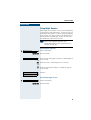
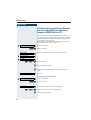
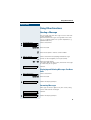
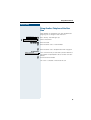
+L3DWK#6333#
+L3DWK#8333#560
+L3DWK#$OO6HUYH/#+LFRP#483#(2+
RSWL3RLQW#833#HFRQRP\
RSWL3RLQW#833#EDVLF
RSWL3RLQW#833#VWDQGDUG
RSWL3RLQW#833#DGYDQFH
2SHUDWLQJ#,QVWUXFWLRQV
Before You Begin
These operating instructions describe the optiPoint 500 economy, optiPoint 500 basic,
optiPoint 500 standard and optiPoint 500 advance telephones on your
HiPath 3000 / 5000 RSM.
They describe all functions you can use from your telephone. You may find that some functions you wish to use are not available on your telephone. This may be due to one of the
following reasons:
• The function has not been configured for your telephone - address any questions to
your service personnel.
• Your communications platform does not support this function - contact your service
personnel to upgrade your system.
Important Notes
Do not operate the telephone in environments where there is a danger
of explosions.
Use only original Siemens accessories Æ page 101. Using other accessories may cause a hazard and will invalidate the warranty and the CE
mark.
Never open the telephone or a key module. If you encounter any problems, contact your service personnel.
Never allow the telephone to come into contact with staining or aggressive liquids such as
coffee, tea, juice, or soft drinks. For information on telephone maintenance Æ page 102.
The information provided in this document contains merely general descriptions or characteristics of performance which in case of actual use do not always apply as described or
which may change as a result of further development of the products.
An obligation to provide the respective characteristics shall only exist if expressly agreed
in the terms of contract.
Marks
The device conforms to the EU guideline 1999/5/EG, as attested by the
CE mark.
This device has been manufactured in accordance with our certified environmental management system (ISO 14001). This process ensures
that energy consumption and the use of primary raw materials are kept
to a minimum, thus reducing waste production.
2
Contents
Basic operating instructions . . . . . . . . . . . . . . . . . . . . 9
optiPoint 500 economy/basic/standard control panel . . . . . . . . . . . . . . . 9
optiPoint 500 advance control panel with optiPoint key modules . . . . . 10
How to Use these Operating Instructions . . . . . . . . . . . . . . . . . . . . . . . 11
Screen Displays . . . . . . . . . . . . . . . . . . . . . . . . . . . . . . . . . . . . . . . . 11
Accessing Functions . . . . . . . . . . . . . . . . . . . . . . . . . . . . . . . . . . . . . . . 12
... Interactively . . . . . . . . . . . . . . . . . . . . . . . . . . . . . . . . . . . . . . . . . 12
... Via the Program/Service Menu . . . . . . . . . . . . . . . . . . . . . . . . . . 12
... With Function Keys . . . . . . . . . . . . . . . . . . . . . . . . . . . . . . . . . . . 12
Functions You Can Use . . . . . . . . . . . . . . . . . . . . . . . . . . . . . . . . . . . . . 13
Basic and Enhanced Functions . . . . . . . . . . . . . . . . . . . . . . . . . . . . 13
Additional Team and Executive/Secretary Functions . . . . . . . . . . . . 13
Using the Telephone Efficiently. . . . . . . . . . . . . . . . . . . . . . . . . . . . . . . 13
Ø Basic and Enhanced Functions
Making and Answering Calls . . . . . . . . . . . . . . . . . . 14
Answering a Call With the Handset. . . . . . . . . . . . . . . . . . . . . . . . . . . .
Answering a Call with the Speaker
(Speakerphone Mode) . . . . . . . . . . . . . . . . . . . . . . . . . . . . . . . . . . . . . .
Open Listening in the Room During a Call . . . . . . . . . . . . . . . . . . . . . .
Switching to Speakerphone Mode . . . . . . . . . . . . . . . . . . . . . . . . . . . .
Switching to the Handset . . . . . . . . . . . . . . . . . . . . . . . . . . . . . . . . . . .
Using Call Waiting . . . . . . . . . . . . . . . . . . . . . . . . . . . . . . . . . . . . . . . . .
Accepting a Waiting Call (Camp-On) . . . . . . . . . . . . . . . . . . . . . . . .
Preventing and Allowing Call Waiting (Automatic Camp-On). . . . . .
Turning the Call Waiting Tone On and Off . . . . . . . . . . . . . . . . . . . .
Accepting a Specific Call for Your Colleague . . . . . . . . . . . . . . . . . . . . .
Rejecting Calls . . . . . . . . . . . . . . . . . . . . . . . . . . . . . . . . . . . . . . . . . . . .
Using Mailboxes . . . . . . . . . . . . . . . . . . . . . . . . . . . . . . . . . . . . . . . . . .
Accessing the Mailbox. . . . . . . . . . . . . . . . . . . . . . . . . . . . . . . . . . .
Using Timed Reminders . . . . . . . . . . . . . . . . . . . . . . . . . . . . . . . . . . . .
Using the Speakerphone . . . . . . . . . . . . . . . . . . . . . . . . . . . . . . . . . . . .
Enabling and Disabling Handsfree Answerback. . . . . . . . . . . . . . . .
Answering a Call With a Headset . . . . . . . . . . . . . . . . . . . . . . . . . . . . .
Turning Do Not Disturb On and Off. . . . . . . . . . . . . . . . . . . . . . . . . . . .
Turning Ringer Cutoff On and Off . . . . . . . . . . . . . . . . . . . . . . . . . . . . .
Trace Call: Identifying Anonymous Callers (Not for U.S.) . . . . . . . . . . .
Turning the Microphone On and Off . . . . . . . . . . . . . . . . . . . . . . . . . . .
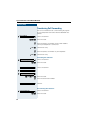
Answering Calls from the Entrance Telephone and Opening the Door.
Accepting a Call From an Answering Machine . . . . . . . . . . . . . . . . . . .
Display Number of Waiting Calls and Overload Indication. . . . . . . . . . .
14
14
15
16
16
16
16
17
17
18
18
19
19
19
20
20
20
21
21
22
22
23
24
25
3
Contents
Making Calls . . . . . . . . . . . . . . . . . . . . . . . . . . . . . . . . .26
Off-Hook Dialing . . . . . . . . . . . . . . . . . . . . . . . . . . . . . . . . . . . . . . . . . .
On-Hook Dialing. . . . . . . . . . . . . . . . . . . . . . . . . . . . . . . . . . . . . . . . . . .
En-Bloc Sending / Correcting Numbers . . . . . . . . . . . . . . . . . . . . . .
Caller ID Suppression . . . . . . . . . . . . . . . . . . . . . . . . . . . . . . . . . . . . . .
Talking to Your Colleague With a Speaker Call . . . . . . . . . . . . . . . . . . .
Activating Tone Dialing (DTMF Suffix Dialing) . . . . . . . . . . . . . . . . . . . .
Automatic Connection Setup (Hotline) . . . . . . . . . . . . . . . . . . . . . . . . .
Reserve Trunk . . . . . . . . . . . . . . . . . . . . . . . . . . . . . . . . . . . . . . . . . . . .
Assigning a Station Number (Not for U.S.) . . . . . . . . . . . . . . . . . . . . . .
Trunk Flash . . . . . . . . . . . . . . . . . . . . . . . . . . . . . . . . . . . . . . . . . . . . . .
Associated Dialing/Dialing Aid . . . . . . . . . . . . . . . . . . . . . . . . . . . . . . . .
26
26
27
28
28
29
29
30
30
31
32
Calling Multiple Parties Simultaneously . . . . . . . . .33
Calling a Second Party (Consultation Hold) . . . . . . . . . . . . . . . . . . . . . .
Switching to the Party on Hold (Toggle) . . . . . . . . . . . . . . . . . . . . .
Conducting a Conference . . . . . . . . . . . . . . . . . . . . . . . . . . . . . . . . . . .
Adding Up to Five Parties to the Conference (Initiator Only) . . . . . .
Checking Which Parties Are in the Conference (Initiator Only) . . . .
Removing Parties From the Conference (Initiator Only) . . . . . . . . .
Leaving a Conference . . . . . . . . . . . . . . . . . . . . . . . . . . . . . . . . . . .
Ending a Conference (Initiator Only) . . . . . . . . . . . . . . . . . . . . . . . .
Removing the ISDN Central Office Party
From the Conference (Only for U.S.) . . . . . . . . . . . . . . . . . . . . . . . .
Transferring a Call . . . . . . . . . . . . . . . . . . . . . . . . . . . . . . . . . . . . . . . . .
...After a Speaker Call (Announcement) in a Group . . . . . . . . . . . . .
Parking a Call . . . . . . . . . . . . . . . . . . . . . . . . . . . . . . . . . . . . . . . . . . . . .
Retrieving a Parked Call . . . . . . . . . . . . . . . . . . . . . . . . . . . . . . . . . .
Placing External Calls on Hold . . . . . . . . . . . . . . . . . . . . . . . . . . . . . . . .
Picking up (Retrieving) a Held Call . . . . . . . . . . . . . . . . . . . . . . . . . .
33
33
34
34
35
35
35
35
35
36
36
37
37
38
38
Making Calls to Stored Destinations . . . . . . . . . . . .39
Using a Caller List . . . . . . . . . . . . . . . . . . . . . . . . . . . . . . . . . . . . . . . . .
Retrieving the Caller List . . . . . . . . . . . . . . . . . . . . . . . . . . . . . . . . .
Ending Retrieval. . . . . . . . . . . . . . . . . . . . . . . . . . . . . . . . . . . . . . . .
Displaying the Call Time and Additional Call Information. . . . . . . . .
Dialing a Station Number from the Caller List . . . . . . . . . . . . . . . . .
Removing an Entry from the Caller List . . . . . . . . . . . . . . . . . . . . . .
Saving the Other Party’s Station Number in the Caller List (Redial)
4
39
39
39
40
40
40
40
Contents
Redialing a Number . . . . . . . . . . . . . . . . . . . . . . . . . . . . . . . . . . . . . . . .
Dialing a Number From the Internal Directory . . . . . . . . . . . . . . . . . . . .
Using Repertory Dialing Keys . . . . . . . . . . . . . . . . . . . . . . . . . . . . . . . .
Using Station and System Speed-Dial Numbers . . . . . . . . . . . . . . . . . .
41
42
43
43
Displaying and Assigning Call Charges . . . . . . . . . 44
Displaying Call Charges (Not for U.S.) . . . . . . . . . . . . . . . . . . . . . . . . . . 44
Displaying Call Charges for Another Telephone (Not for U.S.) . . . . . . . 45
Dialing with Call Charge Assignment. . . . . . . . . . . . . . . . . . . . . . . . . . . 46
If You Cannot Reach a Destination .... . . . . . . . . . . . 47
Using Callback . . . . . . . . . . . . . . . . . . . . . . . . . . . . . . . . . . . . . . . . . . . .
Storing a Callback. . . . . . . . . . . . . . . . . . . . . . . . . . . . . . . . . . . . . . .
Answering a Callback. . . . . . . . . . . . . . . . . . . . . . . . . . . . . . . . . . . .
Checking and Canceling a Saved Callback . . . . . . . . . . . . . . . . . . . .
Call Waiting (Camp-On) . . . . . . . . . . . . . . . . . . . . . . . . . . . . . . . . . . . . .
Busy Override - Joining a Call in Progress. . . . . . . . . . . . . . . . . . . . . . .
47
47
47
47
48
49
Telephone Settings . . . . . . . . . . . . . . . . . . . . . . . . . . . 50
Adjusting the Ring Volume . . . . . . . . . . . . . . . . . . . . . . . . . . . . . . . . . .
Adjusting the Ring Tone . . . . . . . . . . . . . . . . . . . . . . . . . . . . . . . . . . . .
Adjusting the Attention Ring Volume . . . . . . . . . . . . . . . . . . . . . . . . . .
Adjusting the Speakerphone to the Room Acoustics . . . . . . . . . . . . . .
Adjusting the Receiving Volume During a Call. . . . . . . . . . . . . . . . . . . .
Adjusting the Display to a Comfortable Reading Angle. . . . . . . . . . . . .
Display backlight . . . . . . . . . . . . . . . . . . . . . . . . . . . . . . . . . . . . . . . . . .
Adjusting the display contrast . . . . . . . . . . . . . . . . . . . . . . . . . . . . . . . .
Selecting the Language of Screen Prompts . . . . . . . . . . . . . . . . . . . . .
Locking the Telephone to Prevent Unauthorized Use . . . . . . . . . . . . . .
Saving Your PIN. . . . . . . . . . . . . . . . . . . . . . . . . . . . . . . . . . . . . . . . . . .
50
50
50
51
51
52
52
52
52
53
54
Saving Station Numbers,
Functions, Procedures and Appointments . . . . . . . 55
Saving Repertory Dialing Numbers on a Key. . . . . . . . . . . . . . . . . . . . .
Storing Station Speed-Dial Numbers . . . . . . . . . . . . . . . . . . . . . . . . . . .
Assigning Functions to Keys . . . . . . . . . . . . . . . . . . . . . . . . . . . . . . . . .
Assigning a Procedure (Operating Steps) to a Key . . . . . . . . . . . . . . . .
Saving Appointments . . . . . . . . . . . . . . . . . . . . . . . . . . . . . . . . . . . . . .
55
56
57
60
62
Testing the Telephone . . . . . . . . . . . . . . . . . . . . . . . . 63
Testing the Telephone Functions . . . . . . . . . . . . . . . . . . . . . . . . . . . . . 63
Checking the Key Assignment . . . . . . . . . . . . . . . . . . . . . . . . . . . . . . . 63
5
Contents
Call Forwarding . . . . . . . . . . . . . . . . . . . . . . . . . . . . . .64
Using Variable Call Forwarding . . . . . . . . . . . . . . . . . . . . . . . . . . . . . . . 64
Using Night Answer . . . . . . . . . . . . . . . . . . . . . . . . . . . . . . . . . . . . . . . 65
Call Forwarding in the Carrier Network
and Forwarding Multiple Subscriber Numbers (MSN) (Not for U.S.). . . 66
Using Other Functions. . . . . . . . . . . . . . . . . . . . . . . . .67
Sending a Message . . . . . . . . . . . . . . . . . . . . . . . . . . . . . . . . . . . . . . . . 67
Displaying and Deleting Messages You Have Sent . . . . . . . . . . . . . 67
Answering Messages . . . . . . . . . . . . . . . . . . . . . . . . . . . . . . . . . . . 67
Leaving an Advisory Message. . . . . . . . . . . . . . . . . . . . . . . . . . . . . . . . 68
Deleting Advisory Messages . . . . . . . . . . . . . . . . . . . . . . . . . . . . . . 68
Using Another Telephone Like Your Own . . . . . . . . . . . . . . . . . . . . . . . 69
Change call number (relocate) . . . . . . . . . . . . . . . . . . . . . . . . . . . . . . . . 70
Fax Details and Message on Answering Machine . . . . . . . . . . . . . . . . 71
Resetting Services and Functions
(System-Wide Cancellation for a Telephone). . . . . . . . . . . . . . . . . . . . . 71
Silent Monitor . . . . . . . . . . . . . . . . . . . . . . . . . . . . . . . . . . . . . . . . . . . . 72
Monitoring a Room . . . . . . . . . . . . . . . . . . . . . . . . . . . . . . . . . . . . . . . . 72
Activating Functions for Another Telephone . . . . . . . . . . . . . . . . . . . . . 73
Locking Another Telephone to Prevent Unauthorized Use . . . . . . . . . . 74
Using System Functions from the Outside
(DISA: Direct Inward System Access) . . . . . . . . . . . . . . . . . . . . . . . . . . 74
Using functions in ISDN via code dialing (keypad dialing) . . . . . . . . . . . 76
Controlling Connected Computers or Other Programs and Telephone Data
Service (HiPath 3500/3550/3700/3750 Only). . . . . . . . . . . . . . . . . . . . . 77
Controlling Relays . . . . . . . . . . . . . . . . . . . . . . . . . . . . . . . . . . . . . . . . . 78
Sensors (HiPath 3300/3350/3500/3550 Only) . . . . . . . . . . . . . . . . . . . . 78
Radio Paging (Not for U.S.) . . . . . . . . . . . . . . . . . . . . . . . . . . . . . . . . . . 79
Simple Paging Equipment . . . . . . . . . . . . . . . . . . . . . . . . . . . . . . . . 79
Enhanced Paging Equipment (Hipath 3700/3750 Only) . . . . . . . . . . 79
6
Contents
Ø Team and Executive/Secretary Functions
Team and Executive/Secretary
Functions With Trunk Keys . . . . . . . . . . . . . . . . . . . . 81
Using Trunk Keys. . . . . . . . . . . . . . . . . . . . . . . . . . . . . . . . . . . . . . . . . .
Answering Calls With Trunk Keys . . . . . . . . . . . . . . . . . . . . . . . . . .
Making Calls with Trunk Keys . . . . . . . . . . . . . . . . . . . . . . . . . . . . .
Using a Trunk Key to Place a Call on Hold and Retrieve It Again . . .
Switching Between Phone Calls on Multiple Trunks . . . . . . . . . . . .
Forwarding Calls on Lines . . . . . . . . . . . . . . . . . . . . . . . . . . . . . . . . . . .
Using DSS Keys. . . . . . . . . . . . . . . . . . . . . . . . . . . . . . . . . . . . . . . . . . .
Using DSS Keys to Answer Calls. . . . . . . . . . . . . . . . . . . . . . . . . . .
Calling a Team Member Directly . . . . . . . . . . . . . . . . . . . . . . . . . . .
Transferring a Call in Progress. . . . . . . . . . . . . . . . . . . . . . . . . . . . . . . .
Accepting a Call for Another Team Member . . . . . . . . . . . . . . . . . . . . .
Joining or Leaving a Group Call
(Not for the Executive Telephone in an Executive/Secretary Team) . . .
Transferring Calls Directly to the Executive
(Only in an Executive/Secretary Group) . . . . . . . . . . . . . . . . . . . . . . . . .
81
82
82
82
83
83
85
85
85
86
86
86
87
Using Other Team Functions . . . . . . . . . . . . . . . . . . . 88
Turning Group Call On and Off . . . . . . . . . . . . . . . . . . . . . . . . . . . . . . .
Accepting a Call for Another Member of Your Team . . . . . . . . . . . . . .
Activating and Deactivating a Ringing Group. . . . . . . . . . . . . . . . . . . . .
Uniform Call Distribution (UCD). . . . . . . . . . . . . . . . . . . . . . . . . . . . . . .
88
90
90
91
Ø System networking via LAN (PC network)
Special Functions in the LAN (PC Network). . . . . . 93
Leaving a Hunt Group/Group Call . . . . . . . . . . . . . . . . . . . . . . . . . . . . .
Transferring Call Forwarding . . . . . . . . . . . . . . . . . . . . . . . . . . . . . . . . .
Using Night Answer . . . . . . . . . . . . . . . . . . . . . . . . . . . . . . . . . . . . . . .
Activating and Deactivating a Ringing Group. . . . . . . . . . . . . . . . . . . . .
Controlling Relays . . . . . . . . . . . . . . . . . . . . . . . . . . . . . . . . . . . . . . . . .
Opening the Door . . . . . . . . . . . . . . . . . . . . . . . . . . . . . . . . . . . . . . . . .
93
94
95
96
97
98
7
Contents
Ø All About Your Telephone
Labeling, Documentation and Accessories . . . . . .99
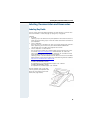
Labeling Key Fields . . . . . . . . . . . . . . . . . . . . . . . . . . . . . . . . . . . . . . . . 99
Attaching a Station Number Label. . . . . . . . . . . . . . . . . . . . . . . . . . . . 100
Documentation . . . . . . . . . . . . . . . . . . . . . . . . . . . . . . . . . . . . . . . . . . 100
Accessories . . . . . . . . . . . . . . . . . . . . . . . . . . . . . . . . . . . . . . . . . . . . . 101
Fixing Problems . . . . . . . . . . . . . . . . . . . . . . . . . . . . .102
Telephone Maintenance . . . . . . . . . . . . . . . . . . . . . . . . . . . . . . . . . . .
Troubleshooting. . . . . . . . . . . . . . . . . . . . . . . . . . . . . . . . . . . . . . . . . .
Responding to Error Messages on the Screen . . . . . . . . . . . . . . . . . .
Contacts for Resolving Problems . . . . . . . . . . . . . . . . . . . . . . . . . . . .
102
102
103
103
Index. . . . . . . . . . . . . . . . . . . . . . . . . . . . . . . . . . . . . . .104
8
Basic operating instructions
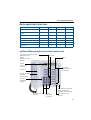
Basic operating instructions
optiPoint 500*
economy
basic
standard
advance
12
12
12
19
Full-duplex speakerphone
feature
-
-
9
9
Illuminated display
-
-
-
9
Headset port
-
-
-
9
USB interface
-
9
9
9
Interface for add-on equipment
-
9
9
9
Option bays
0
1
1
2
Function keys
* The name and model of your telephone are printed on the base of your optiPoint 500.
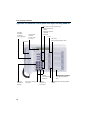
optiPoint 500 economy/basic/standard control panel
Key field - fixed function keys:
Program/Service
Redial
Mute or Internal
Speaker
Keypad
Display,
2 lines with
24 chars
LEDs
Key field freely programmable keys
Handset
Speaker for open
listening
and ring tones
Keys for
telephone
settings
Microphone for speakerphone mode (only
optiPoint 500 standard)
Keys for scrolling to Key for
confirming
functions
a function
Fixed function key:
Release
9
Basic operating instructions
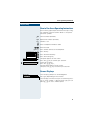
optiPoint 500 advance control panel with optiPoint key modules
Speaker
for open
listening
and ring tones
Key field - fixed function keys:
Program/Service
Redial
Mute or Internal
Speaker
Iluminated
Display,
2 lines with
24 chars
Keypad
LEDs
Key field freely programmable keys
Handset
Fixed
function key:
Release
Keys for
telephone
settings
10
Keys for scrolling to
functions
Key for
confirming
a function
optiPoint key module
with programmable
keys
Microphone for speakerphone
mode
Basic operating instructions
Step by Step
How to Use these Operating Instructions
You will find a graphic representation of the steps in logical sequence in the left column. Below is an explanation of the symbols:
C Lift the handset (off-hook).
I Replace the handset (on-hook).
H Conduct a call.
D Enter a telephone number or code.
99 Enter the code.
J or K
Press volume controls on the telephone.
Program/Service
Press the key.
Speaker
Press the illuminated key.
Press the flashing key.
Start conference?
The option appears on the screen.
Press the ã key to confirm your selection.
Display contrast?
Search for an option.
Press the á ! keys,
until the option appears on the screen.
Then press the ã key to confirm your selection.
Screen Displays
Please dial
Return to held call?
>
Line 1 displays prompts or acknowledgment
messages, depending on the situation.
Line 2 displays functions that you can confirm by pressing ã. If the symbol ">" appears on the right, you can
press á ! to access further options.
11
Basic operating instructions
Step by Step
Accessing Functions
... Interactively
You can select some functions while the telephone is
idle, for example:
Use á ! to scroll to a function and press ã to
execute it.
Forwarding on
You can select other functions directly depending on
the situation. Example: you call a number, but the line
is busy:
Press ã to confirm.
Callback
or
Use á ! to scroll to a function and press ã to
execute it.
Send message
... Via the Program/Service Menu
First press the "Program/Service" key. You then see a list
of selection options, such as: "#0=Reset services"
Æ page 71.
Press the key.
Program/Service
Use á ! to scroll to a function and press ã to
execute it.
#0=Reset services?
or
G9 Enter the code directly.
The Quick-Reference Operating Instructions contain a
list of codes. However, they are also displayed on
screen along with the corresponding function.
... With Function Keys
If you saved a function on a key Æ page 57, you can access it directly as follows:
Press the Mute key to execute the function.
12
Basic operating instructions
Functions You Can Use
Basic and Enhanced Functions
You can use all basic and enhanced communications platform functions
that appear interactively on the screen, in the Program/Service menu, and
when you press function keys.
Additional Team and Executive/Secretary Functions
Æ page 81f.
To help working and project groups work together more efficiently, the service technician can configure a variety of team functions, depending on
your preferences when working in the team. You can use these team functions in addition to the basic and enhanced functions.
In addition to call pickup, hunting groups (group call), and call distribution
groups, you can also set up teams with multiple lines per telephone.
You can tell if a telephone has trunk keys if your station number and the
numbers of your colleagues are programmed on trunk keys. You can access all lines and can also conduct different calls simultaneously on multiple lines.
Another team function category includes the executive/secretary
functions,which are configured by the service technician. You can use executive and secretary functions in addition to the basic and enhanced functions as well as other team functions.
An executive/secretary telephone has DSS keys for the executive or secretary, trunk keys for the executive and secretary, as well as ring transfer
keys.
Using the Telephone Efficiently
•
•
You probably have certain colleagues or external parties with whom
you talk on the phone especially frequently. To dial these numbers faster and more conveniently, you can save them on keys
(Saving station numbers for repertory dialing on keys Æ page 55).
All too often you reach a busy line when dialing a number. Amid the
confusion of your working day, it’s easy to forget to try the number
again later on. To avoid this, make it a habit to use the "Callback"
Æ page 47 function.
Basic and Enhanced Functions
13
Making and Answering Calls
Step by Step
Making and Answering Calls
Special default ring signaling is set for your telephone:
•
•
•
•
When you receive an internal call, your telephone
rings once every four seconds (single-tone
sequence).
When you receive an external call, your telephone
rings twice in rapid succession every four seconds
(dual-tone sequence).
When you receive a call from the entrance telephone, your telephone rings three times in rapid
succession every four seconds (triple-tone sequence).
If a call is waiting, you hear a short tone (beep) every
six seconds.
The number or the name of the caller appears on the
display.
Answering a Call With the Handset
The telephone rings. The caller appears on the screen.
C Lift the handset.
J or K
Raise or lower the volume. Keep pressing the key until
the desired volume is set.
Ending the call:
I Replace the handset.
or
Press the key.
Release
Answering a Call with the Speaker
(Speakerphone Mode)
This function is not available with
optiPoint 500 economy and optiPoint 500 basic.
The telephone rings. The caller appears on the screen.
Press the key. The LED lights up.
Speakerphone mode.
Speaker
J or K
14
Raise or lower the volume. Keep pressing the key until
the desired volume is set.
Making and Answering Calls
Step by Step
Ending the call:
Press the key. The LED goes out.
Speaker
or
Release
Press the key.
Notes on speakerphone mode:
• Tell the other party that you are using speakerphone
mode.
• The speakerphone works bests at a low receiving
volume.
• The ideal distance between the user and the telephone set in speakerphone mode is about 50 cm
(approx. 20 inches).
Open Listening in the Room During a Call
You can let other people in the room join in on the call.
Let the other party know that you have turned on the
speaker.
Precondition: You are conducting a call with the handset.
Activating ring transfer:
Speaker
Press the key. The LED lights up.
Deactivating this function:
Speaker
Press the key. The LED goes out.
15
Making and Answering Calls
Step by Step
Switching to Speakerphone Mode
This function is not available with
optiPoint 500 economy and optiPoint 500 basic.
Precondition: You are conducting a call with the handset.
Speaker
and I Hold down the key and replace the handset.
(in the U.S.: press the key once and replace the handset). Then release the key and continue the call.
Switching to the Handset
This function is not available with
optiPoint 500 economy and optiPoint 500 basic.
Precondition: You are engaged in a call in speakerphone mode.
C and H Lift the handset. Continue the call.
Using Call Waiting
Callers can still reach you while you are engaged in another call. A signal alerts you to the waiting call.
You can either ignore or accept the waiting call.
When you accept the waiting call, you can either end
the first call or place it on hold and resume the call later
on.
You can also bar call waiting or the call waiting tone
Æ page 17.
Accepting a Waiting Call (Camp-On)
Precondition: You are engaged in a phone call and hear
a tone (every six seconds).
Ending the first call and answering the waiting call:
I Replace the handset. Your telephone rings.
C Answer the second call. Lift the handset.
Placing the first call on hold and answering the second call:
Call waiting?
16
Select and confirm.
Making and Answering Calls
Step by Step
or
Press the key. The LED lights up. Enter the code.
Program/Service
F>>
You are connected to the call waiting party immediately.
The first party is placed on hold.
Ending the second call and resuming the first one:
Confirm.
Quit and return?
or
F9 Press the key. The LED lights up. Enter the code.
Program/Service
or
I C Replace the handset. "Recall: ..." appears on the screen.
Lift the handset.
Preventing and Allowing Call Waiting
(Automatic Camp-On)
If this function has been configured (ask your service
technician), you can prevent or allow a second call
Æ page 16 from being signaled by automatic camp-on
during an ongoing call.
Press the key. The LED lights up
Program/Service
and
Select and confirm.
#490=Call wait.trm.off?
or
*490=Call wait.term.on?
or
G=B9 or F=B9 Enter the code for "off" or "on".
Turning the Call Waiting Tone On and Off
You can suppress the call waiting tone (every six seconds) for external calls. A one-time special dial tone
then alerts you to the waiting call.
Select and confirm.
Waiting tone off?
or
Waiting tone on?
or
FA@ or GA@ Enter code for "tone off" or "tone on".
17
Making and Answering Calls
Step by Step
Accepting a Specific Call for Your
Colleague
You hear another telephone ring.
Press the key. The LED lights up
Program/Service
*59=Pickup - directed?
Select and confirm.
or
F>B Enter the code.
A called station appears on the screen.
If applicable
Next?
Select and confirm until you see the station you want.
Accept call?
Confirm.
or
D If you know the number of the telephone that is ringing,
enter it directly.
or
Press the flashing key.
Accepting calls in a team Æ page 90.
Rejecting Calls
You can reject calls which you do not wish to take. The
call is then signaled at another definable telephone
(contact your service personnel).
The telephone rings. The caller is displayed.
Release
Press the key.
If a call cannot be rejected, your telephone will continue
to ring. The message "currently not possible" (UK) or
"Feature not available" (US) is displayed (e.g in the case
of recalls).
18
Making and Answering Calls
Step by Step
Using Mailboxes
If you have programmed the "Mailbox" key Æ page 57,
the associated LED lights up when messages have arrived for you. If your telephone is connected to a voice
mail system, the "Mailbox" key will also light up to alert
you to any messages that have arrived.
Accessing the Mailbox
Press the illuminated "Mailbox" key.
or
Confirm.
US: View messages?
UK: Display Messages?
Select and confirm.
US: Message sent?
UK: Text?
or
Follow the user prompts.
US: Call voice mail?
UK: Call Voice Mail?
Using Timed Reminders
Precondition: You must have saved a timed reminder
Æ page 62. The current time is the time stored.
The telephone rings. The timed reminder appears on
the screen.
US: Reminder:
UK: Reminder at:
Press the key twice.
Speaker
or
C I Lift the handset and replace it again.
If you fail to answer the timed reminder, it repeats five times and is then erased.
19
Making and Answering Calls
Step by Step
Using the Speakerphone
A colleague addresses you directly over the speaker
with a speaker call. You hear a tone before the announcement. The other party’s name or station number
appears on the screen.
You can conduct the call with the handset or in speakerphone mode.
Speakerphone mode is not available with
optiPoint 500 economy and optiPoint 500 basic.
C Lift the handset and answer the call.
or
Press the "OK" key to confirm your selection and answer
the call.
Mute off?
or
Press the key and answer the call.
Mute
If handsfree answerback is enabled (see below),
you do not need to switch on the microphone you can answer directly. You can answer immediately in speakerphone mode.
If handsfree answerback is disabled (default setting), follow the procedure described above.
Placing a speaker call to a colleague Æ page 28.
Enabling and Disabling Handsfree
Answerback
Select and confirm.
HF answerback on?
or
HF answerback off?
or
FB? or GB? Enter the code for "on" or "off".
Answering a Call With a Headset
Answer?
Your telephone rings. Confirm.
Ending the call:
Release
20
Press the key. The LED goes out.
Making and Answering Calls
Step by Step
Turning Do Not Disturb On and Off
You can activate the do not disturb function if you do not
want the receive any calls. When do not disturb is activated, internal callers hear a busy signal and external
callers are rerouted to a telephone assigned for this purpose (contact your service personnel).
Select and confirm.
DND on?
or
DND off?
or
FB@ or GB@ Enter the code for "on" or "off".
When you lift the handset, a special dial tone
(continuous buzzing tone) reminds you that do
not disturb is active.
Authorized internal callers can automatically
override the do not disturb function after five seconds.
Turning Ringer Cutoff On and Off
You can activate the ringer cutoff function if you do not
want the receive any calls. Calls are only identified by
one ring signal, an indication on the display, and a key
which has been programmed to flash (such as a trunk
key).
Select and confirm.
Ringer cutoff on?
or
Ringer cutoff off?
or
FBA or GBA Enter the code for "on" or "off".
21
Making and Answering Calls
Step by Step
Trace Call: Identifying Anonymous
Callers (Not for U.S.)
You can have the carrier identify malicious external callers. You can save the caller’s station number during the
call or for 30 seconds after the call ends. However, it is
essential that you do not replace your handset during
this time.
Press the key. The LED lights up.
Program/Service
and
Select and confirm.
*84=Trace call?
or
FA= Enter the code.
After you have finished tracing the call, the data
is stored on the carrier’s system. Now contact
your service personnel.
Turning the Microphone On and Off
To prevent the other party from listening in while you
consult with someone in your office, you can temporarily switch off the handset microphone or the handsfree
microphone. You can also switch on the handsfree microphone to answer an announcement via the telephone speaker (speaker call, Æ page 20).
Speakerphone mode is not available with
optiPoint 500 economy and optiPoint 500 basic.
Precondition: You are conducting a call. The microphone is switched on.
Press the key. The LED lights up.
Mute
or
Press the illuminated key. The LED goes out.
Mute
or
Select and confirm.
Mute on?
or
Mute off?
or
Program/Service
Press the key. The LED lights up
F>; or G>; Enter the code for "on or "off".
22
Making and Answering Calls
Step by Step
Answering Calls from the Entrance
Telephone and Opening the Door
If an entrance telephone has been programmed, you
can use your telephone to speak to someone at the
entrance telephone and to activate a door opener.
If you have the proper authorization (contact your service personnel), you can activate the door opener, enabling visitors to open the door themselves by entering
a
5-digit code (using a DTMF transmitter or installed keypad).
Speaking to visitors via the entrance telephone:
Precondition: Your telephone rings.
C Lift the handset within thirty seconds. You are connected to the entrance telephone immediately.
or
C Lift the handset after more than thirty seconds.
D Dial the entrance telephone number.
Opening the door from your telephone during a call
from the entrance telephone:
Confirm.
Open door?
Opening the door from your telephone without
calling the entrance telephone:
Press the key. The LED lights up.
Program/Service
*61=Open door?
Select and confirm.
or
F?: Enter the code.
D Dial the entrance telephone number.
Special features must be taken into consideration if your telephone operates with
HiPath 5000 RSM (system networking via PC
network) Æ page 98!
23
Making and Answering Calls
Step by Step
Opening the door with a code (at the door):
D After ringing the bell, enter the five-digit code (using the
keypad or a DTMF transmitter). Depending on how the
door opener has been programmed, a doorbell call signal may or may not be forwarded.
Activating the door opener:
Press the key. The LED lights up
Program/Service
*89=Door opener on?
Select and confirm.
or
FAB Enter the code.
D Dial the entrance telephone number.
D Enter the five-digit code. Default code = "00000".
or
Select the displayed function and press the "OK" dialog
key to change the code.
3=change password?
Select and confirm.
1=enable with ring?
or
You can also open the door without a doorbell ring.
2=enable w/o ring?
Deactivating the door opener:
Press the key. The LED lights up.
Program/Service
Select and confirm.
#89=Door opener off?
or
GAB Enter the code.
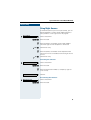
Accepting a Call From an Answering
Machine
You can accept a call from any answering machine if the
machine is connected to your system (contact your service personnel) and you have programmed the answering machine number on a key Æ page 57.
The LED lights up. Press the key.
24
Making and Answering Calls
Step by Step
Display Number of Waiting Calls and
Overload Indication
You can show the number of external waiting calls on
the display by pressing the "View number of calls" key
Æ page 57.
Press the "Waiting calls" key.
If the number of waiting calls exceeds a preset limit
while you are engaged in another call (overload), the
LED on the key lights up. Contact your service personnel to find out the waiting call limit.
• LED off:
No callers waiting.
• LED flashes slowly:
You have reached the programmed threshold.
• LED flashes rapidly:
You have exceeded the threshold value (overload).
25
Making Calls
Step by Step
Making Calls
Off-Hook Dialing
C Lift the handset.
D Internal calls: Enter the station number.
External calls: Enter the external code and the station
number.
The called party does not answer or is busy:
I Replace the handset.
On-Hook Dialing
D Internal calls: Enter the station number.
External calls: Enter the external code and the station
number.
The other party answers with speaker:
C Lift the handset.
or On-hook: Use speakerphone mode (not available with
optiPoint 500 economy and optiPoint 500 basic).
The called party does not answer or is busy:
Speaker
Press the key. The LED goes out.
Your system may also be programmed so that
you have to press the Internal key before you dial
an internal number.
To call an external party, you have to enter an external code before dialing the party’s telephone
number (Prime Line is not active; contact your
service personnel).
26
Making Calls
Step by Step
En-Bloc Sending / Correcting Numbers
If this feature is configured (contact your service personnel), a connection is not attempted immediately
when a station number is entered. This means that you
can correct the number if necessary.
The station number is only dialed at your specific request.
D Internal: enter station number.
External: enter external code and station number.
Dialing entered/displayed numbers:
C Lift the handset.
or
Confirm.
Dial?
Correcting numbers entered:
Select and confirm.
The last digit entered in each case is deleted.
Delete number?
D Enter the required digit(s).
Canceling en-bloc sending:
Select and confirm.
End?
or
Press the key. The LED goes out.
Speaker
or
Release
Press the key.
27
Making Calls
Step by Step
Caller ID Suppression
You can prevent your station number or name from appearing on the displays of external parties you call. The
feature remains active until you deactivate it.
Select and confirm.
Suppress call ID?
or
Restore caller ID?
or
FA? or GA? Enter code for "suppress" or "restore".
Your service personnel can turn caller ID suppression on and off for all telephones.
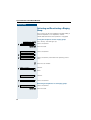
Talking to Your Colleague With a
Speaker Call
You can make a loudspeaker announcement through a
loudspeaker if connected (ask your service personnel),
or to an internal user with a system telephone without
any action on their part.
Press the key. The LED lights up.
Program/Service
*80=Speaker call?
Select and confirm.
or
FA9 Enter the code.
D Enter the station number.
Responding to a speaker call Æ page 20.
28
Making Calls
Step by Step
Activating Tone Dialing
(DTMF Suffix Dialing)
You can transmit dual-tone multifrequency (DTMF) signals to control devices such as an answering machine
or automatic information system.
Press the key. The LED lights up.
Program/Service
Select and confirm.
*53=DTMF dialing?
or
F>< Enter the code.
D You can use the keys "0" through "9", "*", and "#" to transmit DTMF signals.
Ending the call also deactivates DTMF suffix
dialing.
Your system may be configured so that you can
start DTMF suffix-dialing immediately after
setting up a connection.
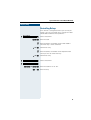
Automatic Connection Setup (Hotline)
If this function is configured (contact your service personnel), the system automatically sets up a connection
to a preset internal or external destination.
C Lift the handset.
Depending on the setting, the connection is either set
up immediately or only after a preset period of time
(hotline after a timeout).
29
Making Calls
Step by Step
Reserve Trunk
If this feature is configured (contact your service personnel), you can reserve a busy trunk for your own use.
When the trunk is free, you receive a call and a message
appears on the display.
Precondition: The message "US:Currently busy
UK:busy at the moment" appears on your screen.
Confirm.
Reserve trunk?
When the reserved trunk becomes free:
Your telephone rings. The display shows " Trunk is free".
C Lift the handset. You hear the CO dial tone.
D Enter the number of the external station.
Assigning a Station Number
(Not for U.S.)
If this function has been configured (contact your service personnel), you can selectively assign a specific
number (DID number) to your telephone before making
an external call. The assigned number then appears on
the called party’s display.
Press the key. The LED lights up.
Program/Service
Select and confirm.
*41=Temporary MSN?
or
F=: Enter the code.
D Enter the DID number you wish to use.
D Dial the external number.
30
Making Calls
Step by Step
Trunk Flash
To activate ISDN-type services and features through the
network carrier’s analog trunks or those of other communications platforms (such as "consultation hold"), you
must send a signal to the trunks before dialing the service code or telephone number.
Precondition: You have set up an external connection.
Press the key. The LED lights up.
Program/Service
*51=Trunk flash?
Select and confirm.
or
F>: Enter the code.
D Enter the service code and/or telephone number.
31
Making Calls
Step by Step
Associated Dialing/Dialing Aid
If this function has been configured (contact your service personnel), you can use a dialing aid to dial numbers and set up calls for your telephone.
The operating procedure depends on whether the dialing aid is connected to the S0 bus or the a/b (T/R) port.
You can also use your system telephone as a dialing aid
for other telephones.
Dialing aid on the S0 bus:
On the PC, select a destination and start dialing.
C The speaker on your telephone is switched on. Lift the
handset when the other party answers.
Dialing aid at the a/b (T/R) port:
On the PC select a destination and start dialing.
"Lift the handset" appears on the PC screen.
C Lift the handset.
Dialing aid from your telephone for another telephone:
Press the key. The LED lights up.
Program/Service
*67=Associated dial?
Select and confirm.
or
F?@ Enter the code.
D Enter the internal station number ("Dial for:").
D Enter the number you wish to dial.
32
Calling Multiple Parties Simultaneously
Step by Step
Calling Multiple Parties
Simultaneously
Calling a Second Party
(Consultation Hold)
You can call a second party while engaged in a call. The
first party is placed on hold.
Confirm.
US: Consult?
UK: Enquiry?
D Call the second party.
Return to the first party:
Confirm.
Return to held call?
or
Quit and return?
Program/Service
Press the key. The LED lights up. Enter the code. The
or LED goes out.
F9
Switching to the Party on Hold (Toggle)
Select and confirm.
Toggle/Connect?
or
Program/Service
F ; Press the key. The LED lights up. Enter the code. The
LED goes out.
33
Calling Multiple Parties Simultaneously
Step by Step
Combine the calling parties into a three-party
conference
Select and confirm.
Conference?
or
Program/Service
F < Press the key. The LED lights up. Enter the code. The
LED goes out.
Connecting the other parties to each other
Select and confirm.
Transfer?
Conducting a Conference
In a conference call, you can talk to as many as four
other parties at the same time. These may be internal
or external users.
D Call the first party.
Select and confirm.
Start conference?
D Call the second station. Announce the conference.
Select and confirm.
Conference?
or
Program/Service
F < Press the key. The LED lights up. Enter the code. The
LED goes out.
A tone sounds every 30 seconds to indicate that a conference is in progress. Contact your service personnel
for instructions on how to turn it off.
If the second party does not answer:
Confirm.
Return to held call?
or
F 9 Enter the code.
Adding Up to Five Parties
to the Conference (Initiator Only)
Add party?
Confirm.
D Call the new party. Announce the conference.
34
Calling Multiple Parties Simultaneously
Step by Step
Select and confirm.
Conference?
or
F < Press the key. The LED lights up. Enter the code. The
Program/Service
LED goes out.
Checking Which Parties Are in the
Conference (Initiator Only)
View conf parties?
Select and confirm.
The first station appears on the screen.
Next?
To display other stations, confirm each subsequent display.
Exit list?
To exit the list: Select and confirm.
Removing Parties From the Conference
(Initiator Only)
View conf parties?
Select and confirm.
The first station appears on the screen.
Next?
Confirm as often as required until the desired station
appears.
Remove party?
Select and confirm.
Leaving a Conference
I Replace the handset.
or
Select and confirm.
US: Leave conference?
UK: Withdraw?
Ending a Conference (Initiator Only)
Select and confirm.
End conference?
or
G < Press the key. The LED lights up. Enter the code. The
Program/Service
LED goes out.
Removing the ISDN Central Office Party
From the Conference (Only for U.S.)
Select and confirm.
Drop last conf. party?
or
Program/Service
Press the key. The LED lights up. Enter the code. The
F=B: LED goes out.
35
Calling Multiple Parties Simultaneously
Step by Step
Transferring a Call
If the person you are speaking to wants to talk to
another colleague of yours, you can transfer the call that
colleague.
Confirm.
US: Consult?
UK: Enquiry?
D Enter the number of the party to which you want to
transfer the call.
H Announce the call, if necessary.
I Replace the handset.
or
Select and confirm.
Transfer?
...After a Speaker Call (Announcement)
in a Group
If this function has been configured (contact your service personnel), you can use a speaker call (announcement, Æ page 28) to announce a call in progress to a
group of users Æ page 88.
After a member of the group has accepted the call request, you can transfer the waiting party.
Precondition: You are conducting a call.
Confirm. The other party is placed on hold.
US: Consult?
UK: Enquiry?
Press the key. The LED lights up.
Program/Service
*80=Speaker call?
Select and confirm.
or
FA9 Enter the code.
D Enter the group’s station number.
H Announce the call.
When a member of the group accepts the call
Æ page 20, you are connected to this party.
36
Calling Multiple Parties Simultaneously
Step by Step
I Replace the handset.
or
Select and confirm.
Transfer?
If the connection between the two other parties
is not established within 45 seconds, the call
from the first part returns to you (recall).
Parking a Call
You can park up to ten calls, either internal, external, or
both. Parked calls can be displayed on and picked up
from another telephone. This feature is useful if you
want to continue a call at another phone.
Precondition: You are conducting a call.
Press the key. The LED lights up.
Program/Service
Select and confirm.
*56=Park a call?
or
F>? Enter the code.
9 ... B Enter the number of the park slot (0 - 9) and make a note
of it. If the park slot number you entered is not displayed, it is already in use; enter another one.
Retrieving a Parked Call
Precondition: One or more calls have been parked. The
telephone is idle.
Press the key. The LED lights up.
Program/Service
Select and confirm.
Retrieve call?
or
G>? Enter the code.
9 ... B Enter the park slot number you noted earlier.
If the park slot number you enter is not in use, you cannot retrieve the call.
If a parked call is not picked up, after a specific
period of time the call is returned to the telephone from where it was parked (recall).
37
Calling Multiple Parties Simultaneously
Step by Step
Placing External Calls on Hold
If you have programmed a key on your telephone as a
hold key Æ page 57, you can place external calls on
hold.
This enables all other parties to retrieve the call on the
assigned line.
Press the "US:Hold UK:Common Hold" key.
A message appears showing which line is on hold
(e.g. 801); make a note of the line number.
If a trunk key has been assigned, the LED flashes slowly.
Held on line: 801
If applicable
I or
Replace the handset or press the key.
Depending on your system configuration, this may be
necessary so other users can also pick up the held call.
Release
Picking up (Retrieving) a Held Call
Precondition: One or more calls have been parked. The
telephone is idle.
Press the key. The LED lights up.
Program/Service
*63=Retrieve line?
Select and confirm.
or
F?< Enter the code.
or
If the "Line retrieved" key Æ page 57 has been configured, press the key.
D Enter the line number you noted earlier.
or
If a "Trunk key" was assigned to this line Æ page 57:
LED flashes slowly. Press the key.
38
Making Calls to Stored Destinations
Step by Step
Making Calls to Stored Destinations
Using a Caller List
If you are unable to accept an external or internal call,
the call attempt is stored in the caller list.
You can store answered calls either manually (both internal and external calls) or automatically (external calls
only; contact your service personnel for details).
Your telephone stores up to ten calls in chronological order. Each call is assigned a time stamp. The most recent
entry not yet answered in the list is displayed first. Multiple calls from the same caller do not automatically
generate new entries in the caller list. Instead, only the
most recent time stamp for this caller is updated and its
number incremented.
Retrieving the Caller List
Precondition: Service personnel has set up a caller list
for your telephone.
Caller list?
or
GA; Enter the code.
The last call is displayed on the screen.
To view other calls, confirm each subsequent display.
Next?
Ending Retrieval
Select and confirm.
US: Exit?
UK: End?
or
Press the key. The LED goes out.
Program/Service
or
Speaker
Press the key. The LED goes out.
39
Making Calls to Stored Destinations
Step by Step
Displaying the Call Time and Additional Call
Information
Precondition: You have retrieved the caller list and the
selected call is displayed.
Select and confirm.
Time/Date sent?
or
View station no.
or
View name?
Dialing a Station Number from the Caller List
Precondition: You have retrieved the caller list and the
selected call is displayed.
Select and confirm.
Call?
The caller is automatically deleted from the caller
list when a connection is finally set up.
Removing an Entry from the Caller List
Precondition: You have retrieved the caller list and the
selected call is displayed.
Confirm.
Delete?
Saving the Other Party’s Station Number
in the Caller List (Redial)
Precondition: You are engaged in a call or have called
an external party.
Confirm.
Save number?
or
Program/Service
FA;
40
Press the key. The LED lights up. Enter the code.
Making Calls to Stored Destinations
Step by Step
Redialing a Number
The last three external telephone numbers dialed are
stored automatically.
You can redial them simply by pressing a key.
The station number appears on your screen for two seconds and is then dialed.
Redial
Press the key once to dial the number last dialed.
Press the key twice to dial the next to the last number
dialed.
Press the key three times to dial the third-to-the-last
number dialed.
Displaying and dialing saved station numbers
Redial
Press the key.
Next?
Press the "OK" dialog key within two seconds to confirm
your choice.
Next?
The next stored number is displayed. Press the "OK" dialog key to confirm four selection.
Call?
Select and confirm.
If this feature is configured (contact your service
personnel), account codes entered are also
saved Æ page 46.
41
Making Calls to Stored Destinations
Step by Step
Dialing a Number From the Internal
Directory
The internal directory contains all station numbers and
system speed-dial numbers assigned to a name. Contact your service personnel to find out if one was configured for your system.
Precondition: Names have been assigned to the station numbers stored in the system.
C Lift the handset.
or
Press the key. The LED lights up.
Speaker
Confirm.
Directory?
The first entry is displayed on the screen.
To view further entries, confirm each subsequent
display.
Scroll Next?
or
Select and confirm.
Scroll Previous?
or
D Enter the name you want to find, or just the first few
letters, using the alphanumeric keypad.
You can use the keypad with the digits as an alphanumeric keypad in this case and enter the names by
pressing the appropriate keys one or more times as
needed.
For example, you can enter the letter "R" by pressing the
"7" three times or the letter "E" by pressing the "3" twice.
The first name with the entered letters is displayed.
Enter the following letters by using the same method.
If no entry exists for the entered letters, you will hear a
short beep.
If applicable
Delete Character?
42
To enter a space, press the "0".
Pressing "1" automatically displays the first entry in the
internal directory.
The "*"and "#" keys have no function here.
Select and confirm each letter to be deleted. The last
letter entered is deleted.
Making Calls to Stored Destinations
Step by Step
If applicable
Select and confirm. All entered letters are deleted, and
the first entry in the internal directory is displayed again.
Delete Line?
The entry you wish to dial appears on the screen.
Select and confirm.
Call?
Using Repertory Dialing Keys
Precondition: You have saved a station number on a
repertory dialing key Æ page 55.
Press the key on which the number is saved.
If the station number is located on the second level, first
press "Shift".
You can also press the repertory dial key during a
call. This automatically sets up a consultation
Æ page 33.
Using Station and System Speed-Dial
Numbers
Precondition: You have stored station speed-dial numbers Æ page 56 or your service personnel has stored
system speed-dial numbers.
Press the key. The LED lights up
Program/Service
Confirm.
*7=Use speed-dialing?
or
F@ Enter the code.
D Enter a speed-dial number.
"*0" to *9" = station speed-dialing.
"000" to "999" = system speed-dialing (contact your service personnel).
43
Displaying and Assigning Call Charges
Step by Step
Displaying and Assigning Call
Charges
Displaying Call Charges (Not for U.S.)
For the current call:
The display usually shows call charges at the end of a
call (default setting).
If you wish to display charges continuously during a call
in progress, your service personnel must request this
feature from your carrier.
Some carriers also let you display toll-free external calls.
The message "Free of Charge" appears on the screen either before or during the call.
If a call is transferred, the charges are assigned to
the telephone to which the call was transferred.
For all calls and the last one conducted:
The connection charges for the last chargeable call conducted are displayed first. Five seconds later, the total
accumulated connection charges appear.
Press the key. The LED lights up.
Program/Service
Select and confirm.
*65=Show call charges?
or
F?> Enter the code.
44
Displaying and Assigning Call Charges
Step by Step
Displaying Call Charges for Another
Telephone (Not for U.S.)
If this function is configured (contact your service personnel), you can display and print the chargeable calls
for other telephones (such as a pay phone).
Precondition: You have programmed the function
"View call charges" on a key Æ page 57.
The LED lights up to indicate that a you have conducted
chargeable call since the last time you viewed the
charges.
Press the "View call charges" key. The chargeable call
appear on the screen.
To display further chargeable calls, confirm each subsequent display.
Next?
Select and confirm.
Print?
or
Delete?
or
Add’l information?
or
US: Exit?
UK: End?
45
Displaying and Assigning Call Charges
Step by Step
Dialing with Call Charge Assignment
You can assign external calls to certain projects.
Precondition: Service personnel has set up account
codes for you.
Press the key. The LED lights up.
Program/Service
*60=Account code?
Select and confirm.
or
F?9 Enter the code.
D Enter the account code.
US: #=Save?
UK: #=Save entry?
and G Press this key.
or
Confirm.
May be necessary, depending on how your system is
configured; contact your service personnel for details.
D Enter the number of the external station.
You can also enter the account code during an
external call.
46
If You Cannot Reach a Destination ...
Step by Step
If You Cannot Reach a Destination ...
Using Callback
If a user is busy or is not answering, you can store an
automatic callback. This feature saves you from having
to make repeated attempts to reach the user.
You receive a callback,
• When the other party is no longer busy
• When the user who did not answer has conducted
another call.
Storing a Callback
Precondition: You have reached a busy line or no one
answers.
Confirm.
US: Callback
UK: Set Callback
or
F>A Enter the code.
Answering a Callback
Precondition: A callback was saved. Your telephone
rings. "Callback: ..." appears on the display.
C Lift the handset.
or
Press the key. The LED lights up.
Speaker
You hear a ring tone.
Checking and Canceling a Saved Callback
Select and confirm.
View callbacks?
or
G>A Enter the code.
US: Next callback?
UK: Display next?
Select the displayed function and press the "OK" dialog
key to display additional entries.
47
If You Cannot Reach a Destination ...
Step by Step
Deleting a displayed entry:
Press the "OK" dialog key to confirm your selection
Delete?
Ending callback display:
Select and confirm.
US: Exit?
UK: End?
or
Press the key. The LED goes out.
Program/Service
or
Speaker
Press the key. The LED goes out.
Call Waiting (Camp-On)
Precondition: You have dialed an internal number and
hear a busy signal. It is important that you reach the
called party.
Camp-on
Wait (approx. 5 seconds) until "Camp-on" appears on the
display and the busy tone is followed by the ring tone.
The called party can then respond Æ page 16
The called party can prevent automatic call
waiting Æ page 17.
If this feature is configured (contact your service
personnel), you will hear the ring tone and the
message "Camp-on" is immediately displayed.
48
If You Cannot Reach a Destination ...
Step by Step
Busy Override - Joining a Call in
Progress
This function is only available if it has been configured
by the service technician (contact your service personnel).
Precondition: You have dialed an internal number and
hear a busy signal. It is important that you reach the
called party.
Select and confirm.
Override?
or
F?; Enter the code.
The called party and person to whom this party is talking hear an alerting tone every two seconds.
If the called party has a system telephone with display,
the following appears on the screen: "Override: (station
no. or name)".
You can now start talking.
49
Telephone Settings
Step by Step
Telephone Settings
Adjusting the Ring Volume
J or K
Press these keys while the phone is idle.
Confirm.
US: Ring volume?
UK: Ringer volume?
J or K
To raise or lower the volume: Keep pressing the keys
until the desired volume is set.
Save.
J or K
Adjusting the Ring Tone
Press these keys while the phone is idle.
Select and confirm.
US: Ring tone?
UK: Ringer tone?
J or K
To adjust the ring tone: Keep pressing the keys until the
desired tone is set.
Save.
Adjusting the Attention Ring Volume
If you belong to a team that uses trunk keys, the telephone can alert you to other calls in the team even
when you are engaged in another call Æ page 86. You
hear the attention ring.
J or K
US: Attention Ring Vol?
Press one of these keys while the phone is idle.
Select and confirm.
UK: Volume?
J or K
To raise or lower the volume: Keep pressing the keys
until the desired volume is set.
Save.
50
Telephone Settings
Step by Step
Adjusting the Speakerphone to the
Room Acoustics
This function is not available with
optiPoint 500 economy and optiPoint 500 basic.
To help the other party understand you clearly while you
are talking into the microphone, you can adjust the telephone to the acoustics in your environment: "Quiet
room", "Normal room" and "Noisy room".
J or K
Speakerphone mode?
J or K
Press one of these keys while the phone is idle.
Select and confirm.
To set the room type: Keep pressing these keys until
the setting you want appears on the screen.
Save.
Adjusting the Receiving Volume During
a Call
You are engaged in a call.
J or K
J or K simultaneously
To raise or lower the volume: Keep pressing the keys
until the desired volume is set.
Save.
51
Telephone Settings
Step by Step
Adjusting the Display to a Comfortable
Reading Angle
You can swivel the display unit. Adjust the display unit
so that you can clearly read the screen.
Display backlight
This function is only available with
optiPoint 500 advance.
When operating optiPoint 500 advance, e.g. when dialling a call number, a display backlight switches on automatically. The backlight switches off automatically a few
seconds after the last action is completed.
Adjusting the display contrast
The display has four contrast levels that you can set according to your light conditions.
J or K Press one of the keys while the phone is idle.
Select and confirm.
Display contrast?
J or K Change the display contrast. Press the key repeatedly
until the desired level is obtained.
Save.
Selecting the Language of Screen
Prompts
Press the key. The LED lights up.
Program/Service
Confirm.
More features?
*48= Select language?
Confirm.
or
F=A Enter the code.
15=Spanish?
52
Select the language you wish to use (such as "Spanish")
and press the "OK" dialog key to confirm.
Telephone Settings
Step by Step
Locking the Telephone to Prevent
Unauthorized Use
You can prevent unauthorized persons from using your
telephone and its electronic notebook during your absence.
Precondition: You must have configured a personal
identification number (PIN) for your telephone
Æ page 54.
To lock and unlock the telephone:
Select and confirm.
Changeover on?
or
Changeover off?
or
F?? or G?? Enter the code for "on" or "off".
D Enter the telephone lock PIN Æ page 54.
While the telephone is locked, a special dial tone
sounds when you lift the handset. You can continue to dial internal numbers as usual.
Your telephone can also be locked or unlocked
again by an authorized party Æ page 74.
53
Telephone Settings
Step by Step
Saving Your PIN
To use the functions
• to prevent unauthorized persons from using your
telephone Æ page 53
• to use another telephone like your own Æ page 69
• to change your call number Æ page 70
you need to enter a personal identification number,
which you can save yourself.
Press the key. The LED lights up.
Program/Service
*93=Change PIN?
Confirm.
or
FB< Enter the PIN.
D Enter the current five-digit PIN.
If you have not yet assigned a PIN, use the PIN "00000"
the first time you enter it.
D Enter the new PIN.
D Repeat the new PIN.
If you forget your PIN, contact your service personnel, who can reset your PIN to "00000".
54
Saving Station Numbers, Functions, Procedures and Appointments
Step by Step
Saving Station Numbers,
Functions, Procedures and
Appointments
You can save a frequently-dialed number, or frequentlyused functions/procedures (comprising several operating steps) to any free key on your telephone or add-on
device.
If you have programmed a Shift key, you can assign
numbers and functions on two levels of the programmable keys. The second (Shift level) can accept only an
external station number.
Saving Repertory Dialing Numbers on
a Key
Press the key. The LED lights up.
Program/Service
Select and confirm.
*91=Prog. feature key?
or
FB: Enter the code.
If applicable If the "Shift Key" has been configured Æ page 57, press
the key.
Press the key. If the key is already in use, its assignment
appears on the screen.
US: Change key?
Confirm.
UK: Change feature?
Repdial key?
Confirm.
D Enter the station number.
US: Save?
Confirm.
UK: Save entry?
or If you make a mistake:
Previous?
Select and confirm. This deletes all entered digits.
55
Saving Station Numbers, Functions, Procedures and Appointments
Step by Step
Confirm.
US: Exit?
UK: End?
or
Select and confirm.
US: Another key?
UK: Program another key?
Simply press the key to dial a stored telephone
number Æ page 43.
If you have saved an internal station number
(=DSS call), the corresponding LED signals various states Æ page 58, Æ page 85.
You can do this while a call is in progress.
Storing Station Speed-Dial Numbers
You can store the ten numbers which you use the most
and dial them using your own station speed-dial numbers: *0 through *9 Æ page 43.
Press the key. The LED lights up.
Program/Service
*92=Change Speed-dial?
Confirm.
or
FB; Enter the code.
D Enter the speed-dial number you wish to use (*0 to
*9). If the speed-dial number is already in use, the programmed station number appears on the screen.
US: Change?
Confirm.
UK: Change entry?
D First enter the external code and then the external station number.
US: Save?
Confirm.
UK: Save entry?
or If you make a mistake:
Previous?
56
Select and confirm. This deletes all entered digits.
Saving Station Numbers, Functions, Procedures and Appointments
Step by Step
Confirm.
US: Next?
UK: Next entry?
or
Select and confirm.
US: Change?
UK: Change entry?
or
Select and confirm.
Delete?
or
Select and confirm.
US: Exit
UK: End
Assigning Functions to Keys
Press the key. The LED lights up.
Program/Service
Select and confirm.
*91=Prog. feature key?
or
FB: Enter the code.
Press the key. If the key is already in use, its assignment
appears on the screen.
Confirm.
US: Change key?
UK: Change feature?
Select and confirm the function, such as "Do not
disturb".
All programmable functions appear on the screen. See
Quick-Reference Operating Instructions (Appendix):
section ... about function keys.
If applicable
Select and confirm.
Some functions (such as "Call forwarding") accept incomplete entries. This means you have to add more digits later on when you activate the function by pressing
a key.
US: Save incomplete
UK: Store incomplete text
Confirm.
US: Exit?
UK: End?
or
US: Another key?
UK: Program another key?
Select and confirm.
Now press the key to access the function directly. If the function can be turned on and off,
such as "Do not disturb", pressing the key multiple times turns the function on and off.
57
Saving Station Numbers, Functions, Procedures and Appointments
Step by Step
Meaning of LED Signals for Saved Functions:
Call forwarding, Forwarding - trunk, Forward Line,
US:Night answer UK:Night Service, Do not disturb,
Changeover, Advisory message, Ringer cutoff, HF
answerback on/off, US:Join/leave group UK:Hunt
group join/leave, Caller ID suppression, Call
wait.term., Waiting tone off, Ring Transfer, Door
opener on/off, Control Relay, Ringing group on,
Shift Key, UCD (Available on/off, Work on/off, Night
answer on/off):
Saved function is not active.
Saved function is active.
Callback:
You have not set a callback.
You have set a callback.
Mute (on/off):
The microphone is switched on.
The microphone is switched off.
Caller list:
No calls saved.
Call request saved.
Repdial key (internal), Direct station select:
The other party is not engaged in a call.
The other party is engaged in a call or has activated do
not disturb.
Flashing rapidly - A caller is trying to reach you, please
pick up the phone.
Flashing slowly - A caller is trying to reach another party,
who has not yet answered.
Mailbox:
No messages present.
Message(s) present.
Call key, General call key, Trunk key, MULAP Key,
Temporary MSN:
No call on assigned trunk.
Active call on assigned trunk.
Flashing rapidly- A call has arrived on this line; press the
key to pick up the call.
Flashing slowly - A call on this line was placed on hold.
58
Saving Station Numbers, Functions, Procedures and Appointments
Step by Step
Trunk group key:
At least one trunk is free.
All trunks in the trunk group are busy.
View call charges:
No chargeable calls have been made since the last time
call charges were displayed.
Chargeable calls have been made since the last time
call charges were displayed.
Call forwarding, Forward Line:
Flashing slowly - Either you or your trunk is the destination of a forwarded call.
Fax details/answering machine:
No fax received or no message on answering machine.
Fax received or message on answering machine.
View number of calls:
No callers waiting.
Flashing rapidly - Callers waiting (a certain number is exceeded).
Flashing slowly - Callers waiting (a certain number was
reached).
The following functions are assigned to keys which
have no LED:
Repdial key (external), Procedure key, Trace call, Speeddial, Release call, Clear, US:Lock all phones UK:Telephone Lock, Send message, US:Directory UK:Phonebook, Call waiting, US:Connect/Toggle UK:Shuttle, Conference, Speaker call, Retrieve line, Reserve trunk,
Release trunk, Temporary Phone, Override, US:Park
UK:Call Park, Pickup - directed, Pickup - group, Account
code, Show call charges, Radio paging equip, Answer
page, Timed reminder, Open door, DTMF dialing, Recall
key, Room monitor, Hold key, Consultation, Associated
dial, Associated serv., Tel. data service, Relocate.
59
Saving Station Numbers, Functions, Procedures and Appointments
Step by Step
Assigning a Procedure (Operating
Steps) to a Key
Station numbers and functions which require additional
inputs, i.e. comprise several operating steps, can be
saved to a single key on your telephone.
Using the associated dial function, for example
Æ page 32, you can save all the remaining inputs required (station number of the calling party + the station
number to be dialed) to a single key.
Station numbers which require additional inputs but
also dial pauses can also be stored.
Press the key. The LED lights up.
Program/Service
Select and confirm.
*91=Prog. feature key?
or
FB: Enter the code.
Press the key. If a function has already been assigned to
this key, a corresponding message is displayed.
Confirm.
US: Change feature?
UK: Change key?
Confirm.
Procedure key?
D Enter the procedure, e.g. "*67 231 089123456".
*67= code for associated dial
231= station number of the calling party
089123456 = number to be dialed.
If necessary
Redial
US: Save entry?
To insert pauses, press this key (a "P" is displayed).
Confirm.
UK: Save?
or If you make a mistake:
Previous?
60
Select and confirm. This deletes all digits entered.
Saving Station Numbers, Functions, Procedures and Appointments
Step by Step
Confirm.
US: End?
UK: Exit?
or
US: Program another key?
Select and confirm.
UK: Another key?
.
Select the stored procedure by pressing a key.
Procedures containing functions which can be
switched on/off can be activated by pressing the
key, and deactivated by pressing the same key
again.
You can also press a procedure key during a call.
The stored digits are automatically sent as DTMF
signals Æ page 29.
61
Saving Station Numbers, Functions, Procedures and Appointments
Step by Step
Saving Appointments
You can tell your telephone to give you a call when you
want to be reminded of an appointment Æ page 19.
To do this, you need to save the time you want the call
to be made. You can enter a single appointment that will
take place in the next twenty four hours, or you can enter a daily recurring appointment.
Press the key. The LED lights up.
Program/Service
*46=Timed reminder on?
Confirm.
or
F=? Enter the code.
D Enter a 4-digit time, such as 0905 for 9:05 (= 9.05 a.m.)
or 1430 for 14.30 (= 2.30 p.m.).
If necessary ; or @ If the selected language is "US English" (configure
Æ page 52) you can enter the code 2 for "am" or 7 for
"pm" (standard = "am").
Confirm.
One time only?
or
Daily?
Select and confirm.
US: Save?
Confirm.
UK: Save entry?
Deleting and checking a saved appointment:
Press the key. The LED lights up.
Program/Service
Confirm.
#46=Timed reminder off?
or
G=? Enter the code.
Confirm.
Delete?
or
US: Exit
UK: End
62
Select and confirm.
Testing the Telephone
Step by Step
Testing the Telephone
Testing the Telephone Functions
You can test your telephone functions.
Precondition: Your telephone is idle.
Press the key. The LED lights up.
Program/Service
Select and confirm.
*940=Phone test?
or
FB=9 Enter the code.
If everything is OK,
• all LEDs on the telephone start flashing, including
the ones on the key module (only the Program/Service menu LED lights up);
• your station number appears on the screen;
• all pixels in the display are activated;
• the ringer signal sounds.
Checking the Key Assignment
You can check the assignment of keys on your telephone to see which functions are programmed on
which keys.
Press the key. The LED lights up.
Program/Service
*91=Prog. feature key?
Select and confirm.
or
FB: Enter the code.
Press the key. The key assignment appears on the
screen.
Select and confirm.
US: Another key?
UK: Program another key?
or
US: Exit?
Select and confirm.
UK: End?
63
Call Forwarding
Step by Step
Call Forwarding
Using Variable Call Forwarding
You can immediately forward internal or external calls to
different internal or external telephones (destinations).
(External destinations require special configuration in
the system.)
Special features must be taken into consideration if your telephone operates with
HiPath 5000 RSM (system networking via PC
network) Æ page 94!
Select and confirm.
Forwarding on?
or
F: Enter the code.
Select and confirm.
1=all calls?
or
2=external calls only?
or
3=internal calls only?
or
: or ; or < Enter the code.
D Enter the number of the telephone that is ringing.
Confirm.
US: Save?
UK: Save entry?
Deactivating call forwarding:
Select and confirm.
Forwarding off?
or
G: Enter the code.
When call forwarding is active, a special dial tone
sounds when you lift the handset.
If DID DTMF is active (contact your service personnel), you can also forward calls to this destination. Destinations: fax = 870, DID = 871,
fax DID = 872.
64
Call Forwarding
Step by Step
Using Night Answer
When night answer mode is active, for example during
a lunch break or after office hours, all external calls are
immediately forwarded to a specific internal telephone
(night station). The night station can be defined by service personnel (standard night answer service) or by
you (temporary night answer service).
Special features must be taken into consideration if your telephone operates with
HiPath 5000 RSM (system networking via PC
network) Æ page 95!
Activating this function:
Select and confirm.
Night answer on?
or
F== Enter the code.
Press the "OK" dialog key to confirm ( standard night answer service).
*=default?
or
F Enter the code ( standard night answer service).
or
D Enter the destination number (= temporary night answer service).
Confirm.
US: Save?
UK: Save entry?
Deactivating night answer:
Select and confirm.
Night answer off?
or
G== Enter the code.
65
Call Forwarding
Step by Step
Call Forwarding in the Carrier Network
and Forwarding Multiple Subscriber
Numbers (MSN) (Not for U.S.)
If this function has been configured (contact your service personnel), you can forward calls to your assigned
multiple subscriber number (MSN) (DID number) directly within the carrier network.
For example, you can forward your phone line to your
home phone after business hours.
Select and confirm.
Trunk FWD on?
or
F?= Enter the code.
Select and confirm the line type you wish to use.
1=immediate?
or
2=on no answer?
or
3= on busy?
or
: or ; or < Enter the code.
D Enter your DID number.
D Enter the destination number (without the external
code).
Confirm.
Save?
Deactivating call forwarding:
Select and confirm.
Forwarding - trunk off
or
G?= Enter the code.
Confirm the displayed call forwarding type.
or
: or ; or < Enter the activated call forwarding type.
D Enter your DID number.
66
Using Other Functions
Step by Step
Using Other Functions
Sending a Message
You can send short text messages to users who have
system telephones.
Transmitted text messages are signaled in the same
way as a callback request on system telephones e.g.
optiPoint 500 entry.
Select and confirm.
US: Send message?
UK: Send Message?
or
F?A Enter the code.
D Enter the recipient’s internal station number.
Select and confirm the preprogrammed message
(which can be changed by service personnel).
0=Please call back
or
9 ... B Enter the code directly.
The codes appear on the screen, next to the messages
to which they are assigned.
Confirm.
Send?
Displaying and Deleting Messages You Have
Sent
Select and confirm.
View sent message?
or
G?A Enter the code.
Follow the display prompts.
Answering Messages
"Messages received:" appears on your screen, along
with an indication of the length.
US: View messages?
Confirm.
UK: Display Messages?
Follow the display prompts.
67
Using Other Functions
Step by Step
Leaving an Advisory Message
You can leave an advisory message on your telephone
screen for internal callers who want to reach you while
you are away from your desk.
When another party calls you, the message appears on
the caller’s screen.
Select and confirm.
Advisory msg. on?
or
F?B Enter the code.
Select and confirm the preprogrammed message
(which can be changed by service personnel).
0=Back at:
or
9 ... B Enter the code directly.
The codes appear on the screen, next to the messages
to which they are assigned.
You can add numeric input to preprogrammed
messages that end in a colon.
Deleting Advisory Messages
Select and confirm.
Advisory msg. off
or
G?B Enter the code.
or
If you have programmed an "Advisory message" key
Æ page 57: The LED lights up. Press the key.
68
Using Other Functions
Step by Step
Using Another Telephone Like Your
Own
Other people can temporarily use your telephone for
outgoing calls as though it were their own.
Press the key. The LED lights up.
Program/Service
*508=Temporary Phone?
Select and confirm.
or
F>9A Enter the code.
D Enter the other user’s station number.
D Enter the other user’s telephone lock PIN Æ page 54.
If applicable
Change password
Users who have not yet selected a personal identification number are prompted to do so on their own telephones.
D Dial the external number.
This state is canceled at the end of the call.
69
Using Other Functions
Step by Step
Change call number (relocate)
You can put your call number on every other available telephone when it is set up (ask your service personnel).
Your previous telephone then receives the old call number of your new telephone. The call number together
with the settings (e.g. programmed keys) of the telephone are changed.
Precondition: Your old and new telephone are the first
telephones at each connection. The telephone are in
idle state.
The following procedure is carried out on the new telephone.
Press the key. The LED lights up.
Program/Service
*9419=Relocate?
Select and confirm.
or
FB=:B Enter the code.
D Enter your own call number.
D Enter code (telephone lock) Æ page 54.
(This is not necessary if you have not determined a code
yet).
Confirm.
Complete Relocate
or
GB=:B Enter the code.
If you exchange call numbers from different system telephones, all programmed keys are replaced with the default assignment.
You can, however, connect your telephone to
another connection and carry out the procedure.
70
Using Other Functions
Step by Step
Fax Details and Message on Answering Machine
If a fax or answering machine is connected to your system and you have assigned the "Fax details" function to
a programmable key Æ page 57, the key lights up when
a fax or a message has been received.
Deactivating indication:
Press the illuminated "Fax details" key. The LED goes
out.
Resetting Services and Functions
(System-Wide Cancellation for a Telephone)
There is a general reset procedure for activated functions. The following functions are canceled, if they were
activated:
•
•
•
•
•
•
•
•
•
•
Forwarding on
Advisory msg. on
Ringing group on
Hunting group off
Suppress call ID
Waiting tone off
DND on
Ringer cutoff on
Messages received:
View callbacks
Press the key. The LED lights up.
Program/Service
Select and confirm.
#0=Reset services?
or
G9 Enter the code.
71
Using Other Functions
Step by Step
Silent Monitor
If this function has been configured (contact your service personnel), you can join a call already in progress at
an internal station and listen in unnoticed.
FB== Enter the code.
D Enter the internal station number.
Monitoring a Room
A telephone can be used to monitor a room. The function must be activated on the telephone that you want
to monitor.
Calling this telephone lets you hear what is going on in
the room.
Activating the telephone to be monitored:
Press the key. The LED lights up.
Program/Service
Select and confirm.
*88=Room monitor?
or
FAA Enter the code.
You can either leave the telephone in speakerphone
mode (not available with optiPoint 500 basic) or lift the
handset and leave it directed towards the noise source.
Deactivating the telephone to be monitored:
Press the illuminated key. The LED goes out.
Program/Service
or
I Replace the handset.
Monitoring the room:
D Enter the internal number if the telephone in the room
you wish to monitor.
72
Using Other Functions
Step by Step
Activating Functions for Another Telephone
If this function has been configured (contact your service personnel), you can turn the following functions on
and off for other telephones. This feature is also known
as associated service.
•
•
•
•
•
•
•
•
•
•
Press the key. The LED lights up.
Program/Service
*83=Associated serv?
Do not disturb, code: *97/#97 Æ page 21
Call forwarding, code: *11, *12, *13/#1 Æ page 64
Locking and unlocking telephone,
code: *66/#66 Æ page 53
Group ringing, code: *81/#81 Æ page 88
Leaving an advisory message,
code: *69/#69 Æ page 68
Group call,
code: *85/#85 Æ page 88
Reset services and functions,
code: #0 Æ page 71
Control relay,
code: *90/#90 Æ page 78
Night service, code: *44/#44 Æ page 65
Timed reminders,
code *65 Æ page 62
Confirm.
or
FA< Enter the code.
D Enter the internal number of the telephone for which
you want to activate the function.
D Enter the code, such as *97 for do not disturb.
Follow the prompts on the screen for any further input.
73
Using Other Functions
Step by Step
Locking Another Telephone to Prevent
Unauthorized Use
If this function has been configured (contact your
service personnel), you can lock other telephones to
prevent unauthorized use and then unlock them again
later.
You can use this function to unlock the telephone for users who have locked their telephones and then forgotten their PINs.
Press the key. The LED lights up.
Program/Service
*
*
Confirm.
US: 943=Lock all phones?
UK: 943=Telephone Lock?
or
FB=< Enter the code.
D Enter the internal number of the telephones that you
want to lock or unlock.
*=Lock phone?
Confirm.
or
#=Unlock phone?
or
F or G Enter the code.
Using System Functions from the Outside
(DISA: Direct Inward System Access)
If this function has been configured (contact your service personnel), you can set up external outgoing calls
from outside the system, just like an internal user. You
can also activate and deactivate the following functions
in your system:
•
•
•
•
74
Reset services and functions,
code: #0 Æ page 71
Call forwarding, code: *1/#1 Æ page 64
Lock and unlock all phones,
code: *66/#66 Æ page 53
Save PIN,
code: *93 Æ page 54
Using Other Functions
Step by Step
•
•
•
•
•
•
•
•
•
•
•
•
•
Send a message,
code: *68/#68 Æ page 67
Leave an advisory message,
code: *69/#69 Æ page 68
Group ringing, code: *81/#81 Æ page 88
Group call, code: *85/#85 Æ page 88
Suppress caller ID,
code: *86/#86 Æ page 28
Waiting tone, code: *87/#87 Æ page 17
Open door, code: *61 Æ page 23
Door opener on/off, code: *89/#89 Æ page 24
Control relay, code: *90/#90 Æ page 78
Do not disturb, code: *97/#97 Æ page 21
Ringer cutoff function, code: *98/#98 Æ page 21
Speed-dialing, code: *7 Æ page 43
Associated service, code: *83 Æ page 73
Precondition: You have a telephone that uses tone dialing (DTMF dialing) or you can switch your telephone
to tone dialing. The telephone is not connected to the
system.
D Set up a call to the system. Enter the station number
(contact your service personnel).
D Wait for a continuous tone (if necessary switch the telephone to tone dialing), then enter the internal number
that has been assigned to you and the associated PIN.
G Enter the code (necessary only if programmed in the
system).
D Wait for a dial tone and then enter the code, such as
*97 for Do not disturb on. Make other inputs as necessary; (refer to the operating instructions for pulse and
DTMF telephones).
or
D Dial the external number.
You can only execute one function at a time, or
set up only one outgoing connection.
The connection is immediately released after
successful activation of a function.
In the case of an external-external call, the connection is released as soon as either of the parties ends the call.
75
Using Other Functions
Step by Step
Using functions in ISDN via code dialing (keypad dialing)
If authorized (contact your service personnel), you can
set ISDN functions via code dialing in some countries.
Press the key. The LED lights up.
Program/Service
*503=Keypad dialing?
Confirm.
or
F>9<
Enter the code.
D Enter the number of the trunk you wish to use (contact
your service personnel).
D Entering a code for required ISDN function (contact your
service personnel).
Contact your network provider to find out which
ISDN functions can be code-controlled in your
country.
Siemens AG shall not be liable for damages/
costs which may be incurred by fraudulent activities or remote operation (e.g. toll fraud).
76
Using Other Functions
Step by Step
Controlling Connected Computers or Other
Programs and Telephone Data Service
(HiPath 3500/3550/3700/3750 Only)
If this function has been configured (contact your service personnel), you can control connected computers
or programs running on them, such as hotel services or
information systems, from your telephone.
Precondition: You have set up a connection.
Press the key. The LED lights up.
Program/Service
*42=Tel. data service?
Confirm.
or
F=; Enter the code.
The connected computer now prompts you to enter the
data, which you can do in one of two ways. Contact
your service personnel to find out which option is programmed in your system:
•
9 ... B
G
Input in en-bloc mode.
Enter data.
Press this key at the end of the entry.
or
Confirm.
Entry complete?
or •
G
9 ... B
Input in online mode:
The connected computer processes your entries directly.
Enter the code.
Enter data.
77
Using Other Functions
Step by Step
Controlling Relays
If this function has been configured (contact your service personnel), you can turn up to four relays on and off
to control different facilities (such as a door opener).
Depending on how they are programmed, you can
switch the relays on and off or switch them on and have
them switched off automatically after a timeout.
Special features must be taken into consideration if your telephone operates with
HiPath 5000 RSM (system networking via PC
network) Æ page 97!
Select and confirm.
*90=Control Relay On?
or
#90=Control Relay Off?
or
FB9 or GB9 Enter the code for "on" or "off".
: ... = Enter the relay.
Sensors (HiPath 3300/3350/3500/3550
Only)
If this function has been configured (contact your service personnel), sensors detect signals, causing your
phone to ring and a message to appear on your screen.
78
Using Other Functions
Step by Step
Radio Paging (Not for U.S.)
If paging equipment is connected to your system (contact your service personnel), you can contact people via
their pocket receivers.
The pocket receiver indicates to the person you are
looking for that someone is trying to get in touch. The
person you page can then go to the nearest telephone
and call you.
The operating procedures differ according to the type of
radio paging equipment connected (simple or enhanced
paging equipment).
Simple Paging Equipment
Paging:
To be paged, you must have activated a call ringing
group Æ page 90, call forwarding Æ page 64, or call redirection (service technician) to the internal station
number of your paging equipment.
A call request is then signaled automatically.
Answering the page from the nearest telephone:
C Lift the handset.
F>B Enter the code.
D Enter your own station number.
Enhanced Paging Equipment (Hipath 3700/
3750 Only)
Paging:
Press the key. The LED lights up.
Program/Service
*45=Page?
Select and confirm.
or
F=> Enter the code.
D Enter the number of the party you want to page.
79
Using Other Functions
Step by Step
Select and confirm.
1=Display information?
or
2=Text?
Answering the page from the nearest telephone:
C Lift the handset.
Press the key. The LED lights up.
Program/Service
Select and confirm.
#45=Answer page?
or
F=> Enter the code.
D Enter your own station number.
Team and Executive/Secretary Functions
80
Team and Executive/Secretary Functions With Trunk Keys
Step by Step
Team and Executive/Secretary
Functions With Trunk Keys
If this function has been configured (contact your service personnel), you belong to a team of users for
whom special keys were programmed:
• Trunk keys (MULAP keys)
• Direct station selection keys
• Group call key
(not on the executive telephone in an executive/secretary team)
• Ring transfer keys
(only in an executive/secretary team)
As a team member, you can also program these keys
yourself ("MULAP key", "Direct station select", "US:Join/
leave group UK:Hunt group join/leave", "Ring Transfer:
on/off") Æ page 57. You can also program a call forwarding key ("Forward Line") for each line.
Using Trunk Keys
A separate trunk is assigned to each team member. All
other team members have the same trunk keys for
these trunks on their telephones. This means that every
team member can use all programmed trunk keys.
Each team member can also be reached under a separate station number, if one was assigned.
Meaning of LED Indications on Trunk Keys:
Trunk key LED is off - Trunk is free and can be used.
or
Trunk key LED is lit - Trunk is in use.
or
Trunk key LED is flashing rapidly - A call on the trunk
needs to be answered.
or
Trunk key LED is flashing slowly - A call on hold is waiting.
81
Team and Executive/Secretary Functions With Trunk Keys
Step by Step
Answering Calls With Trunk Keys
Precondition: Your telephone is ringing and/or the
trunk key is flashing rapidly.
Press the rapidly flashing trunk key.
This is not necessary if the trunk is automatically assigned to you when you lift the handset or press the
"Speaker" key; in this case the assigned trunk key lights
up.
C Lift the handset.
or
With on-hook dialing: Use speakerphone mode and
open listening.
Making Calls with Trunk Keys
Press the free trunk key that you want to use to set up
your call.
This is not necessary if the trunk is automatically assigned to you when you lift the handset or press the
"Speaker" key; in this case the assigned trunk key lights
up.
D Dial the station number.
C When the other party answers: Lift the handset.
or
With on-hook dialing: Use speakerphone mode and
open listening.
Using a Trunk Key to Place a Call on Hold and
Retrieve It Again
Precondition: You are conducting a call over a trunk in
your group. The "US:Hold UK:Common Hold" key has
been programmed on your telephone Æ page 57.
Placing a call on hold:
Press the "US:Hold UK:Common Hold" key.
I or
82
Release
Replace the handset or press the key.
Depending on the configuration (contact your service
personnel), this may be necessary so other team members can also pick up the call on hold.
Team and Executive/Secretary Functions With Trunk Keys
Step by Step
Retrieving the call:
Press the slowly flashing trunk key.
Switching Between Phone Calls on Multiple
Trunks
Precondition: You are conducting a call over a trunk in
your group. Another trunk key starts flashing.
Press the flashing trunk key. The first party is placed on
hold on the other trunk.
Press the slowly flashing trunk key. The second party is
placed on hold.
You can switch between the two call as many times as
you wish. Always press the slowly flashing trunk key.
Forwarding Calls on Lines
You can immediately forward internal or external calls
on your lines to different internal or external telephones
(destinations); even external destinations are possible
in certain system configurations.
Activating call forwarding for one trunk activates the
function for all trunk keys assigned to this trunk in your
group.
Press the key. The LED lights up.
Program/Service
*501=Forward Line: On?
Select and confirm.
or
F>9: Enter the code.
Press the trunk key you wish to use.
or
D Enter the number of the trunk you wish to use.
or
If available. Press the "Forward Line" key.
(You have stored the incomplete "Forward Line" function
on the key, excluding the call forwarding type and destination Æ page 57.)
83
Team and Executive/Secretary Functions With Trunk Keys
Step by Step
Select and confirm.
1=all calls?
or
2=external calls only?
or
3=internal calls only?
or
: or ; or < Enter the code.
D Enter the destination number.
Confirm.
US: Save?
UK: Save entry?
or
If available. Press the "Forward Line" key. (You have
stored the call forwarding type and destination on the
"Forward Line" key Æ page 57.)
Deactivating call forwarding:
Press the key. The LED lights up.
Program/Service
Select and confirm.
#501=Forward Line: Off?
or
G>9: Enter the code.
Press the trunk key you wish to use.
or
D Enter the number of the trunk key you wish to use.
or
If available. Press the "Forward Line" key.
If you have activated call forwarding for a trunk, a
special dial tone sounds when the line is seized.
Meaning of LED Indications on the "Forward Line"
Keys:
The LED on the "Forward Line" key is off - call forwarding
is not active for this trunk.
or
LED on the "Forward Line" key is lit - call forwarding is
active for this trunk.
or
LED on the "Forward Line" key is flashing slowly - the
trunk is a call forwarding destination.
84
Team and Executive/Secretary Functions With Trunk Keys
Step by Step
Using DSS Keys
Each team member has a DSS key for every other
member in the team.
This enables every team member to reach all other
members of the team directly, simply by pressing a key.
Meaning of LED Indications on DSS Keys
LED on the DSS key is off - the team member is not engaged in a phone call.
or
LED on the DSS key is lit - the team member is engaged
in a phone call or has activated do not disturb.
or
LED on the DSS key is flashing rapidly - a call has arrived for you and needs to be answered.
or
LED on the DSS keys is flashing slowly - a caller is trying to reach another member of your team, who has not
yet answered.
Using DSS Keys to Answer Calls
Precondition: Your telephone is ringing and/or a DSS
key is flashing.
If appl.
Press the flashing DSS key.
This is not necessary if you are receiving a DSS call and
the DSS key is flashing rapidly.
C Lift the handset.
or
With on-hook dialing: Use speakerphone mode and
open listening.
Calling a Team Member Directly
Press the direct station selection key.
or
If the team member you wish to reach is engaged in another call, the DSS key on your telephone is illuminated.
You can make the call even in this case.
85
Team and Executive/Secretary Functions With Trunk Keys
Step by Step
C When the other party answers: Lift the handset.
or
With on-hook dialing: Use speakerphone mode (not
available with optiPoint 500 economy and
optiPoint 500 basic).
Transferring a Call in Progress
Press the DSS key and announce the call, if desired.
I or
Replace the handset or press the key.
Release
Accepting a Call for Another Team
Member
Press the flashing DSS key or trunk key.
C Lift the handset.
or
With on-hook dialing: Use speakerphone mode and
open listening.
Joining or Leaving a Group Call
(Not for the Executive Telephone in an
Executive/Secretary Team)
By default, your telephone rings when a call arrives on
your line.
If you want your phone to ring even when calls arrive on
other lines, you can turn your ringer on and off for each
line in your group Æ page 88.
Your telephone rings (one time only or every four seconds) even when you are engaged in another call (attention ring volume Æ page 50).
86
Team and Executive/Secretary Functions With Trunk Keys
Step by Step
Transferring Calls Directly to the
Executive
(Only in an Executive/Secretary Group)
Normally, audible signaling of all calls for the executive
is heard only in the secretary’s office.
You can activate audible signaling so that calls are only
signaled on the executive telephone and on a second
telephone assigned to it.
Activating ring transfer:
Press the Ring Transfer" key. The LED lights up.
or
Press the key. The LED lights up.
Program/Service
*502=Ring Transfer: On?
Select and confirm.
or
F>9; Enter the code.
Press the trunk key you wish to use.
or
D Enter the number of the trunk you wish to use.
Deactivating ring transfer:
Press the "Ring Transfer" key. The LED goes out.
or
Press the key. The LED lights up.
Program/Service
Select and confirm.
#502=Ring Transfer: Off?
or
G>9; Enter the code.
Press the trunk key you wish to use.
or
D Enter the number of the trunk you wish to use.
87
Using Other Team Functions
Step by Step
Using Other Team Functions
Turning Group Call On and Off
If this function has been configured (contact your service personnel), you belong to one or more groups of
users who can each be reached under a hunt group or
group call number.
Incoming calls are signaled on all group member telephones in the order in which they are received ( hunt
group) or simultaneously (= group call) until one member of the group accepts the call.
You can also belong to a team (including executive/secretary ones) in which station numbers are programmed
on trunk keys Æ page 81.
Each member of the group remains available under his
or her own station number.
You can activate and deactivate the audible signal for a
hunt group, group call or individual trunks in a group (including an executive/secretary team).
If the LED on a programmed "US:Join/leave group
UK:Hunt group join/leave" key Æ page 57 is illuminated,
this means that the audible tone was activated for at
least one group.
Special features must be taken into consideration if your telephone operates with
HiPath 5000 RSM (system networking via PC
network) Æ page 93!
You belong to a hunt group or a group call:
Select and confirm.
US: Leave group?
UK: Leave hunt group?
or
US: Join group?
UK: Join hunt group?
or
GA> or FA> Enter the code for "leave" or "join".
or
Press the Hunt group join/leave key.
or
88
Using Other Team Functions
Step by Step
You belong to multiple groups or to one group with
trunk keys (including executive/secretary teams).
Select and confirm.
US: Leave group?
UK: Leave hunt group?
or
US: Join group?
UK: Join hunt group?
or
GA> or FA> Enter the code for "leave" or "join".
or
Press the "Hunt group join/leave" key.
or
301 x group name
301
group name
If an "x" appears between group/trunk number
or (such as 301) and group name, the audible tone is active
for this group or trunk.
No "x" means that the audible tone was deactivated.
Press the "OK" dialog key to confirm your selection and
display the next group or trunk number and group
name.
Next?
or
Select and confirm. This turns off the audible tone for
the displayed group or trunk.
US: Leave group?
UK: Leave hunt group?
or
Select and confirm.
This turns off the audible tone for the displayed group or
trunk.
US: Join group?
UK: Join hunt group?
or
Select and confirm.
This turns off the audible tone for all groups and trunks.
#=Leave all groups?
or
G Enter the code for "Leave all groups".
or
Select and confirm.
This turns off the audible tone for all groups and trunks.
*=Rejoin_all_groups
or
F Enter the code for "Join all groups".
89
Using Other Team Functions
Step by Step
If you deactivate the audible tone for another
group or trunk, or deactivate it for all groups and
trunks to which you belong, a special dial tone
sounds when you lift the handset.
Accepting a Call for Another Member
of Your Team
You can accept calls for other telephones in your team
from your telephone even while engaged in another
call. To do this, contact your service personnel to find
out if a pickup group has been configured.
Precondition: You telephone rings briefly. The following message appears on the display: "Call for:".
Confirm.
Pickup - group?
or
Press the key. The LED lights up.
Program/Service
F>@ Enter the code.
Activating and Deactivating a Ringing
Group
You can have calls for your telephone signaled audibly at
up to five other internal phones. The person who answers first receives the call.
Special features must be taken into consideration if your telephone operates with
HiPath 5000 RSM (system networking via PC
network) Æ page 96!
Saving, displaying, and deleting telephones for the
ringing group:
Press the key. The LED lights up.
Program/Service
*81=Ringing group on?
Select and confirm.
or
FA: Enter the code.
Follow the display prompts (enter the internal station
number).
90
Using Other Team Functions
Step by Step
Removing all telephones in call ringing group:
Select and confirm.
Ringing group off?
or
GA: Enter the code.
Uniform Call Distribution (UCD)
If this function has been configured (contact your service personnel), you belong to a group of users (agents)
to whom calls are distributed.
An incoming call is always assigned to the agent who
has had the longest break without a call.
Logging on and off at the beginning and end of your
shift:
Press the key. The LED lights up.
Program/Service
Select and confirm.
UCD?
*401=Log on?
Confirm.
or
#401=Log off?
or
F=9: or G=9: Enter the code for "Log on" or "Log off".
D To log on, enter your identification number ("Agent:").
Contact your service personnel to find out what it is.
Logging on and off during your shift:
Press the key. The LED lights up.
Program/Service
Select and confirm.
UCD?
Confirm.
#402=Not available?
or
*402=Available?
or
G=9; or F=9; Enter the code for "Not available" or "Available".
91
Using Other Team Functions
Step by Step
Requesting and activating a work time:
If you want to follow-up on the last call you answered
without being disturbed, you can request and activate a
work time. This removes your telephone from the call
distribution cycle for a programmable period of time until you log back on.
Press the key. The LED lights up.
Program/Service
Select and confirm.
UCD?
*403=Work on?
Confirm.
or
#403=Work off?
or
F=9< or G=9< Enter the code for "on" or "off".
Turning the night service on and off for UCD:
Press the key. The LED lights up.
Program/Service
Select and confirm.
UCD?
*404=UCD night on?
Confirm.
or
#404=UCD night off?
or
F=9= or G=9= Enter the code for "on" or "off".
Display the number of waiting calls:
Press the key. The LED lights up.
Program/Service
Select and confirm.
UCD?
*405=Calls in queue?
Confirm.
or
F=9> Enter the code for "on" or "off".
System networking via LAN (PC network)
92
Special Functions in the LAN (PC Network)
Step by Step
Special Functions in the LAN
(PC Network)
If your telephone is operating in a HiPath 5000 RSM environment, multiple HiPath 3000 systems are interconnected via a LAN (Local Area Network, e.g. proprietary
PC network). Your telephone calls are conducted via the
LAN (PC network).
If this is the case, you must take certain special features
into consideration when performing various functions.
These are described below.
Leaving a Hunt Group/Group Call
Precondition: you belong to a hunt group/group call
Æ page 88 of another HiPath 3000:
Select and confirm.
Internal DISA?
or
F=@ Enter the code.
D Enter the (DISA) call number of the other
HiPath 3000.
or G Confirm the entry.
D Enter the (DISA) call number of your telephone.
or G Confirm the entry.
Select and confirm.
Leave hunt group?
or
Join hunt group?
or
GA> or FA> Enter the code for "leave" or "join".
You belong to multiple groups of another
HiPath 3000:
D Enter the group number for "Join/Leave, directed".
93
Special Functions in the LAN (PC Network)
Step by Step
Transferring Call Forwarding
You can activate/deactivate call forwarding Æ page 64
for your telephone from other HiPath 5000 RSM telephones.
Select and confirm.
Internal DISA?
or
F=@ Enter the code.
D Enter the (DISA) call number of the HiPath 3000 to
which your telephone is connected.
or G Confirm the entry.
D Enter the (DISA) call number of your telephone.
or G Confirm the entry.
Activating this function:
Select and confirm.
Call forwarding on?
or
F: Enter the code.
Select and confirm.
1=all calls?
or
2=external calls only?
or
3=internal calls only?
or
: or ; or < Enter the code.
D Enter the destination number.
Confirm.
Save?
Deactivating this function:
Select and confirm.
Call forwarding off?
or
G: Enter the code.
94
Special Functions in the LAN (PC Network)
Step by Step
Using Night Answer
If authorized (contact your service personnel), you can
define telephones in other HiPath 3000 communications platforms as the night answer Æ page 65.
Select and confirm.
Internal DISA?
or
F=@ Enter the code.
D Enter the (DISA) call number of the HiPath 3000 to
which the night answer telephone is connected.
or G Confirm the entry.
D Enter the (DISA) call number of the telephone from
which you wish to activate/deactivate the night answer
service.
or G Confirm the entry.
Activating this function:
Select and confirm.
Night answer on?
or
F== Enter the code.
the destination number (= temporary night anD Enter
swer service).
Confirm.
Save?
Deactivating this function:
Select and confirm.
Night answer off?
or
G== Enter the code.
95
Special Functions in the LAN (PC Network)
Step by Step
Activating and Deactivating a Ringing
Group
You can have calls for your telephone signaled audibly at
external telephones or at telephones in other
HiPath 3000 communications platforms Æ page 90.
Saving the telephones for the ringing group:
Press the key. The LED lights up.
Program/Service
*81=Ringng group on?
Select and confirm.
or
FA: Enter the code.
Select and confirm
Add to ringing group?
or
Add another station?
or
Select and confirm, then follow the operating instructions.
Display remove?
D Enter the call number.
Confirm.
#=Entry complete?
or
G Enter
Save?
Confirm.
Exit?
Select and confirm.
Removing all telephones in call ringing group:
Select and confirm.
Ringing group off?
or
GA: Enter the code.
96
Special Functions in the LAN (PC Network)
Step by Step
Controlling Relays
If this feature is configured (contact your service personnel), you can also control relays Æ page 78 in other
HiPath 3000 communications platforms.
Select and confirm.
Internal DISA?
or
F=@ Enter the code.
D Enter the (DISA) call number of the HiPath 3000 in
which the relay is to be controlled.
or G Confirm the entry.
D Enter the (DISA) call number of the telephone from
which you wish to control the relay.
or G Confirm the entry.
Select and confirm.
*90=Control Relay On?
or
#90=Control Relay Off?
or
FB9 or GB9 Enter the code for "on" or "off".
: ... = Enter the relay.
97
Special Functions in the LAN (PC Network)
Step by Step
Opening the Door
If this feature is configured (contact your service personnel), you can also activate the door opener
Æ page 23 in
other HiPath 3000 communications platforms.
Select and confirm.
Internal DISA?
or
F=@ Enter the code.
D Enter the (DISA) call number of the HiPath 3000 in
which the door is to be opened.
or G Confirm the entry.
D Enter the (DISA) call number of the telephone from
which you wish to activate the door opener.
or G Confirm the entry.
Select and confirm.
Open door?
or
F?: Enter the code.
D L Enter the call number of the entrance telephone.
All About Your Telephone
98
Labeling, Documentation and Accessories
Labeling, Documentation and Accessories
Labeling Key Fields
You can chose from the following options to label the keys with the functions/call numbers saved (Æ page 9, Æ page 10, Æ page 55):
Labeling
• by hand:
Labeling strips are deliverd with your optiPoint. Write the function or a
name on the matching strips within the white field and attach them to
your optiPoint.
• with a computer:
You have avail of a CD Rom (ask your service personnel) with the electronic operating instructions for your HiPath 3000 / 5000 RSM
Æ page 100. You can label your keypads for each PC.
• with a computer via the Internet:
You will find the "Online Key Labelling Tool" along with the user interface under http://www.hipath.com Æ "Downloads" Æ "Software".
Special labeling sheets, which can be ordered, are available with the
corresponding labeling strips for this procedure.
Labeling sheets can be ordered from the details of the article number
from Siemens' Sales Organisation or via the following internet address:
http://www.click4business-supplies.de
Article number-labeling sheets:
A31003-H8400-B993-*-6Z19
for optiPoint basic/standard/advance paper size - DINA4
A31003-H8400-B992-*-6Z19
for optiPoint key module paper size - DINA4
Put the labeled strips in the relevant key pad on your optiPoint and
place the transparent cover over
them (mat page above).
99
Labeling, Documentation and Accessories
Attaching a Station Number Label
Self-adhesive call-number labels are also delivered with your optiPoint.
Write on the call-number label (fire brigade, police, own telephone numbers), then remove and stick it in the recess on the telephone when the
handset is lifted.
Documentation
You can find these operating instructions in the Internet in PDF format under
http://www.hipath.com
and on CD-ROM (ask your service personnel) in HTML and PDF format.
The CD-Rom (7 languages) or a printout of these operating instructions can
be ordered from the details of the article number from Siemens' Sales Organisation of via the following Internet address.
http://www.click4business-supplies.de
CD-ROM article number:
P31003-H3540-C140-*-6Z19
Article number of these operating instructions:
A31003-H1012-C121-3-7619
In order to look at and print the operating instructions in PDF format, you
need a computer on which the free Acrobat Reader software package is
installed by Adobe.
To look at the operating instructions in HTML format you need a computer
with a www browser, e.g. Microsoft Internet Explorer.
100
Labeling, Documentation and Accessories
Accessories
The following accessories help you customize your telephone (not
optiPoint 500 economy) to your individual preferences. optiPoint adapters
are modules which can be plugged into the option bays at the bottom of
optiPoint.
optiPoint key module:
Key module with 16 programmable keys. You can connect up to two key
modules to your telephone.
optiPoint BLF:
Key modules with 90 LEDs and function keys. Use preferably in conjunction with optiPoint Attendant.
optiPoint acoustic adapter:
Connects a desk microphone, Headset, external speaker or second handset.
Provides an additional bell for signaling calls in loud environments and similar situations and controls illuminated display panels, such as "Please do
not enter" at the entrance to a room.
optiPoint analog adapter:
Connects an additional analog telephone, fax machine or PC with a modem
card.
optiPoint ISDN adapter:
Connects an ISDN device, such as an ISDN fax machine, video recorder or
PC to the S0 interface.
optiPoint phone adapter:
Connects a second system telephone. Callers can reach the second system telephone under a separate station number.
optiPoint recorder adapter:
Connects an external recorder or a second headset.
Headset:
Headset for frequent telephone users.
Second handset:
Allows you to hear better in noisy environments.
Desk microphone:
For speakerphone mode under poor acoustic conditions.
External speaker:
Improves the sound quality with open listening.
You will find details about the individual products in your optiPoint
telephone data sheets.
101
Fixing Problems
Fixing Problems
Telephone Maintenance
•
•
•
Always use a damp or antistatic cloth to clean the telephone. Never
use a dry cloth.
If the telephone is very dirty, clean it with a diluted neutral cleaner containing surfactants, such as a dish detergent. Afterwards remove all
traces of the cleaner with a damp cloth (using water only).
Never use cleaners containing alcohol, cleaners that corrode plastic, or
abrasive powders.
Troubleshooting
Pressed key does not respond:
Check whether the key is stuck.
Telephone does not ring:
Check whether the do not disturb function was activated on your telephone (" Do not disturb" appears on the screen). If so, deactivate it
Æ page 21.
You cannot dial an external number:
Check whether you telephone is locked ("US:Not authorized UK:Access denied" appears on the screen). If so, unlock the telephone Æ page 53.
To correct any other problem:
First contact your service personnel. If your service personnel is unable to
correct the problem, contact Customer Service.
102
Fixing Problems
Step by Step
Responding to Error Messages on the
Screen
US: Invalid entry
UK: Incorrect entry
Possible cause:
The station number is incorrect.
Possible response:
Enter a correct station number.
US: Not authorized
UK: Access denied
Possible cause:
You tried to activate a disabled function.
Possible response:
Ask your service personnel to authorize you to use the
function.
US: Currently not possible
UK: Feature not available
Possible cause:
The station number you dialed does not exist. The telephone you are trying to call is unplugged.
Possible response:
Enter a correct station number. Try calling the telephone
again later on.
US:Invalid station number
Possible cause:
UK: Number cannot be
dialed
You dialed your own station number.
Possible response:
Enter a correct station number.
US: Key memory is full
Possible cause:
UK: Max.no.of keys
exceeded
All memory locations for external station numbers are
currently in use.
Possible response:
Try again later on.
Contacts for Resolving Problems
If you encounter a problem that lasts longer than five
minutes, contact your service personnel.
103
Index
Index
A
accessories ............................................... 101
account code .............................................. 46
activating door opener .............................. 23
adapter ....................................................... 101
advisory message ...................................... 68
agents .......................................................... 91
announcement ........................................... 28
answering a timed reminder .................... 19
answering machine ................................... 71
call pickup ................................................ 24
appointment ................................................ 62
assigning a DID number ........................... 30
assigning available keys ............................ 55
assigning programmable keys ................. 55
associated dialing/dialing aid .................... 32
Attention Ring Vol ...................................... 50
automatic connection setup ..................... 29
automatic line seizure ............................... 26
C
call
accepting from answering machine ... 24
accepting in a team ............................... 86
accepting, group ..................................... 90
answering ................................................ 14
forwarding ............................................... 64
forwarding in a team ............................. 83
forwarding MSN in CO .......................... 66
in a team with trunk keys ..................... 82
parking ..................................................... 37
pickup, directed ...................................... 18
placing on hold ........................................ 38
rejecting ................................................... 18
retrieving from park ............................... 37
retrieving held ......................................... 38
transfer ..................................................... 86
transfer after announcement ............... 36
using DSS keys in a team ..................... 85
104
call charge assignment ............................. 46
call charges for another telephone ......... 44
call charges for your telephone ............... 44
call forwarding ............................................ 64
MSN in CO .............................................. 66
call request .................................................. 39
call signal ..................................................... 14
call transfer .................................................. 36
call volume ............................................ 14, 51
call waiting
accepting ................................................. 16
allowing .................................................... 17
preventing ............................................... 17
call waiting (camp-on) ................................ 48
tone off .................................................... 17
call waiting on/off ....................................... 17
call waiting tone on/off .............................. 17
caller ID
restoring display of
suppressing display of caller ID ....... 28
caller ID suppression ................................. 28
calling
entrance telephone ................................ 23
calling a second party ................................ 33
calls
distributing ............................................... 91
calls in queue ........................................ 25, 91
CE mark ......................................................... 2
change call number ................................... 70
charges for another telephone ................ 44
charges for your telephone ...................... 44
checking key assignments ....................... 63
cleaning the telephone ............................ 102
code dialing in ISDN .................................. 76
codes ............................................................ 12
conducting calls with a headset .............. 20
conference .................................................. 34
connection setup, automatic .................... 29
consultation hold ........................................ 33
contacts/problems ................................... 103
control panel
optiPoint 500 advance ........................... 10
optiPoint 500 economy/basic/standard 9
Index
D
F
deleting advisory messages ..................... 68
desk microphone ..................................... 101
details, fax ................................................... 71
dial input editing ......................................... 27
dialing
en-bloc ...................................................... 27
internal/external calls ............................. 26
dialing a number
from the caller list .................................. 40
with repertory dialing keys ................... 43
dialing aid
S0–bus ..................................................... 32
dialing Internal calls ................................... 26
dialing numbers
from the internal directory .................... 42
using speed-dialing ................................ 43
direct inward system access (DISA) ....... 74
direct station select ....................... 56, 58, 85
directory, internal ....................................... 42
DISA ............................................................. 74
Display ........................................................... 9
display .......................................................... 10
Display angle ............................................... 52
Display backlight ........................................ 52
Display contrast .......................................... 52
distributing calls ......................................... 91
do not disturb ............................................. 21
door opener ................................................. 24
faceplate
key module .............................................. 10
fax details .................................................... 71
forwarding ................................................... 64
multiple subscriber number (MSN) ..... 66
forwarding MSN in CO .............................. 66
forwarding multiple subscriber number
(MSN) ........................................................... 66
function keys ............................................... 12
functions
activating/deactivating for another
telephone associated service ............... 73
programming on keys ............................ 57
resetting ................................................... 71
E
editing dial inputs ....................................... 27
editing the station number ....................... 27
en-bloc ......................................................... 27
enhanced paging equipment ................... 79
entrance telephone .................................... 23
error messages ........................................ 103
executive/secretary functions .................. 81
explanation of symbols ............................. 11
external code .............................................. 26
G
group call ..................................................... 88
in a team .................................................. 86
H
handsfree answerback .............................. 20
off .............................................................. 20
on .............................................................. 20
headset ................................................ 20, 101
HiPath 5000 RSM
actuators .................................................. 97
door opener ............................................. 98
group call ................................................. 93
hunt group ............................................... 93
night answer ........................................... 95
relays ........................................................ 97
ringing group ........................................... 96
transferring call forwarding ................... 94
hotline .......................................................... 29
HTML format ............................................ 100
hunt group ................................................... 88
I
internal directory ........................................ 42
IP telephony ................................................ 93
105
Index
K
N
key fields, labeling ........................... 9, 10, 99
key module ................................................. 10
keypad dialing ............................................. 76
keys
assigning .................................................. 55
fixed ...................................................... 9, 10
incomplete save ..................................... 57
labeling ..................................................... 99
programmable .................................... 9, 10
night answer ............................................... 65
notes .............................................................. 2
L
labeling key fields ............................ 9, 10, 99
LAN telephony ............................................ 93
leaving an advisory message ................... 68
LED (light-emitting diode) ..................... 9, 10
LED indications, meaning of ........ 81, 84, 85
LED signals, meaning ................................ 58
locking all phones ...................................... 74
locking/unlocking the telephone .............. 53
M
mailbox ........................................................ 19
making calls
on-hook dialing ........................................ 26
to stored destinations ........................... 39
using redial .............................................. 41
with the dialing aid ................................. 32
making external calls ................................. 26
making trunk calls ...................................... 26
malfunctions ............................................. 102
meaning of LED Indications ..................... 81
meaning of LED indications ............... 84, 85
meaning of LED signals ............................ 58
message
answering ................................................ 67
deleting/displaying ................................. 67
receiving .................................................. 67
sending .................................................... 67
microphone for speakerphone mode ..... 10
monitoring
silent ......................................................... 72
MULAP keys ............................................... 81
MULAP trunk keys .................................... 81
106
O
open door
with a code .............................................. 24
open listening ............................................. 15
opening door ............................................... 23
operating instructions
HTML format ........................................ 100
ordering .................................................. 100
PDF format ............................................ 100
operating principle ..................................... 12
operating steps
assigning to a key ................................... 60
operating systems ..................................... 11
optiPoint adapter ...................................... 101
optiPoint key module ................................ 10
overload ....................................................... 25
override .................................................. 49, 72
P
parking a call ............................................... 37
PDF format ................................................ 100
personal identification number ................ 54
pickup (call) ............................................ 18, 90
PIN ................................................................ 54
for a telephone ....................................... 53
placing a call on hold ................................. 38
in a team .................................................. 82
preventing and allowing
automatic camp-on .................................... 17
prime line on ............................................... 26
problems/contacts ................................... 103
procedure
assigning to a key ................................... 60
Program/Service ......................................... 12
programming available keys ..................... 55
programming keys ..................................... 55
programming your telephone .................. 50
project calls ................................................. 46
Index
R
T
radio paging equipment PSE .................... 79
recall ............................................................. 37
receiving volume .................................. 14, 51
redialing a number ..................................... 41
from the caller list .................................. 40
relays ............................................................ 78
relocate ........................................................ 70
reserving a trunk ........................................ 30
resetting functions ..................................... 71
resetting services ....................................... 71
ring tone ...................................................... 50
ring transfer
in an executive/secretary team ............ 87
ring volume ................................................. 50
ringer cutoff ................................................ 21
ringing group ............................................... 90
room monitor .............................................. 72
team with trunk keys ................................. 81
telephone
cleaning .................................................. 102
locking ...................................................... 53
locking another ....................................... 74
locking/unlocking .................................... 53
locking/unlocking all phones ................. 74
maintaining ............................................ 102
operating .................................................. 12
settings .................................................... 50
testing ...................................................... 63
using another like your own ................. 69
telephone data service .............................. 77
telephone maintenance .......................... 102
telephone test ............................................ 63
temporary phone ........................................ 69
testing the telephone ................................ 63
testing the telephone functions .............. 63
text message
answering ................................................ 67
deleting/displaying ................................. 67
receiving ................................................... 67
sending ..................................................... 67
three-party conference .............................. 34
time-dependent hotline ............................. 29
toggle ........................................................... 33
toggle/connect
in the team .............................................. 83
tone dialing .................................................. 29
tone dialing (DTMF dialing) ....................... 29
trace call ....................................................... 22
transfer (call) ............................................... 86
after announcement .............................. 36
transfer call .................................................. 36
trunk flash .................................................... 31
trunk keys in a team .................................. 81
trunk keys, MULAP ................................... 81
trunk, reserving .......................................... 30
S
saving a PIN ................................................ 54
second level .......................................... 43, 55
secretary functions .................................... 81
sensors ........................................................ 78
setting your telephone .............................. 50
Shift ........................................................ 43, 55
Shift key ................................................. 43, 55
silent monitor .............................................. 72
simple paging equipment ......................... 79
speaker ........................................................ 14
speaker call ................................................. 28
speakerphone mode ............... 14, 15, 16, 51
special dial tone .......................................... 21
speed-dialing
dialing numbers ...................................... 43
saving station speed-dialing ................. 56
system ..................................................... 43
station number
assigning .................................................. 30
correcting ................................................. 27
saving ....................................................... 55
station speed-dialing ............................ 43, 56
suffix-dialing ................................................ 29
switches ...................................................... 78
system speed-dialing ................................ 43
system-wide cancellation ......................... 71
107
Index
U
UCD .............................................................. 91
using a caller list ......................................... 39
using a temporary phone .......................... 69
using functions from the outside ............ 74
V
variable call forwarding ............................. 64
W
waiting calls ................................................ 25
work time .................................................... 92
108
Overview of Functions and Codes (Alphabetical)
Overview of Functions and Codes (Alphabetical)
The table below lists all available functions as they appear on the display. Functions that
have been configured (contact your service personnel) can be activated interactively (select + save) via the Program/Service menu (select + save or enter a code), or by pressing
function keys, provided that the functions have been configured (contact your service personnel).
Functions
(display)
... Interactively
... Via the
Program/Service
menu
... With
function
keys
Program/Service
á!
9
Account code
Advisory msg. on
Advisory msg. off
á!
9
9
9
9
9
Associated dial
9
Associated serv.
Call waiting
Waiting tone off
Waiting tone on
Call wait.term.on
Call wait.trm.off
9
9
9
9
9
9
9
9
Caller List
Save number
9
9
9
9
Changeover on
Changeover off
Change PIN
9
9
9
9
9
Conference
Start conference
Adding a party to the conference
End conference
View conf parties
Remove party
Drop last conf. party (only for U.S.)
9
9
9
9
9
9
9
Consult
Return to held call
Quit and return
Transfer/US:Accept call UK:Accept
9
9
9
9
Control Relay On
Control Relay Off
US:Directory UK:Phonebook
9
Code
*60
*69
#69
*67
*83
*55
*87
#87
*490
#490
#82
*82
*66
#66
*93
*3
X
X
X
X
X
X
X
X
X
X
X
X
X
X
X
#3
*491
9
9
*0
*0
9
9
*90
#90
9
X
X
X
DISA
%
Internal DISA
9
9
*47
X
109
Overview of Functions and Codes (Alphabetical)
Functions
(display)
... Interactively
... Via the
Program/Service
menu
... With
function
keys
Program/Service
á!
En-bloc sending
Dial
9
DND on
DND off
9
9
Door opener on
Door opener off
DTMF dialing
Forwarding on
1=all calls
2=external calls only
3=internal calls only
Forwarding off
Trunk FWD on
Trunk FWD out
Forward Line: On
Forward Line: Off
9
9
9
9
9
9
9
á!
Code
9
9
*97
X
X
9
9
*89
X
X
9
*53
*1
*11
*12
*13
9
9
9
9
9
9
9
9
9
#97
#89
#1
*64
#64
*501
#501
X
X
X
X
X
X
X
X
X
X
Headset
Answer call
9
HF answerback on
HF answerback off
9
9
9
9
*96
X
X
9
9
9
9
9
9
9
9
*85
X
X
X
X
*943
*944
*52
X
#96
Hotline
9
Lock all phones
Monitoring
#85
*85*
#85#
Mute on
Mute off
9
9
9
9
Night answer on
Night answer off
9
9
9
9
*44
X
X
9
*61
*62
X
Open door
Override
110
9
9
#52
#44
X
X
X
%
Join hunt group
Leave hunt group
Rejoin all groups
Leave all groups
Overview of Functions and Codes (Alphabetical)
Functions
(display)
... Interactively
... Via the
Program/Service
menu
... With
function
keys
Program/Service
á!
á!
Code
Page
Answer page (not for U.S.)
9
9
*45
#45
X
X
Park a call
Retrieve call
9
9
*56
X
Phone Test
9
Pickup - directed
Pickup - group
Accept call
9
9
*940
*59
*57
X
X
9
*91
9
9
Prog. feature key
#56
X
Reject call
Release
X
Relocate
Complete Relocate
9
Reserve trunk
9
9
*9419
X
#0
Retrieve line
9
Ring Transfer: On
Ring Transfer: Off
9
9
*63
*502
#502
X
X
X
X
9
9
*98
X
X
Ringing group on
Ringing group off
9
9
*81
X
X
Room monitor
9
*88
*48
*68
X
Ringer cutoff on
Ringer cutoff off
9
9
X
#9419
9
Reset services
9
Select language
Send message
View sent message
US: View messages UK: Display Messages
Mailbox
9
9
9
9
9
9
#98
#81
#68
#68
X
X
X
X
9
*503
Show call charges (own telephone)
View call charges (other party’s telephone)
9
*65
X
X
Speaker call
9
*80
*86
X
Keypad dialingl
Shift Key
Suppress call ID
Restore caller ID
Tel. data service
%
X
Redial
X
9
9
9
9
#86
X
X
*42
111
Overview of Functions and Codes (Alphabetical)
Functions
(display)
... Interactively
... Via the
Program/Service
menu
... With
function
keys
Program/Service
Temporary MSN (not for U.S.)
9
á!
9
Temporary Phone
9
Timed reminder on
Timed reminder off
9
9
Code
*41
*508
*46
X
X
#46
X
X
9
*2
*84
X
Trunk Flash
9
X
UCD
Log on
Log off
Available
Not available
Work on
Work off
UCD night on
UCD night off
Calls in queue
9
9
9
9
9
9
9
9
9
9
*51
*401
#401
*402
#402
*403
#403
*404
#404
*405
X
X
X
X
X
X
X
X
X
*58
X
*7
*92
X
X
Toggle/Connect
9
Trace call
Transfer
US:Callback UK:Set Callback
View callbacks/Delete
Use speed-dialing
Change Speed-dial (station)
112
9
9
9
9
9
9
9
9
X
#58
%
á!
FCC and Industry Canada Compliance
This section describes the requirements for compliance with Federal Communications Commission (FCC) Rules and Industry Canada CS-03 standard.
FCC Certification and Requirements
The following paragraphs describe requirements and information based on FCC rules.
Service
If you experience problem with the Siemens optiPoint 500 telephone, contact Siemens customer support at 1-800-835-7656 for information on service and repairs. The telephone company can ask you to disconnect the equipment from the network until the problem is corrected
or until you are sure that the equipment is not malfunctioning.
FCC Rules, Part 15
The Siemens optiPoint 500 telephone has been tested and complied with the limits for a class
A digital device, pursuant to Part 15 of the FCC Rules. These limits are designed to provide
reasonable protection against harmful interference when the equipment is operated in a commercial environment. This equipment generates, uses, and can radiate radio frequency energy
and, if not installed and used in accordance with the instruction manual, can cause harmful
interference to radio communications. Operation of this equipment in a residential area is likely
to cause harmful interference, in which case the user will be required to correct the interference in the user’s expense.
FCC Rules, Part 68
1. FCC Part 68 Certification
The Siemens optiPoint 500 telephone is certified with FCC under Part 68 as a component
device for connection behind FCC Part 68 certified Siemens PBX systems. In order for the
FCC certification of the Siemens optiPoint 500 telephone to be retained, all other products
used in conjunction with the Siemens optiPoint 500 telephone must also be FCC Part 68
certified for use with the front-end terminal equipment. If any of these components are not
certified, Siemens is required to obtain FCC Part 68 certification of the assembled equipment prior to connection to the telephone network. Part 68 certification requires Siemens
to maintain this approval and as such are responsible for the following:
– Any component added to the Siemens optiPoint 500 telephone, whether it bears component certification or not, will require a Part 68 compliance evaluation. Siemens may
need to test and make a modification filing to the FCC before that new component can
be used;
– Any modification/update made to the Siemens optiPoint 500 telephone will require a
Part 68 compliance evaluation. Siemens may need to test and make a modification filing
to the FCC before that modified component can be used;
– Siemens optiPoint 500 telephone complies with and will continue to comply with all the
applicable rules and regulations in Subpart D of the FCC Part 68 rules during the life-time
of the product.
If at any time the ownership of Siemens optiPoint 500 telephone is transferred to someone
else (whether independently or as part of a system), please supply this manual to the new
owner.
2. REN
The ringer equivalence number (REN) is used to determine the quality of devices which
may be connected to the telephone line. Excessive RENs on the telephone line may result
in the devices not ringing in response to an incoming call. In most, but not all areas, the
sum of RENs should not exceed five (5.0). At the base of the telephone is a label contains,
among other information, the REN and the FCC certification number. If requested, this information must be given to the telephone company. To be certain of the number of devices
that may be connected to a line, as determined by the total RENs, contact the local telephone company.
Note: REN is associated with the analog telephones. It is not applicable to Siemens optiPoint 500 telephone. If requested, please supply the FCC Certification numbers of the
front-end host terminal equipment that have a direct Public Switched Telephone Network
connection (i.e. have a REN stated on the label) and the highest REN.
3. Facility Interface Information
Siemens optiPoint 500 telephone connects to the public switched telephone network
through FCC Part 68 certified front-end host PBX equipment which specifies the type of
network jacks to be used.
4. Disruption of the Network
If the Siemens optiPoint 500 telephone disrupts the telephone network, the telephone
company can discontinue your service temporarily. If possible, the telephone company will
notify you in advance. If advance notice is not practical, they will notify you as soon as possible. You are also informed of your right to file a complaint with the FCC.
5. Telephone Company Facility Changes
The telephone company can make changes in its facilities, equipment, operations, or procedures that can affect the operation of your equipment. If they do, you should be notified
in advance so you have an opportunity to maintain uninterrupted telephone service.
6. Hearing-Aid Compatibility
Telephones for emergency use and telephones installed in common areas such as lobbies,
hospital rooms, elevators, and hotel rooms must have handsets that are compatible with
magnetically coupled hearing aids. Persons who are not in common areas must also be
provided with hearing-aid compatible handsets, if needed.
The Siemens optiPoint 500 telephone complies with the FCC Rules, Part 68, Section
68.316 Hearing Aid Compatibility and 68.317 volume control requirements.
7. Programmed Dialer Features
When you program emergency numbers or make test calls to emergency numbers using
Siemens products with programmed dialer features, stay on the line and briefly explain to
the dispatcher the reason for the call before hanging up. Perform these activities in off-peak
hours, such as early morning or late evening.
Equipment Attachment Limitations
The following are notices required by Industry Canada Terminal Attachment Program Certification Procedure CP-01, Part I, Section 14.
Ringer Equivalence Number (REN)
The Ringer Equivalence Number (REN) assigned to each terminal device provides an indication
of the maximum number of terminals allowed to be connected to a telephone interface. The
termination on an interface may consist of any combination of devices subject only to the requirement that the sum of the Ringer Equivalence Numbers of all the devices does not exceed
5. The REN is associated with the analog loop-start and ground-start telephones. It is not applicable to Siemens optiPoint 500 telephones.
Equipment Attachment Limitations
The Industry Canada label identifies certified equipment. This certification means that the
equipment meets certain telecommunications network protective, operational and safety requirements as prescribed in the appropriate Terminal Equipment Technical Requirement documents. The Department does not guarantee the equipment will operate to the user’s satisfaction.
Before installing this equipment, users should ensure that it is permissible to be connected to
the facilities of the local telecommunications company. The equipment must also be installed
using an acceptable method of connection. The customer should be aware that compliance
with the above conditions may not prevent degradation of service in some situations.
Repairs to certified equipment should be coordinated by a representative designated by the
supplier. Any repairs or alterations made by the user to this equipment, or equipment malfunctions, may give the telecommunications company cause to request the user to disconnect the
equipment.
Users should ensure for their own protection that the electrical ground connections of the
power utility, telephone lines and internal metallic water pipe system, if present, are connected together. This precaution may be particularly important in rural areas.
DANGER
Users should not attempt to make such connections themselves, but should contact the appropriate electric inspection authority, or electrician, as appropriate.
ZZZ1KLSDWK1FRP
‹#6LHPHQV#$*#5336
,QIRUPDWLRQ#DQG#&RPPXQLFDWLRQ#1HWZRUNV
+RIPDQQVWU1#84#‡#'0;468<#0XQLFK
5HI1#1R1=#$643360+43450&454060:94<
7KH#LQIRUPDWLRQ#SURYLGHG#LQ#WKLV#GRFXPHQW#FRQWDLQV#PHUHO\#JHQHUDO#GH0
VFULSWLRQV#RU#FKDUDFWHULVWLFV#RI#SHUIRUPDQFH#ZKLFK#LQ#FDVH#RI#DFWXDO#XVH#
GR#QRW#DOZD\V#DSSO\#DV#GHVFULEHG#RU#ZKLFK#PD\#FKDQJH#DV#D#UHVXOW#RI#
IXUWKHU#GHYHORSPHQW#RI#WKH#SURGXFWV1#
$Q#REOLJDWLRQ#WR#SURYLGH#WKH#UHVSHFWLYH#FKDUDFWHULVWLFV#VKDOO#RQO\#H[LVW#LI#
H[SUHVVO\#DJUHHG#LQ#WKH#WHUPV#RI#FRQWUDFW1
6XEMHFW#WR#DYDLODELOLW\1#5LJKW#RI#PRGLILFDWLRQ#UHVHUYHG1#
3ULQWHG#LQ#WKH#)HGHUDO#5HSXEOLF#RI#*HUPDQ\1
5:13515336