1
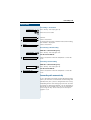
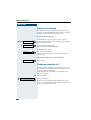
+L3DWK 7333#
+LFRP 633 (2633 +
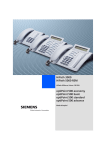
+L3DWK#$OO6HUYH/#+LFRP#483#(2+
RSWL3RLQW 933 RIILFH
2SHUDWLQJ#,QVWUXFWLRQV
About these Operating Instructions
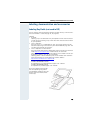
These Operating Instructions describe the use of the optiPoint 600 office in conjunction
with the communication server HiPath 4000, Version 1.0 and Hicom 300 E/300 H
(not used in US), all Versions
They describe all functions you can use from your telephone. You may find that some functions you wish to use are not available on your telephone. This may be due to one of the
following reasons:
• The function has not been configured for your telephone – Please contact your service
personnel.
• Your communications platform does not support this function – Please contact your
service personnel.
Important Notes
Never operate the telephone in an environment where there is a risk of
explosion.
Only use Siemens accessories (Æ page 154)! The use of other manufacturers’ accessories may be dangerous and will render the warranty
and approval null and void.
Never open the telephone set or an add-on unit. If any problems arise,
please contact your service personnel.
The telephone must not come into contact with abrasive liquids or liquids which are liable
to discolor it, such as tea, coffee, fruit juices or soft drinks.
Care of the telephone Æ page 156.
The information provided in this document contains merely general descriptions or characteristics of performance which in case of actual use do not always apply as described or
which may change as a result of further development of the products.
An obligation to provide the respective characteristics shall only exist if expressly agreed
in the terms of contract.
Labels
The CE symbol certifies compliance of this equipment with the EU and
UL directives.
This device has been manufactured in accordance under a certified environmental management system (ISO 14001). This process ensures
that energy consumption and the use of primary raw materials are kept
to a minimum, thus reducing waste production.
Operating the optiPoint 600 office
2
Contents
Ø Operating the optiPoint 600 office
Basic operating instructions . . . . . . . . . . . . . . . . . . . 11
optiPoint 600 office control panel . . . . . . . . . . . . . . . . . . . . . . . . . . . . .
Default assignment of function keys . . . . . . . . . . . . . . . . . . . . . . . . . . .
How to use this user guide . . . . . . . . . . . . . . . . . . . . . . . . . . . . . . . . . .
Display . . . . . . . . . . . . . . . . . . . . . . . . . . . . . . . . . . . . . . . . . . . . . . .
How to activate functions . . . . . . . . . . . . . . . . . . . . . . . . . . . . . . . . . . .
... directly . . . . . . . . . . . . . . . . . . . . . . . . . . . . . . . . . . . . . . . . . . . . .
... via the Service Menu . . . . . . . . . . . . . . . . . . . . . . . . . . . . . . . . . .
... using a function key . . . . . . . . . . . . . . . . . . . . . . . . . . . . . . . . . . .
... via the Large Graphics Display. . . . . . . . . . . . . . . . . . . . . . . . . . .
Display with touchscreen functionality . . . . . . . . . . . . . . . . . . . . . . . . .
Overview . . . . . . . . . . . . . . . . . . . . . . . . . . . . . . . . . . . . . . . . . . . . .
Operating the display. . . . . . . . . . . . . . . . . . . . . . . . . . . . . . . . . . . .
Display menu . . . . . . . . . . . . . . . . . . . . . . . . . . . . . . . . . . . . . . . . . .
Which functions can be used? . . . . . . . . . . . . . . . . . . . . . . . . . . . . . . .
Basic and enhanced functions . . . . . . . . . . . . . . . . . . . . . . . . . . . . .
Additional multiline and group functions. . . . . . . . . . . . . . . . . . . . .
Additional executive/secretary functions (not used in US). . . . . . . .
Local applications. . . . . . . . . . . . . . . . . . . . . . . . . . . . . . . . . . . . . . .
Optional main menu (HiPath 4000) . . . . . . . . . . . . . . . . . . . . . . . . .
How to make best use of your telephone . . . . . . . . . . . . . . . . . . . . . . .
11
12
13
14
14
14
15
15
15
16
16
16
16
18
18
18
18
18
19
19
Ø Basic and enhanced-convenience functions
Answering and making calls. . . . . . . . . . . . . . . . . . . 20
Answering a call with the handset . . . . . . . . . . . . . . . . . . . . . . . . . . . .
Answering a call via the speaker key (speakerphone) . . . . . . . . . . . . . .
Open listening . . . . . . . . . . . . . . . . . . . . . . . . . . . . . . . . . . . . . . . . . . . .
Switching to speakerphone . . . . . . . . . . . . . . . . . . . . . . . . . . . . . . . . . .
Switching to the handset . . . . . . . . . . . . . . . . . . . . . . . . . . . . . . . . .
Using the call waiting function . . . . . . . . . . . . . . . . . . . . . . . . . . . . . . .
Activating/deactivating call waiting . . . . . . . . . . . . . . . . . . . . . . . . .
Answering the waiting call. . . . . . . . . . . . . . . . . . . . . . . . . . . . . . . .
Using the mailbox . . . . . . . . . . . . . . . . . . . . . . . . . . . . . . . . . . . . . . . . .
Retrieval from mailbox . . . . . . . . . . . . . . . . . . . . . . . . . . . . . . . . . . .
Answering a callback request . . . . . . . . . . . . . . . . . . . . . . . . . . . . .
Deleting mailbox entries . . . . . . . . . . . . . . . . . . . . . . . . . . . . . . . . .
Terminating mailbox retrieval: . . . . . . . . . . . . . . . . . . . . . . . . . . . . .
Using the mailbox function (optional) . . . . . . . . . . . . . . . . . . . . . . . . . .
Timed reminders . . . . . . . . . . . . . . . . . . . . . . . . . . . . . . . . . . . . . . . . . .
20
20
21
21
21
22
22
22
23
23
23
23
23
24
24
3
Contents
Incoming call on loudspeaker (speaker call 2-way) . . . . . . . . . . . . . . . .
Activating/deactivating stop voice calling. . . . . . . . . . . . . . . . . . . . .
Answering a call on the headset . . . . . . . . . . . . . . . . . . . . . . . . . . . . . .
Activating/deactivating do not disturb . . . . . . . . . . . . . . . . . . . . . . . . . .
Malicious call holding. . . . . . . . . . . . . . . . . . . . . . . . . . . . . . . . . . . . . . .
25
25
25
26
27
Making calls . . . . . . . . . . . . . . . . . . . . . . . . . . . . . . . . .28
Dialing with the handset off-hook . . . . . . . . . . . . . . . . . . . . . . . . . . . . .
Dialing with the handset on-hook . . . . . . . . . . . . . . . . . . . . . . . . . . . . .
Suppressing your number on called party’s display . . . . . . . . . . . . . . .
Direct call to a colleague via loudspeaker (voice calling) . . . . . . . . . . . .
Entering commands with tone dialing (DTMF suffix dialing) . . . . . . . . .
28
28
29
29
30
Calling several persons simultaneously . . . . . . . . .31
Making a second call (consultation). . . . . . . . . . . . . . . . . . . . . . . . . . . .
Alternating between two calls (toggling) . . . . . . . . . . . . . . . . . . . . . . . .
Setting up a conference (Hicom 300 E/H – not used in US) . . . . . . . . .
Setting up an add-on conference. . . . . . . . . . . . . . . . . . . . . . . . . . .
Expanding the conference to include up to eight members . . . . . .
Chairing a conference . . . . . . . . . . . . . . . . . . . . . . . . . . . . . . . . . . .
Disconnecting a user from the conference . . . . . . . . . . . . . . . . . . .
Handing over conference leadership . . . . . . . . . . . . . . . . . . . . . . . .
Station controlled conference (HiPath 4000) . . . . . . . . . . . . . . . . . . . . .
Setting up a conference. . . . . . . . . . . . . . . . . . . . . . . . . . . . . . . . . .
Expanding the conference . . . . . . . . . . . . . . . . . . . . . . . . . . . . . . . .
Transferring the conference. . . . . . . . . . . . . . . . . . . . . . . . . . . . . . .
During the conference . . . . . . . . . . . . . . . . . . . . . . . . . . . . . . . . . . .
Transferring a call . . . . . . . . . . . . . . . . . . . . . . . . . . . . . . . . . . . . . . . . .
Using the switchover button (HiPath 4000). . . . . . . . . . . . . . . . . . . . . .
Re-indication (HiPath 4000) . . . . . . . . . . . . . . . . . . . . . . . . . . . . . . . . . .
31
31
32
32
32
33
33
33
34
35
36
37
38
39
40
41
System-wide parking (HiPath 4000) . . . . . . . . . . . . .42
Parking a call automatically and taking it at a later date. . . . . . . . . . . . .
Parking . . . . . . . . . . . . . . . . . . . . . . . . . . . . . . . . . . . . . . . . . . . . . . .
Taking a parked call . . . . . . . . . . . . . . . . . . . . . . . . . . . . . . . . . . . . .
Parking a call manually and then taking it at a later date . . . . . . . . . . . .
Parking via the keypad . . . . . . . . . . . . . . . . . . . . . . . . . . . . . . . . . . .
Parking via a repertory key. . . . . . . . . . . . . . . . . . . . . . . . . . . . . . . .
Parking via "system parking" (only telephones without a display) . .
Taking a parked call . . . . . . . . . . . . . . . . . . . . . . . . . . . . . . . . . . . . .
Parking is not possible. . . . . . . . . . . . . . . . . . . . . . . . . . . . . . . . . . . . . .
Automatic parking . . . . . . . . . . . . . . . . . . . . . . . . . . . . . . . . . . . . . .
Manual parking . . . . . . . . . . . . . . . . . . . . . . . . . . . . . . . . . . . . . . . .
4
42
42
42
43
43
43
44
44
45
45
45
Contents
Using saved numbers to make calls . . . . . . . . . . . . 46
Using a call list (missed calls) . . . . . . . . . . . . . . . . . . . . . . . . . . . . . . . .
Viewing the call log . . . . . . . . . . . . . . . . . . . . . . . . . . . . . . . . . . . . .
Dialing a number from the call log . . . . . . . . . . . . . . . . . . . . . . . . . .
Deleting an entry from the call log. . . . . . . . . . . . . . . . . . . . . . . . . .
Saved number redial . . . . . . . . . . . . . . . . . . . . . . . . . . . . . . . . . . . . . . .
Last number redial. . . . . . . . . . . . . . . . . . . . . . . . . . . . . . . . . . . . . . . . .
Dialing from the Personal Directory. . . . . . . . . . . . . . . . . . . . . . . . . . . .
Dialing from the Corporate Directory. . . . . . . . . . . . . . . . . . . . . . . . . . .
Dialing with repertory keys . . . . . . . . . . . . . . . . . . . . . . . . . . . . . . . . . .
Dialing with individual speed dialing numbers. . . . . . . . . . . . . . . . . . . .
Dialing with system speed dialing numbers . . . . . . . . . . . . . . . . . . . . .
46
46
47
47
48
48
49
51
52
53
53
Making project calls . . . . . . . . . . . . . . . . . . . . . . . . . . 54
Setting up a project call . . . . . . . . . . . . . . . . . . . . . . . . . . . . . . . . . . . . . 54
Call duration display (cost display) . . . . . . . . . . . . . . . . . . . . . . . . . . . . . 55
If you do not get through... . . . . . . . . . . . . . . . . . . . . . 56
Using the callback function . . . . . . . . . . . . . . . . . . . . . . . . . . . . . . . . . .
Storing a callback request . . . . . . . . . . . . . . . . . . . . . . . . . . . . . . . .
Answering a callback request . . . . . . . . . . . . . . . . . . . . . . . . . . . . .
Rejecting a callback request . . . . . . . . . . . . . . . . . . . . . . . . . . . . . .
Checking/cancelling saved callback requests . . . . . . . . . . . . . . . . .
Camping on a colleague’s call . . . . . . . . . . . . . . . . . . . . . . . . . . . . . . . .
Overriding a colleague’s call (intrude) . . . . . . . . . . . . . . . . . . . . . . . . . .
56
56
56
56
57
57
58
Telephone settings . . . . . . . . . . . . . . . . . . . . . . . . . . . 59
Adjusting the ringer volume . . . . . . . . . . . . . . . . . . . . . . . . . . . . . . . . .
Adjusting the ringer pitch . . . . . . . . . . . . . . . . . . . . . . . . . . . . . . . . . . .
Adapting the speakerphone function to the acoustics of your room. . .
Setting the volume of the alerting tone . . . . . . . . . . . . . . . . . . . . . . . . .
Adjusting the angle of the display . . . . . . . . . . . . . . . . . . . . . . . . . . . . .
Selecting the language for user prompts (displays). . . . . . . . . . . . . . . .
Locking your telephone . . . . . . . . . . . . . . . . . . . . . . . . . . . . . . . . . . . . .
59
59
60
60
61
61
62
5
Contents
Storing numbers, system functions
and timed reminders . . . . . . . . . . . . . . . . . . . . . . . . . .63
Storing a repertory dialing number on a key . . . . . . . . . . . . . . . . . . . . .
Storing a number for redialing . . . . . . . . . . . . . . . . . . . . . . . . . . . . . . . .
Storing a caller’s number or a number that has been dialed . . . . . .
Storing any number . . . . . . . . . . . . . . . . . . . . . . . . . . . . . . . . . . . . .
Saving individual speed dialing numbers . . . . . . . . . . . . . . . . . . . . . . . .
Saving a function on a key. . . . . . . . . . . . . . . . . . . . . . . . . . . . . . . . . . .
Creating timed reminders . . . . . . . . . . . . . . . . . . . . . . . . . . . . . . . . . . .
63
64
64
64
65
66
67
Checking the telephone . . . . . . . . . . . . . . . . . . . . . . .68
Checking its functionality. . . . . . . . . . . . . . . . . . . . . . . . . . . . . . . . . . . . 68
Checking the assignment of functions to keys . . . . . . . . . . . . . . . . . . . 69
Forwarding calls . . . . . . . . . . . . . . . . . . . . . . . . . . . . .70
Using call forwarding (Hicom 300 E/H not used in US) . . . . . . . . . . . . .
Using fixed call forwarding . . . . . . . . . . . . . . . . . . . . . . . . . . . . . . .
Forwarding calls automatically. . . . . . . . . . . . . . . . . . . . . . . . . . . . .
Using variable call forwarding . . . . . . . . . . . . . . . . . . . . . . . . . . . . .
Using call forwarding (HiPath 4000) . . . . . . . . . . . . . . . . . . . . . . . . . . .
Station fixed forwarding. . . . . . . . . . . . . . . . . . . . . . . . . . . . . . . . . .
Station variable forwarding . . . . . . . . . . . . . . . . . . . . . . . . . . . . . . .
Activating and deactivating forwarding using features settings . . .
System call forwarding . . . . . . . . . . . . . . . . . . . . . . . . . . . . . . . . . .
Call forwarding via code numbers . . . . . . . . . . . . . . . . . . . . . . . . . .
Call-forwarding via call-forwarding key. . . . . . . . . . . . . . . . . . . . . . .
Delayed call-forwarding (HiPath 4000). . . . . . . . . . . . . . . . . . . . . . . . . .
Forwarding calls for a different terminal . . . . . . . . . . . . . . . . . . . . . . . .
Storing a destination for another
telephone/activating call forwarding . . . . . . . . . . . . . . . . . . . . . . . .
Storing a destination for fax, PC or busy/
activating call forwarding . . . . . . . . . . . . . . . . . . . . . . . . . . . . . . . . .
Checking/deactivating call forwarding
for another telephone . . . . . . . . . . . . . . . . . . . . . . . . . . . . . . . . . . .
Checking/deactivating call forwarding
for fax, PC or busy . . . . . . . . . . . . . . . . . . . . . . . . . . . . . . . . . . . . . .
Changing call forwarding for another terminal . . . . . . . . . . . . . . . . .
6
70
70
71
72
73
74
76
79
79
80
81
82
83
83
84
85
86
86
Contents
Using a different telephone
in the same way as your own . . . . . . . . . . . . . . . . . . 87
Logging on to a different telephone . . . . . . . . . . . . . . . . . . . . . . . . . . .
Identifying yourself with PIN and dialing . . . . . . . . . . . . . . . . . . . . .
Identification with the chip card. . . . . . . . . . . . . . . . . . . . . . . . . . . .
Deactivating identification at the other telephone . . . . . . . . . . . . . . . . .
87
87
89
89
Relocating with the telephone . . . . . . . . . . . . . . . . . 90
Disconnecting the telephone from its present station line . . . . . . . . . . 90
Reconnecting the telephone at the new station line . . . . . . . . . . . . . . . 90
Ø Multi-line and team functions
Using HiPath 4000 as an
intercommunication system . . . . . . . . . . . . . . . . . . . 91
System-wide voice calling . . . . . . . . . . . . . . . . . . . . . . . . . . . . . . . . . . .
Voice calling to a variable destination . . . . . . . . . . . . . . . . . . . . . . .
Voice calling to a fixed destination. . . . . . . . . . . . . . . . . . . . . . . . . .
Voice calling in a group . . . . . . . . . . . . . . . . . . . . . . . . . . . . . . . . . . . . .
Voice calling to a variable destination . . . . . . . . . . . . . . . . . . . . . . .
Voice calling to a fixed destination (using repertory key) . . . . . . . . .
Two-way voice calling to a variable destination . . . . . . . . . . . . . . . .
Two-way voice calling to a fixed destination (on repertory key) . . .
Announcement to all members of a line group . . . . . . . . . . . . . . . . . . .
92
92
93
93
93
94
94
95
96
Making multiline calls . . . . . . . . . . . . . . . . . . . . . . . . 97
Using line keys . . . . . . . . . . . . . . . . . . . . . . . . . . . . . . . . . . . . . . . . . . . 97
The different statuses of line key lamps . . . . . . . . . . . . . . . . . . . . . 98
Preview . . . . . . . . . . . . . . . . . . . . . . . . . . . . . . . . . . . . . . . . . . . . . . . . . 98
Taking calls on line keys . . . . . . . . . . . . . . . . . . . . . . . . . . . . . . . . . . . . 99
Taking calls in the order offered. . . . . . . . . . . . . . . . . . . . . . . . . . . . 99
Giving priority to certain calls . . . . . . . . . . . . . . . . . . . . . . . . . . . . . . 99
Activating/deactivating ringer . . . . . . . . . . . . . . . . . . . . . . . . . . . . . . . 100
Dialing with line keys. . . . . . . . . . . . . . . . . . . . . . . . . . . . . . . . . . . . . . 101
Identifying the line used . . . . . . . . . . . . . . . . . . . . . . . . . . . . . . . . . . . 102
Alternating between different lines . . . . . . . . . . . . . . . . . . . . . . . . . . . 102
Ending a call on a line key . . . . . . . . . . . . . . . . . . . . . . . . . . . . . . . 103
Adding another party to a line (conference) . . . . . . . . . . . . . . . . . . 103
With automatic privacy configured . . . . . . . . . . . . . . . . . . . . . . . . . . . 103
Allow bridging . . . . . . . . . . . . . . . . . . . . . . . . . . . . . . . . . . . . . . . . 103
Preventing bridging . . . . . . . . . . . . . . . . . . . . . . . . . . . . . . . . . . . . 104
Terminating a connection on a line key . . . . . . . . . . . . . . . . . . . . . 104
7
Contents
Holding a call on a line key and retrieving it. . . . . . . . . . . . . . . . . . . . . 105
Holding a call on a line key exclusively and retrieving it . . . . . . . . . . . 105
Picking up a held call . . . . . . . . . . . . . . . . . . . . . . . . . . . . . . . . . . . . . . 106
Forwarding calls for lines. . . . . . . . . . . . . . . . . . . . . . . . . . . . . . . . . . . 106
Storing and activating station variable call forwarding for a line . . 106
Storing and activating a station fixed call
forwarding destination for a line . . . . . . . . . . . . . . . . . . . . . . . . . . 107
Reactivating station fixed call forwarding for
a line (without storing a different destination) . . . . . . . . . . . . . . . . 107
Canceling the station fixed call forwarding destination . . . . . . . . . 108
Deactivating call forwarding for a line . . . . . . . . . . . . . . . . . . . . . . 109
Group call and pickup . . . . . . . . . . . . . . . . . . . . . . . . . . . . . . . . . . . . . 110
Picking up a specific call . . . . . . . . . . . . . . . . . . . . . . . . . . . . . . . . . . . 110
Having the number of the called station displayed . . . . . . . . . . . . 111
Taking a call in a hunt group . . . . . . . . . . . . . . . . . . . . . . . . . . . . . . . . 111
Temporarity removing station from hunt group/adding station to hunt
group . . . . . . . . . . . . . . . . . . . . . . . . . . . . . . . . . . . . . . . . . . . . . . . . . . 111
Group park and retrieval of call . . . . . . . . . . . . . . . . . . . . . . . . . . . . . . 112
Calling a station directly. . . . . . . . . . . . . . . . . . . . . . . . . . . . . . . . . . . . 112
The lamp statuses of direct station selection (DSS) keys . . . . . . . 112
Calling a direct station selection (DSS) user . . . . . . . . . . . . . . . . . 113
Taking a call for a direct station selection (DSS) user . . . . . . . . . . 113
Ø Executive/secretary functions
Making calls in an executive/secretary team (not
used in US) . . . . . . . . . . . . . . . . . . . . . . . . . . . . . . . . .114
Calling executive or secretary’s office. . . . . . . . . . . . . . . . . . . . . . . . .
The lamp statuses of direct station selection (DSS) keys . . . . . . .
Making a call to the executive/secretary . . . . . . . . . . . . . . . . . . . .
Taking a call for the executive in the secretary’s office. . . . . . . . . . . .
Taking a call for the executive during a call in progress. . . . . . . . .
Extending a call to the executive. . . . . . . . . . . . . . . . . . . . . . . . . . . . .
Forwarding calls directly to the executive . . . . . . . . . . . . . . . . . . . . . .
Taking a call on the executive’s telephone . . . . . . . . . . . . . . . . . . . . .
Taking calls for other executive/secretary teams . . . . . . . . . . . . . . . .
Using second telephone for executive . . . . . . . . . . . . . . . . . . . . . . . .
Activating/deactivating call waiting for executive . . . . . . . . . . . . . . . .
Using the call signal function (HiPath 4000) . . . . . . . . . . . . . . . . . . . .
Calling a messenger . . . . . . . . . . . . . . . . . . . . . . . . . . . . . . . . . . . . . .
Designating a deputy for the secretary . . . . . . . . . . . . . . . . . . . . . . . .
8
114
114
114
115
115
116
116
116
117
117
118
119
119
119
Contents
Ø Local applications
Using local applications. . . . . . . . . . . . . . . . . . . . . . 120
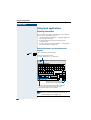
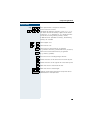
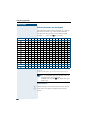
Entering characters . . . . . . . . . . . . . . . . . . . . . . . . . . . . . . . . . . . . . . .
Entering characters via the touchscreen keypad . . . . . . . . . . . . . .
Entering characters via the keypad . . . . . . . . . . . . . . . . . . . . . . . .
External Keyboard . . . . . . . . . . . . . . . . . . . . . . . . . . . . . . . . . . . . .
Personal Directory . . . . . . . . . . . . . . . . . . . . . . . . . . . . . . . . . . . . . . . .
Creating a New Entry. . . . . . . . . . . . . . . . . . . . . . . . . . . . . . . . . . .
Selecting/Finding an Entry to be Modified or Deleted . . . . . . . . . .
Editing/Deleting/Changing an Entry . . . . . . . . . . . . . . . . . . . . . . . .
Displaying an Entry . . . . . . . . . . . . . . . . . . . . . . . . . . . . . . . . . . . .
Displaying the Number of Existing Entries . . . . . . . . . . . . . . . . . .
Deleting all Entries . . . . . . . . . . . . . . . . . . . . . . . . . . . . . . . . . . . . .
Importing or Exporting a Personal Directory via USB . . . . . . . . . .
Importing/Exporting the Personal Directory via LAN . . . . . . . . . . .
Changing Captions . . . . . . . . . . . . . . . . . . . . . . . . . . . . . . . . . . . . .
Corporate Directory . . . . . . . . . . . . . . . . . . . . . . . . . . . . . . . . . . . . . . .
Advanced Search . . . . . . . . . . . . . . . . . . . . . . . . . . . . . . . . . . . . . .
WAP Browser . . . . . . . . . . . . . . . . . . . . . . . . . . . . . . . . . . . . . . . . . . .
Local Settings . . . . . . . . . . . . . . . . . . . . . . . . . . . . . . . . . . . . . . . . . . .
Adjusting the Display Contrast . . . . . . . . . . . . . . . . . . . . . . . . . . .
Calibrating the Touchscreen . . . . . . . . . . . . . . . . . . . . . . . . . . . . .
Selecting your Operating Language. . . . . . . . . . . . . . . . . . . . . . . .
Selecting a Language for the External Keyboard . . . . . . . . . . . . . .
Changing the Display Reset Time . . . . . . . . . . . . . . . . . . . . . . . . .
Setting a Password for Personal Options . . . . . . . . . . . . . . . . . . .
Setting Web Access Parameters . . . . . . . . . . . . . . . . . . . . . . . . . .
Setting Dialing Rules . . . . . . . . . . . . . . . . . . . . . . . . . . . . . . . . . . .
120
120
122
123
124
125
127
129
132
133
133
134
135
137
139
140
144
146
146
147
148
149
149
150
151
152
9
Contents
Ø All about your Telephone
Labeling, documentation and accessories . . . . . .153
Labeling Key Fields (not used in US) . . . . . . . . . . . . . . . . . . . . . . . . . .
Attaching a Station Number Label. . . . . . . . . . . . . . . . . . . . . . . . . . . .
Documentation . . . . . . . . . . . . . . . . . . . . . . . . . . . . . . . . . . . . . . . . . .
Accessories . . . . . . . . . . . . . . . . . . . . . . . . . . . . . . . . . . . . . . . . . . . . .
Use of computer-aided telephone applications . . . . . . . . . . . . . . . . . .
153
154
154
154
155
Advice for users . . . . . . . . . . . . . . . . . . . . . . . . . . . . .156
Care of the telephone . . . . . . . . . . . . . . . . . . . . . . . . . . . . . . . . . . . . .
Troubleshooting. . . . . . . . . . . . . . . . . . . . . . . . . . . . . . . . . . . . . . . . . .
Dealing with error messages on the display . . . . . . . . . . . . . . . . . . . .
Restart the Telephone . . . . . . . . . . . . . . . . . . . . . . . . . . . . . . . . . .
Who to contact if a problem occurs . . . . . . . . . . . . . . . . . . . . . . . . . .
156
156
157
158
158
Index. . . . . . . . . . . . . . . . . . . . . . . . . . . . . . . . . . . . . . .159
Important functions at a glance . . . . . . . . . . . . . . .163
Maximum Service Menu functions available
(HiPath 4000) . . . . . . . . . . . . . . . . . . . . . . . . . . . . . . . .165
Maximum Service Menu functions available
(Hicom 300 E/H). . . . . . . . . . . . . . . . . . . . . . . . . . . . . .166
10
Basic operating instructions
Basic operating instructions
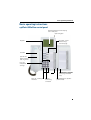
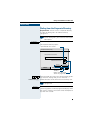
optiPoint 600 office control panel
Illuminated touchscreen display,
320 x 240 pixel
Operating pen
Key field – fixed
function keys,
see next page
Keypad
Handset
Speaker for
open listening
and ring tones
Keys for
telephone
settings
LEDs
Keys for scrolling to
functions
Key for
confirming
a function
optiPoint key module
with programmable
keys
Microphone for speakerphone mode
11
Basic operating instructions
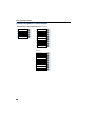
Default assignment of function keys
Permanently assigned function keys (example):
program/service
Call pickup
Saved no. redial
Call park
Mailbox
Disconnect
Speaker
Show used line
Ringer cutoff
Line]
Line] other
Line] other
Variant:
Call pickup
Call park
Disconnect
Show used line
Ringer cutoff
Line] own
Line] other
Line] other
12
Basic operating instructions
Step by Step
How to use this user guide
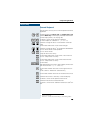
The operating procedures are presented in a logical sequence in the colored column. The symbols used have
the following meanings:
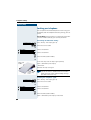
C Lift the handset.
I Replace the handset.
H Conduct a call.
D Enter number or code.
99 Enter the code.
A
B
C
Enter letters or numbers
via the keypad on the display Æ page 120,
via the keypad Æ page 122,
via the external keyboard Æ page 123.
Click on the menu item or the softkey on the display.
J or K
Press the setting keys on the telephone.
program/service
Press the key.
Speaker
Press the key that is lit.
Press the key that is flashing.
Consultation?
The selection option is shown on the display.
Confirm with key ã.
Ringer pitch?
Look for the selection option.
Press keys á ! until the selection option appears on
the display.
Then confirm with key ã.
13
Basic operating instructions
Step by Step
Display
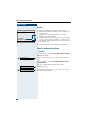
Please dial
Return to held call?
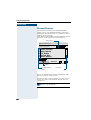
The graphics-enabled touchscreen display shows:
• Touchscreen controls (softkeys) in local applications
Æ page 120.
• Requests and acknowledgement messages,
depending on the situation.
• Selection options for functions that you can confirm
with ã. If you see the symbol ">" at the right, further options are available and can be accessed with
the á ! keys.
>
For more information on the display see Æ page 16.
How to activate functions
... directly
Certain functions can be selected directly in the idle
state, for example:
Make your selection with á ! and confirm it with
ã.
Var. call forw. on?
Other functions can be selected directly in certain
call situations.
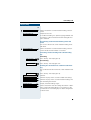
You dial a number but the other party is busy:
Callback?
or
Dial again?
14
Confirm with ã.
Make your selection with á !, confirm it with ã
and dial another number.
Basic operating instructions
Step by Step
... via the Service Menu
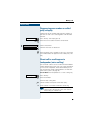
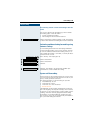
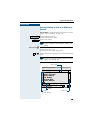
First press the program/service key. You are then offered a number of selection options. Example: suppressing the number display at the called party
(Æ page 29):
Press the key.
program/service
A; Use the service code to switch to the Display Suppression function. The service codes are listed in the quickreference operating instructions (appendix).
or
program/service
More features?
Display suppression?
Press the key.
Make your selection with á ! and confirm it with
ã.
Select again with á ! and confirm with ã.
... using a function key
You can activate directly a Hicom function that you have
saved on a key (Æ page 66), for example
Second call
Press the key. The function is executed.
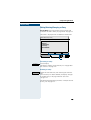
... via the Large Graphics Display
In addition to situation-dependent functions,
optiPoint 600 office also lets you use and access local
applications, such as the personal telephone directory,
via the large graphics-enabled display with its touchscreen functionality. See Display menu Æ page 16.
15
Basic operating instructions
Display with touchscreen functionality
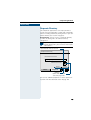
In addition to situation-dependent functions, you can also use and access
local applications in optiPoint 600 office, such as the personal telephone
directory, for example, via the large graphics-enabled display with touchscreen functionality.
Overview
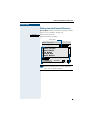
Display interface fields:
Displays the currently selected/activated
function/application
(e.g. Phone or Personal directory)
Displays menus and dialogs
Display menu Æ page 16
Operating the display
optiPoint 600 office comes complete with a plastic operating pen, with
which you can select display interface functions ("click") or scroll between
graphic contents ("drag") by pressing lightly on the nib.
Alternatively, you can use similar objects that will not damage the display
interface. Finger (finger nail) activation is also possible.
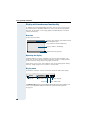
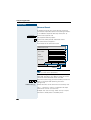
Display menu
A number of functions can be activated in the lower field of the display.
Phone
Phone tab
Personal
Applications tab
Menu key
Display keypad
Status information
The Phone tab provides situation-dependent information on the idle or talk
state of your optiPoint 600 office from the communication platform
Æ page 14.
16
Basic operating instructions
When a local application is displayed, such as the personal telephone directory for example, the "Phone" tab flashes to signal incoming calls in addition to the ring tone.
When you pick up the handset to dial or accept an incoming call, the
display indicator automatically switches to the "Phone" tab.
If configured, switching is performed automatically even if there is
no user intervention for a lengthy period (time can be configured
Æ page 149).
The Applications tab contains local applications:
• Personal: personal telephone directory Æ page 124
• Corporate: corporate telephone directory Æ page 139
• Web Access: WAP browser Æ page 144
• Service: the service menu for settings Æ page 146
The Menu key opens up the menu selection option where one of the local
applications can be activated and the "Applications" tab can be quickly accessed.
If the Status information softkey is displayed, system messages have
been received (flashing light = unread messages). To read the message(s),
click on the exclamation mark.
Using the Display keypad softkey, you can enter characters via the display
(Æ page 120).
Character input via the display keypad is useful if there is no external USB
keyboard available.
The current displays in the "Phone" tab and in the individual local applications are mutually independent.
This means that if you are in the personal directory, for example, and
the display changes to "Phone" because you have accepted an incoming call, the same display that was active before you accepted
the call reappears when you change back to the personal directory.
Descriptions of local applications Æ page 120 always assume that
the status of the relevant application is idle. If the status is unspecified when the application is activated, press "Cancel", "Exit", or
"Menu", until the relevant idle status appears.
17
Basic operating instructions
Which functions can be used?
Basic and enhanced functions
You can use all of the communication platform’s basic and enhanced functions that are offered in the dialog on the display, in the service menu, in a
main menu and on the function keys.
Additional multiline and group functions
Æ page 97f.
These are configured by your service personnel. You can use the multiline
and group functions in addition to the basic and enhanced-convenience
functions. A telephone with line keys is identifiable by the fact that your
number and the numbers of your colleagues have been assigned to line
keys. You have access to all lines and you can also make calls via several
lines simultaneously.
The individual telephone can also be configured (as a keyset) for multi-line
operation, for example, for use by non-team members or by brokers who
are in contact with clients on several lines simultaneously.
Additional executive/secretary functions (not used in US)
Æ page 114f.
These are configured by your service personnel. You can use the executive/secretary functions in addition to the basic and enhanced-convenience
functions. A telephone with an executive/secretary (not used in US) configuration is identifiable by the executive or secretary line keys for direct
calls to the executive or to the secretary’s office. An executive/secretary
telephone also has an intercept key, while a secretary’s telephone has a
pickup and a deputy key.
Local applications
Your optiPoint 600 office not only lets you use the functions of your communication platform, but also gives you a high degree of flexibility with its
integrated local applications Æ page 120:
• The Personal Directory for up to 320 entries
(numbers, names, additional information, etc.).Æ page 124
• User-friendly options for searching and dialing from a LAN server’s corporate directory Æ page 139.
• A WAP browser for accessing information on your intranet
Æ page 144.
• A menu with a wide variety of options for locally configuring your
optiPoint 600 office. Æ page 146.
18
Basic operating instructions
Step by Step
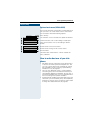
Optional main menu (HiPath 4000)
Your service personnel can provide a customized key to
give you access to a main menu. On this main menu
you can choose from the following options:
Main menu
Press the key.
Speed dial features?
Use functions such as the redial or speed dial features.
More features?
Launch functions such as forwarding or code input.
View active features?
View active features such as forwarding or do-notdisturb.
Service menu?
Branch to the usual service menu.
Phone settings?
Branch to the settings on the service menu.
Exit?
Exit the menu.
The menu item “Main menu?” will be available on
every submenu.
How to make best use of your telephone
•
•
•
No doubt you have colleagues or outside business
associates to whom you make frequent calls. You
can save a great deal of time and effort by storing
these numbers on keys (Storing a speed dialing
number on a key Æ page 63).
You can save additional names, station numbers,
and calling party data in the Personal Directory of
your optiPoint 600 office telephone Æ page 124. A
well maintained directory will save a great deal of effort in searching for lost phone numbers.
All too often the number you have dialed is busy. But
afterwards you are extremely busy and completely
forget to try calling it again. Our advice: make a habit
of using the Callback function (Æ page 56).
Basic and enhanced-convenience functions
19
Answering and making calls
Step by Step
Answering and making calls
Answering a call with the handset
The telephone rings. The caller is displayed.
C Lift the handset.
Ending a call:
I Replace the handset.
Answering a call via the speaker key
(speakerphone)
The telephone rings. The caller is displayed.
Speaker
Press the key. The lamp lights up. You are in speakerphone mode.
J or K Increase or decrease the volume. Keep pressing the
keys until the desired volume level is set.
Ending the call:
Speaker
Press the key. The lamp goes out.
Notes for speakerphone mode:
• Tell the called party that you are using speakerphone.
• The speakerphone conversing equipment works
best at low volume settings.
• The ideal distance between yourself and the telephone for speakerphone conversing is approximately 20 inches.
20
Answering and making calls
Step by Step
Open listening
You can allow other persons in the room to listen in on
the call. Always inform the other party that you are
switching to the speaker.
Precondition: You are making a call with the handset.
To activate:
Speaker
Press the key. The lamp lights up.
To deactivate:
Speaker
Press the key. The lamp goes out.
Switching to speakerphone
Precondition: You are making a call with the handset.
Speaker
and I Press the speaker key and release, then put the handset down and continue the call.
Switching to the handset
Precondition: You are on the phone in speakerphone
mode.
C Lift the handset. Continue the call.
21
Answering and making calls
Step by Step
Using the call waiting function
When you are expecting an important call, you should
activate the call waiting function. A waiting call is signaled to you if you are on the phone. You can then either
accept or disregard the waiting call.
Activating/deactivating call waiting
Press the key. The lamp lights up.
program/service
;: Enter the service code.
or
Feature settings?
Select and confirm.
Camp-on?
Select and confirm.
and
Activate?
or Confirm.
Deactivate?
Answering the waiting call
Precondition: You are on the phone. Call waiting is activated.
You hear the alerting tone. The lamp flashes.
The caller hears ringing tone as though you were free.
Press the key. You are connected to the second caller.
The first party is placed on hold.
Call pickup
Ending the waiting call, retrieving the first call:
Press the key.
Disconnect
or
22
I C Replace the handset and lift it again.
Answering and making calls
Step by Step
Using the mailbox
Callers who dialed your number during your absence
can leave a reminder message in your mailbox.
You will also find mail server voice/fax messages in your
mailbox (if this facility is available).
Retrieval from mailbox
The lamp is lit if there are new entries in the mailbox.
Press the key.
The first entry is displayed. Keep pressing the mailbox
key to see the other messages.
Mailbox
Meaning of the display:
Jones
"Call" = callback request
for example, from Mr. Jones
Call
Answering a callback request
Jones
Call
Output?
The callback request is displayed.
Select and confirm.
The user is called.
Deleting mailbox entries
The required entry is displayed.
Delete?
Select and confirm.
You cannot delete (new) voice messages that you
have not played back entirely. You can jump to the
end of a message by entering 66. This designates the message as "old", thereby making it
deletable.
Terminating mailbox retrieval:
Mailbox
Press the key. The lamp goes out.
Entries remain in the mailbox until you delete them.
23
Answering and making calls
Step by Step
Using the mailbox function (optional)
Users with a mailbox (HiPath Xpressions) can use it by
calling the messaging extension, for example, set up
call forwarding types and check available messages.
Spoken user prompting directs you to all available functions. If call forwarding is active, the messaging extension is shown on the display. Information on call forwarding can be found on Æ page 70.
Timed reminders
Precondition: You have saved a timed reminder
(Æ page 67). When the saved time has been reached:
Reminder:
The telephone rings.
C Lift the handset. The time of the reminder is displayed.
I Replace the handset.
If you do not lift the handset, the telephone rings
several more times and "Timed reminder" is displayed before the reminder is canceled.
24
Answering and making calls
Step by Step
Incoming call on loudspeaker (speaker
call 2-way)
A colleague addresses you directly over the speaker.
The speakerphone mode is automatically activated.
Answering via speakerphone is immediately possible.
or
C Lift the handset and reply.
You can address the colleague directly
(Æ page 29).
Activating/deactivating stop voice calling
You can prevent other persons from making direct calls
to you. Any attempt to address you directly via the loudspeaker will be changed to a normal call.
Press the key. The lamp lights up.
program/service
;< Enter the service code.
or
Feature settings?
Select and confirm.
Speaker call protect?
Select and confirm.
and
Activate?
or Confirm.
Deactivate?
Answering a call on the headset
Precondition: The headset is connected. The headset
key has been configured.
Headset
The lamp flashes when a call is received.
Press the key to answer the call.
Ending the call:
Headset
Press the key. The lamp goes out.
25
Answering and making calls
Step by Step
Activating/deactivating do not disturb
If you do not wish to receive incoming calls, you can activate the do not disturb function. Internal callers then
hear busy tone, while external callers are forwarded to
the attendant. Your service personnel can also set up
destinations for forwarding internal and external calls,
such as to your mailbox.
Precondition: Your service personnel has enabled the
do not disturb function for all HiPath 4000 users in your
system.
Press the key. The lamp lights up.
program/service
;; Enter the service code.
or
Feature settings?
Select and confirm.
Do not disturb?
Select and confirm. The display indicates whether the
do not disturb facility has been activated or deactivated.
and
Activate?
or Confirm.
Deactivate?
If do not disturb is active, you hear an alerting
tone when you lift the handset.
"Do not disturb" can only be used for the prime
line not additional lines.
The attendant can override the do not disturb
function to speak to you.
If your service personnel has disabled the do not
disturb facility for the HiPath 4000 system, the
option "do not disturb" does not appear in the Service Menu
26
Answering and making calls
Step by Step
Malicious call holding
You can trace a malicious external caller. The caller’s
number can be registered during the call or for up to 30
seconds after the call. Do not replace the handset.
Press the key. The lamp lights up.
program/service
A< Enter the service code.
or
More features?
Select and confirm.
Call tracing?
Select and confirm.
If malicious call holding was successful, your network carrier will have the saved data. Contact
your service personnel!
27
Making calls
Step by Step
Making calls
Dialing with the handset off-hook
C Lift the handset.
D Internal: Enter the number.
External: Enter the access code and the number.
The called party is busy or does not answer:
I Replace the handset.
Dialing with the handset on-hook
D Internal: Enter the number.
External: Enter the access code and the number.
The called party answers. The call is on your speaker:
C Lift the handset.
or When handset is on-hook: speakerphone.
The called party is busy or does not answer:
Speaker
28
Press the key. The lamp goes out.
Making calls
Step by Step
Suppressing your number on called
party’s display
Suppression of the number indication only applies to
the next call and is not saved together with the redial
function.
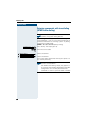
Press the key. The lamp lights up.
program/service
A; Enter the service code. Dial tone can be heard.
or
More features?
Select and confirm.
Display suppression?
Confirm. Dial tone can be heard.
and
D Enter the other party’s number. If the call is answered,
your number does not appear on the called party’s display.
Direct call to a colleague via
loudspeaker (voice calling)
You can make a direct call to an internal HiPath 4000 or
Hicom 300 E/H (not used in US) user via the loudspeaker in his or her telephone. With HiPath 4000 you can
use the functions under "HiPath 4000 as an intercommunication system" (Æ page 91).
Precondition: Your telephone has a "voice calling" key.
Voice calling
Press the key.
D Enter the number.
Wait for voice calling tone.
C Lift the handset and speak to the other party.
or If the handset is on-hook: handsfree conversing.
If the called party has activated the stop voice
calling facility (Æ page 25), he or she receives
voice calling as a normal call.
29
Making calls
Step by Step
Entering commands with tone dialing
(DTMF suffix dialing)
This feature is not applicable for UK and other
countries using tone dialing (default).
After dialing a number, you can set tone dialing to activate equipment – such as an answering machine or an
automatic information or switching system – by dialing
commands in DTMF mode
(DTMF = dual-tone multifrequency dialing).
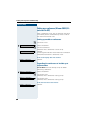
Press the key. The lamp lights up.
program/service
A: Enter the service code.
or
More features?
Select and confirm.
DTMF suffix dialing?
Select and confirm.
You can now enter commands with keys 0 to 9, the star
key and the pound key.
DTMF mode is deactivated as soon as the connection is cleared down.
The "DTMF suffix dialing" display may appear after you enter the number, depending on the PBX
configuration. You can then proceed to enter
commands as soon as you have dialed a number.
30
Calling several persons simultaneously
Step by Step
Calling several persons
simultaneously
Making a second call (consultation)
During a call in progress you can set up a second call,
for example, to obtain information. The first party is
placed on hold.
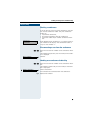
Consultation?
Confirm.
D Make your call to the second party.
Release the second call – return to the first call:
Release and return?
Confirm.
Alternating between two calls
(toggling)
Precondition: You have either made a second call (see
above) or taken a waiting call (Æ page 22).
To switch to the waiting party:
Toggle/Connect?
Select and confirm.
Toggle?
Select and confirm (used in US).
Release the present call – return to the other call:
Release and return?
Select and confirm.
Setting up a conference call:
Conference?
Confirm.
An alerting tone indicates that all three users have been
interconnected to form a conference circuit.
31
Calling several persons simultaneously
Step by Step
Setting up a conference (Hicom 300 E/H –
not used in US)
With a conference circuit, you can converse with up to
seven other persons simultaneously. These can be either internal or external users.
Setting up an add-on conference
E Call the first user.
Start conference?
Select and confirm.
E Call the second user.
Announce that a conference is to be set up.
Conference?
Confirm.
An alerting tone indicates that all three users have been
interconnected to form a conference circuit.
If the second party does not answer:
Return to conference?
Confirm.
Expanding the conference to include up to
eight members
Precondition: You have already set up an add-on
(three-way) conference.
Add on to conference?
Select and confirm.
E Call the new user.
Announce that a conference is being set up.
Add on to conference?
Call the new user.
Announce that a conference is being set up.
If the new user does not answer:
Return to conference?
32
Confirm.
Calling several persons simultaneously
Step by Step
Chairing a conference
If you are the user who set up the conference, then you
are also the conference leader. Only the conference
leader can
• expand the conference,
• disconnect members from the conference,
• hand over leadership to another conference member.
Conf. 1-2-3-4
Consultation?
>
Each member of the conference is assigned a consecutive number on the display. The conference leader always has the number "1".
Disconnecting a user from the conference
;ïA Enter the consecutive number of the conference member.
The number (and possibly also the name) of the conferee is displayed.
Release partner?
Confirm.
Handing over conference leadership
;ïA Enter the consecutive number of the conference member.
The number (and possibly also the name) of the member is displayed.
Transfer conference?
Select and confirm.
You have been disconnected from the conference.
I Replace the handset.
33
Calling several persons simultaneously
Step by Step
Station controlled conference
(HiPath 4000)
In a station controlled conference you can include up to
8 internal and external users. Users with system telephones can execute or use all of the following functions. ISDN telephones and external users are passive
users - they can only be included in an existing conference.
You can include users and conferences from a distant
system into your conference. The distant users can set
up and extend their own conference. The members of
this conference are included in your conference. But
they cannot execute or use the functions of your conference.
The following functions are supported for all conference
members (except members of an included conference)
with a system telephone:
• Setting up a conference when calling a user or receiving a call or making a consultation call or receiving a second call.
• Accepting a waiting call and including the caller in
the conference.
• Toggling between the conference and a consultation call or waiting call.
• Holding a consultation call during a conference and
adding it to the conference.
• Interconnecting conference members from two independent conferences via a distant network.
• Putting the conference on hold, if line keys are installed.
• Receiving overview of all conference members.
• Transferring the conference to a new user.
The functions listed above can be carried out by all conference members at the same time.
34
Calling several persons simultaneously
Step by Step
Setting up a conference
You can set up a conference from any of the following
types of connection:
• single call
• consultation call
• waiting call
Starting a conference from a single call
You want to set up a conference.
You receive a call.
or
D You call another user.
Select and confirm.
Start conference?
D Call the second user.
Announce that a conference is to be set3 up.
Confirm.
You will receive the message "1 is your position".
Conference?
Conf.
1-2-3
This question will then be displayed.
Add on to conference?
Setting up a conference from a consultation call
You are connected to one user and call a second user.
Consultation?
Confirm.
D Call the second user. The second user answers, you announce the conference.
Conference?
Select and confirm.
You will receive the message "1 is your position".
Setting up a conference from a waiting call
You are connected to one user and receive another call.
Call pickup
Conference?
An alerting tone is audible. The lamp flashes. Press the
key. You are connected to the waiting caller. The other
party is placed on hold.
Select and confirm.
You will receive the message "1 is your position". All
members are interconnected in a conference circuit.
35
Calling several persons simultaneously
Step by Step
Expanding the conference
Any member of the system conference can expand the
conference by
• calling another user and adding this person to the
conference
• adding a user to the conference from a consultation
call
• accepting a waiting call and adding the caller to the
conference.
Calling and adding another user
You intend to call another user and to add this person to
the conference.
Select and confirm.
Add on to conference?
D Call the new user.
Announce the conference.
Confirm.
The user is added to the conference.
Conference?
If the new user does not answer:
Confirm.
Return to conference?
Expanding the conference from a consultation call
You wish to make a consultation call during the conference.
Select and confirm. The conference is placed on hold.
Consultation?
D Call a user. Make the consultation call.
Select and confirm to add the user from the consultation call to the conference.
Conference?
or
Toggle/Connect?
Switch between the conference and the consultation
call.
Toggle?
Select and confirm (used in US).
or
Release and return?
36
Select and confirm to release the consultation call and
return to the conference.
Calling several persons simultaneously
Step by Step
Accepting a waiting call and adding it to the conference
If you receive a waiting call during the conference (call
waiting function is activated), you can add this user to
the conference.
An alerting tone is audible. The lamp flashes. Press the
key. You are connected to the waiting caller. The conference is placed on hold.
Call pickup
Select and confirm to add the waiting caller to the conference.
Conference?
or
Toggle/Connect?
Switch between the conference and the waiting caller.
Toggle?
Select and confirm (used in US).
or
Select and confirm to release the waiting call and return
to the conference.
Release and return?
Transferring the conference
Any member can transfer the conference to a nonmember called using the consultation or expand conference
functions. The new user is not yet a member of the conference. The conference cannot be transferred to a caller whose call is answered by a member using the Call
Waiting function.
You are taking part in a conference.
Select and confirm. The conference is placed on hold.
Consultation?
E Call a user.
or
Add on to conference?
Select and confirm.
E Call a user.
Announce that you are transferring the conference.
Transfer conference?
Select and confirm.
You are disconnected from the conference.
I Replace the handset.
37
Calling several persons simultaneously
Step by Step
During the conference
You are taking part in a conference with 3 to 8 members
and you wish to know about the other members or to
disconnect a member.
Viewing member information
View members?
No. member No.
Select and confirm.
>
1
Next conference party? >
The display shows the name and call number of the other member with lowest member number.
Next conference party? >
Confirm to display the next member.
or
Stop viewing?
Select and confirm to end the display.
>
or
Release party?
Select and confirm to disconnect this member from the
conference. If there were only three members, the conference is now ended and the call continues as a twoparty call.
>
Disconnecting the last member added
You wish to disconnect the last member added to the
conference.
Remove last party?
Select and confirm. Der zuletzt zugeschaltete Teilnehmer ist getrennt. War vorher eine 3er-Konferenz, so ist
die Konferenz jetzt aufgelöst.
>
Putting a conference on hold
If line keys are installed (Æ page 97) you can put the
conference on hold and make a call on another line.
Press line key.
Line
or
Select and confirm.
Hold?
The conference will be put on hold. The following message is displayed: 1st line: "Conference", 2nd line: "On
hold".
Line
38
Press the line key on which the conference is being held
– you are reconnected to the conference.
Calling several persons simultaneously
Step by Step
Transferring a call
If the person you are conversing with wishes to be
transferred to one of your colleagues, you can transfer
the call to this third party.
Extending the call with prior announcement:
Consultation?
Confirm.
US:
Start transfer?
Select and confirm.
D Call the other party and inform him or her that the waiting user wishes to be put through.
I Replace the handset. The two users are connected to
each other.
Extending the call without prior announcement:
Start transfer?
Select and confirm.
D Enter the number of the desired party.
I Replace the handset.
If a connection is not set up between the other
two parties within 40 seconds, you are recalled.
You are then connected to the first party again.
39
Calling several persons simultaneously
Step by Step
Using the switchover button
(HiPath 4000)
The switchover button that must be configured by your
service personnel can be used for the following functions:
• consultation (return to the call being held or the conference being held)
• toggling
• accepting a waiting call
• accepting a group call
Waiting call
You hear a call-waiting tone. Information about the call
appears in the display.
Switchover
Press the flashing key to accept the waiting call. The
lamp is on.
Toggling
You are connected to two users. One user is waiting.
The switchover lamp is on
Switchover
Press the key to switch over to the other user. The first
user waits.
Consultation
You call a second user. The second user does not answer
Switchover
Press the key to return to the waiting user or the waiting
conference.
Group call
You are connected to a single user. A group call is signalled. Information about the group call appears in the
display.
Switchover
40
Press the flashing key to accept the group call. The first
user is placed on hold. The lamp is on.
Calling several persons simultaneously
Step by Step
Re-indication (HiPath 4000)
During an internal or external waiting call or consultation, you can have information about the first call – call
number or subscriber name – shown briefly in the display. Your service personnel must install a key for re-indication beforehand. The display can be assigned for
terminal devices with or without line keys.
C During a waiting call or consultation.
Eric Brown
Return to held call?
Re-indication
Display the current subscriber.
Press key.
3724 Ana Jackson
Purchasing
Briefly: Information about the waiting subscriber.
Eric Brown
Return to held call?
The display for the current subscriber then reappears.
Re-indication mode cannot be obtained:
• While you are parking a call (group parking).
• During camp-on.
• While you are in a conference.
41
System-wide parking (HiPath 4000)
Step by Step
System-wide parking
(HiPath 4000)
On the HiPath 4000, you can park up to 10 internal and/
or external calls and take them at another telephone.
There are two ways of parking a call:
• Automatic parking
• Manual parking
Parking is not possible if:
• All park positions are occupied
• The park position you want is occupied
• The subscriber is the operator
• The call is a consultation call
• The call is a conference call
Parking a call automatically and taking
it at a later date
You can automatically park a call to your telephone in a
free parking position and take it at your telephone or another telephone.
Parking
System parking
Press key (must be installed).
The first free parking position number is seized and indicated in the display. The call is parked.
Also, you can initially place the call "on hold" by
confirming "consultation" and then parking the
call.
I Replace the handset.
Taking a parked call
System parking
Press the key.
9 ... B Enter the parking position number of the parked call and
continue the call.
42
System-wide parking (HiPath 4000)
Step by Step
Parking a call manually and then
taking it at a later date
You can manually park a call to your telephone at a free
parking position and take it at your telephone or another
telephone at a later date. This function can also be used
with telephones that do not have a display.
Parking via the keypad
Confirm.
Consultation?
E
Enter the system code for system parking (if you have
any problems ask your service personnel).
Enter the code!
9 ... B Enter and note a parking position number (0 to 9).
The call has been parked.
I Replace the handset.
Parking via a repertory key
The system code for "system parking" + a parking number or only the system code for "system parking" is programmed on a repertory key (Æ page 66).
Confirm.
Consultation?
Press programmed repertory key.
or
Press programmed repertory key.
9 ... B Enter and note a parking position number (0 to 9).
The call has been parked.
I Replace the handset.
43
System-wide parking (HiPath 4000)
Step by Step
Parking via "system parking" (only telephones without a display)
Press key (must be installed).
System parking
9 ... B Enter and note a parking position number (0 to 9).
The call has been parked.
I Replace the handset.
Taking a parked call
Via the keypad
C Lift the handset or use the speakerphone function.
E
Enter the system code for "system parking" (if you have
any problems ask your service personnel).
Enter the code!
9 ... B Enter the parking position number (0 to 9) you have noted and continue the call.
Via the repertory key
C Lift the handset or use the speakerphone function.
Press the repertory key programmed with the system
code + parking position number and continue call.
or
Press the repertory key programmed with the system
code.
9 ... B Enter the parking position number (0 to 9) you have noted and continue call.
Via "system parking" (only for telephones with no
display)
C Lift the handset.
System parking
Press key (must be installed).
9 ... B Enter the parking position number (0 to 9) you have noted and continue call.
44
System-wide parking (HiPath 4000)
Step by Step
Parking is not possible
If all the parking positions or the selected parking position are occupied, or there is some other reason why
parking is not possible, an acoustic warning and a visual
warning are output.
Automatic parking
If all the parking positions are occupied, a display message indicating that all the parking positions are occupied is output, as is a continuous tone.
Confirm and continue the call.
Return to held call?
or
I Replace the handset. The held call is recalled.
Manual parking
If the parking position you want is occupied, a display
message and the busy tone are output.
Confirm and continue the call.
Return to held call?
or
I Replace the handset. The held call is recalled.
45
Using saved numbers to make calls
Step by Step
Using saved numbers to make
calls
Using a call list (missed calls)
If you are unable to take an external and/or an internal
call, this call request is saved in a call log. Your telephone can also be configured so that answered calls are
entered in this call log. Your telephone saves the last 6
outgoing and the last 12 incoming calls in chronological
order. Each call is assigned a time stamp. The display
begins with the most recent (unanswered) entry in the
log. If several calls are received from the same user, a
new entry is not made for each call; instead, the time
stamp is updated for this caller.
Viewing the call log
Precondition: Your service personnel has configured a
call log for your telephone.
Press the key. The lamp lights up.
program/service
:A: Enter the service code for incoming calls.
or :A; Enter the service code for outgoing calls.
or
Destinations?
Confirm.
Call log?
Select and confirm.
Incoming calls?
Confirm.
or
Outgoing calls?
46
Select and confirm.
Using saved numbers to make calls
Step by Step
The first call in the call log is displayed:
User
32456 Mueller V.
besetzt 25.10. 15.30
>
Date and time of the entry and reason for the entry.
The display begins with the most recent (unanswered)
call. If the party has called more than once, the number
of times this party called is displayed.
Displaying further calls from the list:
Next call?
Select and confirm.
Ending call log viewing:
program/service
Press the key. The lamp goes out.
Dialing a number from the call log
Precondition: You view the call log; the desired call is
displayed.
Output?
Select and confirm.
The user is called.
Deleting an entry from the call log
Precondition: You view the call log; the desired call is
displayed.
Delete?
Select and confirm.
47
Using saved numbers to make calls
Step by Step
Saved number redial
If your telephone is configured for this type of redialing,
you can save a number and then dial it later
(Æ page 64). You can redial the number at the push of a
button.
Saved no. redial
Press the key.
The other party answers:
C Lift the handset.
or With the handset on-hook: speakerphone.
Last number redial
If your telephone is configured for this type of redialing,
each number dialed is saved for possible redialing.
Last no. redial
or D
Enter the code!
Press the key.
Enter your individual code for Last Number Redial
(if necessary, ask your service personnel).
The other party answers:
C Lift the handset.
or With the handset on-hook: speakerphone.
48
Using saved numbers to make calls
Step by Step
Dialing from the Personal Directory
Precondition: The personal directory contains entries/
names with call numbers Æ page 125.
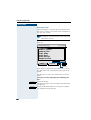
Personal
Select the Personal tab.
The personal directory opens:
Entry field
Personal directory
Search by name
|
Abbot, Nicola
Abbots, Richard
Ablett, Natalie
Acid, Raban
Ackroyd, Rich
Adams, Robert
Editor
Phone
Listed entries
Personal
Scroll bar
If a different display appears when you open the
personal directory, press "Cancel", "Menu" or
"Exit" until this display appears.
49
Using saved numbers to make calls
Step by Step
Mark the name you want.
A scroll bar is displayed if more than six names are
saved. You can browse the list by dragging the scroll
bar.
or
A
B
C
Enter the name you want or just the initial letters (Entering characters Æ page 120); the selected name is highlighted inversely.
Every letter entered narrows down the selection. Up to
six of the names found are displayed at a time.
if necessary á Delete the letters to the left of the cursor one by one.
Dialing the default call number:
Precondition: One of the call numbers entered for the
marked name was set as the default call number
Æ page 126. Otherwise select the call number to be dialed (see below).
ã Confirm.
or
Dial
Click on the softkey.
The display changes to "Phone" Æ page 16.
Dialing a specific call number:
Dial a specific call number if you want to dial a
number other than the default call number or if
none of the call numbers entered for the current
name was defined as the default call number.
Details
Click on the softkey. The call numbers entered for the
name are displayed Æ page 132.
Dial
Click on the softkey beside the call number you want.
The display changes to "Phone" Æ page 16.
The following softkeys are available:
1x or 2x
Cancel
Edit
50
The default status is active for the directory list.
Click on the softkey to edit the current entry
Æ page 129.
Using saved numbers to make calls
Step by Step
Dialing from the Corporate Directory
Requirements: You can access a corporate directory
via LAN: the dialing rules are entered correctly
Æ page 152.
If you have any questions regarding availability
and the dialing rules, please contact the responsible experts.
Select the Corporate tab.
Corporate
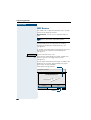
The corporate directory opens:
Input field for fast search
Corporate directory
Fast search
Surname First-name
|
Advanced search
Delete
Phone
Browse
Corporate
softkeys
Opens the advanced
search Æ page 139
A
B
C
Enter the name you want or just the initial letters (Entering characters Æ page 120), or use wildcards " * ".
if necessary á Delete the letters to the left of the cursor one by one.
For information on the advanced search, see
Æ page 139.
Browse
Start the search.
"Searching" appears in the top right of the display when
the search is running. The search can be interrupted at
any time with "Cancel".
51
Using saved numbers to make calls
Step by Step
Dialing a call number:
if necessary
If there is more than one suitable entry/name, select
the entry you want (reverse-video).
Details
Click on the softkey. The call numbers entered for the
name are displayed.
Dial
Click on the softkey beside the call number you want.
The display changes to "Phone" Æ page 16.
The following softkeys are available:
1x or 2x
Cancel
The default status is active for the corporate directory.
Next
On page 1 of 2 only: Display the second page of an entry’s detailed information. The softkey changes to "Previous".
Previous
On page 2 of 2 only: Display the first page of an entry’s
detailed information. The softkey changes to "Next".
Dialing with repertory keys
Precondition: You have saved a number on a repertory
dialing key (Æ page 63).
Press the key with the saved number.
If the number is on the second level, press the shift key
beforehand.
The other party answers:
C Lift the handset.
or With the handset on-hook: speakerphone.
52
Using saved numbers to make calls
Step by Step
Dialing with individual speed dialing
numbers
Precondition: You have saved individual speed dialing
numbers (Æ page 65).
Press the key. The lamp lights up.
program/service
< Enter the service code.
or
Select and confirm.
Use speed dialing?
and
9ïB Enter the speed dialing number.
This can be also "00 to 19" or "00 to 29" for 20 or
30 individual speed numbers. These are referred
to as individual speed indexes.
The other party answers:
C Lift the handset.
or With the handset on-hook: speakerphone.
Dialing with system speed dialing
numbers
You will be supplied with a copy of the system (central)
speed dialing directory by your service personnel (for
example) or you will find it in the inhouse telephone directory or on your PC.
After selecting a speed dialing number, which is the
saved system prefix of another telecommunications
system, you can immediately suffix-dial the station
number you require.
53
Making project calls
Step by Step
Making project calls
External calls can be assigned to specific projects.
Precondition: Project numbers (from 1 to 5) have been
configured for specific projects and you have a code for
the project in question.
Setting up a project call
Press the key. The lamp lights up.
program/service
D Enter a service code between 61 (for project number 1)
and 65 (for project number 5).
D Enter the PIN.
or
Press the key. The lamp lights up.
program/service
PIN / COS?
Select and confirm.
PIN 1?
Confirm.
or/possibly
Select and confirm PIN2 – PIN5.
and
D Enter the external number.
Make your call in the usual way (Æ page 28).
Project call mode is subject to a time limit. It is
deactivated automatically if you do not use your
telephone over a 5-minute period (for example).
54
Making project calls
Step by Step
Call duration display (cost display)
The call duration display is configured by your service
personnel. The display shows either the duration of the
call or the cost of the call. The display can be switched
off.
The call duration is shown in the first line display on the
right with format HH:MM:SS. The display appears ten
seconds after the call has begun.
The cost display feature must be applied for from the
network operator and configured by your service personnel.
55
If you do not get through...
Step by Step
If you do not get through...
Using the callback function
If the telephone that you have called is busy or there is
no answer, you can request a callback. This also applies
to external calls via ISDN switching centers. This saves
you having to dial the number repeatedly. You are then
called back
• as soon as the other party terminates his or her call
• as soon as the other party makes and completes a
call
• as soon as the other party checks his or her mailbox
and responds to your callback request (Æ page 23).
Storing a callback request
Precondition: The internal called party is busy or there
is no answer.
Confirm.
Callback?
or
Callback?
Select and confirm (if the other party has programmed
call forwarding, you will be called back from the call
forwarding destination).
Answering a callback request
Precondition: A callback request has been saved.
The telephone rings. The Cancel Callback message informs you that this is a callback.
C Lift the handset. You hear ringing tone.
or
Speaker
Press the key. The lamp lights up. You hear ringing tone.
You are in speakerphone mode.
Rejecting a callback request
The telephone rings. The Cancel Callback message informs you that this is a callback.
Cancel callback?
Confirm.
or Let the telephone ring four times; do not answer the
call.
56
If you do not get through...
Step by Step
Checking/cancelling saved
callback requests
Precondition: You have saved callback requests.
Display callback?
Select and confirm.
The oldest entry is displayed first.
Next callback?
Select and confirm to view further entries.
Canceling an entry that is displayed:
Delete?
Select and confirm.
Ending:
program/service
Press the key. The lamp goes out.
Camping on a colleague’s call
Precondition: The internal party whom you have called
is busy. You need to contact this person urgently.
Camp-on?
Select, confirm and wait briefly.
Your colleague hears the call waiting tone. The call pickup key flashes on his or her telephone. If his or her telephone has a display, your name and/or number is indicated.
To camp on, you must have the appropriate class
of service.
Camp-on is not possible if the called party is protected by the camp-on security function.
57
If you do not get through...
Step by Step
Overriding a colleague’s call (intrude)
Precondition: The station user whom you have called
is busy. You need to contact this colleague urgently.
Override?
Select and confirm.
Both the colleague and the other party hear an alerting
tone.
You can speak immediately.
To override, you must have the appropriate class
of service.
Override is not possible if the called party is protected by the Privacy function.
58
Telephone settings
Step by Step
Telephone settings
Adjusting the ringer volume
J or K Press one of the keys when the telephone is idle.
Ringer volume?
Confirm.
J or K To increase/decrease the volume: keep pressing the
keys until the desired volume level has been reached.
Save.
Adjusting the ringer pitch
J or K Press one of the keys when the telephone is idle.
Ringer pitch?
Select and confirm.
J or K Changing the pitch: keep pressing the keys until the desired pitch has been reached.
Save.
59
Telephone settings
Step by Step
Adapting the speakerphone function to
the acoustics of your room
To improve the clarity of voice transmission during
speakerphone conversations, you can adapt the microphone sensitivity of your telephone to suit the acoustics
of your room ("normal room"/"reverberating room"/
"soundproofed room").
J or K Press one of the keys when the telephone is idle.
Hands-free mode?
Select and confirm.
Speakerphone mode?
Select and confirm (used in US).
J or K Select the type of room (acoustics). Keep pressing the
keys until the required setting is displayed.
Save.
Setting the volume of the alerting tone
You hear the alerting tone, for example, when you receive a second call during a call in progress or when a
call has not been taken by any member of your pickup
group.
J or K Press one of the keys when the telephone is idle.
Warning tone?
Select and confirm.
J or K To increase/decrease the volume: keep pressing the
keys until the required volume level has been reached.
Save.
60
Telephone settings
Step by Step
Adjusting the angle of the display
By swivelling the display unit, you can adjust it so that
you can read the displays clearly from your normal sitting position.
Selecting the language for user
prompts (displays)
Your HiPath 4000 or Hicom 300 E/H (not used in US)
system can be configured for up to five different languages. The first language programmed is the default.
If your telephone has a language key, you can program
a different language.
The period of time for which the other language remains active depends on the language option that has
been configured. There are two possibilities:
• Static language option
The language remains programmed until you
select a different language.
• Temporary language option
The language remains programmed until the end of
the next call, after which the system reverts to the
default language.
Selecting a language:
Language
Press the key. The language selected appears on the
display for five seconds and is then set. Keep pressing
the key if you wish to select a different language.
This user guide can be ordered in other languages
(not used in US) Æ page 154.
61
Telephone settings
Step by Step
Locking your telephone
You can prevent unauthorized persons from using your
telephone (and the telephone directory) during your absence.
Precondition: You have been assigned a personal identification number (PIN) by your service personnel.
Preventing unauthorized dialing:
Press the key. The lamp lights up.
program/service
?@ Enter the service code.
or
Select and confirm.
PIN / COS?
Select and confirm.
Change COS?
and
D Enter the PIN (code number).
or
Insert the chip card. All lamps light up briefly.
Chip card
reader:
Input is followed by the display:
“Executed”
.
Remove the chip card again.
When the telephone is disabled in this way, a
special dial tone is audible when the handset is
lifted. Internally (within HiPath 4000), dialing is
possible in the usual way.
Insert chip
card
Enabling the telephone again:
Press the key. The lamp lights up.
program/service
?@ Enter the service code.
or
PIN / COS?
Select and confirm.
Change COS?
Select and confirm.
and
D Enter the PIN (code number).
Input is followed by the display: "Executed".
62
Storing numbers, system functions and timed reminders
Step by Step
Storing numbers, system functions
and timed reminders
You can save a frequently required number or a frequently used function on any key that has not been preprogrammed by your service personnel. The keys on
the optiPoint key module add-on unit can be assigned
on two levels. Before storing, you can check the key assignment (Æ page 69).
Storing a repertory dialing number
on a key
Press the key. The lamp lights up.
program/service
Press the programmable key (with appropriate feature).
To use the second level on the optiPoint key module,
press the shift key first.
The current key assignment configuration is displayed.
Confirm.
New entry?
or
Enter new number
Select and confirm.
D Enter the number.
For external numbers, enter the access code and then
the telephone number.
Save?
Confirm.
or If you made a mistake during input:
Dial again?
Select and confirm.
Enter the number again.
You should label keys after you have assigned a
function to them (Æ page 153).
63
Storing numbers, system functions and timed reminders
Step by Step
Storing a number for redialing
Precondition: Your telephone is programmed for
"Saved number redial" not "Last number redial".
Storing a caller’s number or a number
that has been dialed
You are still on the phone with someone you have called
or someone has called you and whose number appeared on your display.
Saved no. redial
Press the key.
Speaker
Press the key. The lamp goes out.
or I Replace the handset.
Storing any number
Precondition: Your telephone is in the idle state or you
are conducting a call and the other party informs you of
a number that you would like to save.
program/service
Press the key.
Saved no. redial
Press the key.
New entry?
Confirm.
D Enter the number.
Save?
Confirm.
You can dial the saved telephone number at the
push of a button (Æ page 48).
64
Storing numbers, system functions and timed reminders
Step by Step
Saving individual speed dialing
numbers
You can save a number on each of digit keys 0 to 9 and
then dial these numbers at the push of a button
(Æ page 53).
This can be also "00 to 19" or "00 to 29" for 20 or
30 individual speed numbers. These are referred
to as individual speed indexes.
program/service
Press the key. The lamp lights up.
Destinations?
Confirm.
Speed dialing?
Select and confirm.
Speed dialing features?
Select and confirm (used in US).
D Enter a specific speed dialing number (0 to 9 or 00 to 19
or 00 to 29).
If this digit has already been assigned a telephone number, this number is shown on the display.
New entry?
Confirm.
D Enter the number.
For external numbers, enter the access code and then
the telephone number.
Save?
Confirm.
65
Storing numbers, system functions and timed reminders
Step by Step
Saving a function on a key
Press the key. The lamp lights up.
program/service
= Enter the service code.
or
Key function?
Select and confirm.
and
Press the programmable function key. Keyset configuration is displayed.
Change?
Confirm.
New function:
Select and confirm one of the system functions prompted.
Save?
Confirm.
Keys that have been preprogrammed by your service personnel cannot be changed. Then "Return?" is shown.
You can now activate the function directly by
pressing the key. For functions, such as call waiting, that can be alternately activated/deactivated,
you activate the function when you press the key
and subsequently deactivate it when you press
the key again. The key’s lamp is lit when the function is active.
66
Storing numbers, system functions and timed reminders
Step by Step
Creating timed reminders
You can program a timed reminder on your telephone to
remind yourself of an important meeting or appointment, for example(Æ page 24). You must save the exact time at which you wish to receive the reminder. Reminders can be set for the next 24-hour period.
Press the key. The lamp lights up.
program/service
@ Enter the service code.
or
Reminder?
Select and confirm.
The display indicates whether or not a timed reminder
has already been programmed.
New reminder?
First timed reminder: Confirm.
Further timed reminder: Select and confirm.
and D Enter the time with either 3 or 4 digits as appropriate,
for example, 845 for 8.45 hours or 1500 for 15.00 hours.
Confirm.
Save?
Cancelling a saved reminder:
Press the key. The lamp lights up.
program/service
@ Enter the service code.
or
Reminder?
Select and confirm. A saved timed reminder is displayed.
Next reminder?
Confirm (if you have saved several timed reminders).
and
Delete?
program/service
Select and confirm.
Press the key. The lamp goes out.
67
Checking the telephone
Step by Step
Checking the telephone
Checking its functionality
You can test the functionality of your telephone. This includes the following checks:
• Are all the key lamps operating properly?
• Is the display operating properly?
• Do all the keys function?
• Are there any problems with the speaker, handset,
ringing tone volume, ringing tone pitch, alerting tone
or speakerphone function?
Otherwise, if necessary, for servicing:
• the terminal ID (identity) of the telephone
• the software version of the optiPoint telephone
• the power level of the line.
Precondition: The telephone is in the idle state.
Press the key. The lamp lights up.
program/service
B Enter the service code.
or
Select and confirm.
Phone test?
and
Select and confirm the required test function. Follow
the user prompts on the display.
program/service
68
Press the key. The lamp goes out. The test is ended.
Checking the telephone
Step by Step
Checking the assignment of functions
to keys
You can check which functions have been pre-assigned
to specific keys on your telephone. You can also check
what you have saved on individual keys yourself. The following types of key assignment are possible:
• Repertory dialing (Æ page 63),
• Direct station selection (Æ page 112 and
Æ page 114) or
• Function (Æ page 66).
Precondition: The telephone is in the idle state.
Press the key. The lamp lights up.
program/service
= Enter the service code.
or
Key function?
Select and confirm.
and
Press the required key.
The key assignment is displayed.
Return?
Bestätigen und anschließend eine andere Taste drücken, um deren Belegung anzuzeigen.
or
program/service
Press the key. The lamp goes out.
69
Forwarding calls
Step by Step
Forwarding calls
Using call forwarding (Hicom 300 E/H
not used in US)
Using fixed call forwarding
Fixed call forwarding can be activated in a matter of seconds. It is advisable to use this type of call forwarding in
order to reroute calls to a mailbox or to a permanent
deputy during your absence, for example.
Storing/changing a destination
Press the key. The lamp lights up.
program/service
:; Enter the service code.
or
Destinations?
Confirm.
Fixed call forw.?
Select and confirm.
If a destination has been stored for fixed call forwarding,
the number is displayed.
and
New entry?
Confirm.
D Enter the number of the destination.
If you enter a number belonging to a networked
Hicom system, you must conclude input with
G.
Save?
70
Confirm. Call forwarding is activated immediately.
Forwarding calls
Step by Step
Cancelling a destination
Press the key. The lamp lights up.
program/service
:; Enter the service code.
or
Destinations?
Confirm.
Fixed call forw.?
Select and confirm.
If a destination has been stored for fixed call forwarding,
the number is displayed.
Delete?
Select and confirm.
Deactivating call forwarding
With the "call forwarding" key:
Call forwarding
Press the key. The lamp goes out.
Via the Service Menu:
Call forwarding off?
Select and confirm when the telephone is in the idle
state.
Activating call forwarding
With the "call forwarding" key:
Call forwarding
Press the key. The lamp lights up.
Via the Service Menu:
Fixed call forw. on?
Select and confirm when the telephone is in the idle
state.
Forwarding calls automatically
A call is diverted to the fixed call forwarding destination
even if you have not activated fixed call forwarding (and
provided that your system is configured for this facility).
Depending on how "forwarding ring no answer" (transfer
of ringing) has been programmed, calls are rerouted automatically if, for example, they are not answered after
several rings or they arrive when you are already engaged in a call.
71
Forwarding calls
Step by Step
Using variable call forwarding
Each time you activate variable call forwarding, you
specify the destination number to which calls are to be
diverted. You will find variable call forwarding particularly useful if you have to divert calls to frequently changing destinations.
Storing a destination/activating call forwarding
Select and confirm.
Variable call forw.?
D Enter the number of the destination.
If you enter a number belonging to a networked
Hicom system, you must conclude number input
with G.
Confirm. Call forwarding is activated immediately.
Save?
Storing a destination for fax calls/
activating call forwarding
Press the key. The lamp lights up.
program/service
: Enter the service code.
or
Destinations?
Confirm.
Variable call forw.?
Select and confirm.
and
F=< D D Enter in turn: code, own number, wanted destination
number.
Save?
Confirm.
Call forwarding is activated.
Deactivating call forwarding
Call forwarding off?
72
Select and confirm when the telephone is in the idle
state.
The variable call forwarding destination is also cancelled.
Forwarding calls
Step by Step
Using call forwarding (HiPath 4000)
You can program two types of call forwarding:
• Station fixed forwarding*, and
• station variable forwarding
With station fixed forwarding you can program a forwarding destination that will remain valid until you
change or delete it. This forwarding function can be
switched on and off.
With station variable forwarding you can choose between 6 different types of forwarding:
• Station variable unconditional/all forwarding
– forwarding for internal calls only
– forwarding for external calls only
– forwarding for both internal and external calls
• Forwarding for busy (int/ext)
• Forwarding after no answer (int/ext)
• Forwarding for busy and ring no answer
Call forwarding is activated when a forwarding destination is programmed. When the station variable forwarding function is switched off, the forwarding destination
is automatically deleted.
When forwarding is activated you can see the following
display in the idle menu:
Forwarding type
Display message
Station fixed forwarding Forwarding to e.g. 222 Klaus
Station variable forward- Meier (own number)
ing
Forwarding for internal/ Forwarding for internal/exterexternal calls only
nal On
Forwarding for busy
Forwarding on busy On
Forwarding after time
Forwarding on timeout On
Forwarding for busy and Forwarding on busy or timering no answer
out On
Station fixed forwarding Fixed forwarding On
See Æ page 80 or Æ page 81 to find out how to activate/de-activate call forwarding via codes or an installed
forwarding key.
* Station fixed forwarding is optional
73
Forwarding calls
Step by Step
Station fixed forwarding
If you have programmed a forwarding destination for
fixed forwarding, you can activate and deactivate the
forwarding facility either in the Service Menu or with a
forwarding key configured by System Support. The programmed forwarding destination remains valid until you
change or delete it.
Programming/changing a forwarding destination
Press the key. The lamp lights up.
program/service
Destinations?
Confirm.
Call forwarding?
Confirm. Display shows "Station variable forwarding".
Next forwarding type? >
Confirm. Display shows "Station fixed forwarding". If forwarding has been programmed the destination is displayed.
Next forwarding type? >
Start "Station fixed forwarding".
Enter destination:
>
D Enter the number of the forwarding destination. Any
destination previously saved will be overwritten.
Confirm when the complete number has been entered.
Save?
Activating/deactivating station fixed forwarding
You can only activate station fixed forwarding if a destination number has been programmed.
Press the key. The lamp lights up.
program/service
Destinations?
Confirm.
Call forwarding?
Confirm. Display shows "Station variable forwarding".
Next forwarding type? >
Confirm. Display shows "Station fixed forwarding". If forwarding has been programmed the destination is displayed, whether forwarding is switched on or off.
22805 Harald Meier
74
>
Start "Station fixed forwarding".
Activate?
Select and confirm. Station fixed forwarding is activated.
Fixed forwarding on
Output in first line. The following display message appears in the idle menu:
Forward to
for example, 2223 Klaus Meier (own number)
Forwarding calls
Step by Step
or
Deactivate?
Select and confirm. Station fixed forwarding is deactivated.
Fixed forwarding off
Output on first line.
If variable forwarding was previously programmed and
activated, it is deactivated and the forwarding destination is deleted.
Deactivating station fixed forwarding in the idle
menu
You can also deactivate station fixed forwarding in the
idle menu.
Select and confirm. Station fixed forwarding is deactivated. The destination number is retained.
Call forwarding off?
Activating and deactivating with call forwarding
key
Activating
Press the key. The lamp lights up.
Call forwarding
Deactivating
Press the key. The lamp goes out.
Call forwarding
Deleting the destination for station fixed forwarding
You can delete the destination for station fixed forwarding.
Press the key. The lamp lights up.
program/service
Destinations?
Confirm.
Call forwarding?
Confirm. Display shows "Station variable forwarding".
Next forwarding type? >
Confirm. Display shows "Station fixed forwarding" and
the forwarding destination.
22805 Eric Brown
Delete?
>
Display "fixed forwarding target".
Select and confirm. The forwarding destination is deleted. If Station fixed forwarding was activated it is now
switched off. If a forwarding key has been configured it
is deactivated.
75
Forwarding calls
Step by Step
Station variable forwarding
With station variable forwarding you can choose between 6 different types of call forwarding:
• Station variable unconditional/all forwarding
– forwarding for internal calls only
– forwarding for external calls only
– forwarding for both internal and external calls
• Forwarding for busy (int/ext)
• Forwarding after no answer (int/ext)
• Forwarding for busy and ring no answer
The forwarding types are mutually exclusive except for
forwarding for internal and forwarding for external. You
can program a forwarding destination for both of the
two exceptions and thus activate them both.
Example:
You had activated station variable forwarding. You now
program and thus activate forwarding after timeout. Station variable forwarding is automatically deactivated and
its forwarding destination is deleted.
Selection of a station variable forwarding type
Select the items Destinations and Forwarding in the
Service Menu.
Press the key. The lamp lights up.
program/service
Destinations?
Confirm.
Call forwarding?
Confirm.
"Station variable forwarding" will be offered first.
’FWD-ALL-BOTH off
Output on first line display.
Next forwarding type? >
Output on second line display.
Confirm to select the next forwarding type.
Fixed forwarding off
Output on first line display.
Next forwarding type? >
Output on second line display.
or if you have already programmed a station fixed forwarding destination
Output on first line display.
Fixed forwarding off
22805 Eric Brown
>
Output on second line display.
Confirm to select the next station variable forwarding
type
76
Forwarding calls
Step by Step
FWD-ALL-INT off
Output on first line display.
Next forwarding type? >
Output on second line display.
To select the next station variable forwarding type.
FWD-ALL-EXT off
Output on first line display.
Next forwarding type? >
Output on second line display.
or
To edit the current station variable forwarding type.
Output on first line display.
FWD-ALL-INT off
Enter destination:
>
Output on second line display.
Programming/changing the forwarding destination
program/service
Press the key. The lamp lights up.
Confirm.
Destinations?
Destinations?
Call forwarding?
Confirm. Display shows "Station variable forwarding".
Next forwarding type? >
Confirm. Display shows "Station fixed forwarding".
Next forwarding type? >
Confirm. Display shows "Forwarding for internal".
Next forwarding type? >
Open a forwarding type, for example, "Forwarding for internal".
Enter destination:
>
D Enter the number of the forwarding destination. Any
destination previously saved will be overwritten
Save?
Confirm when the complete number has been entered.
To select a different forwarding type, proceed as described on Æ page 76.
If station variable forwarding was previously programmed and activated, it is deactivated and the forwarding destination is deleted (for exception, see
Æ page 76). Station fixed forwarding is deactivated.
Deleting a forwarding destination
A station variable forwarding destination is automatically deleted when the forwarding type is switched off.
77
Forwarding calls
Step by Step
Activating station variable forwarding
Station variable forwarding is automatically activated
when the forwarding destination is programmed.
Unconditional variable programming can also be activated in the idle menu.
Var. call forw. on?
Select and confirm while the phone is idle.
D Enter the number of the destination.
If you enter a cross-system number, you must
press G after entering the number.
Confirm. This also activates the forwarding facility.
Save?
Deactivating station variable forwarding
You can deactivate all station variable forwarding types
in the Service Menu.
program/service
Press the key. The lamp lights up.
Destinations?
Confirm.
Call forwarding?
Confirm. Display shows "Station variable forwarding".
Next forwarding type? >
Confirm. Display shows "Station fixed forwarding".
Next forwarding type? >
Confirm. Display shows "Forwarding for internal".
Next forwarding type? >
Open a forwarding type, for example, "Forwarding for internal".
Deactivate?
Select and confirm. Station variable forwarding is deactivated and the forwarding destination is deleted.
FWD-ALL-INT off
Output on first line, for example, for "Forwarding for internal".
To select another station variable forwarding type, proceed as described on Æ page 76.
Checking forwarding
To check up on the status of the forwarding types, proceed as described on Æ page 76 The status "ON" or
"OFF" is shown in the first line. The forwarding destination is shown in the second line display if this station
variable forwarding type is activated.
78
Forwarding calls
Step by Step
Deactivating station variable forwarding in the idle
menu
You can also deactivate the following station variable
forwarding types in the idle menu:
• Station variable forwarding
• Forwarding for internal and for external
Select and confirm while the phone is idle. Forwarding
is deactivated and the forwarding destination is deleted.
Call forwarding off?
Activating and deactivating forwarding using
features settings
If a forwarding destination has been programmed for
station fixed forwarding, you can use features settings
to activate and deactivate the forwarding facility. If sation variable forwarding is activated, it can only be deactivated with the switch.
Press the key. The lamp lights up.
program/service
Feature settings?
Select and confirm.
Call forwarding?
Select and confirm.
Activate?
Confirm.
or
Deactivate?
Confirm. This deletes any destination number programmed for station variable forwarding.
System call forwarding
Various modes of call forwarding within the system can be
set up and activated for internal and external calls on your
line by suitably qualified technicians.
The following modes of call forwarding are possible:
• unconditionally all calls
• when the line is busy
• when the call is not answered
• do not disturb
Unconditional call forwarding should only be used if the
line is for outgoing calls only (for example, on an elevator).
If you have set up station fixed or station variable call forwarding, and if the manually programmed forwarding
destinations are not obtainable (for example, because
they are busy), then calls are automatically forwarded to
the system forwarding destinations.
79
Forwarding calls
Step by Step
Call forwarding via code numbers
The following call-forwarding modes can be set up via
codes:
Call-forwarding mode
Code
(example)
Programming and activating fixed call-forwarding
*51
Activating fixed call-forwarding
*41
Clearing (and de-activating) fixed call-forwarding
#51
De-activating fixed call-forwarding
#41
Programming and activating unconditional, *42
variable call-forwarding
Programming and activating variable callforwarding for internal calls
*44
Programming and activating variable callforwarding for external calls
*43
Programming and activating variable callforwarding on busy
*45
Programming and activating timed, variable *46
call-forwarding
Programming and activating variable callforwarding (on busy/timed)
*47
De-activating variable and fixed call-forwarding
#41
De-activating variable call-forwarding for in- #44
ternal calls
De-activating variable call-forwarding for ex- #43
ternal calls
Activating system call-forwarding
*90
De-activating system call-forwarding
#90
See Æ page 73 for the display messages that occur
when call-forwarding is activated/de-activated.
80
Forwarding calls
Step by Step
Programming and activating call-forwarding
C Lift the handset.
D
Enter the code!
Enter a code number, say *51, (ask your service personnel). You will hear the dialing tone.
D Enter the number of the destination.
G Enter the terminating character. You should hear a con-
firmation tone, call forwarding has then been activated.
I Replace the handset.
Activating fixed call-forwarding
C Lift the handset.
D
Enter the code!
Enter a code number, say *41, (ask your service personnel). You should hear a confirmation tone.
I Replace the handset.
Deactivate call-forwarding
C Lift the handset.
D
Enter the code!
Enter a code number, say #41, (ask your service personnel). You should hear a confirmation tone.
I Replace the handset.
Call-forwarding via call-forwarding key
You can use the call-forwarding key for fixed call forwarding. When programming the forwarding destination, call forwarding is activated when you enter the
number of the destination. You can then use the key to
switch call forwarding on and off.
Programming and activating fixed call forwarding
C Lift the handset.
E
Enter the code!
Enter a code number, say *51, (ask the service personnel).
E Enter the number of the destination.
G Enter the terminating character. You should hear a con-
firmation tone - call-forwarding has then been activated.
81
Forwarding calls
Step by Step
I Replace the handset.
Switching off fixed call forwarding
Call forwarding
Press the key. The lamp goes out, call forwarding is
switched off.
Switching fixed call forwarding on again
Call forwarding
Press the key. The lamp lights up and call forwarding is
switched on again (the forwarding destination must be
programmed).
Clearing fixed call forwarding
C Lift the handset.
E
Enter the code!
Enter a code number, say #51, (ask the service personnel). You will hear a confirmation tone, call forwarding is
cleared.
I Replace the handset.
Delayed call-forwarding (HiPath 4000)
Installed for the whole system by your service personnel.
Requirements: Waiting call must be installed
(Æ page 22).
If you have activated "call-forwarding on busy/timed" or
"timed call-forwarding" on your telephone (Æ page 76),
you will automatically obtain a camp-on busy tone if
there is a waiting call and information about the calling
party is shown in the display. This gives you the opp.ortunity to take the call before it is forwarded (say you are
waiting for an urgent call).
A calling party hears the ringing tone and is only forwarded to another telephone when the time that has
been set elapses.
82
Forwarding calls
Step by Step
Forwarding calls for a different
terminal
You can save, activate, check and deactivate call forwarding for another telephone, fax machine or PC from
your own telephone. To do so, you need to know the
PIN for this terminal or you must have the "Call forwarding for remote terminal" class of service. Your service
personnel can help you in both cases.
Storing a destination for another
telephone/activating call forwarding
program/service
Press the key. The lamp lights up.
Destinations?
Confirm.
Forward station no.?
Select and confirm.
Forwarding station No.?
Select and confirm (used in US).
Variable call forw.?
Confirm.
D Enter the number of the other telephone.
Finished?
Confirm.
Completed?
Confirm (used in US).
D Enter the PIN
(only if your own station does not have the "Call forwarding for remote terminal" class of service).
Finished?
Confirm.
Completed?
Confirm (used in US).
D Enter the number of the destination.
Save?
Confirm.
Call forwarding is activated immediately.
83
Forwarding calls
Step by Step
Storing a destination for fax, PC or busy/
activating call forwarding
program/service
Press the key. The lamp lights up.
Destinations?
Confirm.
Forward station no.?
Select and confirm.
Forward other?
Select and confirm.
D Enter the code for the type of call forwarding required.
The codes are defined by your service personnel. You
can enter your call forwarding codes in the following table:
Call forwarding for fax:
*43
Call forwarding for PC:
*42
Call forwarding for busy:
*49
D Enter the number of the other terminal.
Finished?
Confirm.
D Enter the PIN
(only if your own station does not have the "Call forwarding for remote terminal" class of service).
Finished?
Confirm.
D Enter the number of the destination.
Save?
84
Confirm.
Call forwarding is activated.
Forwarding calls
Step by Step
Checking/deactivating call forwarding
for another telephone
program/service
Press the key. The lamp lights up.
Feature settings?
Select and confirm.
Forward station no.?
Select and confirm.
Variable call forw.?
Confirm.
D Enter the number of the other telephone.
Finished?
Confirm.
Completed?
Confirm (US).
D Enter the PIN
(only if your own station does not have the "Call forwarding for remote terminal" class of service).
Finished?
Confirm.
Completed?
Confirm (US).
To deactivate:
Deactivate?
Confirm.
or To check:
Interrogate?
Select and confirm.
Display?
Select and confirm (used in US).
Example of display:
3428----------------------->8968
This means: calls for station 3428 are redirected
to station 8968.
85
Forwarding calls
Step by Step
Checking/deactivating call forwarding
for fax, PC or busy
program/service
Press the key. The lamp lights up.
Feature settings?
Select and confirm.
Forward station no.?
Select and confirm.
Forward other?
Select and confirm.
D Enter the code for the type of call forwarding required.
The codes are defined by your service personnel. You
can enter your call forwarding codes in the following table:
example
Interrogating forwarding for fax:
Interrogating forwarding for PC:
Interrogating forwarding for busy:
Deactivating forwarding for fax:
Deactivating forwarding for PC:
Deactivating forwarding for busy:
#43
#42
#49
D Enter the number of the other terminal.
Finished?
Confirm.
D Enter the PIN
(only if your own station does not have the "Call forwarding for remote terminal" class of service).
Finished?
Confirm.
To deactivate:
Deactivate?
Confirm.
or To check:
Interrogate?
Select and confirm.
(Example of display Æ page 85).
Changing call forwarding for another
terminal
The procedure is exactly the same as for Save/Activate:
for another telephone Æ page 83,
for fax, PC or busy: Æ page 84.
86
Using a different telephone in the same way as your own
Step by Step
Using a different telephone
in the same way as your own
You can log on to another telephone belonging to the
HiPath 4000 or Hicom 300 E/H system (not used in US)
via a personal identification number (PIN) (also telephones of networked HiPath 4000 or Hicom 300 E/H
(not used in US) systems, for example, at other branches of your company). At the other telephone you can*
then:
• make calls and assign the charges to cost centers
• make calls and assign the charges to specific
projects
• retrieve messages from your mailbox
• use your individual speed dialing numbers and also
a number that has been saved at your own telephone for redialing
• use repertory dialing keys, provided that they are
configured in the same positions as your own telephone
• enter timed reminders
Using an internal PIN, you can have your calls diverted
to a telephone in the office or department where you
will be for a temporary period (call forwarding - follow
me).
Logging on to a different telephone
Identifying yourself with PIN and dialing
Precondition: You have been assigned a PIN by your
service personnel. You require an internal PIN for calls
within your own HiPath 4000 or Hicom 300 E/H (not
used in US) system, while for calls involving other
HiPath 4000 or Hicom 300 E/H (not used in US) systems in the integrated network you require a networkwide PIN.
Press the key. The lamp lights up.
program/service
?: Enter the service code
(61 for PIN 1, 62 for PIN 2, etc.).
or
PIN / COS?
Select and confirm.
87
Using a different telephone in the same way as your own
Step by Step
Select and confirm.
If you have several PINs and wish to use another one,
select the other PIN.
PIN 1?
With the display "Enter station no." or "Enter ID", you are
requested to enter the PIN.
Entering the PIN for your own HiPath 4000 or
Hicom 300 E/H (not used in US) system:
D Enter internal PIN.
or Entering the PIN for another HiPath 4000 or
Hicom 300 E/H (not used in US) system area within
the integrated network:
D
Enter the code!
Enter the 2-digit node code for your own HiPath 4000 or
Hicom 300 E/H (not used in US) (ask your service personnel.
DG Enter your own number and press the pound key.
DG Enter the network-wide PIN and press the pound key.
Dialing after (successful) identification:
You hear a dial tone. The following appears on the display: "Please dial".
Speaker
Press the key. The lamp goes out.
or D Enter a number immediately.
Call forwarding – follow me after successful
identification
88
Variable call forw.?
Select and confirm.
Save?
Confirm. Call forwarding has been activated.
Using a different telephone in the same way as your own
Step by Step
Identification with the chip card
Precondition: You have been assigned a chip card by
your service personnel for logon at other telephones.
The optiPoint 500 at which you wish to log on must be
equipped with a chip card reader (optiPoint 500 signature module).
Chip card
reader:
Within your own HiPath 4000 or Hicom 300 E/H (not
used in US) system:
Insert chip
card
Insert the chip card. All lamps light up briefly.
"ID card" and the number of the home station are indicated on the display.
or At another HiPath 4000 or Hicom 300 E/H (not used
in US) system in the integrated network:
Insert the chip card.
D
Enter the node code for your own HiPath 4000 or
Hicom 300 E/H (not used in US) system (check with
your service personnel).
Enter the code!
DG Enter your own number and press the pound key.
Deactivating identification at the other
telephone
If you logged on with a PIN:
Press the key. The lamp lights up.
program/service
?? Enter the service code.
or
PIN / COS?
Select and confirm.
Deactivate PIN?
Select and confirm.
Identification is deactivated automatically if the
other telephone is not used for several minutes.
Chip card
reader:
If you logged on with a chip card:
Remove the chip card when the telephone is in the idle
state.
Insert chip
card
89
Relocating with the telephone
Step by Step
Relocating with the telephone
Check with your service personnel whether this is possible with your telephone system.
After consulting with your service personnel, you
can log off your telephone from its present station line
and then log it on at the new station line. Note that the
settings on your telephone (programmed keys) are not
affected by the move.
Disconnecting the telephone from its
present station line
D
Enter the code!
Enter the code for logging off. If you are not sure of the
code, check with your service personnel.
D Enter PIN.
Remove the telephone line cord from the jack.
Reconnecting the telephone at the
new station line
Insert the telephone line cord in the jack.
D
Enter the code!
Enter the code for logging on. If you are not sure of the
code, ask with your service personnel.
D Enter PIN.
If you relocate with both a first and a second telephone (for example, executive/secretary configuration), you must first log off from the second
telephone, then the first telephone. At the new
location, you log on the first telephone first, then
the second telephone (Not applicable in the US).
Multi-line and team functions
90
Using HiPath 4000 as an intercommunication system
Step by Step
Using HiPath 4000 as an
intercommunication system
You can voice call an internal HiPath 4000 user via the
loudspeaker in his or her telephone to set up a connection. You can also initiate voice calling from consultation.
The following functions are available:
• System-wide voice calling
– to a variable destination
– to a fixed destination
• Voice calling in a group
– to a variable destination
– to a fixed destination
• Two-way voice calling within a group
– to a variable destination
– to a fixed destination
• Announcement to all members of a line group
You can abort voice calling or the announcement by replacing the handset or pressing the line key or by picking up the call on hold during consultation.
For all functions ensure that the voice calling
protection for the telephones in question has
been deactivated Æ page 25. As far as telephones with no display, e.g. optiPoint 500 entry,
are concerned, the voice call protection is de-activated via a key that has been installed.
If a user is voice called and his or her voice-call
protection has been activated, voice calling is ignored and a normal call is put through instead
91
Using HiPath 4000 as an intercommunication system
Step by Step
System-wide voice calling
From your own telephone, you can place a voice call to
any internal party whose telephone has a speakerphone
or a loudspeaker.
Voice calling to a variable destination
A party receives a voice call via his internal station number.
C Lift the handset.
or With the handset cradled: Handsfree talking
D
Enter the system code-number for "voice calling" and
Enter the code!
D the speed calling code for the group member in question.
or
Press the key for "voice calling" (must be installed)
and
D the speed calling code for the group member in question.
A connection to the destination loudspeaker is set up
immediately, if
• there is no busy condition
• the handset is cradled
• and voice-calling protection has not been activated
The caller hears a tone confirming when the connection
has been established and the call can begin.
The called party accepts the voice call by lifting the
handset.
If the called party presses the loudspeaker key or the
line key (if installed), the connection is aborted.
The number of voice calls possible is the same as
the number of normal calls that can be made.
92
Using HiPath 4000 as an intercommunication system
Step by Step
Voice calling to a fixed destination
The system code-number for "voice calling in the group"
+ the speed-calling code for the group member in question is stored on the repertory key (Æ page 66).
Press the programmed repertory key.
A connection is immediately set up to the destination
loudspeaker.
The other functions are as described in “Voice calling to
a variable destination” on page 92.
Voice calling in a group
A normal connection within a group or team (for team
call = speed-calling number for team members 0 to 9 or
00 to 99) can also be set up via Voice calling. To do this,
voice calling is initiated from a group telephone.
The "voice calling in the group" function is line-independent – anyone can voice call anyone else.
Voice calling to a variable destination
C Lift the handset.
or With the handset cradled: Handsfree talking.
D
Enter the system code-number for "voice calling in the
group" and
Enter the code!
D the speed calling code for the group member in question.
or
Press the key for "voice calling in the group" (must be installed)
and
D the speed calling code for the group member in question.
93
Using HiPath 4000 as an intercommunication system
Step by Step
A connection to the destination loudspeaker is set up
immediately, if
• there is no busy condition
• the handset is cradled
• and voice-calling protection has not been activated
The called party accepts the voice call by lifting the
handset.
If the called party presses the loudspeaker key or the
line key (if installed), the connection is aborted.
Voice calling to a fixed destination (using
repertory key)
The system code-number for "voice calling in the group"
+ the speed-calling code for the group member in question is stored on the repertory key (Æ page 66).
Press the programmed repertory key.
A connection is immediately set up to the destination
loudspeaker.
The called party can accept the voice call by lifting the
handset.
If the called party presses the loudspeaker key or the
line key (if installed), the connection is aborted.
Two-way voice calling to a variable
destination
With two-way voice calling within a group the destination loudspeaker and microphone are automatically activated.
C Lift the handset.
or if the handset is cradled: Handsfree talking
D
Enter the system code-number for "two-way voice calling in a group" and
Enter the code!
D the speed dialing code for the group member in question
or
Press the key for "two-way voice calling in a group"
(must be installed)
94
Using HiPath 4000 as an intercommunication system
Step by Step
and
D enter the speed dialing code for the group member in
question.
The destination telephone's loudspeaker and microphone are automatically activated.
Two-way voice calling to a fixed destination
(on repertory key)
The system code-number for "two-way voice calling in a
group" + the speed calling code for the group destination in question are stored on the repertory key
(Æ page 66).
Press the programmed repertory key.
The destination telephone's loudspeaker and microphone are automatically activated.
95
Using HiPath 4000 as an intercommunication system
Step by Step
Announcement to all members of a line
group
Using this function, you can make a simultaneous announcement to all members (10 to 40) of a line group.
After you have set up the group call, you will receive a
confirmation tone which tells you that you can start your
announcement.
C Lift the handset.
or With the handset cradled: Handsfree talking.
D
Enter the system code-number for "announcements"
and
Enter the code!
D the internal call number of a group member.
or
Press the "announcement" key (must be installed)
and
D enter the internal call number of a group member.
The loudspeakers of all group telephones are automatically activated and you will hear a confirmation tone.You
can now start your announcement.
End your announcement by replacing the handset or
pressing a line key.
If a group member lifts a handset, he or she is connected to you and the announcement is terminated.
If a group member presses the loudspeaker key or the
relevant line key for the announcement, he or she is disconnected from the announcement. If the last remaining member of the group presses the loudspeaker key
or the line key, the announcement is terminated.
96
Making multiline calls
Step by Step
Making multiline calls
Using line keys
Line keys are configured by your service personnel. The
station number of each station user is assigned to a line
and is the primary line of that team member. The same
line is configured on the line keys of the other station
users as a secondary line. Each station user can use
any of the line keys that are available.
Numbers that have been saved on your telephone can only be used for line key dialing on
your own telephone.
The following example illustrates how telephones with
several line keys are interrelated within a team (keyset
configuration).
3234 is the station number of Mr. Jones, 3235 the station number of Mr. Brown and 3236 the station number
of Mr. Jackson. Calls can be conducted on all three keys
on all three telephones. The line with the user’s own
station number is always the primary line.
Mr. Jones’ telephone
3234 (primary line)
3235 „Brown“
3236 „Jackson“
Mr. Brown’s telephone
3235 (primary line)
3234 „Jones“
3236 „Jackson“
Mr. Jackson’s telephone
3236 (primary line)
3234 „Jones“
3235 „Brown“
97
Making multiline calls
Step by Step
The different statuses of line key lamps
Line
The lamp is not lit – the line is free and can be used.
or
Line
The lamp is lit – line is busy.
or
Line
The lamp is flashing faster – a call is on the line: answer
the call.
or
Line
The lamp is flashing slowly – the call is forwarded.
Preview
You are speaking on one line. A call is incomming on another line key. You can use the call preview function to
find out who is calling on this line. The information is
shown in the display. You can also find out which caller
is waiting on a line key that you have previously put on
hold or exclusive hold. In addition, you can see information about the caller on the active line you are currently
using.
The preview key must be configured by your service
personnel.
Precondition: You have accepted a call on a line key.
The lamp on another line key is flashing fast.
Activating the preview function
Preview
Press the key. The lamp lights up.
Line
Press the desired line key.
Information is displayed about the caller or the waiting
or parked user.
Deactivating the preview function
Preview
Press the key. The lamp goes out.
The menu line returns to the original state.
98
Making multiline calls
Step by Step
Taking calls on line keys
If several calls are received at the same time, you can
take the calls in the order in which they are offered to
you - or you can give priority to certain calls.
Precondition: System Support has specified the sequence in which incoming calls are to be routed to line
keys.
Taking calls in the order offered
Your telephone rings (ringing signal). The caller is displayed, for example, "3235 Brown". The lamp for the relevant line key flashes rapidly.
C Lift the handset.
or
Speaker
Press the key. You are in speakerphone mode.
Giving priority to certain calls
Your telephone rings (ringing signal). The caller is displayed, for example, "3235 Brown". The lamp at the relevant line key flashes rapidly. The lamps at other line
keys also flash rapidly.
Line
Press the line key to which you are giving priority. The
name of the other caller (for example, "3236 Jackson")
is displayed briefly.
C Lift the handset.
or
Speaker
Press the key. You are in speakerphone mode.
99
Making multiline calls
Step by Step
Activating/deactivating ringer
When you are making a call on a line, you may be disturbed by the ringing signals for other incoming calls. If
ringer cutoff has been configured, your telephone does
not ring. Incoming calls are then signalled by the flashing of the line keys.
With the Ringer Cutoff key configured:
Ringer cutoff
To activate ringer cutoff:
Press the key. The lamp lights up.
The telephone does not ring for incoming calls.
Ringer cutoff
To deactivate ringer cutoff:
Press the key. The lamp goes out.
The telephone rings for incoming calls.
Via the program/service key:
Press the key. The lamp lights up.
program/service
;@ Enter the service code.
or
Feature settings?
Select and confirm.
Ringer cutoff?
Select and confirm.
and
Deactivate?
or Confirm.
Activate?
100
Making multiline calls
Step by Step
Dialing with line keys
Your telephone can be configured with either automatic or selectable line seizure. Your service personnel
specifies whether a line (and which line) is seized automatically when the handset is lifted or when speakerphone is activated.
The display "Please select a line", that you receive
after lifting the handset or pressing the loudspeaker key, instructs you to seize a line.
Dialing with automatic line seizure:
C Lift the handset.
or
Speaker
Press the key.
The display briefly indicates the line number and the line
status and then prompts you to dial.
A display such as "3235 active" means:
a line (3235) has been selected automatically.
The selected key’s lamp lights up.
D Enter the number.
Dialing with selectable line seizure:
C Lift the handset.
or
Speaker
Press the key.
You are prompted to press a free line key:
"Please select a line".
Line
Press the free line key. The lamp lights up.
The display briefly indicates the line number and the line
status and then requests you to dial.
A display such as "3236" means:
the selected line (3236) has been seized.
D Enter the number.
101
Making multiline calls
Step by Step
Identifying the line used
If several lines are seized at the same time, you can find
out which line you are conversing on.
With the Show Used Line key configured:
Press the key.
Show used line
Via the program/service key:
Press the key. The lamp lights up.
program/service
A? Enter the service code.
or
More features?
Select and confirm.
Show used line?
Select and confirm.
The number and status of the line currently in use are
displayed.
A display such as "3235 active" means:
the selected line (3235) is being used.
Alternating between different lines
Precondition 1: Your service personnel has specified
that when the user switches between lines, the lines
are placed on hold automatically and can only be
cleared again by replacing the handset or by pressing
the Disconnect key.
Precondition 2: You are connected to various other parties on two or more lines. These can be either calling
parties (Æ page 99) or called parties (Æ page 101).
You are conducting a call on line 1, for example. The line
key of the party on hold flashes slowly.
Line 2
Press the slowly flashing line key. The first party is on
hold on line 1.
Line 1
Press the slowly flashing line key. The second party is
on hold on line 2.
You can alternate between the parties as often as you
wish.
102
Making multiline calls
Step by Step
Ending a call on a line key
I Replace the handset.
or
Speaker
Press the key that is lit.
Adding another party to a line (conference)
Precondition: There is a call on one of the lines. The
line key lamp is lit.
Line
Press the line key. Conference tone can be heard by you
and by the users who are already connected. All three
parties can now talk to one another. The lamp remains
lit.
Adding parties is not possible if the Privacy function has been activated for the line in question.
If one of the three parties replaces the handset,
the other two remain connected to each other.
If the remaining parties are yourself (having entered the call) and the person who originally
seized the line, consultation is no longer possible.
With automatic privacy configured
Allow bridging
Your primary line can be programmed so that no one
can bridge your call. In this case you can allow override,
but this permission only applies to the call in progress
or to the next call.
You are conducting a call.
or C Lift the handset.
With the privacy key configured:
Privacy
Press the key.
103
Making multiline calls
Step by Step
Via the program/service key:
Press the key. The lamp lights up.
program/service
AA Enter the service code.
or
More features?
Select and confirm.
Privacy is off?
Select and confirm.
Bridging is now permitted.
Preventing bridging
Even if the Privacy function has not been configured for
your telephone, you can still prevent busy bridging. The
Privacy function applies to the call in progress or to your
next call.
You are already engaged in a call on a line.
or C Lift the handset.
With the privacy key configured:
Press the key.
Privacy
Via the program/service key:
Press the key. The lamp lights up.
program/service
A@ Enter the service code.
or
More features?
Select and confirm.
Privacy is on?
Select and confirm.
Bridging is not possible.
Terminating a connection on a line key
I Replace the handset.
or
Speaker
104
Press the key that is lit.
Making multiline calls
Step by Step
Holding a call on a line key and
retrieving it
Precondition: You have taken a call on a line key
(Æ page 99) or you are making a consultation call.
Placing on hold:
Press the key.
Hold
or
Select and confirm.
Hold?
The line key of the call on hold flashes. The call can be
resumed at any telephone programmed with this line
key.
Retrieing the call:
Press the flashing line key. Continue the call.
Line
Holding a call on a line key exclusively
and retrieving it
Precondition: You have taken a confidential call on a
line key or you are making a consultation call.
Placing on hold:
Press the key. The lamp lights up.
Exclusive hold
or
Private hold?
Select and confirm.
The line key of the call on hold flashes slowly. The call
can be retrieved only at your telephone and is not signalled at any other telephone.
Retrieving the call:
Line
Press the slowly flashing line key. Continue the call.
105
Making multiline calls
Step by Step
Picking up a held call
A colleague in an open-plan office has put a call on hold
on a line key and requests you (verbally) to take over the
call. Your telephone does not have a key for this line.
C Lift the handset.
Direct call pickup?
Select and confirm.
D Enter the station number of the telephone at which the
call was held. You automatically pick up this call.
Forwarding calls for lines
If you activate call forwarding for a line that can also be
accessed at other telephones, the call forwarding function applies to all line keys belonging to this line.
Storing and activating station variable
call forwarding for a line
Line
Press the line key, for example, for line 3235.
With the call forwarding key:
program/service
Press the key. The lamp lights up.
Call forwarding
Press the key.
or Via the program/service key:
program/service
Press the key. The lamp lights up.
for Hicom 300 E/H (not used in US)
Destinations?
Confirm.
Variable call forw.?
Select and confirm.
Then (in each case):
D Enter the destination number for call forwarding.
Save?
Confirm. The call forwarding is stored and at the same
time activated.
for HiPath 4000
The available types of variable call forwarding for every
line are identical with the call forwarding types described
above. Therefore, for all further steps see Æ page 76.
106
Making multiline calls
Step by Step
Storing and activating a station fixed call
forwarding destination for a line
Precondition: The telephone is in the idle state.
Line
Press the line key for the required line. The lamp lights
up.
program/service
Press the key. The lamp lights up.
for Hicom 300 E/H (not used in US)
Destinations?
Confirm.
Fixed call forw.?
Select and confirm.
The fixed call forwarding destination for the line which
has already been stored is indicated on the display. If no
fixed call forwarding has been stored, "Nothing stored"
is displayed.
New entry?
Confirm.
D Enter the new call forwarding destination.
Confirm. Call forwarding for this line is stored and at the
same time activated. It applies to all line keys associated with this line.
Save?
for HiPath 4000
The settings for fixed forwarding for every line are identical with the call forwarding function described above.
Therefore, for all further steps see Æ page 74.
Reactivating station fixed call forwarding for
a line (without storing a different destination)
Precondition: The telephone is in the idle state.
Line
Press the line key for the required line. The lamp lights
up.
With the call forwarding key:
Call forwarding
Press the key. The lamp lights up.
Via the program/service key:
program/service
Press the key. The lamp lights up.
;> Enter the service code.
107
Making multiline calls
Step by Step
or
Feature settings?
Select and confirm.
Call forwarding?
Select and confirm.
Activate?
Confirm.
You will find further HiPath 4000 features on
Æ page 73.
Canceling the station fixed call forwarding
destination
Precondition: The telephone is in the idle state. A fixed
forwarding destination has been saved (Æ page 107).
Line
Press the line key for the required line.
program/service
Press the key. The lamp lights up.
for Hicom 300 E/H (not used in US)
:; Enter the service code.
or
Destinations?
Confirm.
Fixed call forw.?
Select and confirm.
If a fixed destination has been stored, it is displayed.
and
Delete?
Select and confirm.
for HiPath 4000
The settings for station fixed forwarding for every line
are identical with the call forwarding function described
above. Therefore, for all further steps see Æ page 75.
108
Making multiline calls
Step by Step
Deactivating call forwarding for a line
Precondition: The telephone is in the idle state. After a
line key has been pressed, an activated call forwarding
function is indicated on the display.
Only if it is not your primary line:
Press the line key for the required line.
Line
With the call forwarding key:
Press the key. The lamp goes out.
Call forwarding
Via the program/service key:
Press the key. The lamp lights up.
program/service
;> Enter the service code.
or
Feature settings?
Select and confirm.
Call forwarding?
Select and confirm.
Deactivate?
Confirm.
You will find further HiPath 4000 features on
Æ page 75.
109
Making multiline calls
Step by Step
Group call and pickup
If a member of a pickup group does not answer a call
within 15 seconds (depending on the system), the other
members of the team hear an alerting tone.
Telephone in the idle state:
The telephone rings. The display shows: "Call for...".
C and
Call pickup
Lift the handset and press the call pickup key. You have
now taken over the call.
or
Call pickup
Press the call pickup key only.
You are in the speakerphone mode.
In the course of a call:
Call pickup
Press the call pickup key.
The first party waits while you are connected to the
waiting party.
Ending the waiting call – back to the first:
Disconnect
Press the key.
Picking up a specific call
You hear another telephone ring and you know its station number or a colleague asks you (verbally) to pick up
a call for a specific telephone.
If you do not know the number, you can have it displayed (Æ page 111).
C Lift the handset.
Direct call pickup?
Select and confirm.
D Enter the station number of the telephone for which
you wish to (or have been requested to) pick up the call.
In this way you pick up the call.
110
Making multiline calls
Step by Step
Having the number of the called station
displayed
If the number of the station for which you (as a member
of a call pickup group) wish to pick up a call does not appear on the display, you can enter the code for "Display
on request" after lifting the handset. If you are not sure
of this feature access code, ask your service personnel:
C Lift the handset.
After the code has been entered, the station number of
the telephone that has been called is displayed.
Enter the code!
Taking a call in a hunt group
Calls are distributed to any idle member of a hunt group.
Your telephone rings.
C Lift the handset.
Temporarity removing station from
hunt group/adding station to hunt
group
Precondition: A hunt group has been configured in the
team.
You can disconnect yourself from the hunt group at any
time, for example, when you leave the office. You can
rejoin the hunt group as soon as you return to the office.
You can still be contacted via your own number
when you have been disconnected from the hunt
group.
Press the key. The lamp lights up.
program/service
;= Enter the service code.
or
Feature settings?
Select and confirm.
Hunting group?
Select and confirm.
and
Deactivate?
or Confirm.
Activate?
111
Making multiline calls
Step by Step
Group park and retrieval of call
You can park a call within the call pickup group on one
telephone and then continue it at a different telephone.
Parking the call:
Call park
Press the key. The key flashes at all telephones in the
team.
I Replace the handset.
Retrieving the call:
Call park
Press the flashing key. Continue the call.
Calling a station directly
Precondition: DSS keys have been configured at your
telephone (Æ page 69).
The lamp statuses of direct station selection
(DSS) keys
112
Jones
The lamp is not lit – the user is not making a call.
or
Jones
The lamp is lit – the user is making a call.
or
Jones
The lamp is flashing – there is an incoming call for the
user; the user has not answered it yet.
Making multiline calls
Step by Step
Calling a direct station selection (DSS) user
Note the lamp status of the DSS key!
The lamp is not lit – the user is not making a call:
Jones
Press the DSS key, for example, "Jones".
C Lift the handset.
or With the handset on-hook: you are in speakerphone
mode.
The lamp is lit – the user is making a call:
Jones
Press the DSS key.
You are camped on to the other party’s call. He or she
hears a tone, the call pickup key flashes at his or her
telephone and your name and number are displayed.
C When the other party answers: lift the handset.
or With the handset on-hook: you are in speakerphone
mode.
Taking a call for a direct station selection
(DSS) user
The called called party is not at his or her normal workplace, for example.
C Lift the handset.
Jones
Press the flashing key, for example, "Jones".
Executive/secretary functions
113
Making calls in an executive/secretary team (not used in US)
Step by Step
Making calls in an executive/
secretary team (not used in US)
Each executive/secretary team is configured by your
service personnel.
An executive/secretary team can consist of a maximum
of 4 executive telephones and 2 secretarial telephones.
Calling executive or secretary’s office
The lamp statuses of direct station selection
(DSS) keys
An executive DSS key is configured on the secretary’s
telephone and a secretary DSS key on the executive’s
telephone. The meaning of the lamp statuses is the
same for both keys. Here is an example for the executive key on the secretary’s telephone:
Executive
The lamp is not lit – the executive is not making a call.
or
Executive
The lamp is lit – the executive is making a call.
or
Executive
The lamp is flashing – there is an incoming call for the
executive; the executive has not answered it yet.
Making a call to the executive/secretary
Example of a call from the executive to the secretary:
Lamp is not lit – the secretary is not making a call:
Secretary
Press the key.
C Lift the handset.
or Handset on-hook: speakerphone.
114
Making calls in an executive/secretary team (not used in US)
Step by Step
Lamp is lit – the secretary is making a call:
Secretary
Press the key.
You are camped on to the secretary’s call. The secretary
hears an alerting tone; the call pickup key flashes.
C If the secretary accepts the call:
Lift the handset.
or Handset on-hook: speakerphone.
The procedure is the same for a direct call from
the secretary’s office to the executive – with the
executive DSS key.
Taking a call for the executive in the
secretary’s office
When a call is received for the executive, the telephone
rings in the secretary’s office.
C Lift the handset.
or
Speaker
Press the key. The lamp lights up.
Speakerphone.
Taking a call for the executive during a call in
progress
You are making a call.
A call is received for the executive.
Exec. Call pickup
Ask the other party to wait, then press the flashing key.
Answer the call.
Terminating the call – returning to the first call:
Disconnect
Press the key.
Continue your original call.
115
Making calls in an executive/secretary team (not used in US)
Step by Step
Extending a call to the executive
Precondition: You have taken a call for the executive in
the secretary’s office.
Executive
Press the DSS key for the executive. You are connected
to the executive.
Extending the call with prior announcement:
Inform the executive that a call is waiting.
I Replace the handset.
Extending the call without prior announcement:
I Replace the handset immediately.
Forwarding calls directly to the
executive
When the secretary’s office is unattended, calls for the
executive can be forwarded immediately to the executive’s telephone. The forwarding function can be activated on the secretary’s telephone and at the executive’s
telephone.
To activate:
Intercept
Press the key. The lamp lights up.
To deactivate:
Intercept
Press the key. The lamp goes out.
Calls for the secretary are not redirected - only
calls for the executive.
Taking a call on the executive’s
telephone
A call for the executive is not answered by the secretary. After 15 seconds (depending on the system), you
hear an alerting tone on the executive telephone. The
display indicates who is calling.
C Lift the handset.
Call pickup
116
Press the flashing key.
Making calls in an executive/secretary team (not used in US)
Step by Step
Taking calls for other executive/
secretary teams
If several executive/secretary teams have been configured, you can pick up calls for other teams.
C Lift the handset.
Executive 3
Press the flashing DSS key, for example, "Executive 3".
Call pickup is also possible during a call in
progress. Please request the other party to wait
briefly before you press the flashing key.
Using second telephone for executive
Precondition: A second telephone has been configured for the executive. The executive’s first and second
telephones each have a call park key.
Parking a call at the first telephone:
Call park
Press the key. The lamp lights up.
Retrieving a call at the second telephone:
C Lift the handset.
Call park
Press the flashing key.
117
Making calls in an executive/secretary team (not used in US)
Step by Step
Activating/deactivating call waiting
for executive
As the executive, you can specify whether your calls are
to be received in the secretary’s office while you are
conducting a call. If you are making a call and at the
same time expecting an important call, it is advisable to
activate the call waiting function, for example.
Press the key. The lamp lights up.
program/service
;: Enter the service code.
or
Feature settings?
Select and confirm.
Camp-on?
Confirm.
and
Activate?
or Confirm.
Deactivate?
118
Making calls in an executive/secretary team (not used in US)
Step by Step
Using the call signal function
(HiPath 4000)
If a call signal key has been configured on your executive telephone you can generate a call signal on a particular destination telephone (for example, in the secretary's office) by pressing this key. When a call signal is
received the number of the calling telephone is displayed briefly on the destination telephone.
The key can be pressed (once or several times) when
the phone is idle or while a call is in progress.
If the Call Signal function has not been configured, you
can generate a call signal at a destination telephone by
lifting the handset and entering the call-signal code
number.
Calling a messenger
You can call a messenger at the push of a "Messenger"
key if the appropriate function has been configured on
the executive telephone. The procedure is the same as
described in the section "Storing a repertory dialling
number on a key" (Æ page 63) - in this case for a messenger.
Designating a deputy for the secretary
The calls for the executive that are normally received in
the secretary’s office can be diverted to a different telephone. A Function Transfer key must be configured for
this purpose. The procedure is the same as described
in the section "Saving a repertory dialing number on a
key" (Æ page 63).
To activate deputy:
Deputy
Press the key. The lamp lights up.
To deactivate deputy:
Deputy
Press the key. The lamp goes out.
Local applications
119
Using local applications
Step by Step
Using local applications
Entering characters
You can enter text, digits and symbols in local applications in any of the following ways:
• via the keypad on the display – a keypad appears on
the display (see below),
• by repeatedly pressing keys on the keypad
Æ page 122 or
• by using an external USB keyboard – connected via
the USB interface Æ page 123.
Entering characters via the touchscreen
keypad
Show the touchscreen keypad.
Field name and input field
in a local application, e.g. "Personal"
Name
Sanders, Thomas
q w e
r
t
y
u
i
o
p
a
s
d
f
g
h
j
k
l
~
z
x
c
v
b
n m
ê
´
"
Home
Delete
üå
1#$ ?ü
Phone
End
Done
Personal
Softkey for showing and hiding the touchscreen keypad
Softkeys for shifting between upper and lower case and shifting to numerical signs,
punctuation marks and symbols.
The positioning of the alphanumeric keys depends on the local language settings for the
optiPoint 600 office Æ page 148.
120
Using local applications
Step by Step
e.g. a
b
c
Enter alphanumeric and special characters.
~
"
Switch to diacritical marks.
The option for entering characters, such as " è ", is active when the relevant softkeys appear on the touchscreen (e.g. " e " is displayed as " è ") and by the inversion of the switching softkey (softkey is black).
In addition to the alphabetical softkeys, the following
softkeys are available:
or ABC
Shift to upper case.
or abc
Shift to lower case.
1#$
Shift to the first alternative key assignment
(e.g. numeric characters, punctuation marks, brackets).
?ü
üå
Shift to the second alternative key assignment
(e.g. currency symbols).
Home
Place the cursor at the beginning of the line.
Delete characters to the left of the cursor one by one.
Delete
End
Delete characters to the right of the cursor one by one.
Move the cursor to the end of the line.
Move the cursor to the left/right.
Done
Hide the touchscreen keypad and accept the new or
modified text in the input field.
121
Using local applications
Step by Step
Entering characters via the keypad
The table shows how to enter characters in a local application’s text fields (e.g. in the personal directory
Æ page 124) using the keys on the dialing keypad.
Example: "+" = press the G key 10 times.
Key
1x
:
;
<
=
>
?
@
A
B
9
F
G
1
Key
G
2x
3x
4x
5x
6x
7x
8x
a
b
c
à
á
â
ä
ç
2
d
e
f
è
é
ê
3
h
i
ì
í
î
4
ô
ö
6
j
k
l
5
m
n
o
ñ
ò
ó
p
q
r
s
ß
7
û
ü
8
;
’
"
t
u
v
ù
ú
w
x
y
z
9
(1)
0
.
,
:
9x 10x 11x 12x 13x 14x 15x
(2)
#
*
-
+
=
$
&
%
@
16x 17x 18x 19x 20x 21x 22x 23x 24x 25x 26x 27x 28x 29x
(
)
[
]
<
>
/
\
!
?
~
|
^
_
(1) Space
(2) Switch from upper case to lower case and vice versa
In fields that only accept numerical characters,
e.g. a call number field, only the digit values associated with a key are entered.
Example: Pressing the < key three times produces "333".
Additional keys
á Delete characters to the left of the cursor one by one.
ã Save entries. The display changes to the previous
screen.
122
Using local applications
Step by Step
External Keyboard
Key functions are easy to use with the optional external
keyboard.
Alt
1
+
2
Tab
3
Toggle between the Phone tab, the Applications tab
and the Menu key in the Display menu (for information
on the Display menu, see Æ page 16).
In menus: Switch to the relevant submenu
(in the example: to submenu " 1 ", " 2 " or " 3 ").
General: Change the focus* to the button to the left/
right.
In text fields: Move the cursor to the left/right.
General: Change the focus* to the button above/below.
In lists and list fields: Scroll up/down.
PgUp
a
1
PgDn
In lists and list fields:
Jump to the first/last entry.
Home
In text fields: Move the cursor to the start of the line.
In lists: Jump to the first entry.
End
In text fields: Move the cursor to the end of the line.
In lists: Jump to the last entry.
%
Del
Backspace
Esc
Enter
In text fields:
Edit alphanumeric characters and symbols (in the example: the characters " a ", " 1 " and " % ").
In text fields: Delete characters to the right of the cursor.
In the caller list: Delete the selected entry.
In text fields: Delete characters to the left of the cursor.
General: Deactivate a selection, cancel the display.
In menus: Switch to the previous menu level.
General: Execute the selected function.
In menus: Switch to the submenu of the focussed *button.
*
Focus, focussed:
Button is "activated", indicated by a surrounding frame.
123
Using local applications
Step by Step
Personal Directory
The Personal function on your optiPoint 600 office
enables you to save telephone numbers and further
information about other parties, e.g. addresses and fax
numbers of calling parties.
Three different call numbers and four additional information items can be entered for each name/entry.
Entry field
Personal directory
Search by name
|
Abbot, Nicola
Abbots, Richard
Ablett, Natalie
Acid, Raban
Ackroyd, Rich
Adams, Robert
Editor
Phone
Personal
Softkey
Existing entries/
names
Scroll bar
Entries are automatically sorted in alphabetical order.
You can search for specific entries.
Directory entries can be exchanged with a PC or LAN
server via a USB or LAN interface Æ page 134 and
Æ page 135.
For information on dialing from the personal directory, see Æ page 49.
124
Using local applications
Step by Step
Creating a New Entry
Click on the Personal tab.
The personal directory opens.
Personal
Click on the softkey.
Editor
If the "Editor" softkey does not appear, press
"Cancel", "Menu" or "Exit" until the softkey is displayed.
if necessary D Enter the password (default password: 123456) and
confirm with "OK" or ã.
To change the password Æ page 150.
2 or ; Click on the "Create new entry" menu item or enter the
code.
The first page of the two-page "Create directory entry"
input form appears .
Create directory entry
Name
1 of 2
Sanders, Thomas
Office
089-012345678
Mobile
0170-701071170
Private
089-876543210
Default
9
Cancel
Phone
Save
Next
Personal
Softkeys
A
B
C
Click on the required field and make your entries (Entering characters Æ page 120).
if necessary á Delete characters to the left of the cursor one by one.
125
Using local applications
Step by Step
On page 1 you can enter a name and up to three telephone numbers, On page 2 you can enter any additional
information such as company and department names.
• "Name" is the only field that may not be left empty.
You can enter any combination of letters, numbers
and symbols in this field
• The three telephone number fields will only accept
certain characters: digits from 0 to 9 and spaces.
You can set which of the call numbers entered
should be automatically dialled when dialing from
the personal directory (default call number) by entering a checkmark beside every call number field
Æ page 49. A checkmark automatically appears
when the first call number is entered.
• You can enter any combination of letters, numbers
and symbols in the four fields on the second page.
• Captions such as "Name" or "Mobile" can be configured individually Æ page 137
Saving entries, making additional entries, canceling
126
Save
Save the entries you made in the personal directory.
The display changes to a blank form for entering a new
entry.
Next
On page 1 of 2 only: Display page 2 of the input form for
this entry.
The softkey caption changes to "Previous".
Previous
On page 2 of 2 only: Display page 1 of the input form for
this entry.
The softkey caption changes to "Next".
Cancel
Cancel the display. If you have made any changes, confirmation will be requested.
The display changes to show the Editor menu.
Using local applications
Step by Step
Selecting/Finding an Entry to be Modified or
Deleted
Precondition: The personal directory contains entries/
names with call numbers Æ page 125.
Personal
Editor
Click on the Personal tab.
The personal directory opens.
Click on the softkey.
If the "Editor" softkey does not appear, press
"Cancel", "Menu" or "Exit" until the softkey is displayed.
if necessary D Enter the password (default password: 123456) and
confirm with "OK" or ã.
To change the password Æ page 150.
1 or : Click on the "Find existing entry" menu item or enter the
code.
The "Find existing entry" option cannot be selected if entries have not yet been created. To create
entries, see Æ page 125.
The search list appears:
Entry field
Select entry for edit
Search by name
|
Abbot, Nicola
Abbots, Richard
Ablett, Natalie
Acid, Raban
Ackroyd, Rich
Adams, Robert
Menu
Phone
Softkey
Existing
entries/names
Personal
Scroll bar
127
Using local applications
Step by Step
Mark the name you want.
A scroll bar is displayed if more than six names are
saved. You can browse the list by dragging the scroll
bar.
or
A
B
C
Enter the name you want or just the initial letters in the
"Search by name" field (Entering characters
Æ page 120); the selected entry is highlighted inversely).
Every letter entered narrows down the selection. Up to
six of the names found are displayed at a time.
if necessary á Delete the letters to the left of the cursor one by one.
Selecting an entry will display the following softkeys:
Menu
The display changes to the Editor menu.
Cancel
Cancel the current selection and empty the input box.
Edit
128
Open the selected entry for editing Æ page 129.
Using local applications
Step by Step
Editing/Deleting/Changing an Entry
Precondition: You have marked an entry/name and
clicked on the "Edit" softkey Æ page 49 or Æ page 127.
The name is displayed with all additional information:
Edit directory entry
Selected entry is:
Sanders, Thomas
Siemens
Engineering
Secretary
08912345678
Cancel
Phone
Delete
Change
Personal
Softkeys
Canceling an entry
Cancel
Cancel display.
The display changes to the directory list Æ page 49 or
the search list Æ page 127.
Deleting an entry
Delete
Delete the selected entry after checking for confirmation.
Once the entry has been deleted, the display changes
to the directory list Æ page 49 or the search list
Æ page 127.
For information on deleting all entries in the personal directory, see Æ page 133.
129
Using local applications
Step by Step
Changing an entry
Change
Click on the softkey.
The first page of the two-page "Change directory entry" input form appears.
1 of 2
Change directory entry
Name
Sanders, Thomas
Office
089-012345678
Mobile
0170-701071170
Private
089-876543210
Menu
Phone
Default
9
Cancel
Save
Next
Personal
Softkeys
A
B
C
Click on the required field and make your changes (Entering characters Æ page 120).
if necessary á Delete characters to the left of the cursor one by one.
On page 1 you can change the name and up to three
telephone numbers, On page 2 you can change any additional information such as company and department
names.
The procedure is the same as for creating a new entry
Æ page 126.
130
Using local applications
Step by Step
The following softkeys are available:
Menu
Cancel the display. If you have made any changes, confirmation will be requested.
The display changes to Editor-menu.
Cancel
Cancel the display. If you have made any changes, confirmation will be requested.
The display changes to the directory list Æ page 49 or
the search list Æ page 127.
Otherwise, the "Selected entry is:" display appears.
Save
Save changes to data (page 1 and 2 of the form). This
softkey is only available if changes have actually been
made.
The display goes to the "Personal Directory Options"
Æ page 49 or the search list Æ page 127.
Next
On page 1 of 2 only: Display page 2 of the form.
The softkey caption changes to "Previous".
Previous
On page 2 of 2 only: Display page 1 of the form.
The softkey caption changes to "Next".
131
Using local applications
Step by Step
Displaying an Entry
Precondition: You have marked an entry/name and
clicked on the "Details" softkey Æ page 49.
The first page of the two-page "Directory entry details"
appears showing detailed information.
Directory entry details
Dial
Dial
Dial
1 of 2
Name
Sanders, Thomas
Office
089-012345678
Mobile
0170-701071170
Private
089-876543210
Edit
Phone
Cancel
Next
Personal
Softkeys
Page 1 shows the name and a maximum of three telephone numbers, Page 2 shows any additional information such as company and department names.
The following softkeys are available:
Dial
Edit
Cancel
132
On page 1 of 2 only: Dial one of the numbers listed in
this entry.
The display changes to "Phone" Æ page 16.
For information on editing the entry displayed, see
Æ page 129.
Cancel the current selection.
The display changes to the directory list Æ page 49.
Next
On page 1 of 2 only: Show the second page of details
for this entry.
The softkey changes to "Previous“
.
Previous
On page 2 of 2 only: Show the first page of details for
this entry. The softkey changes to "Next".
Using local applications
Step by Step
Displaying the Number of Existing Entries
Personal
Editor
Click on the Personal tab.
The personal directory opens.
Click on the softkey.
If the "Editor" softkey does not appear, press
"Cancel", "Menu" or "Exit", until the softkey is displayed.
if necessary D Enter a password (default password: 123456) and confirm with "OK" or ã.
To change the passwordÆ page 150.
3 or < Click on the menu item "Statistics" or enter the code.
The number of directory entries available is displayed.
Deleting all Entries
You can delete all the entries in your personal directory
at once. Changed captions Æ page 137 will remain unaffected.
To delete individual entries in the personal directory, see
Æ page 129.
Service
Click on the Service tab.
2 or ; Click on the menu item "Personal Options" or enter the
code.
if necessary D Enter a password (default password: 123456) and click
"OK". To change the password Æ page 150.
1 or : Click on the menu item "Personal Directory Options" or
enter the code.
2 or ; Click on the menu item "Delete all entries" or enter the
code.
OK
Click on the softkey in the dialog box.
The display changes to the "Personal Directory Options"
menu.
133
Using local applications
Step by Step
Importing or Exporting a Personal Directory
via USB
You can transfer all your personal directory entries from
your PC to your optiPoint 600 office and use your
optiPoint 600 office to save these entries on your PC.
Preconditions: A USB connection* is active between
the PC and your optiPoint 600 office and the
"ENB Update Tool comfort" program was installed and
configured by yourself or the service personnel.
The "ENB Update Tool" program and a detailed
description of how to transfer data can be downloaded from the Internet page
www.hipath.com.
* USB cable part number: S30267-Z360-A30-1,
the necessary USB driver (included in the "CallBridge TU"
program) is available at the following Internet address:
www.hipath.com.
134
Using local applications
Step by Step
Importing/Exporting the Personal Directory
via LAN
You can transfer all personal directory entries from a
server in your LAN to your optiPoint 600 office and use
your optiPoint 600 office to save these entries on the
LAN server.
Precondition: LAN-based transmission must have
been configured correctly Æ page 136.
Service
Click on the Service tab.
2 or ; Click on the menu item "Personal Options" or enter the
code.
if necessary D Enter a password (default password: 123456) and click
"OK". To change the password Æ page 150.
1 or : Click on the menu item "Personal Directory Options" or
enter the code.
3 or < Click on the menu item "Directory transfer" or enter the
code.
2 or ; Click on the menu item "Transfer via LAN" or enter the
code.
1 or : To import data into optiPoint 600 office, click on the
menu item "Import Directory" or enter the code.
or
2 or ; To export data from optiPoint 600 office, click on the
menu item "Export Directory" or enter the code.
Wait until all data has been transferred.
OK
Click on the softkey, to apply the changes.
The display changes to the menu "Directory transfer.
135
Using local applications
Step by Step
Settings for data transfer via LAN
Incorrect settings for the transfer of data via LAN
will cause problems when importing and exporting personal directory data Æ page 134!
Click on the Service tab.
Service
2 or ; Click on the menu item "Personal Options" or enter the
code.
if necessary D Enter a password (default password: 123456) and click
"OK". To change the password Æ page 150.
1 or : Click on the menu item "Personal Directory Options" or
enter the code.
3 or < Click on the menu item "Directory transfer" or enter the
code.
3 or < Click on the menu item "Directory server details" or enter the code.
9 ... B Enter the IP number of the server with which a LAN
connection has been established.
A
B
C
Enter the pathname to the CSV file on the server.
Click on the softkey to display the next page.
Next
A
B
C
Enter user account.
A
B
C
Enter password.
A
B
C
Enter user name.
Save
Click on the softkey to conclude the process.
The display changes to the menu "Directory transfer".
136
Using local applications
Step by Step
Changing Captions
You can change the captions such as "Name" or "Mobile"
that designate the details of a directory entry
Æ page 132.
Click on the Service tab.
Service
2 or ; Click on the menu item "Personal Options" or enter the
code.
if necessary D Enter the password (default password: 123456) and
click "OK". To change the password Æ page 150.
1 or : Click on the menu item "Personal Directory Options" or
enter the code.
1 or : Click on the menu item "Define directory structure" or
enter the code.
The form for changing captions is a two-page display.
Personal directory structure
1 of 2
Field
Field name
Name
Name
Number (1)
Office|
Number (2)
Number (2)
Number (3)
Number (3)
Cancel
Phone
Save
Next
Personal
Softkeys
On page 1 you can change the captions of the name
field and three number fields, and on page 2 you can
change the captions of four more fields.
A
B
C
Click on the required field and make your changes (Entering characters Æ page 120).
137
Using local applications
Step by Step
The following softkeys are available:
Cancel
Save
Save changes to data (page 1 and 2 of the form). This
softkey is only available if changes have actually been
made.
The display goes to the "Personal Directory Options"
menu.
Next
On page 1 of 2 only: Display page 2 of the form.
The softkey caption changes to "Previous".
Previous
138
Cancel the display. If you have made any changes, confirmation will be requested.
The display changes to the "Personal Directory Options"
menu.
On page 2 of 2 only: Display page 1 of the form. The
softkey caption changes to "Next".
Using local applications
Step by Step
Corporate Directory
The "Corporate" application’s start display features a
search mask which provides a simple and user-friendly
means of finding and directly dialing entries in your corporate directory (fast search Æ page 51).
Requirements: You can access a corporate directory
via LAN: the dialing rules are entered correctly
Æ page 152.
If you have any questions regarding availability
and the dialing rules, please contact the responsible experts.
Input field for the fast search
Corporate directory
Fast search
Surname First-name
miller peter|*
Advanced search
Delete
Phone
Search
Corporate
Softkeys
Opens the advanced
search Æ page 140
You can use additional properties to find a specific entry/name with the advanced search Æ page 140.
139
Using local applications
Step by Step
Advanced Search
In comparison to the fast search Æ page 51 the advanced search provides options for searching on the basis of additional corporate directory fields (max. 5).
Click on the Corporate tab.
The corporate directory opens.
Corporate
Click on the softkey beside "Advanced search".
The advanced search appears:
Input fields for the advanced search
Advanced search
Surname
miller
First-name
peter*
Dept.
sale|*
Location
s*
Org. Unit
*
Cancel
Phone
Delete
Browse
Corporate
Softkeys
The layout of the search mask can be modified
(ask the service personnel).
If a search string was already entered in the fast search
input field Æ page 51, this appears to the first of the
two fields when advanced search activated.
A
B
C
Enter the search strings you want to find or just the first
letters in the input fields (Entering characters
Æ page 120).
if necessary á Delete the letters to the left of the cursor one by one.
The " * " character is used as a wildcard in the input
field. Entries are not case-sensitive.
Example: The search strings "miller" and "p*" will provide the hits "Miller, Peter" and "Miller, Paul".
140
Using local applications
Step by Step
The following softkeys are available:
Cancel
Cancel the display.
The display changes to fast search Æ page 139.
Delete
Delete the texts in the input fields (apart from the default entries " * ").
Browse
Start the advanced search Æ page 142.
141
Using local applications
Step by Step
Displaying results
"Searching" appears in the top right of the display when
the search is running. The search can be interrupted at
any time with "Cancel".
An appropriate message is displayed in the event
of problems with the search or if the search did
not produce any hits.
The following list appears if the search produced one or
more hits:
Corporate directory
32 matches
Miller, Peter
Sanders, Thomas
Sandman, Ron
Smith, Andy
Smith, Dave
Smith, Dave [2]
Thompson, Jack
Cancel
Phone
Details
Corporate
Softkeys
If the search string matches over 100 entries, only the
first 100 entries and a corresponding message are displayed.
The directory list shows the selected entry in reverse
video.
Selecting an entry will display the following softkeys:
142
Cancel
Cancel the display.
The display changes to the advanced search input form
Æ page 140.
Details
Display detailed information on an entry that supports
call number dialing Æ page 143.
Using local applications
Step by Step
Displaying an entry
Precondition: You have marked an entry/name and
clicked on the "Details" softkey Æ page 49 or
Æ page 143.
The first page of the two-page "Corporate directory" appears showing detailed information.
Corporate directory
Dial
Dial
Dial
1 of 2
Name
Sanders, Thomas
Office
089-012345678
Mobile
0170-701071170
Private
089-876543210
Cancel
Phone
Next
Personal
Softkeys
Page 1 shows the name and max. three call numbers.
Page 2 show additional information, where applicable,
such as company name and department.
Selecting an entry will display the following softkeys:
Dial
Cancel
On page 1 of 2 only: Dial the call number associated
with an entry.
The display changes to "Phone" Æ page 16.
Cancel the current selection.
The display changes to the hit list Æ page 142.
Next
On page 1 of 2 only: Display the second page of the entry’s detailed information.
The softkey changes to "Previous".
Previous
On page 2 of 2 only: Display the first pages of the entry’s detailed information. The softkey changes to "Next".
143
Using local applications
Step by Step
WAP Browser
The "Web access" application provides access to information on the corporate intranet.
Requirements: You can access corporate WAP via
LAN.
If you have any questions regarding availability,
please contact the responsible exoerts.
The WAP browser can be password-protected on your
optiPoint 600 office. For information on enabling,
changing or disabling password protection, see
Æ page 150.
A suitable user name and password may be necessary
for accessing the contents of the WAP browser
Æ page 151.
Web access
Click on the Web access tab.
if necessary D Enter the password (default password: 123456) and
confirm with "OK". To change the password
Æ page 150.
As the layout and contents of the pages available in the
WAP browser are freely programmable, the pages
shown here are only examples.
WAP browser page contents
Company services
OURCOMPANY
logo
Options
Phone
Skip
Web access
Softkeys
144
Using local applications
Step by Step
Apart from the default softkey ("Options"), the softkeys
change depending on the contents of the WAP pages
programmed.
To display options Æ page 145.
Options
WAP browser Options menu
The following functions can be performed on every
WAP page via the WAP browser’s Options menu (example):
1
Back
Show the previously displayed page (move backwards
in the navigation history).
2
Home
Show the WAP page set as the "homepage"
Æ page 144.
3
Refresh
Reload the current WAP page.
4
Show URL
Show the URL (WAP address) of the current page. "OK"
terminates the URL display.
if necessary 5
More ...
Show more functions in a separate Options submenu.
Cancel
Cancel the Options menu.
The display changes to the previous WAP page or, in the
case of multiple menu levels, to the previous menu level (reached via "More ...").
145
Using local applications
Step by Step
Local Settings
Besides options for personal directory settings
(Æ page 133 onwards), the "Service" application features options for making optiPoint 600 office-specific
settings.
For other telephone settings, please see Æ page 59.
Adjusting the Display Contrast
You can adjust the display contrast to any of nine levels
to suit your individual lighting conditions.
Service
Click on the Service tab.
1 or : Click on the menu item "Phone control" or enter the
code.
2 or ; Click on the menu item "Display settings" or enter the
code.
1 or : Click on the menu item "Contrast level" or enter the
code.
<< or >>
Click on the softkey.
Save
Click on the softkey.
The display may be difficult to read if exposed to
direct sunlight.
146
Using local applications
Step by Step
Calibrating the Touchscreen
By calibrating the touchscreen of your
optiPoint 600 office you can customize the dimensioning and alignment between your input and the image on
the display. This helps to eliminate problems in operation such as those caused by parallax.
Service
Click on the Service tab.
1 or : Click on the menu item "Phone control" or enter the
code.
2 or ; Click on the menu item "Display settings" or enter the
code.
2 or ; Click on the menu item "Touchscreen calibration" or enter the code.
Click on item 1.
Click on item 2.
Click on item 3.
Save
Click on the softkey in the dialog box.
147
Using local applications
Step by Step
Selecting your Operating Language
You can change the language of the menus and text output in local applications.
The following languages can be selected (language
group A):
• English US
• German
• French
• Italien
• Spanish
• Portuguese
• Dutch
Displays on the "Administration" menu are only
available in English.
Service
Click on the Service tab.
1 or : Click on the menu item "Phone control" or enter the
code.
3 or < Click on the menu item "Language selection" or enter
the code.
Click on the drop-down list and choose a language.
Save
Click on the softkey.
You will also see the following information on the display:
• Language set for the telephony dialog of the communication platform.
• Language recommended for the applications on the
basis of the language used in the telephony dialog.
• Language type used by the external USB keyboard
Æ page 123, if it has been detected.
148
Using local applications
Step by Step
Selecting a Language for the External
Keyboard
Your optiPoint 600 office tries to automatically detect
the language type used by the external keyboard connected via USB Æ page 123. If this is not possible, you
can set the keyboard language manually.
The following languages can be selected
(language group A):
• English UK
• English US
• German
• Spanish
• Italien
• French
Service
Click on the Service tab.
1 or : Click on the menu item "Phone control" or enter the
code.
4 or = Click on the menu item "USB keyboard selection" or enter the code.
Click on the drop-down list and choose a language.
Save
Click on the softkey.
Changing the Display Reset Time
You can specify whether, and if so, after what period of
time the display should return to its standard setting
(Phone tab Æ page 16), switching off the display illumination, without any action by the user.
Service
Click on the Service tab.
1 or : Click on the menu item "Phone control" or enter the
code.
5 or > Click on the menu item "Inactivity timeout" or enter the
code.
Click on the drop-down list and choose a period or deactivate the one selected.
Save
Click on the softkey.
149
Using local applications
Step by Step
Setting a Password for Personal Options
You can change or delete the default password for accessing the "Personal Options" areas and the directory
editor.
If a password is not set, password-protection is not enabled for these areas.
If you have forgotten your password, the default
password can be reset (ask the service personnel).
Service
Click on the Service tab.
2 or ; Click on the menu item "Personal Options" or enter the
code.
if necessary D Enter a password (default password: 123456) and click
"OK".
2 or ; Click on the menu item "Personal Password" or enter
the code.
D If a password has previously been set:
Enter the old password.
D Enter a new password. Maximum length 24 digits.
D Repeat the new password.
OK
Click on the softkey, to apply the changes.
The display changes to the "Personal Options" menu.
150
Using local applications
Step by Step
Setting Web Access Parameters
If WAP server access is password-protected, you must
enter the access data here.
Click on the Service tab.
Service
2 or ; Click on the menu item "Personal Options" or enter the
code.
if necessary D Enter a password (default password: 123456) and click
"OK".
3 or < Click on the menu item "Web access settings" or enter
the code.
A
B
C
Enter the user name.
D Enter the password.
OK
Click on the softkey, to apply the changes.
The display changes to the "Personal Options" menu.
151
Using local applications
Step by Step
Setting Dialing Rules
The station numbers in your corporate directory
Æ page 139 are available in the internationally-standardized canonical format. In order for optiPoint 600 office to
be able to dial these numbers correctly, the dialing rules
(conversion information) must be defined.
If you have any questions regarding the dialing
rules, please contact the responsible exoerts.
Example of a station number in canonical format:
Line number
("Local District Code")
Extension number
+49 (89) 72212345
Station number
Area code
Country code
Service
Click on the Service tab.
2 or ; Click on the menu item "Personal Options" or enter the
code.
or D Enter a password (default password: 123456) and click
on "OK".
4 or = Click on the menu item "Dialling Properties" or enter the
code.
D Enter the External Access Code (for example "0").
D Enter the International Dial Prefix (for example "00").
D Enter the Local Country Code (for example "49" for Germany).
D Enter the National Dial Prefix (for example "0").
D Enter the Local Area Code (for example "89" for Munich).
D Enter the Local District Code (for example, the station
number without the extension number of your company).
Save
Click on the softkey to apply the changes.
The display changes to the "Personal Options" menu.
All about your Telephone
152
Labeling, documentation and accessories
Labeling, documentation and accessories
Labeling Key Fields (not used in US)
You can choose from the following options to label the keys with the functions/call numbers saved (Æ page 12, Æ page 63):
Labeling
• by hand:
Labeling strips are delivered with your optiPoint. Write the function or
a name on the matching strips within the white field and attach them
to your optiPoint.
• with a computer:
You have access to a CD-ROM (ask your service personnel with the
electronic operating instructions for your HiPath 4000 Æ page 154. You
can label your keypads for each PC.
• with a computer via the Internet:
You will find the "Online Key Labeling Tool" along with the user interface
under http://www.hipath.com Æ "Downloads" Æ "Software".
Special labeling sheets, that can be ordered, are available with the corresponding labeling strips for this procedure.
Labeling sheets can be ordered by the article number from Siemens'
Sales Organization or via the following internet address:
http://www.click4business-supplies.de
Article number-labeling sheets:
A31003-H8400-B993-*-6Z19
for optiPoint basic/standard/advance paper size - DINA4
A31003-H8400-B992*-6Z19
for optiPoint key module paper size - DINA4
Insert the labeled strips beside
the corresponding key pad on
your optiPoint and place the transparent cover over them (matte
surface up).
153
Labeling, documentation and accessories
Attaching a Station Number Label
Self-adhesive emergency number labels are also delivered with your
optiPoint.
Write the emergency number on the label (fire department, police, own
telephone numbers), then remove and insert it in the recess on the telephone when the handset is lifted.
Documentation
You can find this user manual in the Internet in PDF format under
http://www.hipath.com
and on CD-ROM (ask your service personnel) in HTML and PDF format.
The CD-ROM or a printout of this user manual can be ordered via the article number from Siemens' Sales Organization at the following Internet address.
http://www.click4business-supplies.de
CD-ROM article number:
P31003-H8400-B300-*-6Z19
Article number of this user manual:
A31003-H8400-B600-1-7619
To view and print the operating instructions in PDF format, you need a
computer on which the free Adobe Acrobat Reader software package is installed.
To view the operating instructions in HTML format you need a computer
with an internet browser, for example, Microsoft Internet Explorer.
Accessories
With the following accessories, you can customize your telephone to suit
your own personal needs. The optiPoint adapters are slide-in modules that
can be inserted in the option bay on the bottom of the optiPoint.
optiPoint key module:
Add-on unit with16 freely programmable keys. Up to two of these add-on
units can be connected to your phone.
optiPoint signature module:
Add-on unit for personal identification (PIN) with a chip card.
optiPoint acoustic adapter:
For connecting a desk microphone, a headset, speakers and a second
handset.
For additional signalization of a call, for example, in a loud environment via
an additional ringer, or for controlling lighted displays ("do not disturb" on a
door, for example).
154
Labeling, documentation and accessories
optiPoint analog adapter:
For connecting an additional analog telephone, fax machine or a PC with a
modem.
optiPoint ISDN adapter:
For connecting an ISDN device, such as an ISDN fax machine, a video unit
or a PC with an S0 interface.
optiPoint phone adapter:
For connecting a second system telephone. The second system telephone
can be called via its own telephone number.
optiPoint recorder adapter (not supported in US):
For connecting an external recorder or a second handset.
Headset:
Headset for users with high call volumes.
Second Handset:
For better acoustic quality in noisy environments.
Add-On Microphone:
For speakerphone in difficult acoustic conditions.
Active Speaker Box:
For better acoustic quality when using speakerphone.
For details on the above-mentioned products, please refer to the
datasheet for your optiPoint telephone.
Use of computer-aided telephone applications
A PC can be connected via the built-in USB interface on the system telephone and a USB cable. The "CallBridge TU" TAPI driver software, available
from Siemens, enables use of numerous market telephone applications on
your PC. The USB-adapted TAPI driver software can be downloaded from
the Internet at no charge. The Internet address is http://www.hipath.com
(Downloads/Software).
155
Advice for users
Advice for users
Care of the telephone
•
•
•
Use either a damp cloth or an antistatic cloth to clean the telephone.
Never use a dry cloth!
If the telephone needs to be cleaned thoroughly, use a neutral, diluted,
surface-active cleaning agent. Ensure that all traces of the cleaning
agent are removed with a damp cloth (using water only!).
Never apply a cleaning agent that contains alcohol or that is liable to
harm plastic surfaces; never use an abrasive cleaning powder.
Troubleshooting
There is no response after a key has been pressed:
Check whether the key has become stuck.
No ringing tone when an incoming call is received:
Check whether you have activated the Do Not Disturb function
(Æ page 26). If you have, cancel this function to receive calls again.
You cannot dial a number:
Check whether you have locked the telephone (Æ page 62). If you have,
unlock the telephone to make calls again.
The time shown on the display is not correct:
After 24 hours at the latest, the time is corrected automatically (overnight).
No LDAP or WAP functionality, lamps (key LEDs) do not shine or the
external keyboard has no function:
Check whether the plug-in power supply unit is plugged in (except connection by HFA with "power over LAN").
All other faults:
First contact System Support. If the fault cannot be
eliminated, Customer Service must be called in.
156
Advice for users
Step by Step
Dealing with error messages on the
display
Time exceeded
Possible cause:
Maximum input time exceeded.
Handset not replaced.
Possible response:
Enter digits more quickly; avoid lengthy pauses between keystrokes.
Please try later
Possible cause:
System is overloaded, no
lines free, queue is full.
Possible response:
Wait and then try again later.
Currently not accessible
Possible cause:
a) The function is not available at this time.
b) The number you dialed does not exist.
Possible response:
a) Wait and then try again later.
b) Enter the number correctly or call the attendant.
Not possible
or
Incorrect input
or
Nothing stored
Possible cause:
Speed dialing number does not exist, timed reminder
entered incorrectly, barred or inadmissible input, precondition not met (for example, attempt to toggle without a second party), incomplete dialing.
Possible response:
Correct your input, select a permissible option, enter
the number in full.
157
Advice for users
Step by Step
Not authorized
or
Not allowed
Possible cause:
a) Attempt to use a barred function.
b) PIN entered incorrectly.
Possible response:
a) Contact your service personnel for authorization to
activate this function.
b) Enter the PIN correctly.
Not available
Possible cause:
Number not entered completely, star or pound key not
pressed.
Possible response:
Enter the number or code correctly
(or as instructed).
Protected
Possible cause:
Data transmission in progress.
Possible response:
Wait and then try again later.
Restart the Telephone
Other errors (e.g. the display shows "System forced
logoff") can be repaired sometimes by restarting the telephone.
:=@ Press the keys simultaneously and follow further
prompting.
Who to contact if a problem occurs
Contact your service personnel for problems lasting
longer than, for example, 5 minutes.
158
Index
Index
A
Acoustic adapter ...................................... 154
Active speaker box .................................. 155
Add-on conference ............................ 32, 103
Add-on microphone ................................. 155
Analog adapter ......................................... 155
Angle of display .......................................... 61
Answering calls .......................................... 20
Automatic call forwarding ................... 71, 79
C
calibrating the touchscreen display ...... 147
Call duration display ................................... 55
Call forwarding via code numbers .......... 80
Call log ......................................................... 46
viewing ..................................................... 46
Call signal function ................................... 119
Call waiting ............................................ 22, 31
Call waiting (executive) ........................... 118
Callback ........................................................ 56
accepting ................................................. 56
storing ...................................................... 56
Callback request ......................................... 23
Calling a team member directly ............ 112
Camp-on ...................................................... 57
Canconical format conversion ............... 152
CE label .......................................................... 2
Chairing a conference ............................... 33
Checking functionality ............................... 68
Checking mailbox ....................................... 23
Checking the telephone ............................ 68
Conference ............................................ 32, 34
chairing ..................................................... 33
disconnecting a user .............................. 33
handing over leadership ........................ 33
managing ................................................. 38
Consultation ................................................ 31
Corporate Directory
Setting dialing rules ............................. 152
corporate directory .................................... 51
D
Deactivating ................................................ 89
Deputy (secretary’s office) ..................... 119
dialing
from the corporate directory ................ 51
from the personal directory .................. 49
Dialing rules ............................................... 152
Direct call ..................................................... 29
directory, corporate
advanced search ................................... 140
displaying results .................................. 142
fast search ............................................... 51
Directory, personal ................................... 124
directory, personal
changing an entry ................................. 130
changing captions ................................ 137
deleting all entries ................................ 133
displaying an entry ............................... 132
entry
creating .............................................. 125
deleting/changing ............................. 129
displaying ........................................... 143
selecting/finding ............................... 127
importing/exporting
via a USB direct connection ........... 134
via LAN (PC network) ...................... 135
number of entries ................................. 133
Display ................................................... 11, 16
adjusting angle ........................................ 61
display
adjusting contrast ................................. 146
calibrating .............................................. 147
selecting operating language ............. 148
setting reset time ................................. 149
Display, touchscreen ........................... 11, 16
Do not disturb facility ................................ 26
DSS keys (team) ....................................... 112
DTMF suffix dialing .................................... 30
E
Executive/secretary functions ................ 114
159
Index
F
Fax messages ............................................ 23
Fixed call forwarding ......................... 70, 107
Forwarding calls ......................................... 70
for lines .................................................. 106
Function key ............................................... 15
default assignments .............................. 12
lamp statuses ......................................... 98
primary line .............................................. 97
secondary line ......................................... 97
Local application ......................................... 17
M
Headset ............................................... 25, 155
HTML format ............................................ 154
Hunt group ................................................ 111
Mailbox ........................................................ 23
callback request ...................................... 23
Making a call ............................................... 28
Making a second call ................................. 31
Messenger call ......................................... 119
microphone for speakerphone mode ..... 11
I
N
Identification at another telephone
deactivating ............................................. 89
with chip card ......................................... 89
Individual speed dialing numbers
saving ....................................................... 65
Intercommunication system .................... 91
internal directory ........................................ 49
ISDN adapter ............................................ 155
Number suppression ................................. 29
Number, storing for redialing ................... 64
H
K
Key fields, labeling ................................... 153
Key module ............................................... 154
Key, programmable ................................... 66
keyboard, external
selecting the language ........................ 149
Keys
fixed .......................................................... 11
labeling ................................................... 153
L
Labeling key fields ................................... 153
language selection
for the external USB keyboard .......... 149
Last number redial ..................................... 48
LDAP directory ........................................... 51
LED (light-emitting diode) ......................... 11
Line keys ..................................................... 97
160
O
Open listening ............................................ 21
optiPoint-Adapter ..................................... 154
Overriding a call .......................................... 58
P
Parking a call ................................. 42, 43, 112
system parking ....................................... 44
system-wide ........................................... 42
PDF format ................................................ 154
Personal Directory ................................... 124
personal directory statistics ................... 133
Phone adapter .......................................... 155
Primary line (line keys) .............................. 97
Project calls ................................................. 54
R
Recorder adapter ..................................... 155
Re-indication ............................................... 41
Relocating .................................................... 90
Repertory dialing ........................................ 63
Ringing tone pitch ...................................... 59
Ringing tone volume ................................. 59
Index
S
Saved number redial ................................. 48
Second call .................................... 22, 31, 118
Second handset ....................................... 155
Second telephone (executive) ............... 117
Selection with keys ................................... 14
Service menu .............................................. 15
Speaker ........................................................ 20
Speaker call ................................................. 92
Speakerphone ............................................. 20
adapting acoustics ................................. 60
switching to ............................................. 21
Status information ..................................... 17
Suppressing a number .............................. 29
System-wide parking ................................. 42
System-wide speaker call ......................... 92
T
Taking calls
for colleagues in a team ...................... 110
on line keys ............................................. 99
Taking over a call
(executive/secretary) ........................... 115
Telephone tab ............................................. 16
Telephony dialog ........................................ 16
Timed reminders ........................................ 67
Tone dialing ................................................. 30
touchscreen
calibrating .............................................. 147
Transferring a call ....................................... 39
U
User Guide
HTML format ........................................ 154
Ordering ................................................. 154
PDF format ............................................ 154
V
Variable call forwarding ..................... 72, 106
Voice call ...................................................... 92
Voice messages ......................................... 23
W
Waiting call .................................................. 22
WAP browser ........................................... 144
Options menu ....................................... 145
161
Important functions at a glance
Important functions at a glance
Making a call:
Either: Q + S
Or: S + when the other party answers Q or speakerphone.
Saved number redial:
Save:
Either: The connection has been made.
Or: Any number:
+S+
New entry?
Redial: Q +
.
+
Saved no. redial
.
Save?
.
Saved no. redial
Last number redial:
Q + Last no. redial
Saved no. redial
+
program/service
.
Switching between the handset and speakerphone during a call:
From handset to speakerphone: hold down
+W.
Speaker
From speakerphone to handset: Q.
Information during a call in progress (consultation):
Consultation?
+ second party S.
To terminate:
.
Release and return?
Alternating between parties (toggling):
Toggle/Connect?
.
Extending a call:
With prior announcement:
Consultation?
%
Without prior announcement:
Start transfer?
+ S + announce call, + W.
+ S + W.
Important functions at a glance
Setting up a conference call:
First call +
+
+S+
Start conference?
Conference?
+ S.
Add on to conference?
Saving/activating variable call forwarding:
Variable call forw.?
+ S(destination) +
.
Save?
Checking call list:
program/service
+
Ending:
+
Destinations?
or
Incoming calls?
Call log?
+
.
Outgoing calls?
.
program/service
Dialing displayed call:
.
Output?
Saving individual speed dialing numbers:
program/service
S (0...9) +
+
+
Destinations?
Speed dialing?
+ S (destination) +
New entry?
+
.
Save?
Dialing with individual speed dialing numbers:
program/service
+
+ S (0...9).
Use speed dialing?
Switching telephone off/on again to make a call:
program/service
+
+
PIN / COS?
+
Change COS?
S(PIN).
Saving/changing a number on a key for repertory dialing:
program/service
nation) +
+
+
New entry?
+ S (desti-
.
Save?
Saving a timed reminder:
program/service
+
Reminder?
S (time with 3 or 4 digits) +
Save?
+
New reminder?
.
+
Maximum Service Menu functions available (HiPath 4000)
Maximum Service Menu functions available (HiPath 4000)
Press the "Service Menu" key. Use á ! and ã in order to select functions.
Or use the service codes, e.g. 2 1 for "second call on/off".
1 Destinations
1
2
3
4
5
6
7
Call forwarding
Saving speed dialing number
Saving redial
Saving repertory dialing number
Saving DSS number
Saving call forwarding for number
Using call list
2 Feature settings
1
2
3
4
5
6
7
Second call on/off
Do not disturb on/off
Stop voice calling on/off
Hunt group remove/add
Call forwarding on/off
Forwarding for number enquire/off
Ringer cutoff off/on *
3 Using speed dialing
4 Displaying key assignment
5 Voice mail service
1 Own voice mailbox
2 Remote voice mailbox
6 PIN and class of service (COS)
1
2
3
4
5
6
7
PIN 1 (option: network-wide)
PIN 2
PIN 3
PIN 4
PIN 5
PIN off
Changing class of service
8 Additional functions
1
2
3
4
5
6
7
8
DTMF suffix-dialing on **
Display suppression on
Display suppression off
Malicious call holding
Using paging facility
Show used line*
Privacy on *
Privacy off *
9 Terminal test
1
2
3
4
5
6
7
Lamp test (LED)
Display test
Key test
Acoustic test
Terminal identity (ID)
Software version
Power feeding range
7 Saving timed reminder
* Telephone with line keys and multi-line access (keyset).
1 Station variable forwarding
2 Station fixed forwarding
3 Forwarding for internal calls
only
4 Forwarding for external calls
only
5 Forwarding for busy (int/ext)
6 Forwarding after no answer
(int/ext)
7 Forwarding f. busy and ring no
answer
1 Incoming calls
2 Outgoing calls
1
2
3
4
5
6
Speaker
Handset
Ringing tone volume
Ringing tone pitch
Alerting tone
Handsfree conversing
Maximum Service Menu functions available (Hicom 300 E/H)
Maximum Service Menu functions available (Hicom 300 E/H)
Press the "Service Menu" key. Use á ! and ã
to select functions. Or use the service codes, for example, 2 1 for "waiting call on/off".
1 Destinations
2 Feature settings
3 Using speed dialing
4 Displaying key assignment
1
2
3
4
5
6
7
8
Saving variable call forwarding
Saving fixed call forwarding
Saving speed dialing number
Saving redial
Saving repertory dialing number
Saving DSS number
Saving call forwarding for number
Using call list
1
2
3
4
5
6
7
Second call on/off
Do not disturb on/off
Stop voice calling on/off
Hunt group remove/add
Call forwarding on/off
Forwarding for number enquire/off
Ringer cutoff off/on *
5 Voice mail service
1 Own voice mailbox
2 Remote voice mailbox
6 PIN and class of service (COS)
1
2
3
4
5
6
7
PIN 1 (option: network-wide)
PIN 2
PIN 3
PIN 4
PIN 5
PIN off
Changing class of service
8 Additional functions
1
2
3
4
5
6
7
8
DTMF suffix-dialing on **
Display suppression on
Display suppression off
Malicious call holding
Using paging facility
Show used line*
Privacy on *
Privacy off *
9 Terminal test
1
2
3
4
5
6
7
Lamp test (LED)
Display test
Key test
Acoustic test
Terminal identity (ID)
Software version
Power feeding range
7 Saving timed reminder
* Telephone with line keys and multi-line access (keyset).
1 Variable call forwarding
2 Other type of call forwarding
1 Incoming calls
2 Outgoing calls
1 Variable call forwarding
2 Other type of call forwarding
1
2
3
4
5
6
Speaker
Handset
Ringing tone volume
Ringing tone pitch
Alerting tone
Handsfree conversing
ZZZ1KLSDWK1FRP
‹#6LHPHQV#$*#5336
,QIRUPDWLRQ#DQG#&RPPXQLFDWLRQ#1HWZRUNV
+RIPDQQVWU1#84#‡#'0;468<#0XQLFK
5HI1#1R1=##$643360+;7330%933040:94<
7KH#LQIRUPDWLRQ#SURYLGHG#LQ#WKLV#GRFXPHQW#FRQWDLQV#PHUHO\#JHQHUDO#GH0
VFULSWLRQV#RU#FKDUDFWHULVWLFV#RI#SHUIRUPDQFH#ZKLFK#LQ#FDVH#RI#DFWXDO#XVH#
GR#QRW#DOZD\V#DSSO\#DV#GHVFULEHG#RU#ZKLFK#PD\#FKDQJH#DV#D#UHVXOW#RI#
IXUWKHU#GHYHORSPHQW#RI#WKH#SURGXFWV1#
$Q#REOLJDWLRQ#WR#SURYLGH#WKH#UHVSHFWLYH#FKDUDFWHULVWLFV#VKDOO#RQO\#H[LVW#LI#
H[SUHVVO\#DJUHHG#LQ#WKH#WHUPV#RI#FRQWUDFW1
6XEMHFW#WR#DYDLODELOLW\1#5LJKW#RI#PRGLILFDWLRQ#UHVHUYHG1#
3ULQWHG#LQ#WKH#)HGHUDO#5HSXEOLF#RI#*HUPDQ\1
4813715336