1
Listening to a CD or MP3/WMA disc
CD-MPX880H
ENGLISH
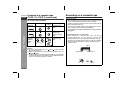
This system can play back a standard CD, CD-R/RW in the CD format
and CD-R/RW with MP3 or WMA files, but cannot record on them.
Some audio CD-R and CD-RW discs may not be playable due to the
state of the disc or the device that was used for recording.
5
4
3
2
1
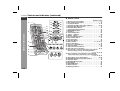
OPEN/
CLOSE
TIMER
CD
CD
5
4
2
1
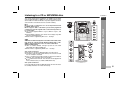
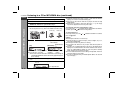
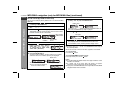
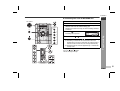
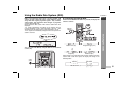
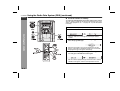
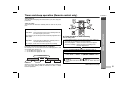
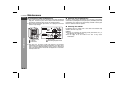
Auto power on function:
When you press any of the following buttons, the unit turns on.
CD button (main unit and remote control): The unit turns on and
the “CD” function is activated.
CD / button on the remote control: The unit turns on and CD
playback starts (regardless of the last function).
/ button on the main unit: The unit turns on and playback of
the last function starts (CD,TAPE,TUNER,AUDIO IN).
4
3
PLAYBACK (PLAY & STOP)
PHONES
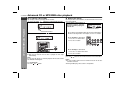
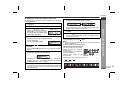
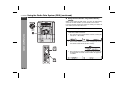
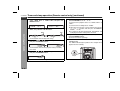
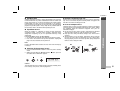
WMA:
WMA files are Advanced System Format files that include audio
files which are compressed with Windows Media Audio codec.
WMA is developed by Microsoft as an audio format file for
Windows Media Player.
“MP3” or “WMA” indicator will light up after the unit reads
information on an MP3 or WMA disc.
Bitrate which is supported by WMA is 64 ~ 160 kbps.
5
3
RECORD/PLAYBACK
2
AUDIO
IN
1
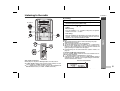
CD or MP3/WMA disc Playback
MP3:
MP3 is a form of compression. It is an acronym which stands
for MPEG Audio Layer 3.
MP3 is a type of audio code which is processed by significant
compression from the original audio source with very little loss
in sound quality.
This system supports MPEG 1 Layer 3, MPEG 2 Layer 3, and
VBR files.
During VBR file playback, time counter in the display may differ
from its actual playback time.
Bitrate which is supported by MP3 is 32 ~ 320 kbps.
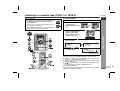
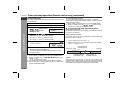
Auto power off function:
In the stop mode of CD, MP3 or WMA operation, the main unit enters
the stand-by mode after 15 minutes of inactivity.
8
E-12