1
16
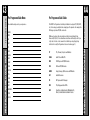
Learning Method
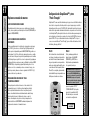
The RF20 can actually ‘learn’ commands from other remote controls (old or new),
one-button-at-a-time, so it will never become obsolete. RF20 is the last remote
you’ll ever need!
Just follow these simple steps:
STEP 1:
STEP 3:
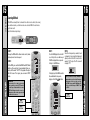
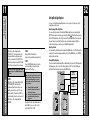
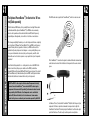
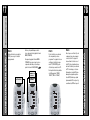
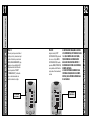
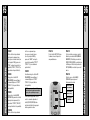
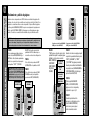
Line-up the RF20 with the other remote control, headto-head, one or two inches apart.
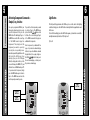
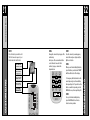
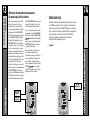
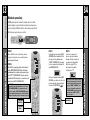
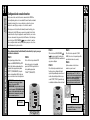
Press the LEARN display button on the LCD
screen. The top of the screen will change to
“LEARN” and display the five Components
from Page 1 of the MAIN menu.
STEP 2:
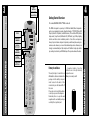
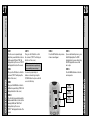
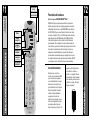
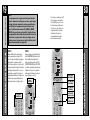
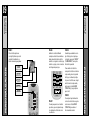
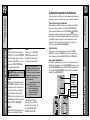
On the RF20, press and hold the MAIN and ENT (Enter)
buttons at the same time for approximately three seconds, until the word “SETUP” is displayed at the top of
the LCD screen. This signals you are now in SETUP
mode.
IMPORTANT
You now have 30 seconds to perform the
next step while you are in SETUP mode. If
you don’t press a button within 30 seconds,
SETUP will disappear from the screen, signaling that you have exited setup mode and
you will need to start over.
MAIN
BUTTON
ENTER
BUTTON
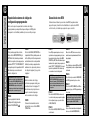
To display Page 2 of the MAIN menu that
lists an additional five Components,
simply press the PAGE ( ) ( ) buttons.
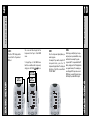
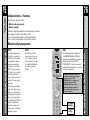
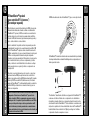
STEP 4:
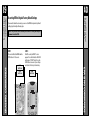
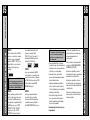
Select the Component you want to teach
commands to by pressing that Component
display button on the LCD screen (in this
example, TV). The top of the TV screen will
change to “TV”.
NOTE: If you want to teach any command to a
Component button, press the desired Component
display button once the top of the screen displays “MAIN”, by pressing the PAGE button. The
top of the screen wil change to “READY”. Then
go to STEP 6.
LEARN
BUTTON
BASIC SETUP
BASIC SETUP
Learning Method
Learning Method
15