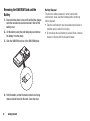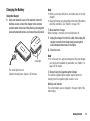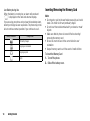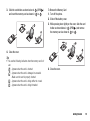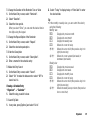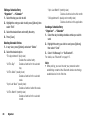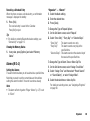
1
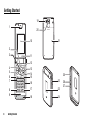
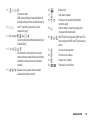
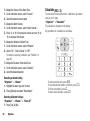
1. Earpiece
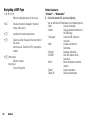
2. Navigation Keys (Arrow Keys):
Moves cursor to highlight a
menu item, etc.
Up arrow key:
Displays the Shortcut menu
when pressed in standby.
a
a indicates this key in this
manual.
Down arrow key:
Displays the Phonebook
entries when pressed in
b
standby.
b indicates this key in this
manual.
Left arrow key:
Displays the list of GSX™ &
Java™ Gallery when pressed
c
in standby.
c indicates this key in this
manual.
Right arrow key:
Displays Gallery when pressed
in standby.
d
d indicates this key in this
manual.
3. Centre Key:
Displays the Main menu in
standby, and executes the
B
highlighted function.
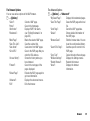
4. Left Soft Key:
A
5. Send/Redial Key:
D
6. Video Calling Key:
S
7. Voice Mail Key:
G
8. * /Shift Key:
P
Executes the function in the
lower left of the screen.
Displays Messaging menu in
standby.
Makes or accepts calls, displays
the call logs in standby.
Makes or accepts Video
Callings.
Long press to connect to the
Voice mail centre. (Depending
on the SIM/USIM card.)
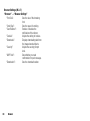
Switches character input
method as follows on the text
entry screen.
In English mode: Abc, ABC,
abc and 123. In T9 mode, T9
Abc, T9 ABC, T9 abc and 123.
In Traditional Chinese mode:
Abc, ABC, abc, 123, and T9
Stroke
In Simplified Chinese mode:
Abc, ABC, abc, 123, T9
PinYin, and T9 Stroke
Press to enter P, ?, – or * in
standby.
Long press in standby to lock
the keypad.
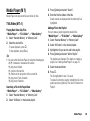
9. Microphone
Getting Started
9