1
To Make the Entry Secret
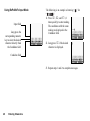
1. On the New Entry screen, select “Secret”.
2. Select “On” to make the data secret or select “Off ”
to leave it as it is.
Sending a Task Entry
“Organiser” → “Tasks”
1. Highlight the task entry you wish to send.
2. Press [Options] and select “Send”.
3. Select “As Message”, “Via Bluetooth” or “Via
Infrared”.
For “Via Bluetooth”
For details, see “Bluetooth” on page 120.
For “Via Infrared”
For details, see “Infrared” on page 123.
Note
• When pairing, you need to enter your passcode when
establishing contact with a Bluetooth wireless
technology enabled device for the first time.
Deleting Entries
“Organiser” → “Tasks” → [Options] → “Delete”
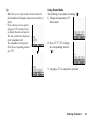
1. Select the desired option.
“This Task”:
Deletes the selected
entry.
“All Completed Tasks”: Deletes all checked
entries.
“All Tasks”:
Deletes all entries.
World Clock (M 3-7)
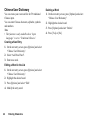
Setting the Time Zone
“Organiser” → “World Clock”
1. Press [Edit].
2. Select “Set Time Zone”.
The current time zone is indicated on the world
map.
3. Press c or d to change the time zone.
4. Press
.
Viewing the Memory Status
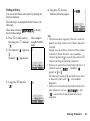
“Organiser” → “Tasks”
1. Press [Options] and select “Memory Status”.
Organiser
97