1
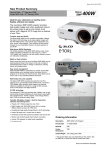
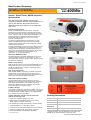
Epson EMP-400We New Product Summary (07.12.2007)
Screen Size & Projection Distance
Use the Epson Projection Distance Calculator software
available from www.epson.co.uk for distances and screen sizes
not shown below.
Ceiling Mount (ELPMB18)
Connects to the projector and either
directly to the ceiling, or to a ceiling
pipe.
V12H003B18
Cables
Projection distance
Screen
size
[inch]
min 37
40
50
60
70
80
85
90
100
max 110
cm
Wide
inch
54
65
76
88
93
99
110
122
21
26
30
34
37
39
43
48
Accessories
(model code) order code
foot
1.8
2.1
2.5
2.9
3.1
3.2
3.6
4.0
cm
54
58
73
89
104
119
Tele
inch
21
23
29
35
41
47
foot
1.8
1.9
2.4
2.9
3.4
3.9
VGA Computer Cable HD-15 to HD15 1.8m (ELPKC02)
V12H005C02
VGA Computer Cable HD-15 to HD15 3.0m (ELPKC09)
V12H005C09
VGA Computer Cable HD-15 to HD15 20m (ELPKC10)
V12H005C10
Component Video Cable
(ELPKC19)
V12H005C19
HD-TV Cable
(ELPKC22)
V12H005C22
Consumables
Spare Lamp (ELPLP42)
V13H010L42
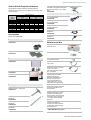
What’s in the Box
Projector
with Lens Cover
Air Filter Set (ELPAF13)
V13H134A13
Screens
50" Portable Screen (ELPSC06)
V12H002S06
60" Portable Screen (ELPSC07)
V12H002S07
80" Portable Screen (ELPSC08)
V12H002S08
Mountings
Ceiling Plate (ELPFC03)
Required if using a ceiling pipe.
V12H003C03
Ceiling Pipe (silver) 370mm
(ELPFP04)
V12H003P04
Ceiling Pipe (silver) 570mm
(ELPFP05)
V12H003P05
Ceiling Pipe (silver) 770mm
(ELPFP06)
V12H003P06
Remote Control
2 x AAA alkali batteries
for the remote control
Power Cable
3.0m cable
Computer Cable
Mini D-Sub 15-pin/mini D-Sub
15-pin, 1.8 m (6 ft.)
Use when projecting images
from a computer
Projector Security Pack
Security instruction sheet,
entering/changing the
password, customising the
security warning screen.
Two window stickers fix to
inside of windows - face out
Two posters for notice boards
Read This First Booklet
Explains the contents of the box
and which manuals the user
should refer to.
Setup Guide
Contains information on basic
operations for preparing the
projector before use (setup and
connecting video equipment or
a computer) and for starting
projection.
Document CD-ROM
Contains information on
common and useful functions,
configuration, troubleshooting,
and maintenance.
Safety Instructions
/ World Wide Warranty Terms
Errors and Omissions Excepted