1
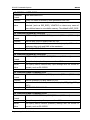
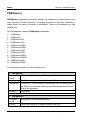
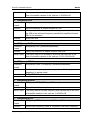
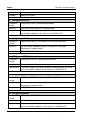
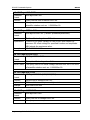
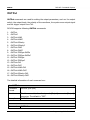
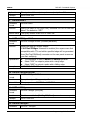
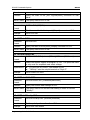
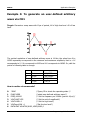
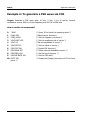
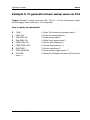
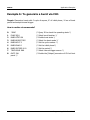
DG10X2 Commands System RIGOL to memory. Example 2. DATA VOLATILE,1,0.67,0.33,0,-0.33,-0.67,-1 DATA:DAC Command Format DATA:DAC VOLATILE,<value>, <value>, . . . Function Download decimal integer values from 0 to 16383 into volatile memory. Explanations DATA:DAC command may cover a previous waveform in volatile memory ( does not generate error). Use DATA:COPY command to copy the waveform to non-volatile memory. Use DATA:DELete command to delete the waveform in volatile memory or any of the ten user-defined waveforms in nonvolatile memory. Use DATA:CATalog? command to list all waveforms currently stored in volatile and non-volatile memory. Use FUNCtion:USER command to output the waves that has been edited and stored after downloading the waveform data to memory. Example DATA:DAC VOLATILE,8192,16383,8192,0 3. DATA:COPY Command Format DATA:COPY < destination arb name >[,VOLATILE] Function Copy the waveform from volatile memory to the specified non-volatile memory. Explanations The arb name may contain up to 12 characters. The first character must be a letter (A-Z or a-z), the remaining characters can be numbers (0-9) or the underscore character (“_”). Blank space is invalid. The VOLATILE parameter is optional and can be omitted. Note that the keyword “VOLATILE” does not have a short form. Use DATA:DELete command to delete the waveform in volatile memory or any of the ten user-defined waveforms in non-volatile memory. Use DATA:CATalog? command to list all waveforms currently 2-50 Programming Guide for DG10X2