1
SwitchX®-2 12 Port InfiniBand Switch System Hardware User Manual
Rev 1.0
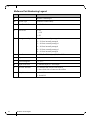
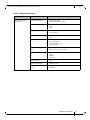
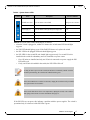
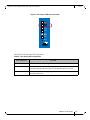
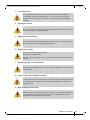
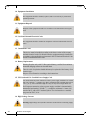
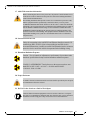
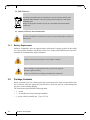
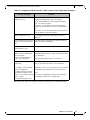
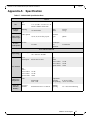
Table 6 - System Status LEDs
Symbol
PS1
PS2
UID
Name
Description
Normal Conditions
Switch Status LED Shows the health of the switch
Solid green after 5 minutes
Fan Status LED
Shows the health of the fans
Green
Power supply #1
Shows the health of the right side power supply unit
Green
Power supply #2
Shows the health of the left side power supply unit
Depends on switch
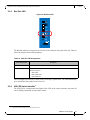
Bad Port LED
lights up when a symbol error is detected
Off
Unit Identifier LED
Lights up on command through the CLI
Off
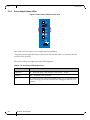
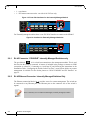
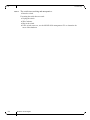
Switch The system status LEDs should display as follows:
•
when the switch is plugged in, within five minutes the switch status LED should light
up green
•
the FAN LED should light up green. If the FAN LED shows red, replace the switch.
•
the PS1 LED for the plugged in PS unit should light up green
•
the PS2 LED for the second PS unit should light up green only if a second PS unit is
installed in the switch for redundancy and it is connected to a power source
• if two PS units are installed and only one PS unit is connected to a power supply the PS2
LED will be red
• if only one PS unit is installed in the switch, the PS2 LED will be off
As long as there is power to the switch (one PS unit is connected), and the switch is
booted up and running, the switch status LED should be green.
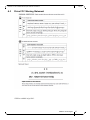
If the status LED shows red after five minutes, unplug the switch and call your Mellanox representative for assistance.
If the switch shuts down due to over temperature, unplug the switch, wait 5 minutes
and replug in the switch. For more information See page 53.
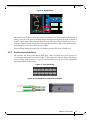
If the PS LEDs are not green, this indicates a problem with the power supplies. The switch is
operational only if at least one of the PS LEDs is green.
Mellanox Technologies
17