1
5
System Time
Adding an SNTP Server
•
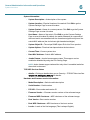
IPv6 Address Type—Select the IPv6 address type (if IPv6 is used). The
options are
-
Link Local—The IPv6 address uniquely identifies hosts on a single
network link. A link local address has a prefix of FE80, is not routable, and
can be used for communication only on the local network. Only one link
local address is supported. If a link local address exists on the interface,
this entry replaces the address in the configuration.
-
Global—The IPv6 address is a global Unicast IPV6 type that is visible and
reachable from other networks.
•
Link Local Interface—Select the link local interface (if IPv6 Address Type
Link Local is selected) from the list.
•
SNTP Server IP Address—Enter the SNTP server IP address. The format
depends on which address type was selected.
•
SNTP Server—Select the name of the SNTP server from a list of well-known
SNTP servers. If other is chosen, enter the hostname of SNTP server in the
adjacent field.
•
Poll Interval—Select to enable polling of the SNTP server for system time
information. All SNTP servers that are registered for polling are polled, and
the clock is selected from the server with the lowest stratum level (distance
from the reference clock.) that is reachable. The server with the lowest
stratum is considered to be the primary server. The server with the next
lowest stratum is a secondary server, and so forth. If the primary server is
down, the switch polls all servers with the polling setting enabled, and
selects a new primary server with the lowest stratum.
•
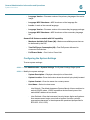
Authentication—Select the check box to enable authentication.
•
Authentication Key ID—If authentication is enabled, select the value of the
key ID. (Create the authentication keys using the SNTP Authentication Page.)
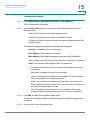
STEP 4 Click Apply. The SNTP server is added, and you are returned to the main page.
Cisco Small Business 200 Series Smart Switch Administration Guide
40