1
Introduction .....................................................................5
Important Prerequisites.....................................................................................6
Scenario ...................................................................................................................7
Terminology ...........................................................................................................8
My DrayTek Configuration ............................................9
Task 1 – Configure your DrayTek ...............................10
Step 2 - Add a New Remote Dial-In User ................................................11
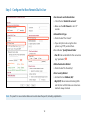
Step 3 - Configure the New Remote Dial-In User ................................12
Step 4 - Set the Pre-Shared Key...................................................................13
Step 5 - Retrieve the LAN Settings .............................................................14
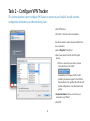
Task 2 – Configure VPN Tracker .................................15
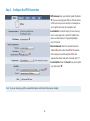
Step 2 – Configure the VPN Connection .................................................16
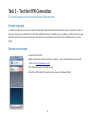
Task 3 – Test the VPN Connection ............................17
It‘s time to go out!.............................................................................................17
Start your connection .....................................................................................17
Supporting Multiple Users .........................................19
Preventing IP Address Conflicts...................................................................19
Configuring the DrayTek for Multiple Users ...........................................20
Configuring VPN Tracker for Multiple Users ...........................................20
Deploying VPN Connections to Your Users.............................................21
Troubleshooting ............................................................22
Can’t Connect to VPN ......................................................................................22
No Access to the Remote Network ............................................................23
Appendix .........................................................................25
The Role of the Local Address in VPN Tracker .......................................25
3