1
USING THE PROGRAMMER - TOUCH
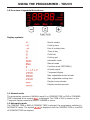
2.0 Touch Control
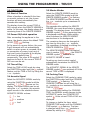
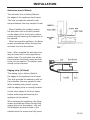
Select a function
Plus - increase time or volume
Minus - decrease time or volume
2.1 Touch Controls
Touching the
&
symbols momentarily increases or decreases the time by
one minute (or the volume of the ACOUSTIC SIGNAL by one step).
Touching the & symbols permanentlly
increases or decreases the speed of time
setting automatically.
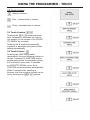
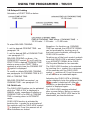
2.2 Touch Control
Touching the FUNCTION symbol
momentarily, the next following function is
chosen. Touching the FUNCTION symbol
permanently causes no automatic change
& if touched for more than 10 seconds
an ACOUSTIC SIGNAL occurs & the
FUNCTION mode terminates automatically.
Within 5 seconds after selecting a
function, the time or signal volume can be
set by touching the
&
symbols.