1
10
User Options
To program local phone number
11
User Options
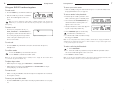
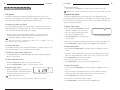
1. Press and hold REDIAL/PROG until the Program icon appears on the LCD screen.
To program the Automatic Gain Control (AGC) and Automatic Level
Control (ALC) settings
2. Press 4 to enter the user phone number menu.
1. Press and hold the REDIAL/PROG key until the Program icon appears on the LCD screen.
3. Press REDIAL/PROG.
2. Press and hold the 8 key.The current AGC setting
number will be displayed on the LCD screen.
3. Enter the local phone number.
4. Press REDIAL/PROG to save the number. Press CLEAR to exit.
Note: Press & hold the “1” key to enter a hyphen or the “*” key to enter a space in the number. Use CLEAR to delete the old number before entering a new number.
To program speed dial number
1. Press and hold REDIAL/PROG until the Program icon appears on the LCD screen.
3. Press REDIAL/PROG.The current setting number
will flash.
4. Enter a new setting number using the table.
5. Press REDIAL/PROG to confirm selection. Press
CLEAR to exit.
Setting Speaker
AGC
Microphone
ALC
1
2
3
On
On
Off
On
Off
On
4
Off
Off
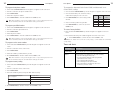
2. Press 5 to enter the Speed Dial menu.
To restore factory defaults
3. Press REDIAL/PROG.
4. Enter the phone number.
1. Press and hold the REDIAL/PROG key until the Program icon appears on the LCD
screen.
5. Press REDIAL/PROG to save the number. Press CLEAR to exit.
2. Press and hold the 9 key. The number 8 appears across the LCD screen.
Note: Press & hold the “1” key to enter a hyphen or the “*” key to enter a space in the number. Use CLEAR to delete the old number before entering a new number.
To program service center number
1. Press and hold the REDIAL/PROG key until the Program icon appears on the LCD
screen.
2. Press 6 to enter the service center menu.
3. Press REDIAL/PROG.
4. Enter the number you want the 0 key to dial.
5. Press REDIAL/PROG to save the number. Press CLEAR to exit.
Note: Press & hold the “1” key to enter a hyphen or the “*” key to enter a space in the number. Use CLEAR to delete the old number before entering a new number.
To program country setting
1. Press and hold the REDIAL/PROG key until the Program icon appears on the LCD
screen.
2. Press 7 to enter the service center menu.
3. Press REDIAL/PROG.
4. Press the number key that corresponds with desired country.
1 = US/Canada/China/Japan/
Mexico/Singapore
4 = South Africa
2 = Europe CTR21
6 = New Zealand
3 = Australia
7 = South Korea
5 = Brazil
5. Press REDIAL/PROG to save the selection. Press CLEAR to exit.
3. Press REDIAL/PROG to confirm selection. Press CLEAR to exit.
Note: The feature will not reset the country setting. It will maintain the user-defined
country setting.
Tones and alerts
Tone/Alert
Description
Confirmation
A tone will play upon successful programming entry.
Reject
A tone will play if you attempt to do any of the following:
• enter an invalid programming entry
• use a speed dial key that has not been programmed
(speed dial or service center)
• enter a 45th digit when predialing
• enter a 17th digit for user phone number
• enter a 31st digit for speed dial key (One-Touch
Conferencing or service center)