1
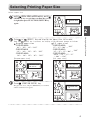
Selecting Printing Paper Size
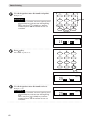
Text/Photograph/Text and Photograph Mode
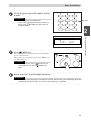
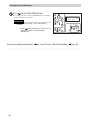
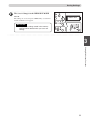
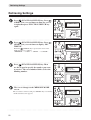
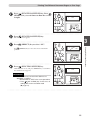
This function includes three modes for enhancing text and photographic documents.
■ Text/Photograph/Text and Photograph Mode
In this mode, the print quality is adjusted to match the document.
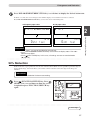
Text/Photograph
ABCDEFGH
ABCDEFGHIJKLNO
PQRSTUVWXYZ
abcdefghijklmnopqrs
tuvwxyz
ABCDEFGHIJKLNO
PQRSTUVWXYZ
abcdefghijklmnopqrs
tuvwxyz
ABCDEFGHIJKLNO
PQRSTUVWXYZ
ABCDEFGHIJKLNO
PQRSTUVWXYZ
abcdefghijklmnopqrs
1
Photograph
2
Enhances the printing of text documents
Documents suited for text mode:
• Text documents
• Documents that include black and white photos that have already been screen
processed.
Text/Photograph mode: Enhances the printing of documents with both text and photographs.
Documents suited for text/photograph mode:
• Documents with both text and photographs.
Photo mode:
Enhances the printing of the subtle gradations of photographs and light images from
color documents.
Document suited for photo mode:
• Light-colored color documents
• Color photographs
• Documents with non-screened black and white photographs
IMPORTANT
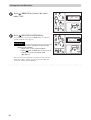
• Select “Text/Photograph/Text and Photograph Mode” before starting mastermaking.
○ ○ ○ ○ ○ ○ ○ ○ ○ ○ ○ ○ ○ ○ ○ ○ ○ ○ ○ ○ ○ ○ ○ ○ ○ ○ ○ ○ ○ ○ ○ ○ ○ ○ ○ ○ ○ ○ ○ ○ ○ ○ ○ ○ ○ ○ ○ ○ ○ ○ ○ ○ ○ ○ ○ ○ ○ ○ ○ ○ ○
43
Printing Using Basic Functions
Text mode:
Text
ABCDEFGH