1
SYNC™ HD Guide Legal Notices This guide is copyrighted ©2011 by Avid Technology, Inc., (hereafter “Avid”), with all rights reserved. Under copyright laws, this guide may not be duplicated in whole or in part without the written consent of Avid. 003, 96 I/O, 96i I/O, 192 Digital I/O, 192 I/O, 888|24 I/O, 882|20 I/O, 1622 I/O, 24-Bit ADAT Bridge I/O, AudioSuite, Avid, Avid DNA, Avid Mojo, Avid Unity, Avid Unity ISIS, Avid Xpress, AVoption, Axiom, Beat Detective, Bomb Factory, Bruno, C|24, Command|8, Control|24, DCommand, D-Control, D-Fi, D-fx, D-Show, D-Verb, DAE, Digi 002, DigiBase, DigiDelivery, Digidesign, Digidesign Audio Engine, Digidesign Intelligent Noise Reduction, Digidesign TDM Bus, DigiDrive, DigiRack, DigiTest, DigiTranslator, DINR, DV Toolkit, EditPack, Eleven, HD Core, HD Process, Hybrid, Impact, Interplay, LoFi, M-Audio, MachineControl, Maxim, Mbox, MediaComposer, MIDI I/O, MIX, MultiShell, Nitris, OMF, OMF Interchange, PRE, ProControl, Pro Tools M-Powered, Pro Tools, Pro Tools|HD, Pro Tools LE, QuickPunch, Recti-Fi, Reel Tape, Reso, Reverb One, ReVibe, RTAS, Sibelius, Smack!, SoundReplacer, Sound Designer II, Strike, Structure, SYNC HD, SYNC I/O, Synchronic, TL Aggro, TL AutoPan, TL Drum Rehab, TL Everyphase, TL Fauxlder, TL In Tune, TL MasterMeter, TL Metro, TL Space, TL Utilities, Transfuser, Trillium Lane Labs, Vari-Fi Velvet, X-Form, and XMON are trademarks or registered trademarks of Avid Technology, Inc. Xpand! is Registered in the U.S. Patent and Trademark Office. All other trademarks are the property of their respective owners. Product features, specifications, system requirements, and availability are subject to change without notice. Guide Part Number 9329-65169-00 REV A 10/11 Documentation Feedback At Avid, we are always looking for ways to improve our documentation. If you have comments, corrections, or suggestions regarding our documentation, email us at [email protected]. Contents Chapter 1. Introduction . . . . . . . . . . . . . . . . . . . . . . . . . . . . . . . . . . . . . . . . . . . . . . . . . . . . . . . . . 1 SYNC Peripheral Features . . . . . . . . . . . . . . . . . . . . . . . . . . . . . . . . . . . . . . . . . . . . . . . . . . 2 System Requirements and Compatibility . . . . . . . . . . . . . . . . . . . . . . . . . . . . . . . . . . . . . . . . 3 Registration . . . . . . . . . . . . . . . . . . . . . . . . . . . . . . . . . . . . . . . . . . . . . . . . . . . . . . . . . . . . . 4 About This Guide . . . . . . . . . . . . . . . . . . . . . . . . . . . . . . . . . . . . . . . . . . . . . . . . . . . . . . . . . 4 Conventions Used in This Guide . . . . . . . . . . . . . . . . . . . . . . . . . . . . . . . . . . . . . . . . . . . . . . 4 About www.avid.com . . . . . . . . . . . . . . . . . . . . . . . . . . . . . . . . . . . . . . . . . . . . . . . . . . . . . . 5 Chapter 2. Installation and Configuration . . . . . . . . . . . . . . . . . . . . . . . . . . . . . . . . . . . . . . . . . . 7 Hardware Connections . . . . . . . . . . . . . . . . . . . . . . . . . . . . . . . . . . . . . . . . . . . . . . . . . . . . . 7 MachineControl . . . . . . . . . . . . . . . . . . . . . . . . . . . . . . . . . . . . . . . . . . . . . . . . . . . . . . . . . . 9 Synchronization and Timecode Connections to Machines, Decks, and Other Devices . . . . . . . 9 Software Installation . . . . . . . . . . . . . . . . . . . . . . . . . . . . . . . . . . . . . . . . . . . . . . . . . . . . . . 12 Emulating a SYNC I/O . . . . . . . . . . . . . . . . . . . . . . . . . . . . . . . . . . . . . . . . . . . . . . . . . . . . 13 Configuring a SYNC Peripheral from Pro Tools . . . . . . . . . . . . . . . . . . . . . . . . . . . . . . . . . . 14 MachineControl Configuration . . . . . . . . . . . . . . . . . . . . . . . . . . . . . . . . . . . . . . . . . . . . . . 20 Software Configuration for the SYNC Setup Software Utility . . . . . . . . . . . . . . . . . . . . . . . . . 20 Troubleshooting . . . . . . . . . . . . . . . . . . . . . . . . . . . . . . . . . . . . . . . . . . . . . . . . . . . . . . . . . 21 Chapter 3. SYNC Peripheral Hardware and Software . . . . . . . . . . . . . . . . . . . . . . . . . . . . . . . . 23 SYNC Peripheral Front Panel . . . . . . . . . . . . . . . . . . . . . . . . . . . . . . . . . . . . . . . . . . . . . . . 23 SYNC Peripheral Back Panel . . . . . . . . . . . . . . . . . . . . . . . . . . . . . . . . . . . . . . . . . . . . . . . 26 SYNC Setup Software Utility. . . . . . . . . . . . . . . . . . . . . . . . . . . . . . . . . . . . . . . . . . . . . . . . 28 Chapter 4. Using SYNC Peripherals . . . . . . . . . . . . . . . . . . . . . . . . . . . . . . . . . . . . . . . . . . . . . . 33 SYNC Peripheral Controls in Pro Tools, SYNC Setup Software Utility, and the Front Panel . . 34 Front Panel Generator/Parameter Switches . . . . . . . . . . . . . . . . . . . . . . . . . . . . . . . . . . . . 35 Clock References and Options . . . . . . . . . . . . . . . . . . . . . . . . . . . . . . . . . . . . . . . . . . . . . . 36 Positional Reference and Options . . . . . . . . . . . . . . . . . . . . . . . . . . . . . . . . . . . . . . . . . . . . 43 Compensating for Timecode Offsets . . . . . . . . . . . . . . . . . . . . . . . . . . . . . . . . . . . . . . . . . . 49 Generating & Regenerating Timecode . . . . . . . . . . . . . . . . . . . . . . . . . . . . . . . . . . . . . . . . 49 Contents iii Generating a Window Dub . . . . . . . . . . . . . . . . . . . . . . . . . . . . . . . . . . . . . . . . . . . . . . . . . 56 Sync Status Indicators in the Edit Window . . . . . . . . . . . . . . . . . . . . . . . . . . . . . . . . . . . . . 58 Chapter 5. Additional Operational Information. . . . . . . . . . . . . . . . . . . . . . . . . . . . . . . . . . . . . 59 Front Panel Generator/Parameter Controls . . . . . . . . . . . . . . . . . . . . . . . . . . . . . . . . . . . . . 59 Using Fader Start . . . . . . . . . . . . . . . . . . . . . . . . . . . . . . . . . . . . . . . . . . . . . . . . . . . . . . . 66 Calibrating the SYNC Peripheral Oscillator . . . . . . . . . . . . . . . . . . . . . . . . . . . . . . . . . . . . . 66 Restoring Factory Settings. . . . . . . . . . . . . . . . . . . . . . . . . . . . . . . . . . . . . . . . . . . . . . . . . 68 Managing and Selecting Video Inputs . . . . . . . . . . . . . . . . . . . . . . . . . . . . . . . . . . . . . . . . 69 Appendix A. Additional Synchronization Information . . . . . . . . . . . . . . . . . . . . . . . . . . . . . . . 71 Video and VITC Signals . . . . . . . . . . . . . . . . . . . . . . . . . . . . . . . . . . . . . . . . . . . . . . . . . . 71 LTC Signals . . . . . . . . . . . . . . . . . . . . . . . . . . . . . . . . . . . . . . . . . . . . . . . . . . . . . . . . . . . 72 Auto-Switch LTC/VITC . . . . . . . . . . . . . . . . . . . . . . . . . . . . . . . . . . . . . . . . . . . . . . . . . . . 72 Digital Clock Signal Types . . . . . . . . . . . . . . . . . . . . . . . . . . . . . . . . . . . . . . . . . . . . . . . . . 73 Bi-Phase/Tach . . . . . . . . . . . . . . . . . . . . . . . . . . . . . . . . . . . . . . . . . . . . . . . . . . . . . . . . . 74 Pilot Tone . . . . . . . . . . . . . . . . . . . . . . . . . . . . . . . . . . . . . . . . . . . . . . . . . . . . . . . . . . . . . 75 Appendix B. Technical Specifications. . . . . . . . . . . . . . . . . . . . . . . . . . . . . . . . . . . . . . . . . . . . 77 Appendix C. Wiring Diagrams and Pin Assignments . . . . . . . . . . . . . . . . . . . . . . . . . . . . . . . 85 LTC Connectors . . . . . . . . . . . . . . . . . . . . . . . . . . . . . . . . . . . . . . . . . . . . . . . . . . . . . . . . 85 Bi-Phase/GPI/Pilot Pin Diagram . . . . . . . . . . . . . . . . . . . . . . . . . . . . . . . . . . . . . . . . . . . . . 86 Bi-phase/Tach OptoCoupler Input . . . . . . . . . . . . . . . . . . . . . . . . . . . . . . . . . . . . . . . . . . . 87 GPI Relay Outputs . . . . . . . . . . . . . . . . . . . . . . . . . . . . . . . . . . . . . . . . . . . . . . . . . . . . . . 88 GPI (TTL)/MTC Outputs . . . . . . . . . . . . . . . . . . . . . . . . . . . . . . . . . . . . . . . . . . . . . . . . . . 89 GPI (opto) Inputs. . . . . . . . . . . . . . . . . . . . . . . . . . . . . . . . . . . . . . . . . . . . . . . . . . . . . . . . 90 Connector Pin Assignments . . . . . . . . . . . . . . . . . . . . . . . . . . . . . . . . . . . . . . . . . . . . . . . . 91 SYNC Peripheral Cable Pin Assignments . . . . . . . . . . . . . . . . . . . . . . . . . . . . . . . . . . . . . . 93 Bi-phase/Tach/GPI/Pilot Port Interfacing Notes . . . . . . . . . . . . . . . . . . . . . . . . . . . . . . . . . . 94 Appendix D. Compliance Information . . . . . . . . . . . . . . . . . . . . . . . . . . . . . . . . . . . . . . . . . . . . 95 Environmental Compliance . . . . . . . . . . . . . . . . . . . . . . . . . . . . . . . . . . . . . . . . . . . . . . . . 95 EMC (Electromagnetic Compliance) . . . . . . . . . . . . . . . . . . . . . . . . . . . . . . . . . . . . . . . . . . 96 Safety Compliance . . . . . . . . . . . . . . . . . . . . . . . . . . . . . . . . . . . . . . . . . . . . . . . . . . . . . . 97 Index . . . . . . . . . . . . . . . . . . . . . . . . . . . . . . . . . . . . . . . . . . . . . . . . . . . . . . . . . . . . . . . . . . . . . . 99 iv SYNC HD Guide Chapter 1: Introduction This guide covers operation of Avid ® multipurpose SYNC peripherals (SYNC HD ® and SYNC I/O ®) for Avid Pro Tools|HD ® and HD Native ® systems. SYNC peripherals support all Pro Tools ® sample rates, and synchronize to most major timecode and clock reference standards used in audio, video, film, and multimedia production. SYNC peripherals can also be used as standalone synchronization devices. SYNC Peripherals with Pro Tools Systems (Avid Pro Tools|HD or HD Native Hardware Required) With a Pro Tools system with Avid Pro Tools|HD or HD Native hardware, SYNC peripherals provide highly accurate lock to timecode. Most SYNC peripheral settings are available directly from within Pro Tools. SYNC Peripherals in Standalone Mode SYNC peripherals can be used as standalone synchronization converters, timecode generators, clock generators and timecode character generators. Throughout this guide, the term standalone refers to systems using a SYNC peripheral, but not using Pro Tools to communicate to the SYNC peripheral. When used as a standalone device (or in “Standalone mode”), a SYNC peripheral is connected to timecode or clock signals, and is configured from the front panel. Optionally, while in Standalone mode, a SYNC peripheral can be controlled remotely from a Windows computer using the SYNC Setup software utility. SYNC Setup Software Utility (Windows Only) In standalone mode, a SYNC peripheral connected to a supported Windows computer can be controlled using the SYNC Setup software utility. Chapter 1: Introduction 1 SYNC Peripheral Features Output and Generation SYNC peripherals support all Pro Tools sample rates (44.1, 48, 88.2, 96, 176.4, and 192 kHz). • Avid Super Clock (256x sample clock) The SYNC HD supports both industry standard SD (standard definition) and HD (high-definition) video reference rates. The SYNC I/O supports SD video reference rates only. • AES/EBU null clock (AES “digital black”) SYNC peripherals provide the following features with Pro Tools: • MIDI Timecode (MTC) • Word Clock (1x sample clock) • VITC (if a video input is present) • LTC • LTC • Dual 9-pin Sony P-2 protocol ports (only one can be active at a time), for limited serial deck control with MachineControl software option for Pro Tools. • VITC Other Features Supported Positional Reference Sources • Serial Timecode • Bi-phase/Tach Supported Clock Reference Sources • Loop Sync • Video Reference • SD reference rates • HD reference rates (SYNC HD only) • Front panel controls and a large LED display of timecode and parameters • Integrated control from Pro Tools • Timecode Character Generator • Fader start, provided through GPI output, for remote transport control from select Pro Tools fader movement • Composite Video Input • Standalone remote control through SYNC Setup software utility (Windows only) • Word Clock • Field-updatable firmware • AES/EBU (DARS per AES-11 standard) • SYNC I/O Emulation for legacy software support (SYNC HD only) • Pilot Tone • Internal Crystal • Bi-phase/Tach • LTC 2 • Loop Sync SYNC HD Guide Controlling SYNC Peripherals in Standalone Mode If you are using a SYNC peripheral in Standalone mode, you can control it with the SYNC Setup software utility (Windows only), or with the switches on the front panel of the SYNC peripheral. The SYNC Setup software utility (Windows only) gives you access to all SYNC peripheral controls. The front panel provides the same controls, except for the following: • Variable Speed Override (VSO) • Window dub parameters: While you can turn the Window dub on or off from the front panel, you cannot configure its display parameters without Pro Tools or the SYNC Setup software utility. See “SYNC Peripheral Controls in Pro Tools, SYNC Setup Software Utility, and the Front Panel” on page 34. System Requirements and Compatibility SYNC Peripherals with Pro Tools To use a SYNC peripheral with Pro Tools, the following is required: • A qualified Pro Tools system with Avid Pro Tools|HD or HD Native hardware • An available DigiSerial port on the system’s core card (HD Accel Core, HD Core, or HD Native) • An 8-pin to 8-pin serial cable (included) to connect the SYNC peripheral to the DigiSerial port on a Pro Tools core card If you use a custom serial cable between Pro Tools and the SYNC peripheral, be sure the cable supports hardware handshaking. The maximum supported length for this cable is 100 ft. For more information, see “Wiring Diagrams and Pin Assignments” on page 85. SYNC Setup Software Utility (Windows Only) The optional SYNC Setup software utility requires the following: • A qualified Windows computer. • An available COM port or serial port on the computer to connect to the SYNC peripheral. (You cannot run the SYNC Setup software utility through the DigiSerial port on Pro Tools cards.) • A non-standard 9-pin to 8-pin cable is required to connect the SYNC peripheral to a COM port or serial port on a Windows computer. Wiring instructions for making the required cable are in Appendix C, “Wiring Diagrams and Pin Assignments.” The computer requirements for the SYNC Setup software utility are different from the computer requirements for Pro Tools. You can run the SYNC Setup software utility from slower Windows computers. Compatibility Information Avid can only assure compatibility and provide support for hardware and software it has tested and approved. For complete system requirements and a list of qualified computers, operating systems, hard drives, and third-party devices, visit: www.avid.com/compatibility Chapter 1: Introduction 3 Registration About This Guide Review the enclosed Registration Information Card and follow the instructions on it to quickly register your purchase online. By registering, you become eligible to receive the following: This guide assumes: • Technical support information • Software update and upgrade notices • Hardware warranty information • You understand the basics of synchronization and timecode • You know how to operate devices that send or receive timecode, such as a video deck • You have an understanding of the timecode requirements for your projects This Guide covers use of the SYNC HD and the SYNC I/O with Pro Tools version 10.0 and higher. For versions of Pro Tools lower than 7.3, the SYNC HD can be set to emulate a SYNC I/O. See our website (www.avid.com) for a version of the SYNC I/O Guide that applies to your system. 4 SYNC HD Guide Conventions Used in This Guide All of our guides use the following conventions to indicate menu choices and key commands: : Convention Action File > Save Choose Save from the File menu Control+N Hold down the Control key and press the N key Control-click Hold down the Control key and click the mouse button Right-click Click with the right mouse button The names of Commands, Options, and Settings that appear on-screen are in a different font. The following symbols are used to highlight important information: User Tips are helpful hints for getting the most from your system. Important Notices include information that could affect your data or the performance of your system. About www.avid.com The Avid website (www.avid.com) is your best online source for information to help you get the most out of your Pro Tools system. The following are just a few of the services and features available. Product Registration Register your purchase online. Support and Downloads Contact Avid Customer Success (technical support); download software updates and the latest online manuals; browse the Compatibility documents for system requirements; search the online Knowledge Base or join the worldwide Pro Tools community on the User Conference. Training and Education Study on your own using courses available online or find out how you can learn in a classroom setting at a certified Pro Tools training center. Products and Developers Learn about Avid products; download demo software or learn about our Development Partners and their plugins, applications, and hardware. News and Events Get the latest news from Avid or sign up for a Pro Tools demo. Shortcuts show you useful keyboard or mouse shortcuts. Cross References point to related sections in this guide and other Pro Tools guides. Chapter 1: Introduction 5 6 SYNC HD Guide Chapter 2: Installation and Configuration Hardware Connections The following are the primary hardware connections on a SYNC peripheral: • AC Power • Serial to a DigiSerial port on a Pro Tools core card (HD Accel Core, HD Core, or HD Native), or a serial port on a Windows computer Serial Connections Serial to Pro Tools Core Card Pro Tools systems require a serial connection between the SYNC peripheral and a Pro Tools core card. To connect a SYNC peripheral to a Pro Tools core card: • Clock to Pro Tools audio interfaces 1 • 9-pin to external machines (requires the Pro Tools MachineControl Software option) 2 • Synchronization, including positional and clock references to and from remote machines 3 AC Power SYNC peripheral AC connectors accept a standard AC power cable. SYNC peripherals are auto power-selecting (100V to 240V) and will automatically work with a standard modular cable to connect to AC power receptacles in any country. Make sure power is off on all equipment. Connect one end of the included serial cable to the SYNC peripheral Host Serial port. Connect the other end to the DigiSerial port on your Pro Tools core card. Do not use the DigiSerial port on any other Pro Tools card in your system. Chapter 2: Installation and Configuration 7 Serial Connections in Standalone Mode for the SYNC Setup Software Utility To connect a SYNC peripheral to Pro Tools HD interfaces: (Windows Only) 1 To use the optional SYNC Setup software utility to communicate with a standalone SYNC peripheral, you need a serial connection from the SYNC peripheral to a supported Windows computer. (For compatibility information, see “System Requirements and Compatibility” on page 3.) Using a BNC cable, connect the Loop Sync Out of the SYNC peripheral to the Loop Sync In of your primary HD audio interface. Using a second BNC cable, connect the SYNC peripheral Loop Sync In to the Loop Sync Out of your HD interface. 2 INTERNALLY TERMINATED IN 964530300294856 The SYNC Setup software utility will not control the SYNC peripheral through the DigiSerial port. To connect a SYNC peripheral to a Windows computer for the SYNC Setup software utility: Purchase or make the required 9-pin to 8-pin cable. For wiring details, see “SYNC Setup Software Utility Cable” on page 93. 1 2 Make sure power is off on all equipment. Connect the SYNC peripheral Host Serial port to an available serial or COM port on your computer. Loop Sync SYNC peripheral SERIAL NUMBER OUT BI-PHASE / TACH / GPI / PILOT VIDEO REF HOST SERIAL L T C I N VIDEO L T C AC 100-240V, 50-60HZ, .5A 30W A E S A E S O U T IN IN 9-PIN OUT 1 O U T I N MTC OUT OUT OUT WORD CLOCK (1x,256x) LOOP SYNC 9-PIN OUT 2 96 I/O Interface Loop Sync connections for SYNC peripheral and 96 I/O When using more than one HD audio interface, make the SYNC peripheral the first and last unit in the Loop Sync chain. 3 SYNC peripheral INTERNALLY TERMINATED IN 964530300294856 SERIAL NUMBER OUT 4 Restore power to the SYNC peripheral, and restart your computer. BI-PHASE / TACH / GPI / PILOT VIDEO REF HOST SERIAL L T C I N VIDEO MTC OUT L T C O U T A E S I N A E S O U T AC 100-240V, 50-60HZ, .5A 30W IN IN 9-PIN OUT 1 OUT OUT WORD CLOCK (1x,256x) 9-PIN OUT 2 LOOP SYNC Clock for Pro Tools Audio Interfaces The SYNC peripheral must be connected to all HD interfaces in the Loop Sync chain. Connecting Loop Sync for Pro Tools HD Audio Interfaces SYNC peripherals support Loop Sync, and can serve as Loop Sync Master. Loop Sync is a dedicated clock loop for synchronizing multiple Pro Tools HD interfaces (including the SYNC peripheral). 8 SYNC HD Guide HD Interfaces Loop Sync in an expanded Pro Tools system MachineControl On MachineControl-enabled Pro Tools systems, SYNC peripherals support limited Serial Deck Control only. For full use of MachineControl option features, a direct serial connection to the host Pro Tools computer is required. Serial Deck Control Mode (Non-Linear Decks Only) A limited degree of Serial Deck Control mode is available through a connection to the 9-pin ports on the SYNC peripheral. For full Serial Deck Control, a direct serial connection to the host Pro Tools computer is required. To connect an external deck to a SYNC peripheral: Connect a standard 9-pin cable from one of the 9-pin Out ports on the SYNC peripheral to the 9-pin connector of the external deck. As many as two decks can be connected to the two 9-pin Out ports on the SYNC peripheral. You can control one deck at a time, switching between them from within Pro Tools. These ports on the SYNC peripheral support all MachineControl modes except 9-Pin Remote (Deck Emulation) mode. Due to performance limitations, this configuration should be used primarily with non-linear decks. Synchronization and Timecode Connections to Machines, Decks, and Other Devices The following sections describe connections required for different applications. For more information on timecode applications, see Appendix A, “Additional Synchronization Information.” Connecting a Video Source This section describes connections required when using house video reference (SD or HD). To have the SYNC peripheral resolve to house sync: Connect the house video reference, black burst, or tri-level sync source to a Video Ref port on the SYNC peripheral. The Video Ref ports are a non-terminated loop-through connection. If the second Video Ref port is not used, then you must terminate it using the included 75-ohm BNC terminator. To have the SYNC peripheral resolve directly to an incoming SD video signal: Connect the SD video signal to the SYNC peripheral Video In port. 9-Pin Remote Deck Emulation Mode 9-Pin Remote Deck Emulation mode requires a direct serial connection to the host computer. For more information on MachineControl connections and operation, see the MachineControl Guide. Chapter 2: Installation and Configuration 9 Character Generator for Timecode Window Dub SYNC peripherals can generate a timecode window dub on SD signals coming into the Video In port. For SYNC HD only, even when you have an HD video reference signal connected to the Video Ref connector, you can still connect an SD video signal to the Video In connector to provide a window dub. To use the SYNC peripheral Timecode Character Generator to make a window burn: Connect an SD video signal to the SYNC peripheral Video In port. 1 Connect the SYNC peripheral Video Out port to other video devices, ensuring that the signal is terminated by the last device in the chain. Connecting Word Clock Devices SYNC peripherals have Word Clock input and output ports, which can be used simultaneously. Use Word Clock when you want the SYNC peripheral to lock to 1x clock from DAT machines, DA-88s, and similar digital devices. Pro Tools HD audio interfaces each have their own Word Clock inputs, which provide additional clock options and flexibility. Refer to Pro Tools documentation for details. To input Word Clock to a SYNC peripheral: Connect Word Clock from the master Word clock signal or device to the SYNC peripheral Word Clock In. 2 Connecting LTC SYNC peripherals provide LTC input and output connectors. To input LTC to a SYNC peripheral: Connect the LTC signal from your machine, synchronizer or other source to the SYNC peripheral LTC In port. To output LTC from a SYNC peripheral: Connect the SYNC peripheral LTC Out port to your external devices. 10 SYNC HD Guide To supply Word Clock from a SYNC peripheral: Connect the SYNC peripheral Word Clock Out to the Word Clock input of a digital device. Make sure the SYNC peripheral Word Clock Out port is configured to 1x for Word Clock. Word Clock contains no positional information. If you want devices to play or record in sync, you’ll still need to provide them with a positional reference. SYNC peripherals can generate timecode to provide positional reference to other devices. See “Generating & Regenerating Timecode” on page 49. Connecting AES/EBU Devices Pro Tools and MTC To input AES/EBU clock reference to a SYNC peripheral: Pro Tools receives MTC from SYNC peripherals through its connection to the SYNC peripheral Host Serial port. This signal does not include standard MIDI timecode, but is instead a highquality, proprietary timecode signal designed for Pro Tools. A MIDI Interface is not required for Pro Tools to receive MTC. Connect the device’s AES/EBU output to the SYNC peripheral AES/EBU input. To supply AES/EBU clock reference from a SYNC peripheral: Connect the SYNC peripheral AES/EBU output to the AES/EBU reference input on a DAT machine or other digital device. (AES/EBU clock does not support 176.4 kHz or 192 kHz sample rates.) MTC is output whenever the SYNC peripheral is generating timecode. This MTC output can be muted when timecode (LTC) is idle. See “MTC Output and Idle Muting” on page 56 for details. Connecting MIDI Timecode Devices The SYNC peripheral MTC Out port supplies MIDI timecode, derived from conversion (from LTC, VITC or Bi-Phase) or from MTC generation, to synchronize MTC-compatible consoles, sequencers, lighting systems, and other devices. MIDI timecode from the MTC Out port always matches the timecode address displayed on the SYNC peripheral front panel. To supply MTC from the SYNC peripheral to another MTC-compatible device, connect the device as described below. To connect an MTC-compatible device to receive MTC from a SYNC peripheral: Connect the SYNC peripheral MTC Out port to the appropriate MIDI input on the device, using a standard MIDI cable. Chapter 2: Installation and Configuration 11 Software Installation The following sections provide instructions to install software required to use a SYNC peripheral with Pro Tools or with the standalone SYNC Setup software (Windows only). SYNC Peripherals with Pro Tools All software required to use SYNC peripherals is installed with Pro Tools software. The availability of SYNC peripheral features depends on the version of Pro Tools software you are running. For details on features available with your version of Pro Tools, visit www.avid.com. Updating SYNC Peripheral Firmware SYNC peripheral firmware is updated from the DigiTest application. If you are using a DigiSerial Port connection, make sure you have selected the HD Accel Core, HD Core, or HD Native card from the pop-up menu. 5 Select the type of port connection for the SYNC peripheral (DigiSerial Port or COM Port). 6 Select the Synchronizer Type that you are updating (SYNC HD or SYNC I/O). 7 8 Locate the firmware file you want to use, and click Open. 9 Follow the on-screen instructions to power cycle the SYNC peripheral while holding the Set button. 10 11 Wait for the firmware update to complete. Do not power off the SYNC peripheral while the update is in progress. When the update is complete, follow any onscreen instructions. 12 13 To update SYNC Peripheral firmware: 1 Confirm that the SYNC peripheral is properly connected to your computer in one of the following ways: • If it is connected to a Pro Tools system, it should be connected to a DigiSerial Port on an HD Accel Core, HD Core, or HD Native card. • If it is connected to a Windows computer without Pro Tools, it should be connected to the COM 1 port on the computer with a standard serial cable. 12 2 Ensure that Pro Tools is not running. 3 Launch the Avid DigiTest application. 4 Click SYNC Firmware. SYNC HD Guide Click Begin Update. Click Quit to quit the DigiTest application. SYNC Peripherals with SYNC Setup Software Utility Emulating a SYNC I/O (Windows Only) (SYNC HD Only) When using a SYNC peripheral in Standalone mode, it can be controlled remotely using the SYNC Setup software utility. Updates to this utility can be downloaded from www.avid.com. To install the SYNC Setup software utility on Windows: Make sure the SYNC peripheral is connected to a serial or COM port on your computer. See “Serial Connections in Standalone Mode for the SYNC Setup Software Utility” on page 8. 1 Insert the installer disc containing the latest SYNC Setup software, or navigate to its location if you downloaded an update. 2 Launch the installer and follow the on-screen instructions. 3 If you are using a SYNC HD with Pro Tools 7.4 or higher, Pro Tools will automatically recognize the SYNC HD. If you are using a SYNC HD with Pro Tools version 7.3 or lower, set the SYNC HD to emulate a SYNC I/O. To set a SYNC HD to emulate a SYNC I/O: Press Set, and use the Up and Down switches to display “Device ID” (dEuicE id). 1 Press Set. The LED Timecode Display shows the current Device ID for the unit: “SYNC HD” (SYnc HD) or “SYNC I/O” (SYnc IO). 2 Press the Up or Down switches to toggle the Device ID to read “SYNC I/O” (SYnc IO). 3 4 Press Set. Chapter 2: Installation and Configuration 13 Configuring a SYNC Peripheral from Pro Tools 3 Under Synchronization Device, select Enable SYNC HD (for a SYNC HD) or Enable SYNC Peripheral (for a SYNC I/O). Pro Tools HD software provides configuration controls that establish communication between Pro Tools and the SYNC peripheral. Loop Sync SYNC peripherals support the Loop Sync feature for connecting Pro Tools HD interfaces. A SYNC peripheral can be configured as the Clock Source (Loop Master) in order to provide Loop Sync master clock to the rest of your Pro Tools HD interfaces. For system requirements and Loop Sync connection instructions, see Chapter 1, “Introduction.” Pro Tools automatically recognizes if a SYNC peripheral is connected to the DigiSerial port when Pro Tools is launched. When Pro Tools recognizes the SYNC peripheral, it automatically configures the Device and Port settings for it in the Peripherals dialog. To check communication between Pro Tools and a SYNC peripheral: After installing Pro Tools and connecting the SYNC peripheral, launch Pro Tools. 1 Choose Setup > Peripherals, and click the Synchronization tab. 2 14 SYNC HD Guide SYNC peripheral settings in the Peripherals dialog Pro Tools scans the DigiSerial port and checks the SYNC peripheral firmware. If you need to update your firmware, use the DigiTest application installed with Pro Tools. See “Updating SYNC Peripheral Firmware” on page 12. Configuring a SYNC Peripheral in the Session Setup Window When a SYNC peripheral is connected through Loop Sync and enabled in the Peripherals dialog, its settings become available in the SYNC Setup and Timecode Settings sections of the Session Setup window. Clock Source Session settings The Clock Source can be any device in the Loop Sync chain. This lets you use any digital input source available on any Pro Tools HD interface (including the SYNC peripheral) simply by selecting that device and source from the Clock Source pop-up menu. Clock Reference The selected Clock Source device determines your choices for clock reference. When Clock Source is a SYNC peripheral When a SYNC peripheral is set to be the Clock Source, it is the Loop Master. Clock, Positional Reference, and Video Format selectors become active in the SYNC Setup section of the Session Setup window. SYNC Setup Timecode Settings Session Setup window See the Pro Tools Reference Guide for more information on the Session Setup Window. Clock Source SYNC Setup controls in the Session Setup window When connected and configured in the Loop Sync chain, the SYNC peripheral appears along with any Pro Tools HD interfaces in the Clock Source pop-up menu, located in the Session Setup window. SYNC peripheral Clock Reference choices include: • Internal/VSO • Video In • Video Reference (SD) Clock Source • Video Reference (HD) (SYNC HD Only) • LTC • Bi-Phase • Pilot Tone SYNC peripheral selected as Clock Source in the Session Setup window • AES/EBU • Word Clock • Loop Sync Chapter 2: Installation and Configuration 15 When the SYNC peripheral is not the selected Clock Source device, the Clock Reference menu in the SYNC Setup section switches to Loop Sync. For LTC clock reference, multiple choices are available from the LTC sub-menu. See “LTC and Clock Reference” on page 39. When Clock Source is an HD I/O When a Pro Tools audio interface is providing the Clock Source, it will be the Loop Master. Clock Source options are available directly from the Clock Source menu, based on the configuration of that interface in the Hardware Setup dialog. Choices can include AES, S/PDIF, Optical, or Word Clock. To choose a Clock Reference: Select an available clock source from the Clock Reference pop-up menu in the Session Setup window. See the User Guide that came with your system for more information on configuring audio interfaces. Ref Present, Locked and Speed Cal Indicators The Ref Present, Locked and Speed Cal indicators in the Session Setup window display synchronization status of the SYNC peripheral. The Locked and Speed Cal indicators mirror the same LEDs on the front panel. Choosing a Clock Reference The Clock Source pop-up menu follows your selection of the SYNC peripheral for Clock Reference by automatically switching to the SYNC setting. (You can also choose the SYNC peripheral as Clock Source first, then select a Clock Reference.) To choose a different Loop Sync device as the Clock Source: Select a different Loop Sync device and Clock Source from the Clock Source pop-up menu in the Session Setup window. Ref Present, Locked and Speed Cal Indicators In Pro Tools HD, these indicators are also displayed in the Transport and Edit windows. For more information, see “Sync Status Indicators in the Edit Window” on page 58. Ref Present The Ref Present indicator lights when a valid video signal is present on the Video Ref connectors. Locked The Locked indicator stays lit when the SYNC peripheral is locked to the selected clock reference. The Locked indicator flashes if the selected clock reference source is missing or out of lockable frequency range. Choosing a Clock Source (HD OMNI shown) 16 SYNC HD Guide Speed Cal The Speed Cal indicator lights to in- dicate the status of the clock reference: • Yellow Solid: SYNC HD is locked and that the clock reference is within 0.025% of the expected rate • Yellow Flashing Fast: SYNC HD is locked, but the clock reference is between 0.025% and 4% faster than the expected rate • Yellow Flashing Slow: SYNC HD is locked, but the clock reference is between 0.025% and 4% slower than the expected rate • Red Flashing Fast: SYNC HD is locked, but the clock reference is more than 4% faster than the expected rate • Red Flashing Slow: SYNC HD is locked, but the clock reference is more than 4% slower than the expected rate • Unlit: SYNC HD is not locked to the chosen clock reference Positional Reference To select a positional reference: Select a positional reference from the Positional Reference pop-up menu, located in the SYNC Setup section. Positional Reference choices include: • Auto LTC/VITC • LTC Sample Rate The SYNC peripheral sample rate is determined by the current Pro Tools session sample rate. In Standalone mode, the SYNC peripheral sample rate can be selected with the SYNC Setup software utility (Windows only), or using the front panel switches. Current sample rate is indicated by the Sample Rate LEDs. When used with Pro Tools software and Avid Pro Tools|HD or HD Native hardware, SYNC peripherals supports all available sample rates. Setting the session sample rate in the Playback Engine or Hardware Setup dialogs also sets the SYNC peripheral to that sample rate. Audio and Video Pull Up and Pull Down Pro Tools provides up to 4.167% pull up, and 4.0% pull down. When working with a Movie track containing video, a separate Video PullDown menu becomes available in the Session Setup window, allowing you to apply standard or non-standard pull factors to audio and video separately. This lets Pro Tools synchronize to most supported SMPTE frame rates and formats. With Pro Tools HD, 4.167% pull up and 4.0% pull down are not available in 176.4 kHz and 192 kHz sessions. Timecode Rate • VITC • Serial Timecode • Bi-Phase While using Pro Tools, the SYNC peripheral Timecode Rate automatically follows the session Timecode Rate setting. Session Timecode Rate is set in the Session Setup window. Chapter 2: Installation and Configuration 17 To set the session Timecode Rate: HD Video Reference Choose a rate from the Timecode Rate pop-up menu in the Session Setup window. Choose the video reference rate for the session from the Video Ref Format pop-up menu in the Session Setup window. If the session already has video, the format will be set automatically. Choosing a session Timecode Rate In Standalone mode, the SYNC peripheral Timecode Rate can be set using the SYNC Setup software utility (Windows only), or from the front panel. Video Ref Format SD Video Reference Choose PAL or NTSC format for the session from the Video Ref Format pop-up menu in the Session Setup window. If the session already has video, the format will be set automatically. Choosing an SD Video Format 18 SYNC HD Guide Choosing an HD Video Format The following video reference rates are available in the Video Ref Format pop-up menu: Video Reference (HD) Rate Video In Format Slow PAL - 23.976 NTSC • 720p - 24 Slow PAL - 24 PAL • 720p - 25 720p - 23.976 NTSC 720p - 24 PAL (NTSC avail) 720p - 25 PAL 720p - 29.97 NTSC 720p - 30 NTSC • 1080i - 50/1080psf - 25 720p - 50 PAL • 1080i - 59.94/1080psf - 29.97 720p - 59.94 NTSC 720p - 60 NTSC 1080i - 47.95/1080psf - 23.976 NTSC 1080i - 48/1080psf - 24 PAL (NTSC avail) 1080i - 50/1080psf - 25 PAL 1080i - 59.94/1080psf - 29.97 NTSC 1080i - 60/1080psf - 30 NTSC 1080p - 24 PAL (NTSC avail) 1080p - 25 PAL 1080p - 29.97 NTSC • Slow PAL - 23.976 • Slow PAL -24 • 720p - 23.976 • 720p - 29.97 • 720p - 30 • 720p - 50 • 720p - 59.94 • 720p - 60 • 1080i - 47.95/1080psf - 23.976 • 1080i - 48/1080psf - 24 • 1080i - 60/1080psf - 30 • 1080p - 23.976 • 1080p - 24 • 1080p - 25 • 1080p - 29.97 • 1080p - 30 • 1080p - 50 • 1080p - 59.94 • 1080p - 60 Video In Format Settings at HD Video Reference Rates (SYNC HD Only) When the Clock Reference is set to Video Reference (HD), SYNC HD automatically sets the Video In format (NTSC or PAL) appropriate for the selected Video Reference rate, as shown in the following table. With 24-frame and 48-frame rates only, a popup menu lets you set the Video In Format. Chapter 2: Installation and Configuration 19 Video Reference (HD) Rate Video In Format 1080p - 30 NTSC 1080p - 50 PAL 1080p - 59.94 NTSC 1080p - 60 NTSC Selecting the Transport Master The Transport Master selector in Pro Tools lets you select the device that will be controlled by the Pro Tools transport. Choices include Pro Tools and any other devices or modes you have enabled in the Synchronization or Machine Control tabs of the Peripherals dialog. Clock Reference, Video Ref, and Video In Settings when Importing Avid Video When you import Avid video media into a session, Pro Tools automatically sets the Clock Reference, Video Reference rate, and Video In format appropriate for the imported media. MachineControl Configuration If you are using MachineControl, do the following to establish basic communication. To configure MachineControl: 1 Choose Setup > Peripherals, and click the Synchronization tab. In the Synchronization page, make sure the SYNC peripheral is the current Synchronization device, and DigiSerial is the selected port. 2 3 Click the Machine Control tab. 4 Enable and configure options for 9-pin Machine Control or 9-pin Remote. Pro Tools Transport master Software Configuration for the SYNC Setup Software Utility (Windows Only) To configure the SYNC Setup software on Windows: Make sure the SYNC peripheral is connected to your computer according to the instructions in “Serial Connections” on page 7. 1 2 Choose SYNC Setup > Preferences from the menu in the upper left corner of the SYNC Setup application. 3 If not already selected, choose the appropriate serial port for the SYNC-to-computer connection. 4 Close the Preferences window. The SYNC Setup software utility should now show that it recognizes the SYNC peripheral in the information display section. 5 20 SYNC HD Guide Launch the SYNC Setup software utility. Troubleshooting Status LEDs The Locked and Speed Cal status LEDs on the SYNC peripheral front panel and in the Session Setup window may help you isolate potential problems. Incoming Time Field The Incoming Time field in the Session Setup window indicates whether or not the SYNC peripheral is receiving positional reference. If this field appears to be inactive when inputting timecode to the SYNC peripheral, check your hardware device settings, serial connection to your computer, and your software settings. Ref Present Indicator The Ref Present indicator in the Session Setup window indicates whether or not the SYNC peripheral is receiving valid Video Ref signal. If this indicator is not lit, check your video connections and termination status of the Video Ref connectors on the SYNC peripheral. Incoming Timecode Incoming Timecode display (Session Setup window) Lost Communication Video Ref Present indicator Ref Present indicator (Session Setup window) In Pro Tools HD software, these indicators are also displayed in the Transport and Edit windows. For more information, see “Sync Status Indicators in the Edit Window” on page 58. If Pro Tools loses communications with the SYNC peripheral, a dialog appear asking you whether you want to switch to MTC (if available) or continue trying to locate the SYNC peripheral. If you see a “lost communication” dialog, check power, DigiSerial, and other connections. Lost Communication Dialog The Lost Communication dialog provides the following options for re-establishing synchronization when communication with the SYNC peripheral stops: Use MTC Click this button if the SYNC periph- eral is unavailable, to switch to any currently connected MIDI interface for MTC synchronization. This option requires a compatible device that supports MTC conversion, and that is already connected to your CPU and enabled. Keep SYNC Click this to leave the session con- figured for the SYNC peripheral, or to continue searching for the SYNC peripheral to re-establish lost communication. Chapter 2: Installation and Configuration 21 Synchronization Accuracy If you are noticing drift or lack of accurate synchronization between your devices, check the following: If your system locks up in the wrong place, make sure you have set the correct frame rate and format (NTSC or PAL) on all your devices. If your system locks up in the correct location, but drifts, check your clock signals and settings. 22 SYNC HD Guide Chapter 3: SYNC Peripheral Hardware and Software SYNC Peripheral Front Panel Power Clock Reference Switch Clock Reference LEDs Generator/Parameter Controls Loop Master Sample Rate LEDs Positional Reference Frame Rate Switch Switch Drop Frame Status LEDs Positional LED Frame Reference Rate LEDs LEDs Timecode Display Figure 1. SYNC HD front panel Controls and Displays Clock Reference Switch and LEDs All SYNC peripheral local controls are on the front panel. For information on back panel connectors and setup, see Chapter 2, “Installation and Configuration.” This switch selects the SYNC peripheral clock reference, as indicated by the Clock Reference LEDs. Available clock reference inputs include: Power Switch When the SYNC peripheral power switch is pressed in, power is on; when the switch is out, power is off. The LED ring around the power switch is orange while the SYNC peripheral is powering up, or while firmware is being updated. The LED ring is green when the SYNC peripheral is ready for use. • Video Ref • SYNC HD: (Green = SD, Yellow = HD) • SYNC I/O: SD only • Video In • LTC (Linear Timecode) • Digital • SYNC HD: Word/AES (Green = Word, Yellow = AES/EBU) • SYNC I/O: Digital (Word or AES/EBU) • Pilot • Bi-phase/Tach • Internal/VSO • Loop Sync Chapter 3: SYNC Peripheral Hardware and Software 23 Table 1. Sample Rates at Pull Up and Pull Down Settings Pull Up/Down Sample Rate 44100 48000 88200 96000 176400 192000 +4.1667% and +0.1% 45983 50050 91967 100100 n/a n/a +4.1667% 45938 50000 91875 100000 n/a n/a +4.1667% and –0.1% 45892 49950 91783 99900 n/a n/a +0.1% 44144 48048 88288 96096 176576 192192 –0.1% 44056 47952 88112 95904 176224 191808 –4.0% and +0.1% 42378 46126 84757 92252 n/a n/a –4.0% 42336 46080 84672 92160 n/a n/a –4.0% and –0.1% 42294 46034 84587 92068 n/a n/a Loop Master Indicator Timecode Display When lit, this LED indicates that the SYNC peripheral is the Pro Tools Loop Master device. This 7-segment, multifunction LED is the SYNC peripheral timecode and parameter display. Sample Rate LEDs Timecode The current positional reference (in- These green or yellow LEDs show the current SYNC peripheral sample rate. Pull Up and Pull Down are available for all sample rate settings, indicated by the corresponding LED. Table 1 (below) shows the actual sample rates when pulled up or down. Generator/Parameter Controls These four switches provide direct access to many SYNC peripheral functions, including timecode generator settings, PAL/NTSC selection, sample rate and more. The Timecode LED display shows the current mode, selected parameter, or setting. 24 SYNC HD Guide ternal or external), is displayed in hours:minutes:seconds:frames. Odd/even field distinction is indicated using a decimal point to the right of the frames display. A lit decimal point to the right of frames indicates an even-numbered field; no decimal point indicates an odd-numbered field. When the SYNC peripheral is in Auto Switch LTC/VITC mode, the decimal point to the right of “minutes” illuminates. The SYNC peripheral Timecode Display always displays actual incoming timecode, regardless of any External Timecode Offsets settings that are applied in Pro Tools. Parameters and Values When configuring a SYNC peripheral with the Set, Run/Stop and other parameter controls, the LED display shows parameter names, values, and other data. For a table identifying each LED abbreviation and function, see “Parameters” on page 59. Positional Reference Switch This switch selects the positional reference source, as indicated by the Positional Reference LEDs. Choices include LTC, VITC, Auto Switch Bi-phase, and Generate. In Auto Switch LTC/VITC mode, both the LTC and VITC LEDs light while the SYNC peripheral determines which source it will use. Either the LTC or the VITC LED will remain lit to indicate the chosen positional reference. Frame Rate Switch This switch selects the timecode frame rate and format (drop-frame or non drop-frame). The active choice is displayed by the Frame Rate and DF (drop frame) LEDs. Frame Rate LEDs and DF Indicator These display the current SYNC peripheral frame rate: 30, 29.97, 25, or 24 fps are indicated by four green LEDs. The DF LED indicates dropframe (lit) or non drop-frame (unlit). The 24 fps LED flashes to indicate 23.976 fps. Status LEDs These LEDs show the current state of the SYNC peripheral in relation to clock references. Indicators include: Locked This LED lights solid green when the SYNC peripheral is locked to the selected clock reference. • SYNC HD: The Locked LED flashes yellow if the selected clock reference source is missing or out of lockable frequency range. • SYNC I/O: The Locked LED flashes green if the selected clock reference source is missing or out of lockable frequency range. Speed Cal (Speed Calibration) This LED lights to indicate the status of the clock reference: • Yellow Solid: SYNC peripheral is locked and that the clock reference is within 0.025% of the expected rate • Yellow Flashing Fast: SYNC peripheral is locked, but the clock reference is between 0.025% and 4% faster than the expected rate • Yellow Flashing Slow: SYNC peripheral is locked, but the clock reference is between 0.025% and 4% slower than the expected rate • Red Flashing Fast: SYNC peripheral is locked, but the clock reference is more than 4% faster than the expected rate • Red Flashing Slow: SYNC peripheral is locked, but the clock reference is more than 4% slower than the expected rate • Unlit: SYNC peripheral is not locked to the chosen clock reference Remote Mode This green LED lights when the SYNC peripheral is set to Remote-Only/Front Panel Lockout mode. While this LED is lit, the front panel switches will have no effect. For more information, see “SYNC Setup Dialog Controls and Displays” on page 28. Chapter 3: SYNC Peripheral Hardware and Software 25 SYNC Peripheral Back Panel Video Ref Bi-Phase/Tach GPI/Pilot Video In/Out Host Serial LTC In/Out AES/EBU In/Out MTC Out Word Clock In/Out 9-Pin Out 1 9-Pin Out 2 Loop Sync In/Out AC Power Figure 2. SYNC HD Back Panel Bi-Phase/Tach/GPI/Pilot This is an accessory port for Bi-Phase, Tach, and Pilot signals (specific cables are required for different applications). This connector is also used for GPI input, output (including Fader Start), and thru signals. This port handles up to 12 V Bi-Phase. Refer to Appendix C, “Wiring Diagrams and Pin Assignments” for wiring information and other specifications for this port. Video Reference Receives a signal from a video source, such as a black burst (house sync) generator or a standard video signal. Video Ref input can be used for clock reference, as well as for frame-edge reference when synchronizing with 9-pin devices. The following signal types are supported: • SYNC HD: SD (NTSC/PAL) or HD (tri-level or bi-level) signal • SYNC I/O: SD (NTSC/PAL) signal only 26 SYNC HD Guide The Video Ref ports are an un-terminated loopthrough that allows black burst or other video reference to be passed to another device. The second port outputs whatever signal is present first port, whether the SYNC peripheral is on or off. When you connect a signal to one of these ports, you must do one of the following: • Connect a 75-ohm BNC terminator (included with the SYNC peripheral) to the other Video Ref port – or – • Make sure another terminated video device is fed from the other Video Ref port. If the SYNC peripheral is the last device in the video sync chain, a 75-ohm BNC terminator must be attached to this connector. Host Serial Port LTC In/Out The Host Serial port is a bidirectional (in/out) port to connect the SYNC peripheral to the DigiSerial Port on a HD Core card. When not being used with Pro Tools, the SYNC peripheral Host Serial port can be connected to a standard serial port on a supported computer to run the SYNC Setup software utility (Windows only). LTC In Receives a Linear Timecode (LTC) Video In/Out LTC Out Outputs linear timecode, in balanced or unbalanced analog audio format. The SYNC peripheral can be set to mirror incoming LTC on this port, or to generate LTC based on incoming serial timecode. Video In Receives a signal from an SD (NTSC/PAL) video source for clock or VITC positional reference input, or for generating a window burn. This connector is internally terminated at 75 ohms. The Video In connector does not accept HD reference signals. Video Out Outputs the current Video In signal. source, balanced or unbalanced analog, for positional and/or clock reference. This port is often used to receive LTC from an audio track on an external deck or the address track of a VTR. Adjustable LTC servo gain is available in Pro Tools and from the front panel. LTC output level is adjustable from the Synchronization page of the Peripherals dialog in Pro Tools, the controls on the front panel of the SYNC peripheral, or the SYNC Setup software utility (Windows only). This output can also carry VITC and/or Window Burn information if those features are enabled. See Appendix C, “Wiring Diagrams and Pin Assignments” for wiring details. MTC Out AES/EBU In/Out The MTC Out outputs MIDI Timecode (MTC) only. No other MIDI data appears at this output. MTC output can be regenerated while the SYNC peripheral is locked to any supported positional reference and clock reference, or internally generated in Generate mode, in which case MTC output follows generator run/stop. This port is intended to supply MTC from the SYNC peripheral to external sequencers or other MIDI devices. AES/EBU In Receives an AES/EBU digital audio signal, for clock reference purposes only. The SYNC peripheral utilizes only the signal's clock information, not the audio information. If digital audio information is present at this input, it will be ignored and not passed through to the AES/EBU digital output connector. AES/EBU Out Outputs a silent (all bits OFF) AES/EBU audio signal whose sample rate exactly matches the SYNC peripheral sample clock MTC is output continuously whenever the SYNC peripheral is generating timecode. This output can be muted when timecode (LTC) is idle. See “MTC Output and Idle Muting” on page 56 for details. Chapter 3: SYNC Peripheral Hardware and Software 27 Word Clock In/Out Word Clock In Receives (1x sample rate) Word Clock, for clock reference purposes only. Word Clock is often used with external digital consoles and digital tape machines. Word Clock Out Outputs 1x sample rate Word Clock information (for Word-clock capable peripherals) or 256x Super Clock information. This port is configured using the controls on the front panel of the SYNC peripheral or the SYNC Setup software utility (Windows only). SYNC Setup Software Utility (Windows Only) This section reviews the SYNC Setup controls and displays included with the SYNC Setup software utility. For SYNC Setup software utility requirements, see “Software Installation” on page 12. SYNC Setup Dialog Controls and Displays 9-Pin Out 1 and 2 For MachineControl-enabled systems, these two ports connect directly to external 9-pin transports, and provide limited Serial Deck control capability. Only one of these ports can be used at a time. For best performance on Windows systems, use the COM ports on the Windows computer. For best performance on Mac systems, use a Keyspan USA28XG USB serial adapter. See the MachineControl Guide for more information. Loop Sync In/Out Loop Sync is the clock signal used to synchronize Pro Tools HD interfaces. Loop Sync In Receives Loop Sync from any Pro Tools HD interface. Loop Sync Out Provides Loop Sync. This port connects to the primary Pro Tools HD interface. AC Power SYNC peripherals accept a standard power cable and are auto voltage-selecting (100V to 240V). 28 SYNC HD Guide SYNC Setup dialog (SYNC Setup software utility) SYNC Setup Software Utility Help Right-click anywhere in the SYNC Setup dialog and select Help, or press the F1 key. Timecode Window Frame Rate The timecode display mirrors the LED Timecode Display on the SYNC peripheral front panel, displaying (in hours:minutes:seconds:frames) the timecode address of the current positional reference. This control selects the frames-per-second (fps) rate of external (or internally generated) timecode. When the SYNC peripheral is reading odd-numbered fields, the separator changes from a normal colon (:) to a period (.); when reading evennumbered fields, the separator returns to a colon (:). Odd/even status is only available while reading VITC, and only when VITC is within a speed range from zero to about 50% of playback speed. This display shows the current state of the SYNC Setup software utility in relation to the SYNC peripheral and external devices, as follows: Clock Reference This control selects the SYNC peripheral clock reference. Sample Rate This control selects the SYNC peripheral sample rate (or the Pro Tools session sample rate, if applicable). Pull Rate This control Enables Pull Up or Pull Down for the current sample rate. Word Clock Out This control configures the SYNC peripheral Word Clock Output between 256x (Super Clock) and the current session sample rate (1x at 44.1 kHz, or 1x at 48 kHz). Positional Reference This control selects the SYNC peripheral positional reference. Status Display Resolver Locked Lights when the SYNC periph- eral is locked to the chosen external clock reference, or to its Internal clock reference. Speed Calibration Lights when the SYNC periph- eral system clock and all output clocks are at a frequency that corresponds with the chosen sample rate. Capable of indicating mismatch of pull-up, pull-down and frame rate. For details about Speed Calibration characteristics, see “Status LEDs” on page 25. Regenerator Locked Lights when the SYNC peripheral is regenerating timecode at its video, LTC, and MTC outputs locked with the incoming positional reference source. Also lit whenever the SYNC peripheral is generating timecode internally. Connected to SYNC I/O Lights when the SYNC Setup dialog is the frontmost window and is communicating with the SYNC peripheral. Waiting for SYNC I/O Lights when the SYNC Setup dialog is the frontmost window and is unable to communicate with the SYNC peripheral. Port Relinquished Lights when the SYNC Setup dialog is not the frontmost window or is unable to allocate a serial port with which to communicate with the SYNC peripheral. Chapter 3: SYNC Peripheral Hardware and Software 29 LTC Output Level VITC Insertion Enabled This control adjusts the analog audio level of the SYNC peripheral LTC output, from –24 dBu to +9 dBu. When selected, VITC will be inserted into the outgoing video signal—assuming that a video signal is present at a SYNC peripheral video input, and that the SYNC peripheral is in a valid mode for inserting VITC. The only invalid positional reference modes are VITC or Auto Switch LTC/VITC. SYNC peripherals cannot read VITC and generate new VITC at the same time. Freewheel Duration This control sets the period of time for which the SYNC peripheral will continue to supply positional reference data after an external source is interrupted or stopped (also referred to as Timecode Freewheel in Pro Tools). Video Format This control selects the format (NTSC or PAL) for both the incoming and outgoing video signals. NTSC is used in North and South America, Japan, and certain other parts of the world. PAL is used in most of Europe, Asia, and Africa. Users of SECAM video (for France, Russia, and certain other parts of the world) should select PAL. VITC Read Lines This control determines which line pair of incoming video signal is used for the VITC source. When set to Auto, the SYNC peripheral will search for the first valid line pair automatically. Alternatively, this value can be set to specific VITC line pairs. VITC Generate Lines This control determines the line pair of the outgoing video signal onto which the SYNC peripheral inserts VITC. Normally, this should be left at the default (and preferred) setting of 14/16. 30 SYNC HD Guide Pitch Memory Enabled When selected, the SYNC peripheral will remain at a pitch (sample rate) that corresponds to the last known incoming timecode speed. When deselected, the SYNC peripheral will revert to the selected sample rate. If Pitch Memory is disabled and the selected external clock reference is not available, then the SYNC peripheral will revert to the selected internal sample rate setting. Idle MTC Enabled Controls MTC Output during idle (play stopped). When enabled, MTC is continuously output. When not enabled, MTC output is muted when playback is idle. See “MTC Output and Idle Muting” on page 56 for details. Dub Window Settings for the SYNC peripheral character generator/window dub features. (These controls are also available from within the Pro Tools Peripherals dialog.) For more information, see “Generating a Window Dub” on page 56. Bi-Phase/Tach Parameters Variable Speed Override (VSO) Used for specialized applications that involve film or other equipment that output BiPhase/Tach information. These parameters must be set to match the Bi-Phase or Tach source to achieve lock. Used to change (or varispeed) the rate of the SYNC peripheral internal crystal-referenced clock. This change is measured in cents, or hundredths of a semitone. VSO is available at any Positional reference setting, but only when the Clock Reference is set to Internal/VSO. Generator/Bi-Phase Preset Serves two functions, as determined by the current SYNC peripheral mode: Generate Mode Sets the timecode start time di- rectly by clicking in the Hrs:Min:Sec:Frm fields and typing in a value. The Tab key will cycle though the fields. The available range of VSO values depends on the session sample rate and any pull up/pull down factors currently applied to the session. For more information, see “Variable Speed Override (VSO)” on page 42. Bi-Phase/Tach Mode Zeros the timecode coun- ter, to allow the SYNC peripheral to generate timecode in relation to the pulses of the incoming Bi-Phase/Tach information. Establishes a timecode start point (first frame of a reel, for example). Chapter 3: SYNC Peripheral Hardware and Software 31 32 SYNC HD Guide Chapter 4: Using SYNC Peripherals SYNC peripheral settings can be controlled in three ways: About SYNC Setup Software Utility Remote-Only Mode From Pro Tools Provides access to most SYNC peripheral controls from within the Pro Tools Session Setup window or the Synchronization page of the Peripherals window. When the default Remote-Only Mode (Front Panel Lockout) is enabled in the SYNC Setup software utility Preferences window, none of the front panel switches are operational, and the Remote Only LED is lit. From the SYNC Peripheral Front Panel Provides access to most controls from the front panel when using the SYNC peripheral in Standalone mode. From the SYNC Setup Software Utility (Windows Only) This optional utility provides remote access to most SYNC peripheral controls from a supported Windows computer. For a list of controls supported with each method, see “SYNC Peripheral Controls in Pro Tools, SYNC Setup Software Utility, and the Front Panel” on page 34. To exit Remote-Only mode using the front panel controls: Simultaneously press and hold the Clock Reference, Positional Reference, and Frame Rate front panel switches. The SYNC peripheral is disengaged from Remote-Only mode. This is useful when the host computer is not easily accessible. Chapter 4: Using SYNC Peripherals 33 SYNC Peripheral Controls in Pro Tools, SYNC Setup Software Utility, and the Front Panel Table 2. SYNC Peripheral controls in Pro Tools, SYNC Setup software utility, and the front panel Available from/in: Parameters Device ID (SYNC HD Only) Front Panel SYNC Setup Software Utility no yes no Clock References all (Session Setup) all all Positional References all (Session Setup) all all all all all yes (Session Setup) yes yes no yes (“Base Clock”) yes (“Word Clock Out”) all (Session Setup) all all LTC Output level yes (Peripherals/Sync) yes yes LTC Servo gain yes (Session Setup) yes no Freewheel duration yes (Session Setup) yes yes Video Format (NTSC/PAL) yes (Session Setup) yes yes VITC Read Lines yes (Peripherals/Sync) yes yes VITC Generate Lines yes (Peripherals/Sync) yes yes VITC Insertion Enable yes (Peripherals/Sync) yes yes Pitch Memory Enable yes (Peripherals/Sync) yes yes Window Dub all (Peripherals/Sync) on/off only yes, all Bi-Phase/Tach Pulses/Frame yes (Peripherals/Sync) yes yes Bi-Phase/Tach Wiring yes (Peripherals/Sync) no no Gen/Bi-Phase Preset yes (Session Setup) yes yes GPI yes no no VSO yes (Session Setup) no yes yes (Peripherals/Sync) yes yes no yes no Sample Rates Pull Rates Base Clock (Word Clock Out) Frame Rates Idle MTC Enable USD Compatibility Mode (SYNC I/O Only) 34 Pro Tools SYNC HD Guide When a parameter value is visible Press Set once Front Panel Generator/Parameter Switches to set the value for that parameter and return the Display to timecode. The Generator/Parameter controls are labeled Set, Down, Up, and Run/Stop/Clear/Esc. In addition to their primary generator functions, these switches provide front panel access to most SYNC peripheral parameters. Features Not Accessible from the Front Panel Controls The front panel provides access to all SYNC peripheral features except the following, which can be controlled using Pro Tools or the SYNC Setup software utility (available on Windows only): • Remote-Only Mode/Front Panel Lockout • Changing Window Burn Size, Vertical Position, Horizontal Position, and Color • GPI (General Purpose Interface) functions For a listing of available parameters, see Table 2 on page 34. VITC UP Down and Up switches to scroll through the parameter names (for example, from “SET GEn” to “VIdEo SY”). When a parameter value is visible Press the Down and Up switches to scroll through the range of values for the current parameter. When entering timecode values Press the Down and Up switches simultaneously to cycle through the hours:minutes:seconds:frames fields in the timecode display. Run/Stop/Clear/Esc While generating timecode Press BI-PHASE GENERATE DOWN When a parameter name is visible Press the Run/Stop/Clear/Esc to start or stop the timecode generator when the SYNC peripheral is in Generator Preset mode. LTC SET The Down and Up switches scroll through parameter names or values: The Run/Stop/Clear/Esc switch has several functions, depending on the current mode: • Variable Speed Offset (VSO) POSITIONAL REFERENCE Down and Up DF RUN/STOP CLEAR Generator/Parameter Switches Set The Set switch has three primary functions: While timecode is being displayed Press Run/Stop/Clear/Esc to reset the counter whenever timecode is visible in the LED Timecode display. Otherwise, the Run/Stop/Clear/Esc switch serves as a Cancel switch. When timecode is displayed Press Set once to change the Display from timecode to parameter names. When a parameter name is visible Press Set once to change the Display to show parameter values. Chapter 4: Using SYNC Peripherals 35 Edit Mode To enter Parameter/Value Edit mode: Press Set (when timecode numbers are visible in the LED Timecode Display). The first press displays the first parameter name, “Set Gen,” (for the timecode generator). The first page of Generator Parameter controls A different parameter may be displayed, depending on the previous SYNC peripheral settings. To scroll through parameter choices: Press the Up or Down switches to scroll through available parameters. Holding the switch scrolls through the parameters. To select a parameter to edit: When the desired parameter is displayed, press Set. This will access that parameter’s current setting. To edit parameter values: With parameter values displayed, press the Up or Down switches to cycle through the available values. For a complete listing of front panel Generator/Parameter controls, see Chapter 5, “Additional Operational Information.” Clock References and Options The following sections explain each clock reference choice in detail. For basic instructions on selecting the clock or positional reference, setting frame rate, or setting the SYNC peripheral sample rate, see Chapter 2, “Installation and Configuration.” Video Clock Options SYNC Peripherals provide two video inputs, Video Ref and Video In, which are each selectable for clock reference. For House Video Reference (Black Burst) Use the Video Ref connector. The Video Ref ports are a non-terminated loop-through connection. If the second Video Ref port is not used, then you must terminate it using the included 75-ohm BNC terminator. For Incoming Video Use the Video In connector. Serial Timecode with MachineControl MachineControl-equipped Pro Tools systems can synchronize to serial timecode through either of the SYNC peripheral 9-pin ports, or a Keyspan USA28XG USB serial adapter (Mac) or COM port (Windows). When using MachineControl, you can set serial timecode as the positional reference, lock the SYNC peripheral to a Video Reference, and clock Pro Tools to external Word clock. MachineControl also provides 9-Pin Deck Emulation mode, but this mode is not supported through either of the SYNC peripheral 9-pin ports. See the MachineControl Guide for more information. 36 SYNC HD Guide Video and Clock Reference (SD Video Only) If you have only a single SD (standard definition) video source, and if the video source and the SYNC peripheral have a common video reference, then you can connect the SD video signal to the Video In connector. In situations where a common Word clock is required between Pro Tools systems or consoles, you can still use Video Reference to maintain sample accurate sync while using: • the Satellite Link option to synchronize multiple Pro Tools systems • Pro Tools as a dubber or stem recorder in Remote Mode or Deck Control mode • a Pro Tools system in a Video Satellite configuration (if digital audio interconnects are required) Video Reference and Frame Edge Alignment When video reference is present, Pro Tools automatically aligns to frame edge. When the SYNC peripheral Video Ref connector is receiving a valid video signal, the Ref Present indicator in the Session Setup window lights. Configuring SYNC Peripherals to use Video Reference and Word Clock If the video reference and the Word clock reference are derived from the same house sync generator, you can configure the SYNC peripheral to simultaneously use Video Reference for frame alignment and Word clock for clock reference. There are two ways to configure SYNC peripherals to use Video Reference and Word Clock: Clock Source via the SYNC Peripheral (SYNC HD Only) To configure Pro Tools to use video reference and word clock: In the Format section of the Session Setup window, select SYNC from the Clock Source pop-up menu. 1 2 In the SYNC Setup section of the Session Setup window, select Word Clock or AES/EBU from the Clock Reference pop-up menu. 3 In the SYNC Setup section of the Session Setup window, select the appropriate format from the Video Ref Format pop-up menu. Clock Source via an HD Peripheral (SYNC HD or SYNC I/O) To configure Pro Tools to use video reference and word clock: In the Format section of the Session Setup window, select the Interface (192 I/O or 96 I/O) > Word Clock or AES/EBU from the Clock Source pop-up menu. 1 2 In the SYNC Setup section of the Session Setup window, select Loop Sync from the Clock Reference pop-up menu. 3 In the SYNC Setup section of the Session Setup window, select the appropriate format from the Video Ref Format pop-up menu. Chapter 4: Using SYNC Peripherals 37 Digital Clock (AES/EBU or Word Clock) Options To resolve the SYNC peripheral to external AES/EBU or Word Clock using Pro Tools: In the SYNC Setup section of the Session Setup window, select the appropriate digital clock reference from the Clock Reference pop-up menu. To resolve the SYNC peripheral to external AES/EBU or Word Clock using the front panel controls: Press the Clock Reference switch to select Word/AES (SYNC HD) or Digital (SYNC I/O). 1 Press Set, and use the Up and Down switches to display Digital Reference (“dI6 rEF”). 2 Press Set. The LED Timecode Display displays the current digital reference. 3 Press the Up or Down switches to select the digital clock you want to use. 4 • AES/EBU (“AES-E8U”) – or – • Word Clock (“I CLOC”) 5 Press Set. To resolve the SYNC peripheral to external AES/EBU or Word Clock using the SYNC Setup software utility (Windows only): Select the appropriate digital clock reference option from the Clock Ref pop-up menu. If the chosen clock reference source is unavailable, or the current configuration is not valid, the Locked LED on the right side of the SYNC peripheral front panel flashes. About Digital Clock AES/EBU The SYNC peripheral AES/EBU In connector only recognizes and uses the clock portion of an incoming AES/EBU audio signal. All audio information will be ignored and will not be passed to the SYNC peripheral AES/EBU Out connector. Word Clock Word Clock is a digital clock refer- ence signal that runs at 1x sample rate (44.1, 48, 88.2, 96, 176.4, or 192 kHz). Pro Tools HD interfaces have dedicated BNC-style Word Clock connectors. A wide variety of professional audio devices have Word Clock connectors, including digital mixing consoles, DASH-standard digital multitrack tape recorders and MDMs (modular digital multitrack recorders). Super Clock (256x) Super Clock (or Slave Clock) is a proprietary clock format used by legacy Pro Tools|24 MIX audio interfaces (such as 888|24, 882|20, 1622, and ADAT Bridge) that runs at 256 times the sample rate. Legacy Pro Tools audio interfaces are only supported with Pro Tools 8 or lower. When using legacy interfaces with a SYNC peripheral and Pro Tools|HD, your master HD audio interface should supply Super Clock to the first legacy device through its External Clock Out connector, configured for 256x Super Clock (see “Base Clock” on page 61 for more information). Pro Tools HD audio interfaces are always connected using Loop Sync (see “Clock for Pro Tools Audio Interfaces” on page 8 for more information). For additional digital clock signal information, see “Digital Clock Signal Types” on page 73. 38 SYNC HD Guide LTC and Clock Reference LTC can provide both positional and clock information in the same timecode signal. LTC can be recorded onto and played back from an analog track, or a VTR audio, address or cue track. LTC cannot be read when the reference deck is stopped, or playing back at slow or fast wind speeds (roughly 10x playback speed). Pro Tools will not lock until the LTC signal is close to playback speed. Servo Gain settings include the following: LTC 0 (fastest) Allows the quickest resolving to incoming LTC, but with greater jitter. This is the default setting, and should be used when fast lock ups are critical. LTC 1 Provides an intermediate fast setting. LTC 2 (average) Offers a compromise of lock up time and jitter quality. LTC 3 Provides an intermediate slow setting. While resolving to LTC as clock reference, the SYNC peripheral provides five options to optimize your system for different types of tasks. This lets you choose between faster response (for when fast lock-up time is critical), or highest sound quality (during critical laybacks, for example). LTC Servo Gain The Session Setup window provides a submenu for LTC Clock Reference choices. The five choices provide different servo gain settings to reduce the effects of jitter when locking to linear timecode. In Standalone mode, these settings are also available from the front panel and from the SYNC Setup software utility. LTC 4 (smoothest) Offers the lowest jitter from LTC resolve, but can take six to ten seconds to achieve full resolve. This setting is most appropriate when loading audio from an analog master, where reducing or eliminating jitter is more important than lock speed. When using this setting, be sure to allow adequate pre-roll before punching in. To resolve a SYNC peripheral to Linear Timecode using Pro Tools: In the Sync Setup section of the Session Setup window, choose an LTC and Servo Gain setting from the Clock Reference pop-up menu. To resolve a SYNC peripheral to Linear Timecode using the front panel controls: 1 Press the Clock Reference switch to select LTC. Set the LTC Servo Gain from the front panel. See “Servo Gain” on page 63. 2 To resolve a SYNC peripheral to Linear Timecode using the SYNC Setup software utility (Windows only): 1 Select Linear Timecode (LTC) from the Clock Ref pop-up menu. 2 Choose a value from the LTC Servo Gain Offset pop-up menu. Chapter 4: Using SYNC Peripherals 39 Adjusting LTC Output Level/Gain To adjust LTC output level/gain from Pro Tools: 1 Choose Setup > Peripherals and click Synchro- nization. Choose a value from the LTC Output Level popup menu. 2 3 Click OK. To adjust LTC output level/gain using the front panel controls: Press Set, and use the Up and Down switches to display one of the following: 1 • SYNC HD: LTC Level (“L7C LEUL”) – or – • SYNC I/O: LTC Gain (“L7C GAIn”) 2 Press Set. Press the Up or Down switches to scroll through the available values (in 3 dBu steps). 3 4 Press Set. For further information on LTC signals, see “LTC Signals” on page 72. Pilot Tone SYNC peripherals can resolve to an external Pilot Tone signal for clock reference, for synchronizing to (or transferring audio from) certain types of open-reel audio tape recorders. Pilot Tone is basically a 60 Hz (NTSC) or 50 Hz (PAL) sine wave tone. Pilot Tone is used on location film shoots to establish a common sync reference between a film or video camera with a portable 1/4-inch analog ATR. Pilot Tone contains no positional information; it provides only clock reference. The SYNC peripheral decides whether to use 60 Hz or 50 Hz as the pilot tone reference frequency according to the setting of the Video Format. When set to PAL, the pilot tone frequency is assumed to be 50 Hz. When set to NTSC, 60 Hz is assumed. Connect the Pilot Tone reference source to the SYNC peripheral Bi-Phase/Tach/GPI/Pilot port. To resolve the SYNC peripheral to Pilot Tone using Pro Tools: In the SYNC Setup section of the Session Setup window, select Pilot Tone from the Clock Reference pop-up menu. To resolve the SYNC peripheral to Pilot Tone using the front panel controls: Press the Clock Reference switch to select Pilot. To resolve the SYNC peripheral to Pilot Tone using the SYNC Setup software utility (Windows only): Select Pilot Tone from the Clock Ref pop-up menu. For additional Pilot Tone information, see “Pilot Tone” on page 75. 40 SYNC HD Guide Bi-Phase/Tach and Clock Reference SYNC peripherals are able to resolve to Bi-Phase/Tach information for use as a clock reference. Bi-Phase/Tach can synchronize positional reference, but you must provide a reference start address (see “Bi-Phase Position Trimming” on page 48 for other requirements). Pro Tools will not lock until the Bi-Phase signal is present. To configure Bi-Phase/Tach for the SYNC peripheral clock reference from Pro Tools: 1 In the SYNC Setup section of the Pro Tools Session Setup window, select Bi-Phase from the Positional Reference pop-up menu. 2 Choose Setup > Peripherals and click Synchro- nization. 3 Enter the Pulses Per Frame and choose the Input Signal setting, as described in “Bi-Phase/Tach Starting Frame” on page 47 and “Bi-Phase/Tach Signal” on page 47. To configure Bi-Phase/Tach for the SYNC peripheral clock reference using the front panel controls: Press the Clock Reference switch to select Bi-Phase/Tach. 1 Select the appropriate Pulse Per Frame and Input Signals parameters, as described in “Bi-Phase/Tach Starting Frame” on page 47 and “Bi-Phase/Tach Signal” on page 47. 2 To configure Bi-Phase/Tach for the SYNC peripheral clock reference using the SYNC Setup software utility (Windows only): 1 Select Bi-Phase/Tach from the Clock Ref popup menu. Select the appropriate Pulse Per Frame and Input Signals parameters, as described in “Bi-Phase/Tach Starting Frame” on page 47 and “Bi-Phase/Tach Signal” on page 47. 2 Typically, when you use Bi-Phase/Tach as the clock reference you will also be using it as the positional reference (see “Bi-Phase/Tach” on page 46.). For additional Bi-Phase/Tach signal information, see “Bi-Phase/Tach” on page 74. To resolve a SYNC peripheral to its internal clock from Pro Tools: In the SYNC Setup section of the Pro Tools Session Setup window, select Internal/VSO from the Clock Reference pop-up menu. To resolve a SYNC peripheral to its internal clock using the front panel controls: Press the Clock Reference switch to select Internal/VSO. To resolve a SYNC peripheral to its internal clock using the SYNC Setup software utility (Windows only): Select Internal/VSO from the Clock Ref pop-up menu. If the Bi-Phase/Tach reference clock source is not valid for any reason (such as a poor connection or other signal transmission problem), the Locked LED on the far-right of the SYNC peripheral front panel flashes. SYNC peripherals accept up to 12V at the Bi-Phase input. Chapter 4: Using SYNC Peripherals 41 Variable Speed Override (VSO) To fine-tune the speed (and pitch) of Pro Tools or any device receiving its clock reference from the SYNC peripheral, you can varispeed the rate of the SYNC peripheral’s crystal-referenced internal clock. VSO is available at any Positional Reference setting. VSO is not available from the SYNC peripheral front panel controls, but can be controlled directly from Pro Tools or with the SYNC Setup software utility (Windows only). Use the sliders to adjust the varispeed values in semitone or cent increments. The actual Word clock output frequency is shown near the sliders. 2 – or – Enter the value in semitones and cents using the editable fields. Varispeed range changes with sample rate, as shown in the following table. Effective VSO rates Sample Rate (kHz) 44.1 To varispeed the SYNC peripheral internal clock from Pro Tools: Rate Type Min. (Hz) Max (Hz) 1x 40000 50500 2x 80000 101000 4x 160000 202000 48 88.2 In the Sync Setup section of the Session Setup window, make sure the Clock Reference is set to Internal/VSO. 1 2 96 176.4 192 Select the VSO option. Use the on-screen slider to adjust the varispeed value in semitones and cents. 3 The SYNC peripheral will only output rates within the limits of the current sample rate. If a varispeed value results in an output frequency (sample rate) that is below or above the limits for the current sample rate, the frequency display turns red. 3 Click Set. Regulating Output Sample Rate with Pitch Memory Variable Speed Override controls (Pro Tools) To varispeed the SYNC peripheral internal clock using the SYNC Setup software utility (Windows only): In the Variable Speed Override section, select VSO Enabled. 1 Variable Speed Override controls (SYNC Setup software utility) 42 SYNC HD Guide Pitch Memory holds the output sample rate steady even when the Clock Reference is unavailable or has gone out of lock range. When Pitch Memory is not enabled, the output sample rate would return to the nominal sample rate setting (for example, exactly 44.1 kHz) when the Clock Reference disappears or goes out of lock range. When Pitch Memory is enabled, Pro Tools continues to play and record at the resolved sample rate even if the Clock Reference source disappears. The SYNC peripheral retains the Pitch Memory setting, even when the unit is powered off and on again, until you change it. To configure Pitch Memory using Pro Tools: Choose Setup > Peripherals and click Synchronization. 1 2 Select the Pitch Memory Enabled option. 3 Click OK. To configure Pitch Memory using the front panel controls: Press Set, and use the Up and Down switches to display Pitch Hold (“PICH HLd”). 1 2 Press Set. Press the Up or Down switches to toggle between On and Off. 3 4 Press Set. To configure Pitch Memory using the SYNC Setup software utility (Windows only): Click Pitch Memory Enabled. Positional Reference and Options The following sections provide additional information for each available Positional Reference format. Linear Timecode (LTC) LTC is often striped onto an ATR or VTR audio track. Professional VTRs typically have an address or cue track, intended for LTC. If you are working with a standard audio tape, you’ll almost certainly be working with LTC. If you’re working with a videotape, you may be able to work with either LTC or VITC, or both. LTC can also be generated as an interpolation of Absolute code. This is how timecode DAT machines, DA-88s, and many digital VTRs work. LTC is delivered to the SYNC peripheral as a series of audio pulses, regardless of how it is stored or generated. LTC can be used simultaneously as a positional reference and a clock reference. To set LTC as the SYNC peripheral positional reference from Pro Tools: In the SYNC Setup section of the Session Setup window, choose LTC from the Positional Reference pop-up menu. The Positional Reference setting you choose remains set, session to session, until it is changed again. To set LTC as the SYNC peripheral positional reference using the front panel controls: Press the Positional Reference switch to select LTC. Chapter 4: Using SYNC Peripherals 43 To set LTC as the SYNC peripheral positional reference using the SYNC Setup software utility (Windows only): Select Linear Timecode (LTC) from the Positional Ref pop-up menu. Make sure you select the appropriate clock reference, sample rate, frame rate, and freewheel duration. Also make sure the LTC signal is routed properly to the SYNC peripheral LTC In connector. To set the freewheel duration using the front panel controls: 1 Press Set, and use the Up and Down switches to display Freewheel Length (“FrEE LEn”). Press Set to display freewheel duration choices. 2 Press the Up or Down switches to scroll through available choices (from “4 Fr” or four frames, to “40 Fr” or 40 frames). 3 4 Freewheel Duration Freewheel duration (timecode freewheel) configures the SYNC peripheral for the maximum number of frames (from 4 to 40 frames, in increments of 4) it should continue generating if timecode drops out or is otherwise interrupted. Freewheel settings are ignored when the SYNC peripheral is in Internal/Generate mode. Example of Timecode Freewheel In a 30 fps Pro Tools session, if Freewheel Duration/Timecode Freewheel is 28 frames, the SYNC peripheral will continue to generate until either the incoming timecode signal is restored, or until 28 frames elapse, whichever occurs first. To set the freewheel duration using Pro Tools: In the Timecode Settings section of the Session Setup window, enter a number of frames for timecode Freewheel. SYNC peripherals accept Freewheel duration values from 4 to 40 frames, in increments of 4 frames, but Pro Tools allows duration values from 1 to 120 frames (for MTC readers). If you enter a Freewheel duration value lower than 4, the SYNC peripheral will automatically set to 4; if you enter a Freewheel value greater than 40, the SYNC peripheral will automatically set to 40. 44 SYNC HD Guide Press Set. To set the freewheel duration using the SYNC Setup software utility (Windows only): Choose a value from the Freewheel Duration pop-up menu. VITC and Positional Reference Because VITC is timecode information that is embedded as part of the video signal, VITC can be read when the VTR is paused or crawling slowly. When working with Pro Tools, this means that VITC can be used for Auto-Spotting clips to particular video frames. Video Ref vs. Video in To ensure constant clock referencing, use Video Ref input as your clock reference instead of Video In, whenever possible. When using Video Ref (and house sync), if the video picture is lost, the SYNC peripheral will remain resolved to the black burst signal at the Video Ref input. To set VITC as the SYNC peripheral positional reference using Pro Tools: In the SYNC Setup section of the Session Setup window, select VITC from the Positional Reference pop-up menu. The Positional Reference setting you choose remains set, session to session, until it is changed again. To set VITC as the SYNC peripheral positional reference using the front panel controls: Press the Positional Reference switch to select VITC. To set VITC as the SYNC peripheral positional reference using the SYNC Setup software utility (Windows only): Select Vertical Interval Timecode (VITC) from the Positional Ref pop-up menu. Additional VITC-Related Settings SYNC Peripheral Settings Make sure to set the appropriate clock reference, sample rate, frame rate, and freewheel duration. Auto LTC/VITC Positional Reference In Auto LTC/VITC mode, the SYNC peripheral switches automatically between LTC and VITC depending upon which is delivering the best timecode signal. This is indicated on the front panel by the LTC and VITC positional reference LEDs (both will be lit), and by a decimal point between the minutes and seconds on the front panel timecode display. VITC cannot be read at high speeds (shuttle speeds, for example) while LTC can, and LTC cannot be read at slow speeds (while VITC can be read at slow speeds, and when parked). Auto LTC/VITC provides the best of both LTC and VITC without having to manually switch settings. If the same tape has different values for LTC and VITC signals, make sure to run only referencing LTC by disabling Auto LTC/VITC. Otherwise, Pro Tools may locate to different places depending on whether the tape is idle or playing back. Connections and Sources Make sure that your Auto LTC/VITC Requirements VITC-striped video signal, if any, is routed to the Video In connector (not a Video Ref connector). If you use a black burst signal as clock reference, connect it to a Video Ref connector. • Make sure the LTC signal is routed properly to the SYNC peripheral LTC In connector. We recommend using Video Ref as your Clock Reference (rather than Video In) when working with VITC, because a blackburst signal at the Video Ref input will always be present, unlike the video signal at Video In, which may disappear. • Make sure the VITC-striped video signal is routed properly to the SYNC peripheral Video In connector (not a Video Ref connector). • Make sure to have or stripe matching code on both your LTC and VITC tracks (and your onscreen video window burn, if any). • Make sure to select Auto or the correct line pair for VITC Read. • Make sure to select the appropriate clock reference, sample rate, frame rate, and freewheel duration options. Chapter 4: Using SYNC Peripherals 45 To select Auto LTC/VITC for positional reference using Pro Tools: To use Serial Timecode as the SYNC peripheral positional reference: In the SYNC Setup section of the Session Setup window, select Auto LTC/VITC from the Positional Reference pop-up menu. The Positional Reference setting you choose remains set, session to session, until it is changed again. To select Auto LTC/VITC for positional reference using the front panel controls: Press the Positional Reference switch until both the LTC and VITC LEDs are simultaneously lit (this indicates Auto LTC/VITC). To select Auto LTC/VITC for positional reference using the SYNC Setup software utility (Windows only): Select Auto Switch LTC/VITC from the Positional Ref pop-up menu. In the SYNC Setup section of the Session Setup window, select Serial Timecode from the Positional Reference pop-up menu. Bi-Phase/Tach Bi-Phase/Tach signals are clock reference signals, and do not contain positional information of their own. However, they do contain enough information for SYNC Peripherals to calculate positional information. To calculate positional reference from Bi-Phase/Tach, the SYNC peripheral must be given a starting frame address and a specific pulses-per-frame value. Each of these related settings are explained in the following sections. For additional information and examples of Auto Switch LTC/VITC, see “Auto-Switch LTC/VITC” on page 72. To use Bi-Phase/Tach for positional reference: 1 • In Pro Tools, in the SYNC Setup section of the Session Setup window, select Bi-Phase from the Positional Reference pop-up menu. Serial Timecode The Positional Reference setting you choose remains set, session to session, until it is changed again. SYNC peripherals provide 9-pin ports that allow MachineControl-enabled systems to remotely control or follow external 9-pin transports through the use of serial timecode. • Press the Positional Reference switch on the front panel of the SYNC peripheral to select Bi-Phase. For MachineControl-equipped Pro Tools systems, serial timecode from either 9-pin port can be used for positional reference. For details on using serial timecode with SYNC Peripherals, see the MachineControl Guide. 46 SYNC HD Guide Do one of the following: • In the SYNC Setup software utility (Windows only), select Bi-Phase/Tach from the Positional Ref pop-up menu. Continue by setting the starting frame as described in “Bi-Phase/Tach Starting Frame” on page 47, and setting other Input Signals options, as appropriate. 2 Bi-Phase/Tach Starting Frame In order to use the Bi-Phase/Tach signal as a positional reference, the SYNC peripheral also needs to know the timecode address for a particular frame of film. This positional relationship is established by parking the film device at a particular frame and setting the SYNC peripheral to the equivalent timecode value using the Bi-Phase/Tach Starting Frame parameter. To set the Bi-Phase/Tach start frame using Pro Tools: In Pro Tools, place the playback cursor at the desired timecode location. 1 2 Choose Setup > Peripherals and click Synchro- nization. 3 Click the Reset Bi-Phase button. The Timecode Display on the SYNC peripheral updates to match the session timecode value. To set the Bi-Phase/Tach start frame using the front panel controls: 1 Press Set, and use the Up and Down switches to display Set Gen (“SE7 6En”). Press Set to display timecode numbers. One of the timecode fields (hours:minutes:seconds:frames) flashes. 2 Press the Up or Down switches to scroll through the parameter values. To set the Bi-Phase/Tach start frame using the SYNC Setup software utility (Windows only): 1 In the Generator/Bi-Phase Preset section, enter the timecode value of the starting frame, in hours:minutes:seconds:frames. 2 Click Set. Bi-Phase/Tach Signal The Bi-Phase/Tach signal can be set to any of the following: Bi-Phase: FWD = A leads B When the A square wave is ahead of the B square wave, the direction of the Bi-Phase signal is “Forward.” FWD = B leads A When the B square wave is ahead of the A square wave, the direction of the Bi-Phase signal is “Forward.” Tach: FWD = B is Low When the B signal is in a “low” state, the rate and direction (“r–n–d”) of the Tach signal is “Forward.” Tach: FWD = B is High When the B signal is in a “high” state, the rate and direction (“r–n–d”) of the Tach signal is “Forward.” To define the direction for a Bi-Phase/Tach input signal using Pro Tools: Choose Setup > Peripherals and click Synchoronization. 1 3 To set a timecode setting and advance to the next field, press and release the Down and Up switches simultaneously. 2 4 Repeat until you have finished setting the SYNC peripheral to the desired generator start time. • Bi-Phase: FWD = A leads B • Bi-Phase: FWD = B leads A • Tach: FWD = B is Low 5 6 Choose one of the following settings from the Bi-Phase/Tach Wiring pop-up menu: • Tach: FWD = B is High 3 Click OK. Press Set. The LED Timecode Display stops flashing and displays the start time. Chapter 4: Using SYNC Peripherals 47 To define the direction for a Bi-Phase/Tach input signal using the front panel controls: To set the pulses per frame value for a Bi-Phase/Tach signal using Pro Tools: Press Set, and use the Up and Down switches to display Bi-Phase/Tach Input Signal (“bIPH 5I6”). 1 1 2 Press Set. 3 Use the Down and Up switches to scroll parameter values: • “A LEAd b”: Bi-Phase: FWD = A leads B • “b LEAd A”: Bi-Phase: FWD = B leads A • “r–n–d LO”: Tach: FWD = B is Low • “r–n–d HI”: Tach: FWD = B is High 4 Press Set. To define the direction for a Bi-Phase/Tach input signal using the SYNC Setup software utility (Windows only): 1 In the Bi-Phase/Tach Parameters section, choose one of the following settings from the Wiring pop-up menu: • Bi-Phase: FWD = A leads B • Bi-Phase: FWD = B leads A • Tach: FWD = B is Low • Tach: FWD = B is High 2 Click Set. Bi-Phase/Tach Pulses-per-frame (PPF) There are several different standards for the number of pulses-per-frame output by Bi-Phase or Tach devices. You can set the SYNC peripheral to operate from 2 to 254 pulses per frame from Pro Tools, from the SYNC peripheral front panel, or using the SYNC Setup software utility’s Pulse Per Frame setting (Windows only). The setting should match the PPF rate of the external device’s Bi-Phase/Tach encoder. 48 SYNC HD Guide Choose Setup > Peripherals and click Synchoronization. In the Bi-Phase/Tach Pulses/Frame field, enter a value from 2 to 254. 2 3 Click OK. To set the pulses per frame value for a Bi-Phase/Tach signal using the front panel controls: 1 Press Set, and use the Up and Down switches to display Bi-Phase/Tach Pulses Per Frame (“bIPH PPF”). 2 Press Set. The LED Timecode Display displays the current PPF value. Use the Down and Up switches to scroll through the parameter values (from 2 to 254 pulses per frame). Holding either switch will scroll at a faster speed. 3 4 Press Set. To set the pulses per frame value for a Bi-Phase/Tach signal using the SYNC Setup software utility (Windows only): In the SYNC Setup Bi-Phase/Tach Parameters section, enter a value from 2 to 254 in the Pulses/Frame field, 1 2 Click Set. Bi-Phase Position Trimming While using bi-phase as your positional reference, you can trim the Bi-Phase-to-timecode translation at any time. Each press of the Up switch will advance the time address one frame. Each press of the Down switch will retard the time address by one frame. Remember how many presses you've accumulated so that you can go back and trim the starting address you previously programmed. Compensating for Timecode Offsets You can offset the display of incoming timecode in the Pro Tools application. This is useful when you want to adjust the display of timecode to match the start time of the session (such as with source material that starts at a different time), or compensate for source material that is consistently offset by a fixed number of frames (such as with some color–corrected video masters). Pro Tools provides five different types of External Timecode Offset settings. These offsets include: • MMC (MIDI Machine Control) • 9-Pin (Deck Control) • Synchronization peripherals such as the SYNC HD, SYNC I/O, or other peripherals (such as MIDI interfaces that provide MIDI Timecode). • Sample Offset Unique values can be defined for each of these types of offsets, or you can link MMC, 9-Pin, Sync, and Satellite to adjust in unison. Positive and negative offset values can be entered to offset Pro Tools timecode display later or earlier, respectively. Offsets and SYNC Peripheral Timecode Display The SYNC peripheral front panel display continues to display actual incoming timecode, regardless of any External Timecode Offsets settings that are applied in Pro Tools. To apply an offset to an external timecode source: In the External Timecode Offsets section of the Session Setup window, enter a time in an offset field. To apply the same offset to external MMC, 9-Pin, Sync, and Satellite timecode sources: In the Session Setup window, select Link to apply the same offset value to all devices. Generating & Regenerating Timecode SYNC peripherals can generate LTC, VITC, and MTC simultaneously, obtaining time addresses from a variety of sources: When the Positional Reference is LTC, VITC, or Bi-Phase, the SYNC peripheral generates LTC, VITC, and MTC simultaneously, based on the time address of one of those sources. When the Positional Reference is Serial Timecode, you can set the SYNC peripheral to generate LTC. Timecode generated by SYNC peripherals does not follow session Pull Up and Pull Down settings. Read/Regeneration Mode In this mode, the SYNC peripheral regenerates timecode based on external positional reference information (LTC or VITC timecode, or a BiPhase/Tach signal). Subject to certain conditions, three types of timecode (LTC, VITC, and MTC) are simultaneously regenerated from the selected positional reference. Chapter 4: Using SYNC Peripherals 49 Requirements for Read/Regeneration of LTC, VITC and MTC LTC The external positional reference must be moving at normal, 1x forward speed (±8 %). VITC The positional reference must be LTC or Bi-Phase/Tach, at any readable speed, forward or reverse. The SYNC peripheral will not regenerate VITC if the positional reference is VITC. MTC In order for the SYNC peripheral to regen- erate continuous MTC, the external positional reference must be moving at normal, 1x forward speed (±8 %). Outside of this speed range and direction, MTC is generated in bursts every 200 milliseconds. This allows MTC-slaved devices to read VITC or Bi-Phase properly in either direction, and at speeds down to zero. The SYNC peripheral begins regenerating MTC as soon as it again detects a valid positional reference signal. To optionally mute idle time MTC output, see “MTC Output and Idle Muting” on page 56. Generator Preset Mode In this mode, the SYNC peripheral generates timecode internally from a start time based upon the Generator Preset Time. Using either the SYNC peripheral front panel controls or the SYNC Setup software utility, you can start, stop, resume, and reset timecode generation. When generating timecode in Generator Preset Mode, the SYNC peripheral timecode generator is resolved (locked) to one of three possible sources, based upon the following rule: If the Clock Reference is set to Internal, LTC, Pilot Tone, Bi-Phase/Tach, Digital (AES/EBU), or Digital (Word Clock), then the timecode generator will lock to the selected clock reference. – or – If the Clock Reference is set to one of the two video inputs (Video Ref or Video In), then the timecode generator will reference the Video Ref input. Frame Rate Restrictions with Video Reference If the positional reference is LTC or VITC, the SYNC peripheral will regenerate timecode addresses that match the incoming timecode addresses. If the positional reference is a Bi-Phase/Tach signal, the SYNC peripheral will generate timecode addresses starting at the BiPhase preset start time. (See “Bi-Phase/Tach Starting Frame” on page 47 for more information.) In any generator mode, if the Clock Reference is set to a video input (Video Ref or Video In), Pro Tools is restricted to generating timecode at the incoming video frame rate. With SYNC peripherals, the Timecode Rate you choose is dependent on the video format: • For NTSC, you can choose only 29.97 FPS or 29.97 FPS DROP. • For PAL, you can choose only 25 FPS. In Generator Preset mode, if the Clock Reference is set to a video input, 24 fps cannot be used as the SYNC peripheral timecode format. 50 SYNC HD Guide Generator Start Time LTC Generation/Regeneration To set the generator start frame using Pro Tools: Regenerating LTC Configure the Session Setup window as appropriate for your system and the current project. See the Pro Tools Reference Guide for more information. SYNC peripherals will regenerate LTC whenever the external positional reference is moving at normal, 1x forward speed (±10%). To set the generator start frame using the front panel controls: 1 Press Set, and use the Up and Down switches to display Set Gen (“SE7 6En”). Press Set. One of the timecode display fields flashes. 2 Press the Up or Down switches to raise or lower the currently flashing value. 3 To set a timecode setting and advance to the next field, press and release Down and Up simultaneously. 4 Repeat until you have finished setting the SYNC peripheral to the desired generator start time. 5 Press Set. The SYNC peripheral retains the setting, even when the unit is powered off and on again, until you change it. 6 Make sure LTC is correctly routed as explained in Chapter 2, “Installation and Configuration”. If you need to adjust the level of the SYNC peripheral LTC output signal, see “Adjusting LTC Output Level/Gain” on page 40. You can also adjust the SYNC peripheral LTC servo gain, as described in “Servo Gain” on page 63. To regenerate LTC using Pro Tools: In the Sync Setup section of the Session Setup window, select any external positional reference. To regenerate LTC using the front panel controls: Press the Positional Reference switch to select an external positional reference (do not select Generate). To regenerate LTC using the SYNC Setup software utility (Windows only): Select an external positional reference from the Positional Ref pop-up. The SYNC peripheral regenerates LTC as soon as it receives a valid positional reference signal. Chapter 4: Using SYNC Peripherals 51 Generating LTC In Generator Preset mode, the SYNC peripheral can generate LTC using either an external or internal clock reference. Make sure LTC is correctly routed and that all your other gear is properly configured before you begin. If necessary, adjust the input level for the destination device. To generate LTC using Pro Tools: 1 In the expanded Transport window, click Gen LTC. Start Pro Tools recording or playback. Pro Tools commands the SYNC peripheral to begin generating LTC with time addresses synchronized to the session time line. 2 The Gen LTC setting you choose remains set, session to session, until it is changed again. To generate LTC using the front panel controls: Press the Positional Reference switch to select Generate. 1 Configure the timecode start in hours:minutes:seconds:frames using the Set, Up and Down switches. See “Generator Start Time” on page 51 for instructions. 2 To begin generating, press and release the Run/Stop/Clear/Esc switch. 3 To generate LTC using the SYNC Setup software utility (Windows only): 1 Select Generate in the Positional Ref pop-up menu. 2 In the Generator/Bi-Phase Preset section, enter the timecode start time, in Hrs:Min:Sec:Frm. To reset to 00:00:00:00, click Zero. 3 To begin generating, click Run. When you have finished generating the desired length of LTC, click Stop. 4 52 SYNC HD Guide VITC Generation/Regeneration When you use a SYNC peripheral to regenerate or generate VITC, you’ll be inserting VITC into an existing video signal. The input is derived according to the following rule. VITC Video Source Rule SYNC peripherals have two video inputs (“Video In” and “Video Ref”). The following rule describes which of these two signals VITC is applied to. If the Clock Reference is set to either of the two video inputs, then VITC will be applied to the video signal at the Video Ref input. Under all other combinations of Positional Reference and Clock Reference, VITC will be applied to the video signal at the Video In connector. In addition, the SYNC peripheral will not insert new VITC while reading VITC from an external source. This is a safety feature to prevent the loss of existing VITC in the video stream. VITC is never inserted when the Positional Reference is set to VITC or Auto Switch LTC/VITC. Example Video Input Configuration One common situation is transferring video from a source VTR (or a nonlinear video editing system) to a destination VTR (or a nonlinear video editing system). The video source signal is connected to one of the SYNC peripheral video input connectors according to the VITC Video Source rule. The SYNC peripheral Video Out signal is connected to the destination device. The SYNC peripheral is then able to stripe the second VTR’s videotape with VITC. (At the same time, you might also want to insert a window dub. See “Generating a Window Dub” on page 56.) Unlike LTC, SYNC peripherals can regenerate VITC with both forward and reverse timecode addresses. To prevent destruction of the original VITC code, the SYNC peripheral will not re-apply (regenerate) VITC onto the same video stream from which it is reading VITC. LTC If you want to use LTC as a positional source, do not select Auto LTC/VITC. External In order for the SYNC peripheral to regenerate VITC based on an external positional reference, you need to select both a clock reference and a positional reference. The SYNC peripheral regenerates VITC and inserts it onto the video signal (as soon as it receives a valid clock reference signal and positional reference signal). To regenerate VITC based on an external positional reference using the front panel controls: Connect the video source to the SYNC peripheral Video Ref connector and loop the signal to the SYNC peripheral Video Input connector. 1 Press Set, and use the Up and Down switches to display VITC Insertion (“VI7C In5”). 2 3 Press Set. Use the Down and Up switches toggle between On and Off. 4 5 Press Set to select VITC Insertion. Ensure that you have selected the appropriate video format (NTSC or PAL). 6 Press Set, and use the Up and Down switches to display VITC Generate Lines (“6En LInE”). 7 To regenerate VITC based on an external positional reference using Pro Tools: Ensure that the SYNC peripheral is connected in-line with a video source and video destination. 1 Ensure that VITC Insertion Enabled is selected in the Synchronization page of the Peripherals dialog. 2 If necessary, choose the line pair from the VITC Generate Lines pop-up menu in the in the Synchronization page of the Peripherals dialog. 3 In the SYNC Setup section of the Session Setup window, select valid clock and positional references, and ensure that you have selected the appropriate video format (NTSC or PAL, depending on your project). For instructions, see “Video Format/System” on page 64. 4 8 Press Set. The default line pair is14/16, which is also the SMPTE-recommended setting. Use the Down and Up switches to scroll through the parameter values and select a VITC line pair. 9 Press Set. The LED Timecode Display will return to showing timecode numbers. 10 11 Select valid clock and positional references. The SYNC peripheral regenerates VITC and inserts it onto the video signal (as soon as it receives a valid positional reference signal). Chapter 4: Using SYNC Peripherals 53 To regenerate VITC based on an external positional reference using the SYNC Setup software utility (Windows only): 1 Ensure that the SYNC peripheral is connected in-line with a video source and video destination. 2 Ensure that VITC Insertion Enabled is selected and that you have selected the appropriate video format (NTSC or PAL). 3 Use the VITC Generate Lines menu to configure the line pair, if necessary. 4 Select the appropriate clock reference. Select either LTC or Bi-Phase/Tach from the Positional Reference pop-up menu: 5 The SYNC peripheral regenerates VITC and inserts it onto the video signal (as soon as it receives a valid positional reference signal). Internal VITC Generation SYNC peripherals can also generate VITC internally, using the integral timecode generating feature. In this mode (Positional Reference switch = Generate) you can use either an external clock reference, or the SYNC peripheral internal crystal as a clock reference with a variable start time. When generating VITC internally, if the insertion is not timed based upon an upstream video reference you may encounter repeated or skipped VITC frames. Refer to “VITC Timing Rule” on page 71 and “VITC Video Source Rule” on page 52. To generate VITC internally using Pro Tools: 1 Ensure that the SYNC peripheral is connected in-line with a video source and video destination. 2 Ensure that VITC Insertion Enabled is selected in the Synchronization page of the Peripherals dialog. 3 If necessary, choose the line pair from the VITC Generate Lines pop-up menu in the in the Synchronization page of the Peripherals dialog. 4 In the SYNC Setup section of the Session Setup window, select a valid clock reference and ensure that you have selected the appropriate video format (NTSC or PAL, depending on your project). For instructions, see “Video Format/System” on page 64. 5 Put Pro Tools online. Start Pro Tools recording or playback. Pro Tools commands the SYNC peripheral to begin generating VITC with time addresses synchronized to the session time line. 6 To generate VITC internally using the front panel controls: 1 Ensure that the SYNC peripheral is connected in-line with a video source and video destination. 2 Press Set, and use the Up and Down switches to display VITC Insertion (“VI7C In5”). For detailed instructions, see “VITC Insertion” on page 61. 3 Use the Down and Up switches to toggle VITC Insertion On and Off. 4 When On is selected, press Set. 5 Press Set, and use the Up and Down switches to display VITC Generate Lines (“6En LInE”). Press Set. The default line pair is 14/16, which is also the SMPTE-recommended setting. 6 54 SYNC HD Guide Use the Down and Up switches to scroll through the parameter values and select a VITC line pair. 7 8 Press Set. Using the Positional Reference switch, select Generate. 9 Set the timecode start time. See “Generator Start Time” on page 51 for instructions. 10 11 Arm the destination VTR to record video, so that VITC can be inserted into the video signal, and be recorded on the destination videotape. 12 Make sure that your chosen clock reference is actually present and running, then press the SYNC peripheral Run switch. The timecode addresses will begin to increment. To pause or stop VITC using the front panel controls: Press and release the Run/Stop/Clear/Esc switch when you want to pause or stop the generating process. To generate VITC Internally using the SYNC Setup software utility (Windows only): 1 Ensure that the SYNC peripheral is connected in-line with a video source and video destination. 2 Ensure that VITC Insertion Enabled is selected, and that you have selected the appropriate format (NTSC or PAL). If necessary, select onto which line pair to generate VITC, using the VITC Generate Lines popup menu. 3 Select the appropriate clock reference, using SYNC Setup Clock Ref pop-up menu. 4 5 6 In the Generator/Bi-Phase Preset section, enter the timecode start time, in Hrs:Min:Sec:Frm. To reset to 00:00:00:00, click Zero. 7 Click Set. Typically, at this point you would arm the destination VTR to record video, so that VITC can be inserted into the video signal, and be recorded on the destination videotape. Make sure that your chosen clock reference is actually present and running, and that it is synchronized with the incoming video signal. Click Run to start. The timecode addresses will begin to increment. 8 9 Click Stop when you want to pause or stop the generating process. Regardless of whether you are generating or regenerating, an active video signal will need to be present at one of the SYNC peripheral video inputs. Check to see if the machine is paused, stopped or unlaced. MTC Generation/Regeneration MTC (MIDI Timecode) is a serial digital signal. In many ways, you can think of it as an inaudible type of LTC that can be used by various MIDI devices. MTC is available from the SYNC peripheral MTC Out connector, which is a standard DIN-style 5pin female MIDI connector. To use MTC, connect MTC Out to a MIDI In connector of a device that can recognize and use MTC. Typically, this would be a console, sequencer, synthesizer or sampler keyboard, a drum machine or other device. From the Positional Ref pop-up menu, select Generate. Chapter 4: Using SYNC Peripherals 55 MTC Output and Idle Muting MTC is normally output whenever LTC is output. Whenever LTC output stops, the SYNC peripheral will continue to output MTC in bursts of one frame every 200 milliseconds. This allows any connected MIDI-reading device to be continuously updated as to the position of VITC or Bi-Phase (either of which might be operating at slow or still speeds). Thus, you can still use a connected MIDI device for Auto-Spotting from VITC or Bi-Phase. Optionally, this constant output can be set to mute when timecode (LTC) is idle. To mute idle-time MTC output using Pro Tools: 1 Generating a Window Dub SYNC peripherals offer timecode character generation. This superimposes onto an SD video signal a small area called a window dub (or window burn, or timecode window) that displays timecode in hours:minutes:seconds:frames. A window dub provides a visual cue to your location in a project, and can be helpful when spotting clips to video frames in Pro Tools, especially if your only timecode reference from tape is LTC (Auto-Spot requires VITC). The SYNC peripheral character generator obtains its timecode address from the chosen Positional Reference. Choose Setup > Peripherals and click Synchro- nization. 2 Select the Idle MTC Enabled option. 3 Click OK. To mute idle-time MTC output using the front panel controls: Press Set, and use the Up and Down switches to display Idle MTC (“IdLE 7C”). 1 Press Set to display the current state (On or Off ). 2 Window Dub Requirements Existing Video Signal SYNC peripherals can only insert a timecode window into an existing SD video signal. This means that at least one video source signal (from a VTR, nonlinear editing system, or other video device) must be present at one of the SYNC peripheral video input connectors (Video In or Video Ref). When generating a window dub, the VITC Timing Rule applies (see “VITC Timing Rule” on page 71. SYNC Peripheral Output The signal from the Press the Up or Down switches to toggle the Idle MTC setting. 3 4 Press Set. To mute idle-time MTC output using the SYNC Setup software utility (Windows only): 56 Select the Idle MTC Enabled option. SYNC HD Guide SYNC peripheral Video Out connector must be routed to a video destination such as another VTR or nonlinear editing system. To insert a timecode window into a video signal using Pro Tools: 1 Choose Setup > Peripherals and click Synchro- nization. 2 Select Enable Dub Window. 3 Configure any of the following window dub appearance settings from the corresponding popup menu: Vertical Position, Horizontal Position, Size, and Color. Vertical Position Sets the vertical position of the window dub, relative to the bottom of the video picture. The choices range from 10% From Bottom to 50% From Bottom, in 10% increments. “10% from Bottom” vertical position is outside the standard “safe title” area, which means it may not be visible on some video monitors. To insert a timecode window into a video signal using the front panel controls: Press Set, and use the Down and Up switches to display Burn Enabled (“burn EnA”). 1 Press Set. The display shows the current On or Off setting for Window Burn. 2 Use the Down and Up switches to switch between the parameter values. 3 4 Based on the selected positional reference, the timecode character generator burns timecode addresses onto any video signal passing through the SYNC peripheral. To insert a timecode window into a video signal using the SYNC Setup software utility (Windows only): 1 Horizontal Position Sets the window dub’s rela- tive horizontal position within the video picture. The choices include Extreme Left, Left, Center, Right and Extreme Right. The “Extreme” horizontal positions are outside the standard “safe title” area, which means they may not be visible on some video monitors. Press Set. In the SYNC Setup Dub Window section, select Window Enabled. 2 Specify the appearance of the window dub with the pop-up menus for Vertical Position, Horizontal Position, and Color. Default window dub settings are listed in “Restoring Factory Settings” on page 68. Size Sets the relative size of the window dub (Small or Large). Color Sets the color of the timecode numbers in the window dub, and the color of the window dub’s background. The choices include White on Black Bkgnd; Black on White Bkgnd; White on Video Bkgnd; or Black on Video Bkgnd. (“Video Bkgnd” makes the window dub background transparent, so that the timecode numbers are displayed directly on top of the video signal.) The default setting is White on Black Bkgnd. 4 Click OK. Chapter 4: Using SYNC Peripherals 57 Sync Status Indicators in the Edit Window • Flashing slow: SYNC I/O is locked but the clock reference is more than 0.025% slower than the expected rate. Pro Tools HD 10 now provides graphic indicators in the Edit window for Video Reference, Sync Lock, and Speed Calibration. In lower versions of Pro Tools, you have to view the Session Setup window (which takes up valuable screen space) or the front panel of the SYNC peripheral to view these indicators. • Unlit: Clock reference is not within 0.025% of the expected rate. • SYNC|HD • Yellow Solid: SYNC|HD is locked and the clock reference is within 0.025% of the expected rate. • Yellow Flashing Fast: SYNC|HD is locked but the clock reference is between 0.025% and 4% faster than the expected rate. • Yellow Flashing Slow: SYNC|HD is locked but the clock reference is between 0.025%and 4% slower than the expected rate. Sync Status indicators in the Edit window To view the Sync Status indicators in the Edit window: • In the Edit window, enable Synchronization. Reference Present Indicator Lights when the Video Ref In connector is receiving a valid videosignal. Locked Indicator Lights solid green when a SYNC peripheral is locked to the selected clock reference. The Locked indicator flashes yellow if the selected clock reference source is missing or out of lockable frequency range. Speed Cal Indicator Shows the status of the incoming clock reference, depending on the type of SYNC peripheral you are using: • SYNC I/O • Lit: SYNC I/O is locked and the clock reference is within 0.025% of the expected rate. • Flashing fast: SYNC I/O is locked but the clock reference is more than 0.025% faster than the expected rate. 58 SYNC HD Guide • Red Flashing Fast: SYNC|HD is locked but the clock reference is more than 4% faster than the expected rate. • Red Flashing Slow: SYNC|HD is locked but the clock reference is more than 4% slower than the expected rate. • Unlit: SYNC|HD is not locked to the chosen clock reference. Chapter 5: Additional Operational Information Front Panel Generator/Parameter Controls This section details the parameters available from the multi-function Set, Down, Up and Run/Stop/Clear/Esc switches on the SYNC peripheral front panel. For details on the multi-function Generator/Parameter switches on the front panel, see “Front Panel Generator/Parameter Switches” on page 35. Parameters SYNC peripheral parameters are selected and edited using the four Generator/Parameter switches. To select SYNC peripheral front panel parameters: 1 Press Set. 2 Use the Up and Down switches to scroll through available parameters, described below. The 7-segment LEDs in the Generator/Parameter Display abbreviate some parameter names using numerals to represent letters (such as “5” to represent “S” or “s”). The following table identifies each of these abbreviations. Chapter 5: Additional Operational Information 59 SYNC peripheral front panel display of parameters Set Generator Start Time Lets you set a start time for the SYNC peripheral timecode generator. LED Parameter SE7 6En Set Generator Start Time dI6 rEF Digital Reference SPL FrEC Sample Freq (Rate) PuLL r7E 1 Pull Up/Down 0.1% PuLL r7E4 Pull Up 4.167%, Down 4.0% bASE CLOC External Clock Out VI7C InS VITC Insertion rdr LInE (VITC) Reader Line 6En LInE (VITC) Generate Line burn EnA Window Burn On/Off FrEE LEn Freewheel Duration L7C LEUL/GAIn LTC Output level/gain SErVo Gn LTC Servo gain PICH HLd Pitch Hold On/Off bIPH PPF Bi-Phase Pulse-per-frame See “Sample Rate” on page 29. bIPH SI6 Bi-Phase Signal Configuration Pull Rate VIdEO SY Video Format (NTSC/PAL) Hd VIdEo HD Video Format (SYNC HD only) Two Pull Rate settings enable 0.1%, and 4%, Pull Up or Pull Down for the current sample rate. IdLE 7C Idle MTC On/Off dEvicE id Device ID (SYNC HD only) Pull Rate1 Lets you enable 0.1% pull up or down. USd CPA7 USD Compatibility mode On/Off (SYNC I/O only) Pull Rate4 Lets you enable 4.167% pull up, or See “Generator Start Time” on page 51. 60 SYNC HD Guide Digital Clock Reference The SYNC peripheral can use AES/EBU or Word Clock (1x) for digital clock reference. See “Digital Clock (AES/EBU or Word Clock) Options” on page 38. Sample Rate Selects the SYNC peripheral sample rate. 4.0% pull down, when available. Base Clock VITC Read Lines Configures the Word Clock Out port. Choices are Session (1x the base session sample rate), or 256x (for Slave Clock devices). This setting determines which line pair of incoming video is used for the VITC source. To choose the VITC read lines: The base sample rate is 44.1 kHz when session sample rate is 44.1, 88.2, or 176.4 kHz, or 48 kHz when session sample rate is 48, 96, or 192 kHz. VITC Insertion When selected, VITC will be inserted onto the outgoing video signal—assuming that a video signal is present at one of the SYNC peripheral video inputs, and that the SYNC peripheral is in a valid mode for inserting VITC. Select VITC Read Lines (“rdr LInE”), using the Set, Down, and Up switches. 1 2 Press Set. 3 Use Down and Up to scroll parameters, which include: • Auto (ALL-LInE)—where the SYNC peripheral will search all lines and select the first valid line pair automatically • A currently selected read line pair. 4 Press Set. VITC Generate Lines To configure the SYNC peripheral to insert VITC using the front panel: Select VITC Insertion (“VI7C InS”) using the Set, Down, and Up switches. 1 2 This setting determines the line pair of the video signal at the Video Out connector onto which the SYNC peripheral inserts VITC. Normally, this should be left at the default setting of 14/16. Press Set. Use the Down and Up switches to toggle between On/Off. 3 4 Press Set. To choose the VITC generate lines: Select VITC Generate Lines (“6En LInE”), using the Set, Down, and Up switches. 1 2 Press Set. The LED Timecode Display displays the current lines. 3 Use the Down and Up switches to scroll parameter values. Press Set. The SYNC peripheral will retain the setting, even when the unit is powered off and on again, until it is changed. 4 Chapter 5: Additional Operational Information 61 Window Dub/Burn To set the freewheel duration: By enabling this setting, you can superimpose a window dub onto an incoming video signal. 1 Select Freewheel Length (“FrEE LEn”), using the Set, Down, and Up switches. 2 Press Set. The LED Timecode Display displays the current setting, in frames. The front panel lets you enable window dub but does not let you adjust any window options. 3 Use the Down and Up switches to scroll parameter values. 4 Press Set. To enable or disable the SYNC peripheral window dub using the front panel controls: LTC Output Level/Gain Select Burn Enabled (“burn EnA”), using the Set, Down, and Up switch. Adjusts the audio level of the SYNC peripheral LTC output, from –24 dBu to +9 dBu. 1 2 Press Set. The SYNC HD shows the following: Use the Down and Up switches to toggle between On/Off. 3 Press Set. The SYNC peripheral will retain the setting, even when the unit is powered off and on again, until it is changed. 4 See “Generating a Window Dub” on page 56 for Pro Tools and the SYNC Setup software utility window dub instructions. See “SYNC Peripheral Defaults” on page 68 for default display settings. Freewheel Length/Duration Freewheel Length sets the period of time for which the SYNC peripheral will continue to regenerate timecode when incoming timecode is interrupted. The SYNC I/O shows the following: See “Adjusting LTC Output Level/Gain” on page 40 for step-by-step LTC level instructions. To set the LTC output level: Select LTC Level/Gain (“L7C LEUL” on SYNC HD, or “L7C GAIn” on SYNC I/O), using the Set, Down, and Up switches. 1 Press the Set switch again. The LED Timecode Display shows the current setting, in dBu. 2 3 Use the Down and Up switches to scroll parameter values. See “Freewheel Duration” on page 44 for an explanation of this feature. 62 SYNC HD Guide 4 Press Set. Servo Gain Pitch Memory/Hold This setting provides a user selectable LTC servo gain offset. The five choices provide different servo gain settings to reduce the effects of jitter when locking to linear timecode. The front panel Servo Gain settings correspond to the same settings available in Pro Tools: Pitch Memory is useful when resolving the SYNC peripheral to off-speed, free-running LTC. When Pitch Memory is enabled, the SYNC peripheral will remain at a pitch (sample rate) that corresponds to the last known clock reference speed. 0000 (LTC 0 - fastest) Allows the quickest resolving to incoming LTC, but with greater jitter. This is the default setting, and should be used when fast lock ups are critical. Turn off Pitch Memory if you want to digitally transfer to another device and to ensure the receiving device gets the correct sample rate. -0001 (LTC 1) Provides an intermediate fast set- ting. -0002 (LTC 2 - average) Offers a compromise of lock up time and jitter quality. Also, turn pitch memory off if you are doing an analog transfer to Pro Tools and want to ensure that the recording is made at the exact sample rate set by the Session Setup window. -0003 (LTC 3) Provides an intermediate slow set- ting. -0004 (LTC 4 - smoothest) Offers the lowest jitter from LTC resolve, but can take six to ten seconds to achieve full resolve. This setting is most appropriate when loading audio from an analog master, where reducing or eliminating jitter is more important than lock speed. When using this setting, be sure to allow adequate pre-roll before punching in. To enable or disable the SYNC peripheral pitch memory feature: 1 Select Pitch Hold (“PICH HLd”), using the Set, Down, and Up switches. 2 Press Set. Use the Down and Up switches to toggle between On/Off. 3 To set the LTC servo gain: 4 Press Set. The SYNC peripheral retains the setting, even when powered off, until it is changed. Select Servo Gain (“SErVo Gn”) using the Set, Down, and Up switches. 1 2 Press Set. 3 Use the Down and Up switches to scroll parameter values. 4 Press Set. Chapter 5: Additional Operational Information 63 Bi-Phase/Tach Pulses Per Frame Video Format/System Bi-Phase/Tach involve several settings, including pulse per frame. This sets the number of BiPhase/Tach pulses per frame of timecode. Selects the format (NTSC or PAL) for both the incoming and outgoing video signals. To set the pulses per frame value for a Bi-Phase/Tach signal: Select Bi-Phase/Tach Pulses Per Frame (“bIPH PPF”), using the Set, Down, and Up switches. 1 2 NTSC The standard for North and South America, Japan, and certain other parts of the world PAL Used in most of Europe, Asia, and Africa. Users of SECAM video (for France, Russia, and other parts of the world) should select PAL. Be sure you have selected the correct video format. The SYNC peripheral will not warn you if you have chosen the wrong one. Press Set. 3 Use the Down and Up switches to scroll parameter values. Press Set. The SYNC peripheral retains the setting, even when the unit is powered off and on again, until it is changed. To select a video system: Bi-Phase/Tach Input Signal 2 4 In addition to other Bi-Phase/Tach parameters, the Input Signal defines the direction of the BiPhase/Tach signal. Select Video System (“VIdEo SY”), using the Set, Down, and Up switches. 1 Press Set. Use the Down and Up switches to toggle the parameters between the following: • NTSC (“n75C”) 3 • PAL (“PAL”) Press Set. The SYNC peripheral will retain the setting, even when the unit is powered off and on again, until it is changed. 4 For complete instructions, see “Bi-Phase/Tach Signal” on page 47. 64 SYNC HD Guide HD Video Format 2 (SYNC HD Only) 3 Selects the video reference rate when the Clock Reference is set to Video Reference (HD). 4 The following progressive video reference rates are available from the front panel display: • Slow PAL 23.976 • Slow PAL 24 • 720p - 23.976 Press Set. Use the Down and Up switches to select an video reference rate. Press Set. The SYNC peripheral will retain the setting, even when the unit is powered off and on again, until it is changed. MTC Idle Mute MTC is output constantly whenever the SYNC peripheral is generating timecode. Optionally, this output can be muted when timecode (LTC) is idle. • 720p - 24 • 720p - 25 • 720p - 29.97 • 720p - 30 See “MTC Output and Idle Muting” on page 56. • 720p - 50 Device ID • 720p - 59.94 (SYNC HD Only) • 720p - 60 Toggles the device ID of the SYNC HD between SYNC HD (for use with Pro Tools 7.4 or higher) and SYNC I/O (for use with Pro Tools 7.3 or lower). • 1080p - 23.976 • 1080p - 24 • 1080p - 25 • 1080p - 29.97 • 1080p - 30 • 1080i - 47.95 See “Emulating a SYNC I/O” on page 13. • 1080i - 48 USD Compatibility Mode • 1080i - 50 (SYNC I/O Only) • 1080i - 59.94 • 1080i - 60 • 1080p - 50 • 1080p - 59.94 This setting lets you turn on Universal Slave Driver (USD) emulation to support older Pro Tools MIX systems and other USD-compatible audio systems. • 1080p - 60 To select an HD video format: Select HD Video (“Hd UidEo”), using the Set, Down, and Up switches. 1 Chapter 5: Additional Operational Information 65 Using Fader Start To configure Pro Tools tracks for Fader Start Play and Stop: Fader Start allows faders in Pro Tools to trigger external devices to play and stop. 1 SYNC peripherals have six GPI outputs in total: two TTL-level and four relays. Together, this combination of outputs makes it possible to provide Fader Start capability. Utilization of Fader Start has specific wiring requirements. See “GPI Relay Wiring for Fader-Start” on page 94. To implement Fader Start, Pro Tools maps the first two visible auxiliary input channels in a session to GPI Relay outputs 0 and 1 (first being left-to-right in the Mix window, top-to-bottom in the Edit window). Example Fader Start Application In a typical scenario, the Fader Start feature controls playback of a CD player. The CD player outputs are routed into a Pro Tools stereo Aux Input. As the Aux channel fader is moved above –120 dB, playback of the CD player is automatically triggered. Likewise, as the fader is moved below –120 dB, playback is automatically stopped. To rearrange tracks, drag the Track Name left or right in the Mix window, or up or down in the Edit window. See the Pro Tools Reference Guide for more information. Use the New Track dialog to create two new auxiliary input tracks. If you already have Auxiliary Input tracks, you will use the first and second (top-most in the Edit window, left-most in the Mix window). When the first visible Auxiliary Input track in a Pro Tools session is above –120 dB, GPI Relay output 3 (Fader Start #1) will be enabled; otherwise, it will be disabled. 2 Similarly, when the second visible Auxiliary Input track in a Pro Tools session is above –120 dB, GPI Relay output #4 (Fader Start #2) will be enabled; otherwise, it will be disabled. If you rearrange channel strips in the Pro Tools Mix or Edit windows, the two GPI outputs will update dynamically to reflect the current state. The Fader Start channel must be in a Show Track state (not hidden). See “GPI Relay Wiring for Fader-Start” on page 94 for additional GPI information. Calibrating the SYNC Peripheral Oscillator SYNC peripherals provide a feature for calibrating the frequency of the onboard crystal oscillator. This allows the SYNC peripheral to be used as an extremely accurate frequency reference while in Internal/VSO mode. With normal usage, the SYNC peripheral should never require recalibrating. Each unit is factory calibrated to within +/– 5 ppm (parts per million). 66 SYNC HD Guide You may want to recalibrate a SYNC peripheral in the following situations: • If greater than 5 ppm accuracy is required. The original Oscillator Calibration value is printed on the factory sticker, on the SYNC peripheral bottom panel. • If the unit needs to be matched to a unique (nonstandard) frequency. To restore the SYNC peripheral oscillator calibration to its factory setting: • To precisely compensate for component aging. 1 – and – • To restore the original factory setting. Oscillator recalibration does not occur during firmware updating or when resetting the SYNC peripheral to factory defaults (see “Restoring Factory Settings” on page 68). Press Set, then press Up until Video System (“VIdEo SY”) is displayed in the LED readout. Press and hold the Up switch. While you continue to hold that switch, press the Clock Reference switch momentarily, and then release both switches. The LED Timecode Display reads OSC CAL. 2 Oscillator Resolution and Stability The unit of calibration for SYNC peripherals is 1/64th of a sample period. What this means is that a SYNC peripheral can theoretically be calibrated to about 1/3 ppm (0.33 part per million). The unit will maintain calibration across a wide range in temperature. Long-term drift should be less than 1 ppm per year due to aging of the crystal. To put this in perspective, most digital audio products are accurate to within 20 to 50 ppm and drift with temperature. The SYNC peripheral’s accuracy is possible because it contains a low-jitter, high-stability temperature- controlled crystal oscillator. Press Set. The LED Timecode Display shows the current parameter value, which shows a sample rate frequency deviation from –0999 to 0999. 3 Note the Oscillator Calibration value printed on the factory sticker, on the SYNC peripheral bottom panel. 4 Use the Down and Up switches to scroll through the parameter values. 5 When you reach a value that matches the sticker’s value, stop scrolling and press Set. The SYNC peripheral is now calibrated. 6 Press Set. The LED Timecode Display shows O5C CAL. 7 Warm Up the SYNC Peripheral Before Recalibrating 8 Press the Down switch to exit OSC CAL. Before you begin the calibration procedure, power on the SYNC peripheral and allow it to warm up for at least five minutes. The temperature of the room (or chassis) isn’t critical during the calibration procedure. However, if you need better than 3 ppm accuracy, it is recommended that you allow the SYNC peripheral to warm up for at least 30 minutes and that the chassis be at normal operating temperature. Chapter 5: Additional Operational Information 67 Restoring Factory Settings A SYNC peripheral can be reset to its default factory settings. To reset all parameters to default settings: Switch off power to the SYNC peripheral and wait at least 10 seconds. Factory Default Settings The following table lists the default settings of each parameter. SYNC Peripheral Defaults Parameter Name Default Set Generator Start Time 01:00:00:00 1 Hold both the Up and Down front panel switches and turn on power to the SYNC peripheral. Do not release the Up and Down switches until the display reads “FAC-CFG.” 2 Resetting factory settings does not reset the SYNC peripheral oscillator. See “Calibrating the SYNC Peripheral Oscillator” on page 66 for information. Digital Reference AES/EBU Sample Freq (Rate) 44.1 kHz VITC Insertion On Pull Rates Off Base Clock Session (1x Word) (VITC) Reader Line All (VITC) Generate Line 14–16 Window Burn On/Off On (Enabled) Freewheel Duration 8 frames LTC Output level +3 dBu Servo gain 0000 Pitch Hold Off Bi-Phase Pulse-perframe Bi-Phase Signal Video System/Format Idle MTC Enabled Window Burn options: 0100 A Lead B NTSC On Enabled Size: Large Vertical Position: 20% from Bottom Horizontal Position: Center Color: White on Black background Variable Speed Offset (VSO) 68 SYNC HD Guide Off Managing and Selecting Video Inputs (SD Video Rates Only) SYNC peripherals have two independent video inputs, “Video In” and “Video Ref,” on the SYNC peripheral rear panel. These let you use one of the video inputs as a Clock Reference (the resolver sample clock master reference) and use the other input for working with VITC timecode and the character generator (window dub). If you have just a single video source, the SYNC peripheral provides a very simple method for connecting your single video source to both of the video inputs. See “Using Video Inputs with VITC and the Character Generator” on page 69. In a typical video setup, you will supply a reference video signal (black burst or color bars) to your VCR and to the SYNC peripheral Video Ref input. You will then connect the VCR's video output to the SYNC peripheral Video In port. Finally, the SYNC peripheral Video Out will be fed to your picture monitor and/or another VCR. Using Video Inputs with VITC and the Character Generator Unlike selecting a video input to use for Clock Reference, input selection for VITC and character generator functions follows a simple rule. This rule is explained in the following sections and in Figure 3 on page 70. Video Ref If the Clock Reference is one of the two video inputs, and the Positional Reference is Generate, then VITC and character generator functions are applied to the video arriving at the Video Ref input connector. This helps you avoid re-patching video cables whenever you want to stripe a videotape with your reference blackburst or color bars, along with internally generated time addresses for VITC (and/or LTC, and/or CG dub window). In Figure 3 on page 70, this scenario is identical to “Route A.” Video In For all other combinations of Clock Reference and Positional Reference, VITC and character generator functions are applied to the video signal arriving at the Video In connector. In this way, the SYNC peripheral can read VITC from your videotape, or add VITC with or without character generation (window burn) while dubbing to a second VCR. In Figure 3 on page 70, this scenario is identical to “Route B.” Chapter 5: Additional Operational Information 69 Figure 3. Video Input Flow diagram 70 SYNC HD Guide Appendix A: Additional Synchronization Information Video and VITC Signals Black Burst and House Video Reference A black burst signal is essentially a “positionless” video signal. As with any “shared” video signal, you’ll want to ensure that your video feed comes from a properly buffered and distributed source, such as a video distribution amplifier, or the house video reference/black burst output of another device in the chain. Resolving to video instead of house video reference (black burst) There are several reasons why you would resolve a SYNC peripheral to a video signal rather than house synchronization. When House Video Reference is Unavailable Resolve to a video signal whenever you are synchronizing Pro Tools (or other device) to video, and you either: • Do not have a house video reference. – or – • Your setup includes equipment that lacks house video reference input and synchronization capability (including consumer grade VCR, or some entry-level computer-based editing systems). Simple Setups In a modest setting with one or two VTRs, Pro Tools, and a SYNC peripheral, using the video signal as the clock reference is often satisfactory. In these situations, proper synchronization can be achieved using the video signal as clock reference. Why VITC is Unavailable for Clock Reference VITC itself does not provide clock information directly as part of its timecode information, only positional information. However, since VITC is always embedded into a video signal, that video signal can be used as a clock reference by selecting Video Input as the clock reference (or Video Ref if your facility has a house video reference). VITC Timing Rule The following rule is in effect whenever you are generating or regenerating VITC. Inserted VITC should be monotonic, regardless of whether it is being regenerated or generated. By monotonic, it is meant that the VITC should be smoothly ascending or descending, with no repeated or skipped frame addresses. In order to achieve monotonicity, the external positional reference (while regenerating) or the clock source (in Generator Preset Mode) must be synchronous with the video signal onto which the VITC is being inserted. Appendix A: Additional Synchronization Information 71 Example of VITC Timing Rule Working with Analog Machines As an example, if you are using LTC as a positional reference from a 3/4-inch U-Matic VTR, then that VTR should be referenced to the same video signal that you are applying to the SYNC peripheral. As another example, in Generator Preset Mode (Positional Reference = Generate), a clock reference of Internal is not a good choice, simply because the SYNC peripheral internal crystal runs asynchronously with respect to the supplied video signal, and thus repeated or skipped frame addresses are sure to eventually occur. It is good practice on a 24-track analog tape machine to record timecode on Track 24 at a reference level of –10 dBu (or lower), with Track 23 left blank as a “guard” track. This practice avoids crosstalk “bleed” that can occur between the timecode track and otherwise adjacent audio tracks. Timecode (which is a mid-frequency alternating pitch square wave) is very sensitive to crosstalk from adjacent tracks, and conversely you don’t want audible timecode leaking onto your audio tracks. LTC Signals Because it’s an analog audio signal, LTC can sometimes be susceptible to either tape dropouts (tape shedding), or to level mismatches between the LTC source and the LTC input. The SYNC peripheral Freewheeling feature allows you to compensate for brief timecode dropouts. However, if you have serious dropouts, you may not be able to sustain accurate synchronization. If you plan to use LTC as a clock reference (whether or not you are also using it as a positional reference), you will need to ensure that your LTC is recorded at as high a level as possible without distortion, and that there are no dropouts longer than 1/80th of a frame. A SYNC peripheral reads LTC most reliably when fed with a LTC signal of at least –12 dBu (and preferably 0 dBu to +3 dBu.) LTC Servo Gain You can adjust the servo gain of the SYNC peripheral LTC input from the SYNC peripheral front panel controls and from the Pro Tools Session Setup window. See “Servo Gain” on page 63 for more information. 72 SYNC HD Guide If your ATR is under the control of a synchronizer, you must make sure that the synchronizer and the SYNC peripheral are both locked to the same reference source (such as a video black burst generator.) Auto-Switch LTC/VITC Auto-Switch LTC/VITC lets the SYNC peripheral automatically select between these two (timecode) sources. LTC and VITC both provide useful and unique capabilities. For instance, it is impossible to read LTC off a paused videotape. Consequently, using only LTC, there’s no way you can use Pro Tools to perform Auto-Spotting of clips when the tape is paused. However, VITC continues to be read as long as the picture remains visible, so it can be used as a positional reference when the VTR is paused. On the other hand, VITC cannot be read at fast winding speeds (except by broadcast-quality VTRs); LTC can be read at fast winding speeds, as long as its signal remains within the high-end frequency response of the ATR or VTR. Examples of Auto-Switch LTC/VITC The SYNC peripheral will switch to LTC for positional reference during hi-speed searching and cueing, for example, or whenever the tape speed is too high to read VITC. The SYNC peripheral will switch to VITC if LTC stops or is unavailable. This will include, for example, if a tape is paused or parked. If both LTC and VITC are available, the SYNC peripheral chooses which one to use based on the speed of playback. The switch-over point is approximately 75% of full 1x playback speed. Above 75% playback speed, LTC is favored; below 75% speed, VITC is favored. If a dropout occurs, the SYNC peripheral waits until the Freewheel duration has expired before attempting to switch over to the opposite source. If neither source is available, the SYNC peripheral will stop reading timecode. Digital Clock Signal Types A reference clock signal is part of any digital recording system. It is required because whenever digital audio information is mixed together or passed between devices, the playback samples must be aligned with the recording samples. In some cases (such as with AES/EBU or S/PDIF digital interfaces), the clock signal is embedded in the data stream itself. In other cases, such as SDIF, the clock signal is carried as an entirely separate signal from the digital audio sample data. SYNC peripherals are able to resolve to AES/EBU and Word Clock. AES/EBU Some professional digital audio products use AES/EBU “null clock” (which is an AES/EBU data stream that contains only clock information only and no audio information) as a system clock reference source. These systems rely upon a single AES/EBU master clock source that is distributed throughout a digital audio facility, in much the same way that house synchronization is distributed throughout a video facility. If you are connecting a SYNC peripheral to such a system, you will want to use the SYNC peripheral AES/EBU input as the clock reference connection, so that all system components are referenced to the same time base. (Note that AES/EBU does not support 176.4 kHz and 192 kHz sample rates.) In some cases (such as using the SYNC peripheral as a standalone clock resolver or timecode generator without a digital audio workstation), you may wish to use an audio DAT machine (or other similar device) as a source of AES/EBU null clock, and resolve your system to this reference source. In this case, the audio sample data in the AES/EBU data stream is stripped off, and only the clock information is used. Word Clock Many professional digital audio products—including open-reel multitrack tape recorders, digital mixing consoles, and the Tascam DA-88 modular digital multitrack—have Word Clock (1x sample rate) connectors. Word Clock allows the DA-88 (and other Word Clock-compatible devices) to send or receive external clock information which controls the sample rate, which in turn (where applicable) controls the play and record speed. Appendix A: Additional Synchronization Information 73 Using just Word Clock, it is possible to create a “chain” of digital devices in your studio by picking one source as the Word Clock master, and configuring other sources as Word Clock slaves. Strictly speaking, Bi-Phase/Tach signals are clock reference signals, and do not contain positional information of their own. However, they do contain enough information for the SYNC peripheral to calculate positional information. Bi-Phase/Tach Bi-Phase/Tach signals use two square waves to generate pulses that can function as a clock reference. The two square waves are 90° out-ofphase, in a pattern that resembles this: Bi-Phase and Tach are used with mag machine,16, 35, and 70 mm projectors, flatbed editing systems and other types of motor-driven film equipment. Bi-Phase (sometimes called Quadrature Sync) and Tach information are similar, though they do differ. Square Wave A Square Wave B Bi-Phase A Bi-Phase signal consists of two square waves, which are generated directly by a device’s transport mechanism, and which are 90° out-of-phase with one another. As a BiPhase-generating device plays it outputs a steady stream of square waves that the SYNC peripheral can use as its clock reference, at nearly any speed including still/paused. The SYNC peripheral uses the phase relationship between the two square waves to determine the device’s direction (forward or reverse). However, this is relevant only when the SYNC peripheral is using the Bi-Phase signal as a positional reference. Tach A Tach signal is a variation of Bi-Phase. With Tach’s two signals, one is used only as the direction indicator, while the other is used as the velocity, or rate indicator. The SYNC peripheral uses this rate signal when resolving to Tach as a clock reference. There are several different standards for the number of pulses-per-frame for Bi-Phase or Tach devices. You can set the SYNC peripheral to match the PPF rate of the external device’s BiPhase/Tach encoder from Pro Tools, or using the SYNC Setup software utility’s Pulse Per Frame setting (Windows only). 74 SYNC HD Guide Bi-Phase/Tach signals With a Bi-Phase signal, the SYNC peripheral can deduce the direction (forward or reverse) of the signal based upon which wave is read “high” relative to the other. For instance, with some film equipment, when the device is running forward, it will generate a Bi-Phase signal where the “A” wave leads the “B” wave—that is, where the A wave peaks before the B wave peaks. When the device is in reverse, the B wave will lead the A wave. However, some film equipment works in the opposite manner, which is why the SYNC peripheral Input Signals option lets you make the appropriate selection (Fwd = A leads B, or Fwd = B leads A). Calculating the direction of a Tach signal is slightly different. As you may recall, Tach also uses two signals. The “A” signal is a square wave that provides clock information; the “B” signal is in a steady state (high or low) that indicates the direction. Unfortunately, not all Tach-generating equipment uses the B signal in the same way. Fortunately, the SYNC peripheral Input Signals option allows you to choose the appropriate method (Tach: Fwd = B is Low, or Tach: Fwd = B is High). Please note that Pilot Tone contains no positional information; it is simply a clock reference. Most 1/4-inch machines have a center track for timecode or pilot. This explains how the SYNC peripheral can use a Bi-Phase/Tach signal to deduce the direction, and how it also uses the signal as a clock reference—as long as the SYNC peripheral is told the starting frame of the first clock signal. Pilot Tone SYNC peripherals can resolve to an external Pilot Tone signal for synchronizing to (or transferring audio from) certain types of open-reel audio tape recorders. In general, Pilot Tone is a sine wave reference signal running at the “line frequency” or “mains frequency,” meaning the same frequency transmitted by the AC line voltage from the local power utility. Pilot Tone is used on location film shoots to establish a common synchronization reference between a film or video camera with a portable 1/4-inch analog ATR (such as those made by Nagra or Stellavox). On location, Pilot Tone is derived by clock referencing the camera to the local AC line frequency (which is 60 Hz or 50 Hz depending on the country of origin), and this same frequency is then used to clock-reference the ATR. The result is that both the camera and the ATR will run at the same speed. You can think of Pilot Tone as a kind of inexpensive and readily available “house sync” for location production. Increasingly, it’s being replaced by timecode, since new-generation film cameras as well as many portable DAT recorders are timecode-capable. Appendix A: Additional Synchronization Information 75 76 SYNC HD Guide Appendix B: Technical Specifications General Nominal Sample Rates Pull Up/Down Sample Rate 44100 48000 88200 96000 176400 192000 +4.1667% and +0.1% 45983 50050 91967 100100 n/a n/a +4.1667% 45938 50000 91875 100000 n/a n/a +4.1667% and –0.1% 45892 49950 91783 99900 n/a n/a +0.1% 44144 48048 88288 96096 176576 192192 –0.1% 44056 47952 88112 95904 176224 191808 –4.0% and +0.1% 42378 46126 84757 92252 n/a n/a –4.0% 42336 46080 84672 92160 n/a n/a –4.0% and –0.1% 42294 46034 84587 92068 n/a n/a Appendix B: Technical Specifications 77 General Frame Rates 30 fps 30 fps drop-frame 29.97 fps 29.97 fps drop-frame 25 fps 24 fps 23.976 fps Variable Speed Override Burn-in Window Dimensions 78 ±350 cents (±58.25%) Aging: ±2 ppm/year typical Position: 5 horizontal and vertical positions Size: Large and small text Color: Black or white text on white or black background or keyed Height: 1RU/1.75” (4.45 cm) Width: 19.0” (48.26 cm) Depth: 10.5” (26.67 cm) Weight 5.0 lbs (2.27 kg) Vibration Resistance 5 mm displacement, 10 to 55 Hz, each axis SYNC HD Guide General Shock 5 G max Operating Temperature 32 to 131 degrees F (0 to 55 degrees C) Storage Temperature -40 to 176 degrees F (-40 to 80 degrees C) Relative Humidity 0 to 95%, non-condensing Power Requirements Voltage: 85 to 264 VAC Frequency: 47 to 63 Hz autoswitching Wattage: 9.5 W typical, 30 W maximum Connector: 3-pin, AC and ground (IEC 950:320;3.2.4) Agency Compliance Meets FCC Part 15 Class A limits, CD EN 55022A, CE EN 60950, CE EN 55081:1, UL 1419 and CSA 22.2 Appendix B: Technical Specifications 79 Rear Panel Connectors Connector LTC In LTC Out Video (Main) In 80 SYNC HD Guide Specifications Format: SMPTE/EBU 80-bit longitudinal, drop frame/nondrop frame Connector: 3-pin XLR female per IEC 268-12 Speed Range: 1/30 to 80X play speed, forward or backward Level: –24 dBu to +9 dBu, differential (pin 2 hot) Impedance: 200K ohms Format: SMPTE/EBU 80-bit longitudinal, drop frame/nondrop frame Connector: 3-pin XLR male per IEC 268-12 Speed Range: ±10% of play speed Level: –24 dBu thru +9 dBu RMS, differential (pin 2 hot) Level Default: 0 dBu RMS, 1.52V p-p ±10mV Output Impedance: 5K ohms Load Impedance (minimum): 100 ohms Rise/Fall Time: 42us ± 1us measured between 10% and 90% p-p S/N Ratio: –60 dB RMS at 0 dBu level Format: NTSC or PAL composite video Level: 1V p-p Termination: 75 ohms Rear Panel Connectors Connector Specifications Video (Main) Out Level: 1V p-p Source Impedance: 75 ohms Format: SMPTE 90-bit, drop frame/non-drop frame Line Range: 10 to 40 (all-line mode), 10 to 22 (single-line mode) Format: SMPTE 90-bit, drop frame/non-drop frame Line Range: Two lines, 10 to 20 Format: NTSC or PAL composite video Level: 1V p-p Termination: 100K ohms Level: 1V p-p Termination: 100K ohms Description: Passive loop-thru of Video Ref in Level: 5 V p-p at 110 ohms (pin 2 hot) Connector: 3-pin XLR female per IEC 268-12 Level: 5 V p-p at 110 ohms (pin 2 hot) Connector: 3-pin XLR male per IEC 268-12 Level: 0 to .5 V (low), 2.0 to 6.0 V (high) (VITC In) (VITC Out) Video (Ref) In Video (Ref) Out AES/EBU In AES/EBU Out Word Clock In Appendix B: Technical Specifications 81 Rear Panel Connectors Connector Word Clock Out Loop Sync In Loop Sync Out Bi-phase/Tach/ GPI/Pilot (Bi-phase/Tach In) (Pilot In) 82 SYNC HD Guide Specifications Connector: BNC Female Level: TTL (3.3 V typical) Connector: BNC Female Level 0 to .5 V (low), 2.0 to 6.0 V (high) Connector BNC Female Level: TTL (3.3 V typical) Connector: BNC Female Connector: 25-pin D-subminiature female (DB25) Frequency Range: 0 to 76.8 KHz Level: 4.5 to 12V, opto-isolated Current: 10 mA max Polarity (bi-phase): Both inputs are software programmable Polarity (tach): “Direction” polarity is software programmable Modulo Range: 2 thru 254 Level: 100 mV to 5.5 V p-p, differential Frequency Range: 50/60 Hz nominal Rear Panel Connectors Connector (GPI In) (GPI Out (TTL)) (GPI (Relay)) Specifications Impedance: 200K ohms Description: Four opto-isolator inputs/returns Level: 4.5 to 5.5 V Current: 10 mA max Frequency: Frame-rate max Latency: Half frame max Description: Two TTL-level outputs Level: TTL (3.3 V typical) Current: 15 mA Frequency: Frame-rate max Latency: Half-frame max Description: Four pairs of SPST contacts, normally open Load (while switching): .5 A max at 200 VDC Load (continuous): 1.5 A max at 200 VDC Operate/Release Time: 1 ms Repetition Rate: Frame-rate max Latency: Half frame max Appendix B: Technical Specifications 83 Rear Panel Connectors Connector MIDI Timecode (MTC) Out Host Serial 84 SYNC HD Guide Specifications Current Rating: 15 mA current loop Rate: 31.25 Kilobaud Connector: 5-pin DIN female Cable Length: 50 feet (15 meters) max Format: Apple Mac-compatible serial printer port Connector: 8-pin mini DIN female Cable Length: 50 feet (15 meters) max Appendix C: Wiring Diagrams and Pin Assignments LTC Connectors If you are connecting an unbalanced signal to the SYNC peripheral LTC In or LTC Out connectors: SYNC peripheral LTC In and LTC Out connectors are balanced XLRs with Pin 2 wired “+” or “hot,” Pin 3 wired “–” or “cold,” and Pin 1 wired to ground (shield). Depending on whether you are connecting a balanced or unbalanced signal to these connectors, different wiring configurations are recommended for optimum signal integrity, especially for long cable runs. • Connect only Pin 2 to the “+” signal; • Connect Pin 1 to ground at all inputs and outputs. 1 2 N.C. 3 1 2 + – GND 1 3 Device LTC Out Wiring diagrams for the SYNC peripheral LTC In and LTC Out connectors (unbalanced signal) Device LTC In + GND If you are connecting a balanced signal to the SYNC peripheral LTC In or LTC Out connectors: • Pin 1 and ground should be connected at the input only (not at the output). This will prevent ground loops between the shield and the Pin 1 conductor. Device LTC In 2 + – GND N.C. 3 2 + – GND 1 3 Device LTC Out Wiring diagrams for the SYNC peripheral LTC In and LTC Out connectors (balanced signal) Appendix C: Wiring Diagrams and Pin Assignments 85 Bi-Phase/GPI/Pilot Pin Diagram VCC_P15V VR1 8 VIN VOUT NC GND1 GND2 NC GND3 GND4 1 1 4 2 3 2 0.1UF 1.0UF V.REG,78L12ACM,+12V,0.1A,S0-8 480508807-00 SOL8 Biphase/GPI/Pilot GND 12V_OUT J3 27 BIPHA_I 13 25 12 24 11 23 10 22 9 21 8 20 7 19 6 18 5 17 4 16 3 15 2 14 1 BIPHB_I GPIN3 OPTRETURN RET3 GPOUT3_B GPIN2 GPOUT3_A RET2 GPOUT2_B GPIN1 GPOUT2_A RET1 GPOUT1_B GPIN0 GPOUT1_A RET0 GPOUT0_B PILOT_IN+ GPOUT0_A PILOT_INGPOUT1 GPOUT0 XREF=9 XREF=9 XREF=9 XREF=9 XREF=9 XREF=9 XREF=9 XREF=9 XREF=9 XREF=9 XREF=9 XREF=9 XREF=9 XREF=9 XREF=9 XREF=9 XREF=9 XREF=9 XREF=8 XREF=9 XREF=8 XREF=9 XREF=9 26 DB25F_RA GND_C Bi-Phase/GPI/Pilot 86 SYNC HD Guide 3 C4 C3 5 7 6 5V FB33 DSS306_55Y271M FILTER_EMI 270101433 L_3P GND_C Bi-phase/Tach OptoCoupler Input GND_C 5V R49 1K R79 1K 7 U6 XREF=9 BIPHA_I R47 634 EN + 2 3 - 8 VCC 6N137_DP IC, OPTOCOUPLER 320003987 DIP8 C27 BIPHA 6 GND 5 0.1UF GND 5V 1K R77 7 U5 XREF=9 XREF=9 BIPHB_I OPTRETURN R46 634 XREF=13 2 3 8 VCC 6 EN + 6N137_DP IC, OPTOCOUPLER 320003987 DIP8 C25 GND BIPHB XREF=13 5 0.1UF GND Bi-phase/Tach Appendix C: Wiring Diagrams and Pin Assignments 87 GPI Relay Outputs K4 XREF=9 XREF=9 GPOUT3_A GPOUT3_E2 1 3 7 5 RELAY RLY_SIP4_DG1A_BW GPOUT3_B XREF=9 GND K3 XREF=9 XREF=9 GPOUT2_A GPOUT2_E2 1 3 7 5 RELAY RLY_SIP4_DG1A_BW GPOUT2_B XREF=9 GND K2 XREF=9 XREF=9 GPOUT1_A GPOUT1_E2 1 3 7 5 RELAY RLY_SIP4_DG1A_BW GPOUT1_B XREF=9 GND K1 XREF=9 XREF=9 GPOUT0_A GPOUT0_E2 1 3 7 5 RELAY RLY_SIP4_DG1A_BW GPI Relay Output 88 SYNC HD Guide GPOUT0_B GND XREF=9 XREF=13 XREF=13 XREF=4 XREF=13 XREF=13 XREF=13 XREF=13 GND 5V GPOUT1_O GPOUT0_O MIDI_OUT GPOUT3_E GPOUT2_E GPOUT1_E GPOUT0_E 20 1 19 9 8 7 6 5 4 3 2 GND Y7 Y6 Y5 Y4 Y3 Y2 Y1 Y0 C85 326904606 10 11 12 13 14 15 16 17 18 0.1UF 74FCT2541_SL VCC OE1 OE2 D7 D6 D5 D4 D3 D2 D1 D0 U26 GND NC GPOUT3_E2 GPOUT2_E2 GPOUT1_E2 GPOUT0_E2 GND XREF=9 XREF=9 XREF=9 XREF=9 221R GND 221R R119 221R R121 R4 1 1 2 2 3 3 GND_C FB29 DSS306_55Y271M FILTER_EMI 270101433 L_3P GND_C FB21 DSS306_55Y271M FILTER_EMI 270101433 L_3P NC NC J10 GPOUT0 1 XREF=9 2 DIN5F_DIN5 DIN_5F_PIN 210401223 DIN5 GND_C 6 1 3 5 MTC OUT 3 GND_C 2 GPOUT1 GND_C 1 FB30 DSS306_55Y271M FILTER_EMI 270101433 L_3P 7 2 4 XREF=9 GND_C FB20 DSS306_55Y271M FILTER_EMI 270101433 L_3P 3 R3 221R 5V GPI (TTL)/MTC Outputs C87 220PF C86 220PF GPI TTL/MTC Output Appendix C: Wiring Diagrams and Pin Assignments 89 GPI (opto) Inputs 5V R56 1K 1K R88 7 U11 XREF=9 XREF=9 GPIN3 392 R55 2 RET3 3 8 EN + - 6 6N137_DP IC, OPTOCOUPLER 320003987 DIP8 VCC GND GPIN3_I XREF=2 5 0.1UF C36 5V 1K R87 GND 7 U10 XREF=9 XREF=9 GPIN2 392 R54 2 RET2 3 8 EN + - 6 6N137_DP IC, OPTOCOUPLER 320003987 DIP8 VCC C35 GND GPIN2_I XREF=2 5 0.1UF 5V R86 1K GND 7 U9 XREF=9 XREF=9 GPIN1 392 R53 2 RET1 3 8 EN + - 6 6N137_DP IC, OPTOCOUPLER 320003987 DIP8 VCC C34 GND GPIN1_I XREF=2 5 0.1UF 5V R85 1K GND 7 U8 XREF=9 XREF=9 GPIN0 RET0 R52 392 2 3 8 EN + VCC 6N137_DP IC, OPTOCOUPLER 320003987 DIP8 C33 6 GND GPIN0_I 5 0.1UF GND GPI (opto) Input 90 SYNC HD Guide XREF=2 Connector Pin Assignments Mac Serial Port Connector Pin Assignments Mac Serial Port Pin # Name Description Mac Connection 1 NC No connection Pin 2 (HSKiB) 2 RTS_IN Request To Send (input to SYNC peripheral) Pin 1 (HSKoB) 3 RX_OUT Transmitted data (output from SYNC peripheral) Pin 5 input (RXDB–) 4 GND Chassis ground Ground 5 TX_IN Received data (input to SYNC peripheral) Pin 3 output (TXDB–) 6 GND Chassis ground Pin 8 input (RXDB+) 7 CTS_OUT Clear To Send (output from SYNC peripheral) Pin 7 input (GPiB) 8 NC No connection Pin 6 (TXDB+) GND Chassis ground Ground Shell Appendix C: Wiring Diagrams and Pin Assignments 91 Bi-phase/Tach/GPI/Pilot Port (Accessory Port) Connector Pin Assignments Pin # 92 Name Description 1 GPOUT0 GPI TTL-level output 0 2 GPOUT1 GPI TTL-level output 1 3 GPOUT0_A GPI Relay 0, contact A 4 GPOUT0_B GPI Relay 0, contact B 5 GPOUT1_A GPI Relay 1, contact A 6 GPOUT1_B GPI Relay 1, contact B 7 GPOUT2_A GPI Relay 2, contact A 8 GPOUT2_B GPI Relay 2, contact B 9 GPOUT3_A GPI Relay 3, contact A 10 GPOUT3_B GPI Relay 3, contact B 11 OPTRETURN Return from Bi-phase/Tach opto-isolators 12 BIPHB_I Input to Bi-phase/Tach opto-isolator B 13 BIPHA_I Input to Bi-phase/Tach opto-isolator A 14 GND Chassis ground 15 PILOT_IN– Pilot tone input, negative 16 PILOT_IN+ Pilot tone input, positive 17 RET0 Return from GPI opto-isolator “0” 18 GPIN0 Input to GPI opto-isolator “0” 19 RET1 Return from GPI opto-isolator “1” 20 GPIN1 Input to GPI opto-isolator “1” 21 RET2 Return from GPI opto-isolator “2” 22 GPIN2 Input to GPI opto-isolator “2” 23 RET3 Return from GPI opto-isolator “3” 24 GPIN3 Input to GPI opto-isolator “3” 25 VDD +12V DC Shell GND Connected to chassis ground SYNC HD Guide SYNC Peripheral Cable Pin Assignments SYNC Peripheral DigiSerial Cable A 12-foot Serial cable is included with the SYNC peripheral to support connection of the SYNC peripheral to the DigiSerial port on a Avid HD Accel Core, HD Core, or HD Native card. If you need to make a custom DigiSerial cable, refer to the following pin assignment table for the SYNC-to-DigiSerial port cable. SYNC-to-DigiSerial cable Mini DIN 8-pin Male to Mini DIN 8-pin Male SYNC Setup Software Utility Cable (Windows Only) The following table shows the pin assignments needed for a SYNC-to-COM port cable to support the SYNC Setup software utility on a Windows computer. SYNC-to-COM cable (Windows) Mini DIN 8-pin Male to 9-pin D-Sub Female 2 7 3 2 4 5 5 3 7 8 1 2 Shell Shell 2 1 1, 6, 8 none 1, 4, 6, 9 none 3 5 4 4 5 3 6 8 7 7 8 6 Appendix C: Wiring Diagrams and Pin Assignments 93 Bi-phase/Tach/GPI/Pilot Port Interfacing Notes The six opto-isolators are 6N137 devices. The four GPI input ports pass through 390 ohm series resistors to the cathode. The two BiPhase/Tach inputs pass through 634 ohm series resistors to the cathode. The two TTL-level GPI outputs are driven by a 74FCT541. Each output passes through a 220 ohm series resistor. 12 volts is supplied at the connector for the purpose of driving the opto-isolators in film tach applications. It is regulated and can supply up to 100mA. For Tach, the “rate” input is “BIPHA_I” and the “direction” input is “BIPHB_I.” The polarity of “BIPHB_I” is software programmable and defaults to “low” for “forward.” For Bi-phase, the default polarity relationship between A and B is software programmable. The default setting for “forward” is “A leads B.” This means that the rising edge of A (0° phase) must precede the rising edge of B (90° phase). For highest signal quality, use a 25-pin cable with individually shielded conductors. GPI Relay Wiring for Fader-Start SYNC peripherals have a total of four Relaylevel GPI outputs on pins 3/4, 3-10 of the DB25 connector (see the circuit diagram GPI (TTL)/MTC Outputs). The GPI Relay outputs are intended to drive Relay loads only. 94 SYNC HD Guide GPI Triggers GPI output signals information: 0 (relay) = Play 1 (relay) = Record Ready 2 (relay) = fader start #1 3 (relay) = fader start #2 4 (TTL) = Stop 5 (TTL) = Record Logical GPI numbers 0 through 3 are associated with GPI relay outputs 0 through 3 (pins 3 through 10). GPI numbers 4 and 5 are associated with GPI TTL outputs 0 and 1 (pins 1 and 2). GPI TTL WIring The circuit can drive approximately 2 mA through a load of 1.6K and maintain a logic high level of 3.3V. In an application where the equipment being controlled has more demanding power requirements, an external buffer or relay circuit mst be used. This would typically be constructed as part of a custom electrical interface. Each GPI TTL output is fully short-circuit protected via a 220-ohm series resistor. Before attempting to wire any type of custom interface, always check the electrical specifications provided by the equipment manufacturer, including voltage levels, current, loading and polarity. Incorrect wiring may damage your equipment, the SYNC peripheral, or cause personal injury. Appendix D: Compliance Information Environmental Compliance Disposal of Waste Equipment by Users in the European Union Proposition 65 Warning This product contains chemicals, including lead, known to the State of California to cause cancer and birth defects or other reproductive harm. Wash hands after handling. Perchlorate Notice This product may contain a lithium coin battery. The State of California requires the following disclosure statement: “Perchlorate Material – special handling may apply, See www.dtsc.ca.gov/hazardouswaste/perchlorate.” This symbol on the product or its packaging indicates that this product must not be disposed of with other waste. Instead, it is your responsibility to dispose of your waste equipment by handing it over to a designated collection point for the recycling of waste electrical and electronic equipment. The separate collection and recycling of your waste equipment at the time of disposal will help conserve natural resources and ensure that it is recycled in a manner that protects human health and the environment. For more information about where you can drop off your waste equipment for recycling, please contact your local city recycling office or the dealer from whom you purchased the product. Recycling Notice Appendix D: Compliance Information 95 EMC (Electromagnetic Compliance) Avid declares that this product complies with the following standards regulating emissions and immunity: • FCC Part 15 Class A • EN55103-1 E4 • EN55103-2 E4 • AS/NZS CISPR 22 Class A • CISPR 22 Class A FCC Compliance for United States Communication Statement Note: This equipment has been tested and found to comply with the limits for a Class A digital device, pursuant to part 15 of the FCC Rules. These limits are designed to provide reasonable protection against harmful interference when the equipment is operated in a commercial environment. This equipment generates, uses, and can radiate radio frequency energy and, if not installed and used in accordance with the instruction manual, may cause harmful interference to radio communications. Operation of this equipment in a residential area is likely to cause harmful interference in which case the user will be required to correct the interference at his own expense. Any modifications to the unit, unless expressly approved by Avid, could void the user's authority to operate the equipment. Argentina Conformity Australia and New Zealand EMC Regulations Canadian Compliance This Class A digital apparatus meets all requirements of the Canadian Interference-Causing Equipment Regulations. Cet appareil numérique de la classe A respecte toutes les exigences du Règlement sur le material brouilleur du Canada. European Union Declaration of Conformity (EMC and Safety) Avid is authorized to apply the CE (Conformité Europénne) mark on this compliant equipment thereby declaring conformity to EMC Directive 2004/108/EC and Low Voltage Directive 2006/95/EC. Korean EMC Regulations 96 SYNC HD Guide Safety Compliance Safety Statement This equipment has been tested to comply with USA and Canadian safety certification in accordance with the specifications of UL Standards: UL60065 7th /IEC 60065 7th and Canadian CAN/CSA C22.2 60065:03. Avid Inc., has been authorized to apply the appropriate UL & CUL mark on its compliant equipment. Warning 11) Only use attachments/accessories specified by the manufacturer. 12) For products that are not rack-mountable: Use only with a cart, stand, tripod, bracket, or table specified by the manufacturer, or sold with the equipment. When a cart is used, use caution when moving the cart/equipment combination to avoid injury from tip-over. 13) Unplug this equipment during lightning storms or when unused for long periods of time. 14) Refer all servicing to qualified service personnel. Servicing is required when the equipment has been damaged in any way, such as power-supply cord or plug is damaged, liquid has been spilled or objects have fallen into the equipment, the equipment has been exposed to rain or moisture, does not operate normally, or has been dropped. 15) For products that are a Mains powered device: The equipment shall not be exposed to dripping or splashing and no objects filled with liquids (such as vases) shall be placed on the equipment. Important Safety Instructions Warning! To reduce the risk of fire or electric shock, do not expose this equipment to rain or moisture. 1) Read these instructions. 16) For products containing a lithium battery: CAUTION! Danger of explosion if battery is incorrectly replaced. Replace only with the same or equivalent type. 2) Keep these instructions. 3) Heed all warnings. 4) Follow all instructions. 5) Do not use this equipment near water. 6) Clean only with dry cloth. 17) For products with a power switch: The main power switch is located on the front panel of the SYNC HD or SYNC I/O It should remain accessible after installation. 18) The equipment shall be used at a maximum ambient temperature of 40° C. 7) Do not block any ventilation openings. Install in accordance with the manufacturer’s instructions. 8) Do not install near any heat sources such as radiators, heat registers, stoves, or other equipment (including amplifiers) that produce heat. 9) Do not defeat the safety purpose of the polarized or grounding-type plug. A polarized plug has two blades with one wider than the other. A grounding type plug has two blades and a third grounding prong. The wide blade or the third prong are provided for your safety. If the provided plug does not fit into your outlet, consult an electrician for replacement of the obsolete outlet. 10) Protect power cords from being walked on or pinched particularly at plugs, convenience receptacles, and the point where they exit from the equipment. Appendix D: Compliance Information 97 98 SYNC HD Guide Index Numerics 9-pin 20 MachineControl serial timecode 36 output ports 28 A absolute timecode (and LTC) 43 AC Power In 28 AES/EBU as clock reference 38 connecting 11 connectors 27 Auto ID 14 Auto Switch 45 and freewheel duration 73 B back panel 26 base clock 61 Bi-Phase/Tach 26, 46, 74 for mag, flatbed, projectors 41 front panel 64 GPI Relay Outputs diagram 88 GPI/Pilot pin assignments 92 input wiring diagram 86, 87 positional reference 46 SYNC Setup software utility 31 black burst (house video reference) 9, 26, 36 BNC 38 back panel 26 C character generation see window dub clock reference 15, 36, 73 and clock source 15 choosing digital source 38 front panel 23 LEDs 23 list of supported clock sources 2 SYNC Setup software utility 29 Clock Source 15 color (for window dub) 57 compatibility 3 D DASH 38 DAT signals 73 DF (drop frame) front panel LED 25 digital clock AES/EBU, Word, Super Clock 73 front panel 60 setting 38 Down switch 35 drop outs and auto-switch LTC/VITC 73 and timecode freewheel 44 LTC troubleshooting 72 E external clock out 61 F factory defaults 68 fader start 66 wiring 94 fields (odd/even) indication 29 flatbed and Bi-Phase/Tach 41 fps 29 frame edge alignment 37 frame rate front panel 25 SYNC Setup software utility 29 freewheel duration 30 and auto-switch LTC/VITC 73 front panel 62 Index 99 front panel Lockout mode 33 switches and displays 23 G generating timecode 49 Generator Bi-phase Preset 31 controls for 35 Preset Mode 50 Generator/Parameter Controls 35 GPI and fader start 66 back panel connector 26 pinout 86 TTL wiring 94 GPI (opto) Inputs 89 guide conventions 4 H Host Serial 27 house sync 9 I Idle MTC Enabled front panel 56 in SYNC I/O Setup 56 L LED Timecode Display 24 Locked indicator front panel 25 Pro Tools 16 Loop Master 24 Loop Sync 14, 28 Auto ID 14 connecting 8 100 SYNC HD Guide LTC 10 and clock reference 39 generation/regeneration 51 In (back panel) 27 lockup speed settings 39 Out (back panel) 27 output level (front panel) 62 output level (SYNC Setup software utility) 30 output level/gain (front panel) 62 positional reference 43 servo gain 63 wiring diagrams 85 M Mac Serial Port pinout 91 MachineControl 20 mag and Bi-phase/Tach 74 monotonic VITC 71 MTC 55 and Idle MTC Output 30 burst mode 56 generation/regeneration 55 Out (back panel) 27 pinout 89 timecode output 27 MTC Out 11 N NTSC 30 selecting 64 null clock 73 O oscillator reset 66 P PAL 30 selecting 64 phase see Bi-Phase Pilot back panel port 26 pinout 86 Tone 40 Pin 1, 2, 3 (LTC) 85 Pitch Memory 42 enabled (SYNC I/O Setup) 30 front panel (pitch hold) 63 positional reference 17, 43 front panel 25 SYNC Setup software utility 29 Pull Rate 29 Pull Up and Pull Down actual rates 24 when generating timecode 49 Pulses Per Frame configuring 41 front panel 64 Q Quadrature Sync 74 R Read/Regeneration Mode 49 Ref Present indicator 16 regenerating timecode 49 relays 66 Remote Mode front panel 25 SYNC Setup software utility 33 Remote-Only Mode 33 RUN/STOP/CLEAR 35 Slave Clock see Super Clock Speed Cal Indicator front panel 25 Pro Tools 16 Status front panel 25 SYNC Setup software utility 29 Super Clock 38 as clock reference 38 SYNC Setup software utility 29 SYNC Setup software utility configuring 20 overview 28 status display 29 timecode display 29 wiring diagram 93 system requirements 3 T Tach 74 connector 26 timecode drop outs, freewheeling 44 generating/regenerating 49 MIDI (MTC output) 27 serial 36 SYNC Setup software utility 29 Timecode Rate 17 TTL 89 wiring 94 U Up switch 35 user sync see base clock V S sample rate 17 and pull up/down rates 24 front panel (sample frequency) 60 front panel LED displays 24 SECAM 30, 64 serial port 27 serial timecode and clock reference 36 using for positional reference 46 Servo Gain 63 Variable Speed Override (VSO) 31, 42 Vertical Position 57 video connecting 9 format, front panel 64 format, SYNC Setup software utility 30 managing inputs 69 odd/even field, display of 29 Video In connector 27 Video In format 19 Video Out connector 27 Index 101 Video Ref and Word clock 37 connecting 9 terminating 26 Video Ref format 18 VITC as positional reference 52 connector for positional reference 27 default line pair 53 Generate Lines, front panel 61 Generate Lines, SYNC Setup software utility 30 Insertion, front panel 61 Insertion, SYNC Setup software utility 30 monotonic 71 positional reference 44 Read Lines, defaults 30 Read Lines, front panel 61 Read Lines, SYNC Setup software utility 30 related settings 45 timing rule 71 video source rule 52 W website 5 window dub front panel enable 62 generating 56 setting color 57 vertical position 57 wiring diagrams 85 SYNC Setup software utility 93 Word clock 73 1x clock 38 and Video Ref 37 as clock reference 38 base clock output 61 connecting 10 connectors 28 102 SYNC HD Guide Avid Technical Support (USA) Product Information 2001 Junipero Serra Boulevard Daly City, CA 94014-3886 USA Visit the Online Support Center at www.avid.com/support For company and product information, visit us on the web at www.avid.com

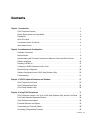
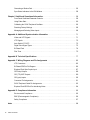







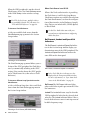
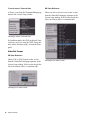


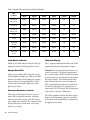
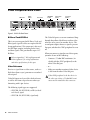
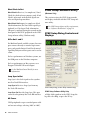


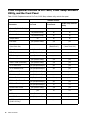










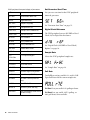

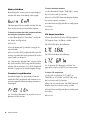
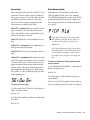
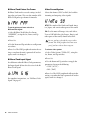
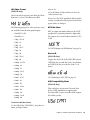
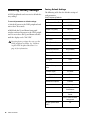
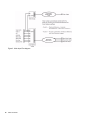
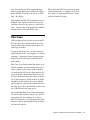


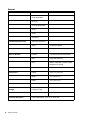


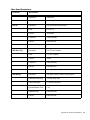
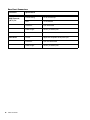
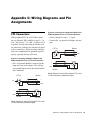

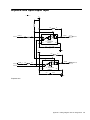
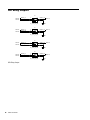


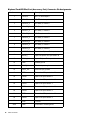
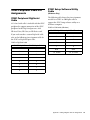
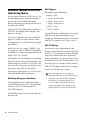




![Guida di SYNC™ HD - akmedia.[bleep]digidesign.](http://vs1.manualzilla.com/store/data/006124188_1-822f431325888ec14269d9216e9ac6fc-150x150.png)