1
36
FAQ
Questions about Aha Radio (PCM only).
What do I need to know about how the
Aha Radio app starts on an iOS® device?
vehicle and with the Aha Radio server have
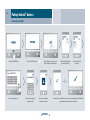
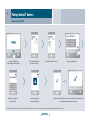
Online weather
been established, you can select the source
When your car is connected to Aha Radio,
Why is my Aha Radio reception lost in
some places?
With the iOS® device connected to the USB
‘Aha’ and then choose from the list of programs
you can obtain weather information for your
Aha Radio receives audio data over the Internet
connection in the car, the Aha Radio app on
stored as presets. These programs are web
current location, your destination or any
connection of the mobile phone. In areas
the iOS® device starts automatically and
radio stations, personalised radio (Slacker,
location that you find with a free text search.
where Internet access is impossible or too
appears as a new source under ‘TUNER’. It
USA only), podcasts or location-based services
Please note, however, that only those locations
slow due to poor network connectivity,
should be noted that this requires the iOS®
such as hotel, restaurant or café searches
stored in the navigation database of PCM can
the connection to Aha Radio might be lost.
device to be in an unlocked state and showing
(USA only in some cases). You can delete
be selected. A three-day weather forecast is
its main screen (home screen).
presets from the list of presets or add new
also available. Information is accessible from
ones of your own from an extensive selection
‘INFO/Online weather’.
Which content can I use with Aha Radio?
of programs. You can also link your Facebook
In a Porsche, Aha Radio gives access to the
or Twitter account to your Aha Radio account
Online search
following functions:
and have your feeds read aloud. This link has
When your car is connected to Aha Radio, you
Internet radio
to be set up on the smartphone itself. Note: it
have access to an advanced points of interest
Aha Radio shows up as an additional audio
is not possible to post to Facebook or Twitter
search under ‘NAVI’. After you have entered
source under ‘TUNER’. As soon as the
from the app.
a name and the relevant search region, you
connections between the smartphone and
will be given a list of POIs from which you can
select the desired destination and then find
with route guidance. If PCM is connected to a
Bluetooth ® phone, you will also be able to dial
directly any phone numbers that may be listed
for the POIs concerned.
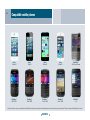
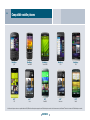
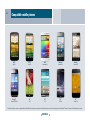
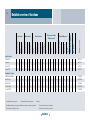
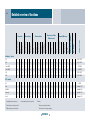
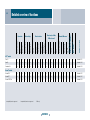
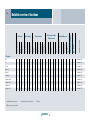
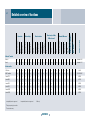
There is a detailed functional overview of mobile phone models that have been compatibility-tested by Porsche, starting on page 43. An explanation of the terms used here can be found in the glossary starting on page 38.
CONTENTS