1
The Keypad
Function
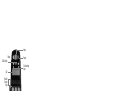
Lite Key
This key will light up the display of your clock.
LITE
SEL and SET Keys
The SEL and SET keys are used to set up the
clock functions (see page 7)
SET
SEL
TV
VCR
CD
AUD
SAT
Backlit Device Keys
The TV, VCR, SAT, CD and AUD keys select the
home entertainment device to be controlled.
For example pressing the TV key allows the
remote to control the functions of your
Television, after pressing VCR you can operate
your Video Cassette Recorder, etc. For more
detailed information, please refer to the chart
on page 6. During operation of the ONE FOR
ALL the device key will light up to indicate the
mode you are using.
Volume, Programme Keys
The Volume and Programme keys control
the two most frequently used functions of
your devices. They operate just as the keys
on your original remote. These keys are also
used to adjust colour and brightness (see
page 26 for further explanation)
Directional Keys
If available on your original remote, these
keys will allow you to navigate through the
Menu (see page 28) and the Surround Sound
mode of your device.
Mute Key
The Mute key operates the same function it
did on your orginal remote control. It is also
used to activate the Scan feature (see page
29). Also, if your original remote control
required that you press an “OK” or “ENTER”
key during Menu operation, the Mute key
can be used for this function.
_
AV
-/--
AV
20
Number Keys
The Number keys (0-9, 10, 20) provide
functions just like your original remote, such
as direct access programme selection. If your
original remote uses one/two digit input
switching (-/-- symbol), this function can be
obtained by pressing the -/-- key, which is the
same as the 10 key. If your original remote
has a 20 key this function can be found
under the AV key.
The AV key operates the same function it
did on your original remote control. Also, if
your original remote control required that
you press an “EXIT” key during Menu
operation, the AV key can be used for this
function. In VCR mode it obtains the TV/VCR
function.
WWW.ONEFORALL.COM
5