1
8000 Program Updates and Sipstick Replacement
The MID:COM “sipstick” is the central processing unit(s) for the
8000 computer.
These sipsticks contain the microprocessor and
program/data memory that controls the unit. If a program change
or update has been made, it’s necessary to replace the
sipstick(s) as described below.
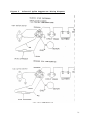
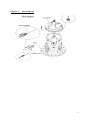
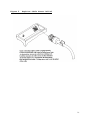
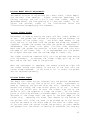
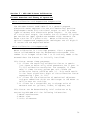
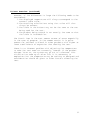
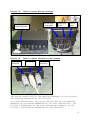
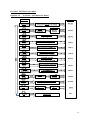
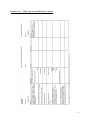
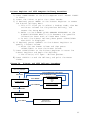
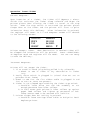
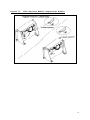
The sipsticks are installed in both vertically and right-angle
sockets as shown in the diagram in the “SIP Stick Installation”
diagram on the next page.
They are held into the socket by a
clip on each side of the stick.
The clips may be metal or
plastic.
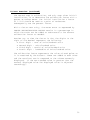
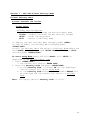
To remove the sipstick:
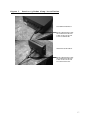
Using your thumbs and forefingers,
spread the clips toward the outside of the socket and rotate the
sipstick to a 45 degree angle way from the clips.
Pull the
sipsticks out of the socket.
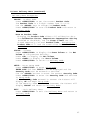
To insert the sipstick: Insert the sipstick into the socket at
a 45 degree angle and rock it back and forth to insure it’s
seated squarely.
Once seated, rotate toward the clips and
against the stops until an audible “click” is heard.
The
sipsticks are keyed in the center and on one side t allow it to
be inserted only one way. However, it’s still important to note
the orientation of the original one, to make certain the
sipstick is installed correctly.
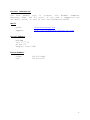
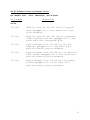
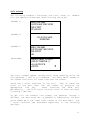
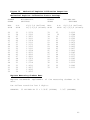
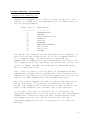
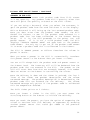
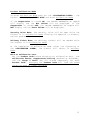
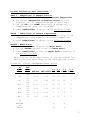
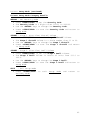
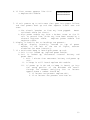
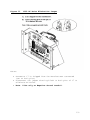
Sipstick Location And Labeling
8000 Computer:
CPU Module – 2 sipsticks
Main-XX and PLK-XX
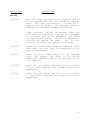
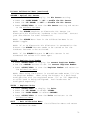
Remove computer cover and
access.
CPU
cover
to
101