1
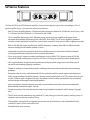
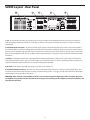
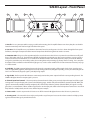
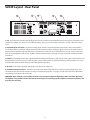
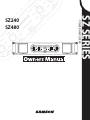
SZ480 Layout - Front Panel
1: Handle - For easy transport while carrying, or while rack mounting, the SZ amplifier features two heavy duty die cast handles
located conveniently on the left and right side of the front panel.
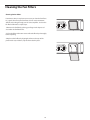
2: Fan Vent - The SZ amplifiers stay cool thanks to their twin, forced-air cooling vents. Cool air is drawn through the front panel
fan filters, reducing the temperature of the internal components while forcing the heat out the rear vents.
3: Peak LED - The PEAK segment lights whenever the channel is outputting signal at full strength. For the best signal-to-noise
ratio, the right (PEAK) segment should light occasionally during peak levels; if it lights frequently, you may be overloading the SZ
Series and a distorted (“clipped”) signal is probably being output.
4 : Protection LED - This goes on for approximately five seconds whenever the SZ Series is powered on and then turns off (you’ll
hear a “click” when it does so). The Protection LED will also light when overheating or other severe problems occur (see page 11
in this manual for more information). It is normal for the Protection LED to fade slowly when the amp is powered off. When lit,
no signal is provided to any connected speakers, thus muting them and preventing any “thump” from occurring. For a complete
description of the conditions under which this light goes on, see the section entitled “The SZ Series Protection Circuitry” on page
11 of this manual.
5: Channel input level controls - These 42-position detented controls allow you to precisely adjust the input level of the signal
arriving at the rear-panel input connectors (see #2 on the following page). At their fully counterclockwise position (labeled
“MIN”), the signal is attenuated by 80 dB (essentially completely off ). At their fully clockwise position (labeled “MAX”), the signal is
at unity gain (that is, no attenuation). When +4 dBu of signal arrives at the input jacks and the Channel input level controls are set
to their fully clockwise “ 0 dB” position, the SZ Series delivers full power output.
6: Signal LED - The front panel LED indicators continuously monitor the power output level for the corresponding channel. The
SIGNAL LED lights whenever output signal is present.
7: Power switch - Use this to power the SZ Series on or off. The internal LED lights whenever the SZ Series is powered on.
8: Security panel - The removable clear acrylic panel provides easy front panel access to the volume controls and helps protect
against unwanted changes by unauthorized users.