1
ht5000
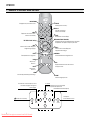
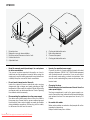
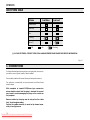
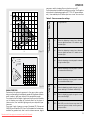
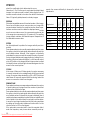
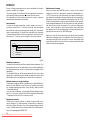
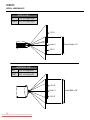
LED SYSTEM TABLE
Led blue
Status
Led red
Logo Backlit
Initialisation
Blue Color
Standby
Red Color
On
Off / Blue Color (*)
Cooling
Red Color
Error (*)
Red Color
: Off
: On
: Flashing
(*): in case of error, contact your Local and authorized SIM2 Dealer for Service Information.
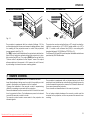
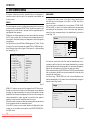
Fig. 11
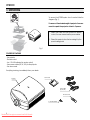
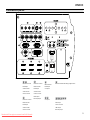
6 CONNECTIONS
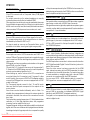
To obtain the best performance from your projector, we recommend the use of good quality “video cables”.
Poor quality cables will cause inferior picture performance.
For optimum connectivity we recommend you follow these
simple steps:
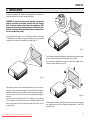
With exception of coaxial RCA/Phono type connectors,
always double-check that the plug is inserted the correct
way round to avoid damaging the plugs or the sockets on
the projector.
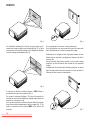
Remove cables by the plug and do not pull on the cable
itself. Avoid tangled cables.
Position the cables carefully to avoid a trip hazard especially in low light areas.
12
Downloaded From projector-manual.com Sim2 Manuals