1
TV SERIES SCRAPER
The V3 firmware supports TV Series scraping of Images and Metadata via a downlaodable App. The Scraper
App uses the thetvdb api and as such we suggest you join the tvdb and contribute in order to keep all
Languages and images as up to date as possible.
Settings
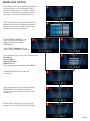
By default the Scraper will scrape in the Language as set in the X3D GUI. The Scraper Language can be
changed to a specific Language in the Setup Menu -- Setup --> Misc --> Scrape Language
Preparing your TV Series
For correct Scraper functionality TV series must be arranged in a standard form that Mede8er can
understand ie same structure as used by TVRename.
The root folder must have the words ‘TV Series’
in the folder name and its case sensitive.
Root Folder ----> TV Series
-----> TV Series Name 1
-----> Season 01
-----> series.name - S01E01 - episode.name.mkv
-----> series.name - S01E02 - episode.name.mkv
-----> etc etc
-----> Season 02
-----> series.name - S02E01 - episode.name.mkv
-----> series.name - S02E02 - episode.name.mkv
-----> etc etc
-----> Season 02
-----> etc
-----> TV Series Name 2
-----> Season 01
-----> series.name - S01E01 - episode.name.mkv
-----> series.name - S01E02 - episode.name.mkv
-----> etc etc
-----> Season 02
-----> series.name - S02E01 - episode.name.mkv
-----> series.name - S02E02 - episode.name.mkv
-----> etc etc
-----> etc
Season folder naming
The Season folder must be named Season 1 or Season 01 etc
Episode naming
Episodes should be named in a specific way in order for the App to scrape them correctly.
Examples
2 Broke Girls - S01E01 - Pilot.mkv
2.Broke.Girls.S01E01.Pilot.mkv
2 Broke Girls - 1X01 - Pilot.mkv
2.Broke.Girls.1X01.Pilot.mkv
A good program that will assist correct naming can be downloaded from http://www.therenamer.com
Auto View Setup Menu
For correct functionality you must enable ‘Auto View’ --- Setup --> Misc --> Auto View
Write Enabled
The source folder of the TV Series must be write enabled in order for X3D to save data and images.
Page23