1
smartModule Express SMX945 / BIOS
9.4
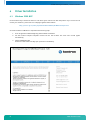
Core BIOS Download
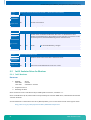
Before downloading a BIOS, please check the following:
Make a bootable diskette which includes the following files:
» DELEP945.exe
» afudos.exe
» core BIOS ()
Rename the DLAG_xxx.ROM file to bios.rom
IMPORTANT:
Notes:
»
»
»
»
»
Do not use boot disks created in a Windows operating system. If you do not have an MSDOS 6.22 disk
available, you can download a boot disk from www.bootdisk.com.
Disable the EMM386 or other memory managers in the CONFIG.SYS of your boot disk.
Make sure that the AFUDOS.exe program and the BIOS to be downloaded are in the same path and
directory!
Boot DOS without config.sys and autoexec.batpress F5 while starting the DOS boot.
Is the empty disk space, where the AFUDOS.exe is located, larger than 64kB (for safe storage)?
Is the floppy disk not write-protected?
Start the DOWNLOADING process:
1.
Start the system with the bootable diskette. If you do not have a bootable diskette or floppy drive you can
start in DOS mode by pressing the F5 key to disable the autoexec.bat and config.sys.
2.
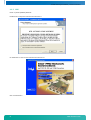
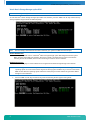
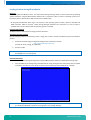
Run DELEP945.exe to clear the CMOS and the EEPROM.
Warning
If you do not run DELEP945.exe, the system will be destroyed during the BIOS upgrade!
3.
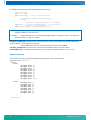
Run AFUDOS.EXE BIOS.ROM /X /B /P
4.
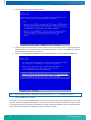
If the BIOS download is finished, you must power off the system.
5.
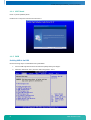
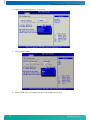
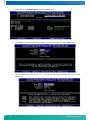
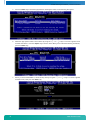
After powering the system back on, press DEL to enter the setup mode and set the default values with F9.
6.
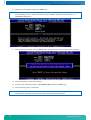
"Save and leave" the setup with F10.
7.
Power off the system.
8.
The download procedure is finished.
9.5
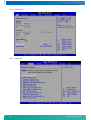
BIOS Setup
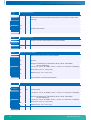
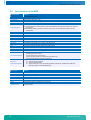
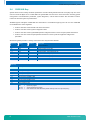
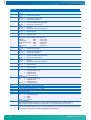
Setup Menu Screens and Navigation
Keystroke Controls:
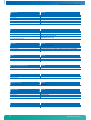
Function
Key
Enter Setup
Load AMIBIOS "Failsafe" CMOS Setup Values
Display extra AMIBIOS Information at Boot
Switch between AMIBIOS "Silent Boot" graphical
logo and standard text boot screen
Boot from Network Device
Enter Setup after System Error
Load CMOS Setup Defaults after System Error
Initiate BIOS Recovery & clear CMOS
Initiate BIOS Recovery, clear CMOS & NVRAM
Initiate BIOS Recovery, preserve CMOS & NVRAM
Pop-Up Boot Menu
Enter Setup (for Serial Console Redirection)
Activate AMIKey Recovery Boot Services
DEL
END
INS
48
TAB
F12
F1
F2
CTRL-HOME
CTRL-PGUP
CTRL-PGDN
F8 or F11
F3
F9
www.kontron.com