1
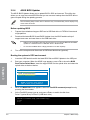
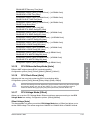
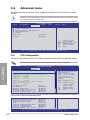
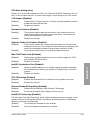
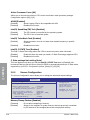
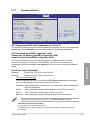
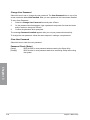
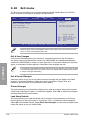
CPU Enhanced Debug Function [Auto]
[Auto]
[Disabled]
[Enabled]
Enables the Intel Enhanced Debug function if the CPU supports it.
Disables the Intel Enhanced Debug funciton.
Supports the Intel Enhanced Debug funciton.
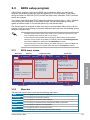
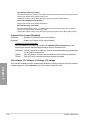
Initate Graphic Adapter [PEG/PCI]
Allows you to select which graphics controller to use as the primary boot device.
Configuration options: [iGPU] [PCI/iGPU] [PCI/PEG] [PEG/iiGPU] [PEG/PCI]
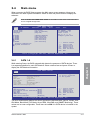
iGPU Graphics Mode Select [Enabled, 32MB]
Allows you to decide whether to use the integrated GPU and select the amount of memory
used by the integrated GPU.
Configuration options: [Disabled] [Enabled, 32MB] [Enabled, 64MB] [Enabled, 128MB]
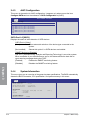
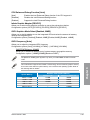
iGPU Frequency [Auto]
Allows you to adjust the integrated GPU frequency.
Configuration options: [Auto] [133 MHz] [167 MHz] – [1467 MHz] [1500 MHz]
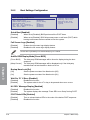
DVMT/FIXED Memory [256MB]
Allows you to allocate a fixed amount of system memory as graphics memory.
Configuration options: [128MB] [256MB] [Maximum DVMT]
The [Maximum DVMT] option appears only when you install DIMM modules more than
1 GB.
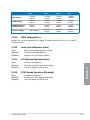
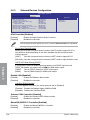
System Memory
1GB to < 1.5GB
1.5GB to < 2GB
2GB to < 3GB
3GB to < 4GB
4GB and above
ASUS P7H57D-V EVO
Chapter 3
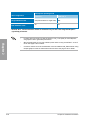
This motherboard supports Intel® DVMT 5.0 Technology whose maximum graphics memory
size in total varies with the system memory size in total and the operating system. Refer to
the following table for details.
Maximum Total Graphics Memory
Windows® XP
Windows® Vista™/ 7™
512MB
365MB
768MB
808MB
1024MB
877MB
—
1389MB
—
1748MB
3-25