1
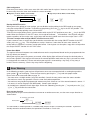
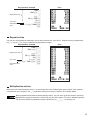
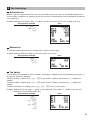
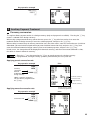
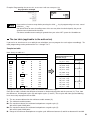
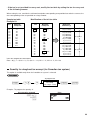
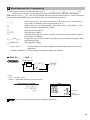
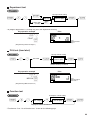
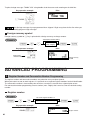
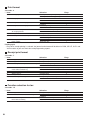
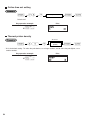
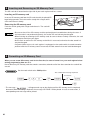
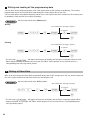
Discount for the merchandise subtotal
Key operation example
Print
575 +
10 p
m
100 -
A
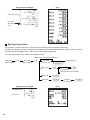
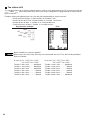
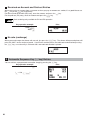
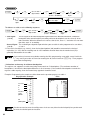
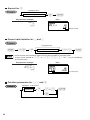
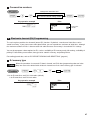
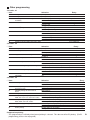
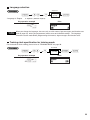
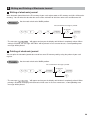
Discount for item entries
Key operation example
Print
675 *
A
(When a discount amount of
$0.75 is programmed.)
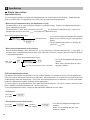
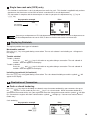
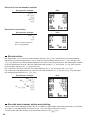
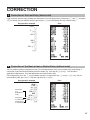
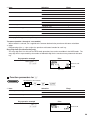
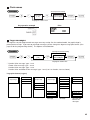
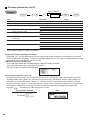
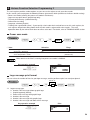
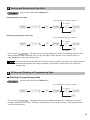
Refund entries
For departments 1 to 16, enter the refund amount and press the f key, and then press the corresponding
department key and for departments 17 to 32, enter the refund amount and press the f key, then press the
D key and press the corresponding department key (when using the preset price, omit entering the amount).
In case of department 33 to 99, enter the department code and press f key and the d key, then enter the
refund amount and press the d key if necessary.
For a refund of a PLU item, enter the PLU code and press the f key, then press the p key.
For a refund of a sub-department item, enter the PLU code and press the f key and p key, then enter
the refund amount and press the p key.
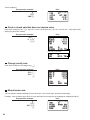
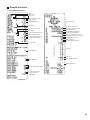
Key operation example
Print
250 f +
33 f d 100 d
7@
13 f p
15 f p 150 p
A
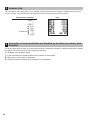
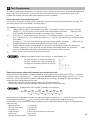
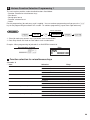
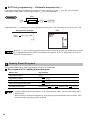
Non-add code number entries and printing
You can enter a non-add code number such as a customer’s code number and credit card number, a maximum
of 16 digits, at any point during the entry of a sale. The cash register will print it at once.
To enter a non-add code number, enter the number and press the s key.
24