1
Advanced features
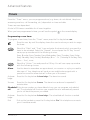
Snooze
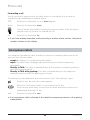
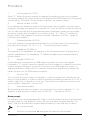
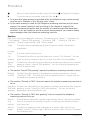
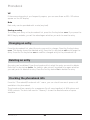
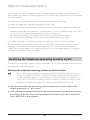
Press the Fox key below Snooze. The tone ends and is repeated 5 minutes later.
Do not
disturb
If you do not wish to be disturbed (see section entitled "Advanced features –
Do not disturb"), activate the "Do not disturb ON" timer and the userdependent settings from the "Do not disturb" menu will be used. If you do
not wish to be disturbed just for a certain period, also activate the "Do not
disturb OFF".
To lock your telephone (see section entitled "Advanced features – Locking the
telephone with security PIN"), activate the "Phonelock ON" timer. To lock your
telephone just for a certain period, also activate the "Phonelock OFF".
Phonelock
TAM
The "TAM ON" and "TAM OFF" timers allow you to switch your telephone
answering machine on and off at certain times. When the telephone
answering machine is activated, the user-dependent settings from the
"Answering Machine" menu are used.
Change The "Change TAM greeting" timer allows you to change the user-dependent
TAM
greetings on the telephone answering machine at certain times. With the
greeting timer activated, the user-dependent greeting in the "Answering Machine"
menu is changed.
Call FWD This timer allows you to switch call forwarding "always" on and off at certain
always
times.
Call FWD This timer allows you to switch call forwarding "on no reply" on and off at
on no
certain times.
reply
Call FWD This timer allows you to switch call forwarding "on busy" on and off at certain
on busy
times.
Msg.
waiting
notification
The "Message waiting notification" timer allows you to activate and
deactivate the user-dependent settings in the "Messages – Msg. waiting
notification" menu at certain times.
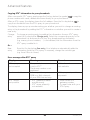
save
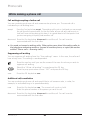
Press the Fox key below save.
Editing/deleting a timer
When you have programmed a timer, you can view its current status in the timer list and
you can change it. Select the timer you wish to edit and press the OK key. The display will
show the settings for the timer. Change the settings and save them.
To retain and not delete the settings of a timer, select the timer in the timer list and press
the OK key. The display will show the settings for the timer. Select the "Status" line and
press the OK key. From the pop-up window, select "inactive" and press the OK key. Save
the new setting. The timer list shows the symbol of the timer with a line through it. You
can reactivate the timer at any time.
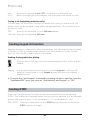
To delete a timer, select the timer in the timer list and press the Fox key below delete.
67
20324744en_ba_a0