1
21057SET Page 2 Monday, July 7, 2003 4:39 PM
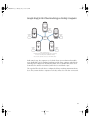
Shake Qmaster Network Essentials
Before you get started, you need to be aware of the following rules for any network that uses
Shake Qmaster:
m All computers using Shake Qmaster must be running Mac OS X (or, for servers,
Mac OS X Server) 10.2.6 or later.
m The network must support the Apple Rendezvous technology built in to Mac OS X.
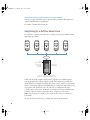
m A cluster must contain only one computer acting as the cluster controller, and at least
one computer acting as a service node. One computer can be used as both a cluster
controller and a service node. (The rendering is distributed across a cluster, which
contains a cluster controller that manages the cluster, and one or more service nodes,
which perform the rendering.)
m The cluster computers (cluster controller and service nodes) and the client computers
(user workstations) need to be on the same local network (subnet).
m All the computers in the setup need Read and Write access to any volumes that will be
specified as the source location or output destination for files, including Shake scripts.
The best way to configure this access, depending on whether your plan is for part-time
desktop computer rendering or full-time render farm rendering, is addressed in the
sample setups that follow.
2