1
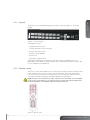
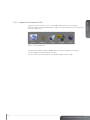
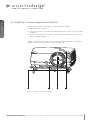
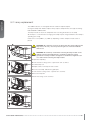
The projector has an illuminated keypad on the back of the unit. Figure 3-5 shows the
keypad.
english
3.2.2 Keypad
Figure 3-5. Projector keypad
The keypad is used to:
- navigate the menu system
- scroll the information in the LCD panel
- directly select input sources
- enter pin code (if enabled)
- power on/off
- adjust basic image functions
The keypad is illuminated for operation in dark environments. Available functions are
illuminated in yellow while selected (active) functions are illuminated in green. Functions that
are not available are not illuminated.
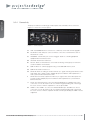
3.2.3 Remote control
The remote control allows flexible access to the projector settings, either through direct keys,
or through the menu system. The remote control is backlit for use in dark environments.
It also has a data-jack that allows for wired connection to the projector. When the wire is
connected, the IR (infra-red) beam and internal batteries are switched off.
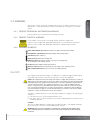
Note! The direct sources buttons for VGA1, VGA2, X-Port 2 and YPbPr are not available
for all versions of the product. If your product does not have these inputs implemented
the OSD will display “not available” when pressing these buttons.
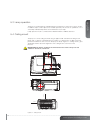
Figure 3-6. Remote control
13
www.projectiondesign.com