1
english
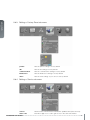
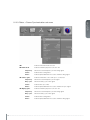
5.5 3D main menu
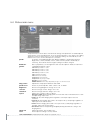
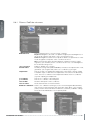
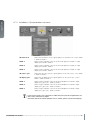
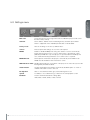
The 3D menu contains settings for turning 3D on and off, in addition to defining various
aspects of setup using Dual Head and specifying the types of glasses to be used.
3D :
Offers the possibility to switch the 3D function off and to chose between the
following alternatives for setup: off, side by side (60Hz< only), frame sequential and
dual head (60Hz< only)
dual head setup:
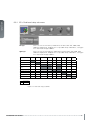
Allows the user to define 2 current sources. The alternatives are: SDI 1, SDI 2, DVI,
HDMI, VGA, HDBaseT, DisplayPort 1, DisplayPort 2. Some combinations of left/right
eye are not possible, see
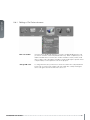
3D glasses type:
Here you can select the type of 3D glasses you want to use. The alternatives are:
DLP LinkTM and IR.
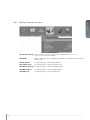
3D glass sync delay:Here you can set the delay time for your 3D glasses on a range from 0 - 179
swap eyes:
31
Swap order of eyes (left/right) for 3D-glass synchronization.