1
right page (3) of A57 Jaguar, short, en, A31008-H5830-A1-2-7619 (24.06.2004, 06:22)
Siemens AG 2003, C:\Projekte\Siemens\10210-001\A57\Produkt\A57_sug_v2_en_040519_bw_pk_druck\Jaguar_Overview.fm
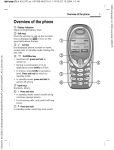
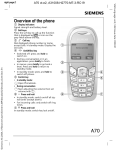
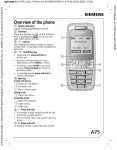
Overview of the phone
1
Integrated antenna
Do not interfere with the phone above
the battery cover unnecessarily. This reduces the signal strength.
2
3
Loudspeaker
Display indicators
Signal strength/battery level.
4
Soft keys
Press the soft key to call up the function
that is displayed as §Text§ or icon on the
grey fields above the key (see also p. 24).
These are in standby mode (factory default):
§New SMS§ or e.g.
} (SIM services) and
§Menu§ (main menu).
5 A Call key
Dial displayed phone number or name,
accept calls. In standby mode: Display the
last calls.
6B
On/Off/End key
• Switched off: press and hold to switch
on.
• During a conversation or in an application: press briefly to finish.
• In menus: press briefly to go back a
level. Press an hold to return to standby
mode.
• In standby mode: press and hold to
switch off phone.
7
Input keys
Numbers, letters.
_
g
Service provider
17.02.2003
New SMS
09:15
Menu
3
VAR Language: en; VAR issue date: 040528
Overview of the phone