1
Operation Instructions
Step 1
Step 2
Carefully unpack and clean grill plates with
mild soap then sponge clean with cold water.
Place in location where it will be used allowing
for clearances per the dimensions indicated.
WARNING
OALLOW 2” MINIMUM CLEARANCE between
adjacent equipment and/or wall areas.
ODO NOT touch hot surfaces.
Step 3
Plug into proper 3 prong wall outlet. If other appliances are connected to the same circuit make sure
the total load does not exceed maximum ampacity of the circuit. Electrical information as follows:
120V / 50/60Hz / 1 Phase / 2200W / 18.3 A (20 Amp Circuit).
220V / 50/60Hz / 1 Phase / 2200W / 10.0 A (20 Amp Circuit).
Step 4: Warm-up
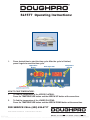
Energize by turning on the power switch which will illuminate when turned on.
OThe display flashes and shows left preset timer during warm-up.
OPre-heat temperature time will be 40-50 minutes.
OWhen the setpoint is reached, the display stops flashing and beeps 3 times.
Step 4: Operation
OSimply place product on either side of the grill, close lid and
press the desired pre-set time cycle 15 or 27 seconds. After
the time cycle is finished press it again to reset the time cycle.
OTo grill a larger product simply align both platens and slide the
locking guide into position so that both platens become one.
Clean Cycle
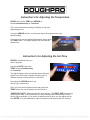
To start a clean cycle, push CLEAN button once so the CLEAN LED light is turned on. All preset
LED’s are turned off, and the temperature setpoint is changed to the clean setpoint of 2750F. This
also initiates the cool down to clean setpoint condition as well the display starts flashing until the
clean setpoint is reached.
To stop the clean cycle,simply press the CLEAN button once to deactivate the clean cycle. The
CLEAN LED is turned off, the preset LED’s are restored, the temperature set point is changed to the
main setpoint. Again, the warm-up condition is initiated and the display flashes until the cook setpoint
is reached.
FOR SERVICE CALL: (800) 624-6717
PROPROCESS CORPORATION
P.O. Box 869 O 7328 Madison St. O Paramount, CA 90723
(562) 531-0305 O (800) 624-6717 O Fax (562) 869-7715
Website:
www.doughpro.com
E-Mail: [email protected]
PDF compression, OCR, web optimization using a watermarked
evaluation
copy of CVISION
PDFCompressor
O