1
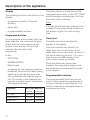
Programmable functions
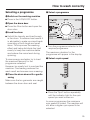
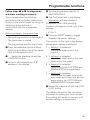
Follow steps A to G to programme
and store a setting in memory.
D Turn the programme selector to
DELICATES 30°C.
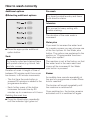
The programmable functions are
activated to call up further features not
shown on the control panel by using the
additional option buttons in
combination with the programme
selector.
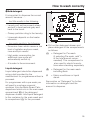
E The P will now flash in the display
alternating with the number 2.
Before you begin, first ensure that:
– The washing machine is switched off.
– The drum door is closed.
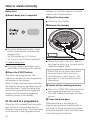
In addition, one of the following
numbers will appear on the right of the
display:
1, 2, 3 or 4
F Press the START button to toggle
between the varous settings.
– The programme selector is at Finish.
The number on the right of the display
shows which setting is selected.
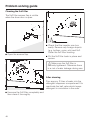
A Press the additional option buttons
Intensive and Water plus at the same
time, hold pressed in and . .
1 = Setting 1 is selected
(increased water level in the
rinses)
B . . . Switch the machine on with the
I-ON/0-OFF button.
2 = Setting 2 is selected
(increased water level in the main
wash and in the rinses)
C Let go of all these buttons. P 0
appears in the display.
3 = Setting 3 is selected
(extra rinse in the COTTONS and
MINIMUM IRON programmes)
4 = Setting 4 is selected
(increase in the water level in the
main wash and rinses and also an
extra rinse in the COTTONS and
MINIMUM IRON programmes).
G Switch the machine off with the I-ON/
0-OFF button.
The Water plus button has now been
allocated the setting you have chosen.
This setting will remain in memory until
another setting is programmed.
69