1
Parent Control (V-CHIP Operation) (Continued)
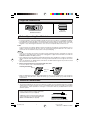
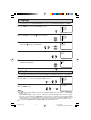
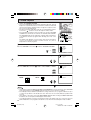
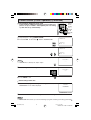
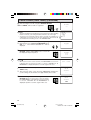
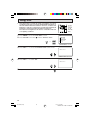
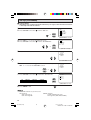
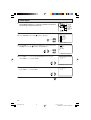
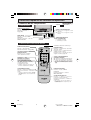
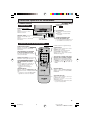
• Activating the V-CHIP BLOCK
1
2
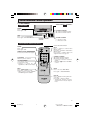
Repeat steps 1 to 4 of [1] MPAA RATING.
Press CH a/s to move the “E” mark to “STATUS”. Press
VOL k/l to activate the V-CHIP BLOCK. (If STATUS is OFF, VCHIP BLOCK will not operate.)
MPAA
TV GU I DE L I NES
DOWNL OAD : OF F
STATUS : ON
→
(V-CHIP select screen)
3
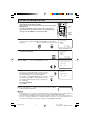
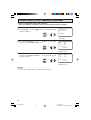
Press MENU, then “INPUT SECRET No.” will be displayed.
I NPUT SECRET No .
Note:
– – – –
• If SECRET No. is already set, skip to step 5.
4
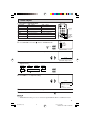
Enter a 4-digit secret No. using the REMOTE KEYPAD.
1
2
3
I NPUT SECRET No .
4
5
6
1 2 3 4
7
8
9
ENTER
0
5
100
Press MENU and the secret No. will be registered.
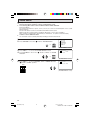
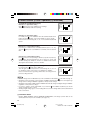
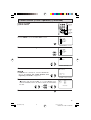
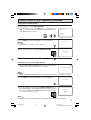
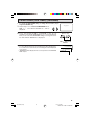
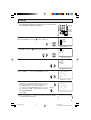
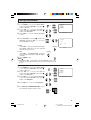
• To temporarily cancel the V-CHIP BLOCK
1
22
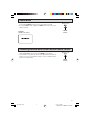
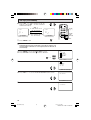
“V-CHIP HAS BEEN ACTIVATED” appears if you view a program
with the same program rating data you configured.
V–CH I P HAS BEEN ACT I VATED
TV–Y 7
FV
Note:
• “V-CHIP HAS BEEN ACTIVATED” will not be displayed if STATUS is not configured to “ON”.
2
Press MENU, then “INPUT SECRET No.” will be displayed.
I NPUT SECRET No .
– – – –
3
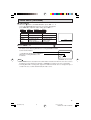
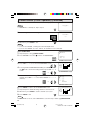
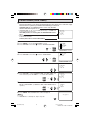
Enter the 4-digit secret No. using the REMOTE KEYPAD, then VCHIP BLOCK will be canceled temporarily. If the wrong secret No.
is chosen, “SECRET No. IS INCORRECT” will be displayed. Input
the secret No. again in this case.
1
2
4
5
7
8
I NPUT SECRET No .
3
6
9
ENTER
0
Note:
100
• If you turn the power ON from OFF, the V-CHIP BLOCK will be activated again.
21
36U-S50B(19-22)
21
03.2.13, 3:07 PM
Dimension: 140 X 215 mm