1
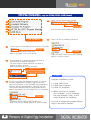
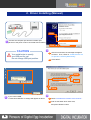
2. Driver Installing (Automatic)
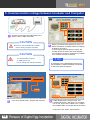
Use manual driver installation when it cannot process automatic driver installation.
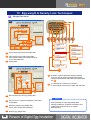
USB Driver Installment file
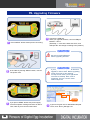
1
Select “Auto_Setup(USB Drive)” file
above window explorer.
4
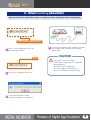
Connect the incubator with computer USB port.
The computer will recognize the incubator
after a while.
CAUTION
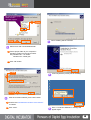
Click
2
Click “Auto_Setup(USB Drive) file.
3
If the message above shows,
it means installment is completed.
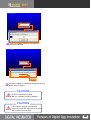
You don’t need to install
USB Driver manually if it installed
automatically.
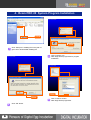
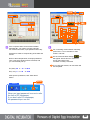
Manual Driver Installment
on next page is used when it
does not installed automatically.
4