1
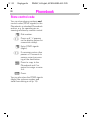
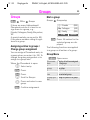
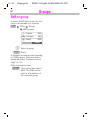
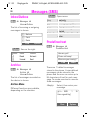
BA_CL50 Dinghy.qxd
09.09.2002
17:16 Uhr
Seite 1
s
Be inspired
Issued by
Information and Communication mobile
Haidenauplatz 1
D-81667 Munich
© Siemens AG 2002
All rights reserved. Subject to availability.
Rights of modification reserved.
Siemens Aktiengesellschaft
www.my-siemens.com
CL50
cyan magenta yellow black
13.1.03
Dinghy-ENTOC.fm
DINGHY, Int English, A31008-H6900-A4-3-7619
Content
Safety precautions ................................ 3
Overview of the phone.......................... 4
General instructions ............................. 5
The User Guide........................ 5
Menu control ........................... 5
Getting Started ...................................... 6
Insert SIM card/battery ............ 6
Charge battery ......................... 7
Switch on, off / PIN entry...................... 8
Switch on, off .......................... 8
Enter PIN ................................. 8
Airplane check ......................... 9
Security ................................................. 10
Making a phone call ............................. 11
Dialling with number keys ...... 11
End call ................................... 11
Accept call .............................. 11
Reject call ............................... 12
When number is busy ............ 12
Redial previous numbers ........ 12
During a call ............................ 13
Swap/Conference .................. 14
Call menu................................ 15
Send DTMF ........................... 15
Addressbook ........................................ 16
New entry............................... 16
Read/change entry.................. 17
Making a call........................... 18
Search entry ........................... 18
Addressbook Menu ................ 18
Ring by Person ....................... 19
Reminders .............................. 19
Store control code .................. 19
1
Phonebook............................................ 20
New entry ............................... 20
Location : (Location to store) .. 21
Record no. .............................. 21
Store control code .................. 22
Groups................................................... 23
Groups .................................... 23
SMS to group.......................... 24
Messages (SMS) ................................... 25
Read Messages ...................... 25
Inbox/Outbox .......................... 26
Archive.................................... 26
Predefined text ....................... 26
Compose a message .............. 27
Send a message ..................... 27
Save a message...................... 27
Picture & Sound (EMS) ........... 29
Text entry with T9................... 30
Message setup ....................... 32
Image Viewer ....................................... 33
Receive bitmap ....................... 33
WAP ....................................................... 34
Internet access ....................... 34
Browser Menu ....................... 35
WAP setup.............................. 35
Profiles.................................... 35
Activate profiles ...................... 36
Operating instructions ............ 37
Voice message/Mailbox ....................... 39
Message setup ....................... 39
Listen to.................................. 39
Cell broadcast....................................... 40
SIM services (optional)............ 41
See also Index
at the end of this User Guide
13.1.03
2
Dinghy-ENTOC.fm
DINGHY, Int English, A31008-H6900-A4-3-7619
Content
Records.................................................
Missed calls............................
Calls received ........................
Calls dialled.............................
Erase records..........................
Duration/charges..................................
Display ....................................
Charge settings ......................
Divert .....................................................
Organiser ..............................................
Calendar..................................
Appointments .........................
Tasks ......................................
Forget me not.........................
Missed alarms ........................
Missed appointm....................
Clock .....................................................
Alarm clock .............................
World clock.............................
Auto phone off........................
Calculator..............................................
Games ...................................................
Profiles ..................................................
Setup ......................................
Headset ..................................
Aircraft mode..........................
My menu................................................
Fast access key....................................
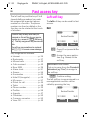
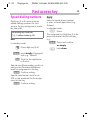
Left soft key ...........................
Speed dialling numbers ..........
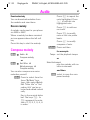
Audio .....................................................
Ringer setting .........................
Volume ...................................
Melodies.................................
42
42
42
42
42
43
43
43
44
46
46
47
48
49
50
50
51
51
51
51
52
54
55
55
56
56
57
58
58
59
60
60
60
60
Compose melody....................
Silent alert...............................
Call screening ........................
Info tones................................
Key tones................................
Minute beep ...........................
61
62
62
62
62
62
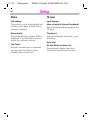
Setup ..................................................... 63
Device..................................... 63
Security................................... 65
Network .................................. 66
User group .............................. 68
During calls ............................. 69
Time/Date ............................... 69
Accessories ............................ 69
Display symbols ................................... 70
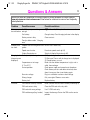
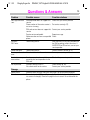
Questions & Answers .......................... 71
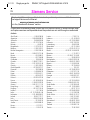
Siemens Service................................... 74
Specifications/maintenance ................ 76
Declaration of conformity........ 76
Technical data ......................... 76
Care and maintenance ............ 76
Quality declaration for battery. 77
Accessories .......................................... 78
Basics ..................................... 78
Personalisation..................................... 79
SAR (European Union)......................... 80
SAR (International)............................... 81
Guarantee certificate (UK) ................... 82
Index ...................................................... 83
See also Index
at the end of this User Guide
13.1.03
Dinghy-si-ger.fm
DINGHY, INT English, A31008-H6900-A4-3-7619
Safety precautions
When in a hospital switch off your
phone. Mobile phones can also
interfere with the functioning of
medical devices such as hearing
aids or pacemakers. Keep at
least 20cm/9 inches between the
phone and pacemaker. When using the mobile phone hold it to the
ear which is furthest away from
the pacemaker. For more information consult your doctor.
Always use the handsfree kit for
calls while driving (S. 78).
Mobile phones must be switched
off at all times in an aircraft.
To prevent accidental activation,
see (S. 56).
Switch off near petrol stations, fuel depots, chemical plants or
blasting operations. Mobile
phones can interfere with the operation of technical installations.
The ringtone and the info tones
are reproduced through the loudspeaker. Do not hold the phone to
your ear when it rings. You may
risk serious damage to your hearing.
SIM card may be removed. Caution! Small parts could be swallowed by children.
3
The mains voltage(V) specified
on the power supply unit must not
be exceeded.
Only use original Siemens batteries (100% mercury-free) and
charging devices. You can risk
damage to the product and your
health.
The phone or battery (100% mercury-free) must not be opened
under any circumstances (except
to exchange battery or SIM
card). Any other changes to this
device are strictly prohibited, as
they will invalidate the guarantee.
Please note:
Safely dispose of used batteries
and phones according to the legal regulations.
Mobile phones can interfere with
the operation of nearby TVs,
radios, PCs.
Only use original Siemens accessories to avoid possible damage
and to comply with the existing
regulations.
Improper use invalidates the warranty!
13.1.03
Dinghy-us-ger.fm
4
DINGHY, Int English, A31008-H6900-A4-3-7619
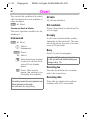
Overview of the phone
Display indicators
Loudspeaker
Signal strength /
battery level.
Control key
Select displayed phone
number or name, accept
calls. Display last calls in
standby mode.
In standby mode:
Press "top":
start WAP browser
Press "bottom":
Addressbook
Press "right":
main menu
Press "left" or hold down:
fast access setting
In lists and menus:
According to the arrows,
scroll up and down to select
function, back one menu
level.
Side key
S
During a call:
Adjust the volume with up
and down arrows.
In standby mode:
Accept incoming call with
the upper arrow, reject incoming call with the down
arrow.
Press briefly:
End call/function. In menus:
one menu level back.
Hold down:
Switch on/off phone
(in standby mode). In menus: return to standby mode.
Soft keys
The current functions of
these keys are displayed in
the grey fields as text or
icons. These keys display
quick selection in standby
mode and §Menu§.
Call key A
* Hold down.
In standby mode:
Switch signal tones on and
off (except alarm clock).
With text entry:
Language: Select input
language.
abc/Abc/123: Enter lowercase or uppercase letters/
numbers.
On/Off-/End key
Microphone
Charger interface
Connection for charger.
Hook for carrying
Headset jack
Flap: Fold-out display
13.1.03
Dinghy-ger.fm
DINGHY, Int English, A31008-H6900-A4-3-7619
General instructions
The User Guide
Menu control
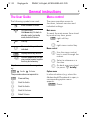
The following symbols are used:
The menu provides access to
functions, network services and
individual settings.
J
S
Enter numbers or letters.
On/Off/End key.
Hold down key: Go back to
standby mode. In standby
mode, switch off device.
A
Call key.
C
Press control key on the side
indicated.
§Menu§
Displays a soft key function.
~
Function depends on the service provider, special registration may be necessary.
Steps for menu access in the user guide,
e.g.:
§Menu§
Audio
Volume
The procedure above corresponds to:
§Menu§
V
C
V
C
Press soft key.
Scroll to Audio.
Scroll to Audio.
Scroll to Volume.
Select Volume.
5
Main menu
To reach the main menu from standby mode at any time, press:
§Menu§ right soft key
C
or
right menu control key.
Menu control
B
C
Y
Use the menu control
key to scroll through the
menus.
Select a submenu or a
function.
Go back one menu level
(or press S briefly).
Option menu
In other situations (e.g. when the
Addressbook/Phonebook is open, a
corresponding option menu
appears:
§Options§ Press.
13.1.03
6
Dinghy-ger.fm
DINGHY, Int English, A31008-H6900-A4-3-7619
Getting Started
Insert SIM card/battery
The service provider supplies you
with a SIM card on which all the important data for your line is stored. If
the SIM card has been delivered in
credit-card size, snap the smaller
segment out and remove any rough
edges.
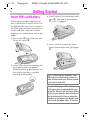
• Insert battery into the phone sideways , then press downwards
, until it engages.
• Press latch
then slide out and
lift up the cover .
• Insert cover as shown . Then
press downwards until it engages
.
• Insert SIM card in the opening and
push gently until it engages.
(make sure the angled corner is in
the correct position, contacts
pointing downwards).
Only 3 V SIM cards are supported. Older
SIM cards (5-volt technology) cannot be
used. Please contact your service provider
if you have an older card.
Your phone's display and the display cover
of the upper case are delivered with a protective film. Remove this film before getting
started. In rare cases the static charge created by removing this film may cause discoloration at the edges of the display. However, this will disappear within 10 minutes.
13.1.03
Dinghy-ger.fm
DINGHY, Int English, A31008-H6900-A4-3-7619
Getting Started
7
Charge battery
Charging
The battery is not fully charged
when delivered, so:
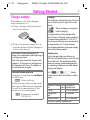
The following is shown at the top of the display on front and on the right of the outer
display:
• Plug in charger cable at the bottom of the phone.
• Plug in the power supply unit to
the main power socket (charge for
at least two hours).
If the battery is totally discharged, no
charge icon is displayed at the beginning of
the charging process.
If this is the case, leave the charger cable
plugged in. The charge icon will appear after a maximum of 2 hours. The battery is
then automatically charged.
g
e
When charging is in progress.
End of charging.
An empty battery is fully charged after
about 2 hours. Charging is only possible in
an ambient temperature of 5 °C to 40 °C
(the charge icon flashes as a warning when
the temperature is 5 °C above/below).
The voltage specified on the power supply
unit must not be exceeded.
Standby time
A fully charged battery provides up to
220 hours of standby time or up to 270 minutes of talk time. The standby times/talk
times are average values and depend on
the operating conditions (see table below).
Charge level display:
Functions without SIM card
Full a b c Empty
The phone is switched on without
the SIM card:
A beep sounds when the battery is nearly
empty.
§Menu§ Press soft key.
All the functions that can be used
without the SIM card are displayed.
You will find a description of the
functions in this user guide.
§SOS§ Emergency number,
SOS (p. 8).
Operation carried Time Decrease of
out
(min) standby time
Calling
1
30 to 60 minutes
Display back
1
30 minutes
light *
Network search 1
5 to 10 minutes
* key input, games, organiser etc.
13.1.03
Dinghy-ger.fm
DINGHY, Int English, A31008-H6900-A4-3-7619
Switch on, off / PIN entry
8
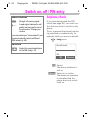
Switch on, off
S
Hold down on/off key to
switch on.
Enter PIN
The SIM card can be protected with
a 4-8 digit PIN.
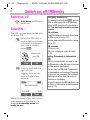
J
Enter your PIN code using the digit keys (shown
as a series of asterisks; if
you make a mistake,
press §Clear§).
Please enter
your PIN:
****
Clear
OK
§OK§ Confirm input with the
right soft key.
Logging on to the network will take a few
seconds.
<
a
Service Provider
15.11.2002
¹
14:51
Menu
When the name of the service provider appears on the display, the
phone is in standby mode and
ready for use.
Emergency number(SOS)
By pressing the left soft key §SOS§ , you can
make an emergency call on any network
without a SIM card and without entering a
PIN. This must only be used in real emergencies!
PIN problems
If the PIN is entered incorrectly three times,
the SIM card is barred (p. 73).
Activate, deactivate PIN control or change
PIN (p. 10).
SIM problems
If Please insert
SIM card is displayed, check for faults
(p. 71).
Setting: Phonebook or Addressbook
@
You can choose whether you want to use
the Phonebook on the SIM card or the internal Addressbook as standard.
You can copy the SIM-card Phonebook to
the Addressbook on the phone. Please do
not interrupt this procedure. Do not accept
incoming calls at this time. Follow the instructions on the display.
To copy the data on the SIM card later, use
the Copy to SIM function in the Phonebook
menu (p. 18).
13.1.03
Dinghy-ger.fm
DINGHY, Int English, A31008-H6900-A4-3-7619
Switch on, off / PIN entry
Network connection
<
>
Strength of incoming signal.
A weak signal reduces the call
quality and may lead to loss of
the connection. Change your
location.
If you are outside your "home network" your
phone automatically selects a different
GSM network (p. 66).
SIM services
p
9
Airplane check
If you have deactivated the PIN
check (see page 65), you must confirm that you want to switch on the
phone.
This is to prevent the phone from being switched on inadvertently, for
example while you are in an aircraft.
S
Long press.
Aircraft mode
Symbol for special applications
on the SIM card (p. 41).
OK
OK
Aborted
§OK§ Select:
The phone switches itself on.
§Aborted§ Select or no action:
The power-on operation
is cancelled and the
phone does not switch
itself on.
13.1.03
Dinghy-ger.fm
DINGHY, Int English, A31008-H6900-A4-3-7619
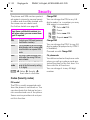
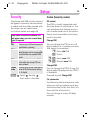
Security
10
The phone and SIM card are protected against misuse by several security codes and should be treated with
the same care as a debit card.
For further details see page 65.
Keep these confidential numbers in a
safe place where you can access them
again if required.
PIN
PIN 2
PUK
Phone
code
Protects your SIM card (personal
identification number).
This is needed to set the charge
detail display and to access additional functions on special SIM
cards.
Key code. Used to unlock SIM
cards after the wrong PIN has
been entered.
Protects your phone. Must be entered at the first security setting
(4 - 8 digits).
§§Menu§
Setup
Security
then select a function:
Codes (Security codes)
PIN control
The PIN is usually requested each
time the phone is switched on. You
can deactivate this feature but you
risk unauthorised use of the phone.
Some service providers do not permit this function.
Change PIN1
You can change the PIN to any 4-8
digit number (i.e. a number you may
find easier to remember).
J
Enter old PIN.
§OK§ Press.
J, §OK§
J, §OK§
Enter new PIN.
Repeat new PIN.
Change PIN2
You can change the PIN 2 to any 4-8
digit number (displayed only if PIN 2
is available).
Proceed as with Change PIN1.
Ch. phonecode
You define and enter the phone code
when you call up a phone-code protected function for the first time. It is
then valid for all functions.
You can change it to any 4-8 digit
number.
13.1.03
Dinghy-ger.fm
DINGHY, Int English, A31008-H6900-A4-3-7619
Making a phone call
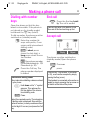
Dialling with number
keys
Open the phone so that the keyboard is accessible. If the phone is
not already on (in standby mode)
hold down the S key (on/off).
To dial a number, the phone must be
switched on (standby mode).
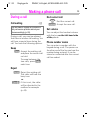
J
º
A
End call
S
Store phone number
in the Addressbook (p. 16)/
Phonebook (p. 20).
Press the Call key. The
phone number displayed
is dialled.
International dialling codes
Many international dialling codes are stored
in your phone:
down until a "+" symbol
0 Hold
appears. This replaces the
first two digits of the international dialling code.
§+ List§ Press.
Select the required country. The international dialling code is displayed. Now add the
national number (in many countries without
the first digit if it is a zero) and press the Call
key.
Press the End key briefly. The call is ended.
Press this key even if the person on the
other end of the line has hung up first.
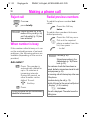
Accept call
<
Enter the number (always with prefix, if necessary with international
dialling code).
§Clear§ A short press
clears the last digit, a
long press clears the entire number.
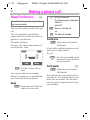
11
a
+498912345
Reply
Reject
The phone must be switched on
(standby mode).Open the phone
and
§Reply§ Press or
A
press.
If the function "Flap answer" is activated
(p. 63), a call can be accepted by simply
opening the flap (cover).
If the headset is connected calls can be accepted by simply pressing the top arrow on
the button at the side of the phone.
13.1.03
Dinghy-ger.fm
DINGHY, Int English, A31008-H6900-A4-3-7619
Making a phone call
12
Reject call
Redial previous numbers
§Reject§ Press or
S
press briefly.
§Transfer§ Diverts the caller e.g. to the
mailbox if Busy is set (p. 44)
and "call waiting" (p. 13) has
been activated.
When number is busy
If the number called is busy or it cannot be reached because of network
problems, the following options are
available (depending on the service
provider):
To redial the phone number last
called:
A
To redial other numbers that were
dialled previously:
A
B
A
S
End key.
§No§ Press.
If no key is pressed the call is automatically
ended after a few seconds.
Press the Call key once.
Pick out the required
phone number from the
list, then press ...
... to dial.
§Options§ Call lists (p. 42).
Store phone number in the
Addressbook (p. 16)/Phonebook (p. 20).
Auto redial ?
§Yes§ Press. The number is
automatically dialled for
up to 15 minutes at
increasing intervals.
During this period, no
other number can be
dialled. To end:
Press the Call key
twice.
The numbers of calls that have been received, dialled or missed are stored for callback purposes (p. 42).
An incoming call will interrupt any other use
of the phone.
Functions during the call (p. 13).
Switch off ringer for the current call (but not
if „Any key “, p. 63, is active):
*
Hold down.
The call is displayed. The caller hears the
dialling tone.
Dinghy-ger.fm
13.1.03
DINGHY, Int English, A31008-H6900-A4-3-7619
Making a phone call
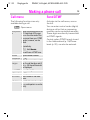
During a call
Call waiting
13
End current call
~
You may need to register for this service
with your service provider and set your
phone accordingly (p. 69).
During a call, you may be advised
that there is another call waiting. You
will hear a special tone during the
call. You have the following options:
Swap
§Swap§ Accept the waiting call
and place the current call
on hold.
To swap between the
two calls, press §Swap
each time.
Reject
§Reject§ Reject the waiting call.
The caller will hear the
busy tone
or
§Transfer§ if this is set, the caller
will be diverted to the
mailbox for example
(p. 44).
S
End the current call.
§Answer§ Accept the new call.
Set volume
You can adjust the handset volume
with the key on the left-hand side
of the phone.
Phone number memo
You can enter a number with the
keypad during a call. The person on
the other end of the line can hear the
number being entered. It can be
stored or contacted after the current
call has ended.
Dinghy-ger.fm
13.1.03
DINGHY, Int English, A31008-H6900-A4-3-7619
Making a phone call
14
Swap/Conference
~
S
End the current call.
The following query is displayed:
„Return to
held call?“
Some functions may not be supported by
your service provider.
You can call another number during a
call.
§Yes§ Return to the held call
You can swap back and forth between both calls or link all callers together in a conference.
§No§ The held call is ended.
Proceed as follows:
During a call, inform your partner of
your intention, then:
<
a
i
i
Hold
Menu
§Hold§ Put the current call on
hold.
You can now dial a new number.
When the connection is established,
you have the following options:
Swap
§Swap§ Swap back and forth between the two calls.
or
Conference
§Menu§ Open menu and select
Conference .
A held call is added (conference call
with up to 5 subscribers).
To end:
S
All calls are ended simultaneously when the End
key is pressed.
Call transfer
~
Menu§ Open menu and select
Call transfer.
The original call is connected to the
second call. This means that for you
both calls are ended. This function
may not yet be supported by all service providers.
13.1.03
Dinghy-ger.fm
DINGHY, Int English, A31008-H6900-A4-3-7619
Making a phone call
Call menu
Send DTMF
The following functions are only
available during a call:
Activate via the call menu, see on
the left.
Menu§ Open menu.
Microphone Switch the microphone on or
on
off. If switched off, the person on the other end of the
line cannot hear you. DTMF
signals, however, can be
heard.
Alternatively:
* Hold down.
You will hear a DTMF tone.
Volume
Adjust handset volume.
Conference (p. 14)
Duration/
While the connection contincharges
ues, the call duration and (if
set, p. 43) the call time/cost
are displayed.
Send DTMF See on the right.
Call transfer (p. 14)
Main menu Direct access to the main
menu.
Call status List all held and active calls
(e.g. participants in a conference).
15
You can enter control codes (digits)
during a call so that an answering
machine can be controlled remotely.
These digits are directly transmitted
as DTMF signals.
Control codes (DTMF tones) stored
in the Addressbook (p. 19)/Phonebook (p. 22), can also be entered.
Dinghy-ger.fm
13.1.03
DINGHY, Int English, A31008-H6900-A4-3-7619
Addressbook
16
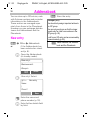
You can store up to 100 entries, each
with 3 phone numbers and reminder
information in the Addressbook.
These entries are managed separately from those in the Phonebook.
However you can exchange data between the Addressbook and the
Phonebook.
or
V
Office
Addressbook
if the Addressbook has
been selected as standard (p. 8):
Open the Addressbook
(in standby mode).
<New entry>
<Businesscard>
<Groups>
â
C
Select
<New entry> Select.
µAbc
New entry
Name :
|
Phone?
Save
J
V
You should only assign important entries to
the VIP group.
You can set your phone so that the ringer
sounds only for calls from numbers in the
VIP group (p. 60).
A call from a VIP entry can be announced by
a special melody (p. 60).
New entry
§Menu§
§Save§ Store the entry.
<Groups> (VIP)
Enter the name and
phone number (p. 16).
Enter further details field
by field.
between the Address@ Switch
book and the Phonebook.
13.1.03
Dinghy-ger.fm
DINGHY, Int English, A31008-H6900-A4-3-7619
Addressbook
17
Phone number
Read/change entry
Always enter phone number with prefix, if
necessary with the international dialling
code (p. 11).
You can access all entries via the address list.
Text entry
Press digit key repeatedly until the required
letter is displayed. The relevant characters
are shown in the display. The cursor
advances after a short delay.
V
B
View entry
Name :
Einstein
Phone?
Edit
etc. The first letter in each
name is automatically written
in UPPERCASE.
Ä,ä/1-9 Umlauts and numbers are displayed after the relevant letter.
X Move the cursor.
between UPPER* Switch
CASE, lowercase and digits.
# Switch T9 on and off.
0 Write: . , ? ! 0 + - :
1 Create a blank.
Special characters
&, @,... Special characters (p. 30).
Select required entry.
§View§ Press to display the
entry.
2 Press once for A, twice for B
§Clear§ Press briefly to delete the letter before the cursor, hold
down to erase the whole
name.
Open the Addressbook
(in standby mode).
§Edit§ The entry is opened for
changes.
J
V
Make the required
changes.
Make further changes
field by field.
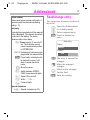
§Save§ Save the setting.
13.1.03
Dinghy-ger.fm
DINGHY, Int English, A31008-H6900-A4-3-7619
Addressbook
18
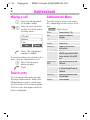
Making a call
the Addressbook
V Open
(in standby mode).
a name by enterJ/B Select
ing the first letter and/or
scrolling down.
<Groups>
Barbara
Carol
View
A
Options
Press. The highlighted
number is dialled.
If several numbers are stored in this
entry, they are displayed in a list.
B
A
Select the required
phone number.
Press.
Search entry
You can search efficiently through
the large Addressbook. When the
Addressbook is open, simply type
the first letter of the name required.
The first entry that begins with this
letter is displayed.
Addressbook Menu
The following functions are available, depending on the current situation:
§Options§ Open menu.
View
Edit
View entries (p. 16)
Display the entry for
changes.
<New entry> (see page 16)
Delete
Delete entry.
Delete all
Delete all entries after
confirmation.
Copy to SIM Highlighted entries are copied with name and the first
phone number to the SIM
card.
Copy all to Copy all the entries to the
SIM
SIM card.
Phonebook Switch to the Phonebook
(p. 20) and insert them as
standard.
Capacity
Display the capacity used
and available.
Search
Search entries.
13.1.03
Dinghy-ger.fm
DINGHY, Int English, A31008-H6900-A4-3-7619
Addressbook
19
Ring by Person
Store control code
You can set a melody for the contacts in the Addressbook. When that
person calls you, the phone will ring
using the melody you set.
You can store phone numbers and
control codes (DTMF signals) in the
addressbook as standard phonebook entries, e.g. for operating an
answering machine by remote control.
Proceed as for "Read/change entry“
and in the field for the melody use
the
key to select a standard melody, downloaded or composed melody for the person.
X
Reminders
You can save special occasion
details for the contacts in the
Addressbook, so that your phone
will remind you of these special
days.
Proceed as for "Read/change entry“
and go to field "Forget me not“ Here
you can use the
key to set the
birthday, anniversary or Valentine’s
Day events as well as noting the
date and time for these events.
X
J
0
J
0
º
Dial number.
Press until "+" appears
on the display (pause for
connection setup).
Enter DTMF signals
(digits).
If necessary enter other
pauses of 3 seconds to
ensure correct processing at the destination.
Press to copy to the
Phonebook and if required to assign a name
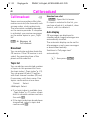
to it.
§Save§ Press.
You can also store the DTMF signals
(digits) like a phone number and
send them during a call (p. 15).
Dinghy-ger.fm
13.1.03
DINGHY, Int English, A31008-H6900-A4-3-7619
Phonebook
20
The entries in the Phonebook (SIM
card) are managed separately from
those in the Addressbook. You can,
however, exchange data between
the Phonebook and the Addressbook.
Enter the frequently used phone
number with a special name. To dial,
simply highlight the name. If a
phone number is stored with a
name, it appears on the display
when you are called. You can assign
important phone numbers to a
group.
New entry
§Menu§
or
V
Office
Phonebook
if the Phonebook is
standard (p. 8) ...
...open Phonebook (in
standby mode):
Own number
<New entry>
â
Select
<New entry> Select.
B
J
Activate input fields.
Make the following
entries:
Phone? (with prefix)
Name :
Groups :
Location : (p. 21)
Record no. (p. 21)
§Save§ Press to store.
S
end input,
e.g. for a new entry.
If entries are copied from Phonebook to
the Addressbook, further data can subsequently be added to them (p. 16).
13.1.03
Dinghy-ger.fm
DINGHY, Int English, A31008-H6900-A4-3-7619
Phonebook
Location : (Location to
store)
In the open Phonebook:
B
Select entry.
§Options§ Open the menu
and select Edit entry.
V
Record no.
A record number is automatically
assigned to every new entry in the
Phonebook. You can also dial with
this record number.
Making a call
J
Go to the input field
Location :.
An entry can be moved from the
Phonebook to other storage locations.
SIM (standard)
I
Numbers that are stored in the
Phonebook on the SIM card can also
be used on another GSM phone.
Protected SIM
,
With a special SIM card, dialling can
be limited to phone numbers that
are stored permanently on this SIM
card. PIN 2 is required for editing
(p. 65).
21
Enter record number.
#
Press.
A
Press.
Edit
In the open Phonebook:
B
Select entry.
§Options§ Open the menu
and select Edit.
V
X
Go to the input field
„Record no.“.
Scroll to the new number
and confirm with §Save§.
13.1.03
Dinghy-ger.fm
DINGHY, Int English, A31008-H6900-A4-3-7619
Phonebook
22
Store control code
You can store phone numbers and
control codes (DTMF signals) in the
Phonebook as standard Phonebook
entries, e.g. for operating an answering machine by remote control.
J
0
J
0
º
Dial number.
Press until "+" appears
on the display (pause for
connection setup).
Enter DTMF signals
(digits).
If necessary enter other
pauses of 3 seconds to
ensure correct processing at the destination.
Press to copy to the
Phonebook and if required to assign a name
to it.
§Save§ Press.
You can also store the DTMF signals
(digits) like a phone number and
send them during a call (p. 15).
Dinghy-ger.fm
13.1.03
DINGHY, Int English, A31008-H6900-A4-3-7619
Groups
Groups
§Menu§
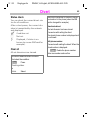
Mark a group
Office
Groups
If there are many Addressbook/
Phonebook entries it is best to assign them to a group, e.g.:
Friends, Colleagues, Family, Biz. partner,
VIP
A special melody can sound (p. 60),
if the phone number calling is registered in a group.
Assigning entries to groups /
Change group assignment
You can assign a Phonebook entry to
a group when you enter it (p. 20). To
change the group assignment or to
assign to a group later:
When the Phonebook is open:
B
Select entry.
§View§ Press.
§Edit§ Press.
V
X
23
Scroll to Groups :.
Press and select a new
group.
§Save§ Confirm assignment.
Groups
Group setup
´ Friends
(000)
¸ Colleague
(003)
· Family
(000)
View
Options
§View§ Press. All entries for the
selected group are displayed.
The following functions are applied
to a group or all entries of a group:
Group Menu
§Options Open menu.
View members
Rename
group
Remove entries
Group symbol
Display all entries assigned
to the group.
Change the current name of
the group.
Remove all members from
the selected group.
Assign a symbol to a group.
Dinghy-ger.fm
13.1.03
DINGHY, Int English, A31008-H6900-A4-3-7619
Groups
24
SMS to group
A memo (SMS) can be sent as a circular to all members of a group.
§Menu§
Office
Groups
SMS to group
´ Friends
¸ Colleague
· Family
B
(000)
(003)
(000)
Select
Select a group.
§Select§ Press.
A window for entering text messages (SMS) opens. Now proceed as
explained under "Compose a message“ (p. 27).
After entering the text:
§Options§ Open menu and select
Send. The SMS will be
sent to all members of
the selected group.
13.1.03
Dinghy-ger.fm
DINGHY, Int English, A31008-H6900-A4-3-7619
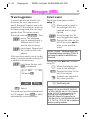
Messages (SMS)
You can transmit and receive messages on your phone.
Depending on your service provider,
e-mails can also be transmitted via
SMS (change settings if necessary,
p. 32)and e-mails can also be received as SMS messages.
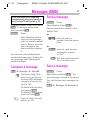
§Options§ Inbox/outbox menu
(p. 26).
.
Read Messages
¶
Display indicates a new
message.
<
a
¶
16:35
Menu
Press the soft key underneath the
letter icon to read the message.
Date/time
Number/
Sender
Message
15.11.200216:32
017198987676
Is meeting at 18.00 at hotel
tomorrow still OK?
Reply
Options
Scroll through the message (depending on length of the text)).
B
Line by line using the
control key.
Page by page using the
side key.
§Reply§ Reply menu see below.
The archive function is
displayed at the end of a
text message. This
moves the message to
the archive. You can also
give a name to the message to be archived here.
Reply menu
New SMS
Edit
Service Provider
15.11.2002
25
Answer is
Yes
Answer is
No
Create (p. 25) a new reply
text.
Edit message received or
assign a new text to it.
Add YES to the message.
Add NO to the message.
When the message has been edited
in the editor, it can be stored or sent
with §Options§ .
І
The memory is full when the message symbol flashes. No more SMS messages can be received. Delete or save
(p. 25) messages.
Numbers highlighted in the message can
be dialled (Dial key), stored (p. 16) in the
Addressbook/Phonebook or used as the
address for a reply.
13.1.03
Dinghy-ger.fm
DINGHY, Int English, A31008-H6900-A4-3-7619
Messages (SMS)
26
Inbox/Outbox
§Menu§
§Options§ Open menu.
Messages
Inbox or Outbox
The list of incoming or outgoing
messages is shown.
Delete all
Є Barbara
© Carol
© Denis
View
View
Send
Edit
Delete
Options
Predefined text
§Menu§
§Options§ See on the right.
Symbol
Є
©
Inbox
Outbox
Read
Not sent
Unread
Sent
Archive
§Menu§
Messages
Archive
Inbox or Outbox
The list of messages recorded on
the device is shown.
Archive Menu
Different functions are available,
depending on the situation:
Read entry.
Send out the message.
Open editor for changes.
Delete the message
selected.
Delete all entries after confirmation.
Messages
Predefined text
How are you?
Please call asap!
When are you coming?
View
Select
There are 11 default messages
stored in the phone. 4 user-defined
messages can be stored in the
phone and the user can enter up to
55 characters of text for each message. To create new text in user-defined messages:
<Empty>
Select, then enter your
message.
µAbc SMS
1
39
Have a good trip|
Clear
Options
13.1.03
Dinghy-ger.fm
DINGHY, Int English, A31008-H6900-A4-3-7619
Messages (SMS)
27
T9 text input allows you to create long
messages quickly, using just a few key entries (to activate T9 text input see p. 30).
Send a message
To delete letter by letter, short press
§Clear§. To delete an entire word,
press and hold §Clear§.
Select Send and then §Select§.
Options§
Press.
You can view, edit and delete the
user-defined messages. Simply edit
your message after selecting the
user-defined text.
Compose a message
J
*
Messages
Press.
Enter a valid phone number in the
Send to: field
or
Select Save and send to
save the text message
and then send it immediately or Save to save the
text message in the
phone without sending
it.
Menu§
Options§
New SMS
Text input using T9 allows you to quickly create long SMS messages
using just a few key entries (p. 30).
To delete letter by letter,
short press §Clear§.
To delete an entire word,
press and hold §Clear§.
Press to select the edit
options (p. 30).
@
press to select a
number from the phonebook
or
§Groups§ press to send the text
message to a group
(p. 23).
§Save§ The text can be saved after it has been sent.
Save a message
Options§
Press.
Select Save and then §Select§. The
text message is stored in the phone.
You can find your text messages under
§Menu§
Messages
Message out
13.1.03
Dinghy-ger.fm
DINGHY, Int English, A31008-H6900-A4-3-7619
Messages (SMS)
28
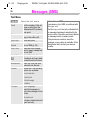
Text Menu
§Options§
Send
Save
Clear text
Picture &
Sound
Insert text
Insert from
d
Bookmarks
Format
Open the text menu.
Dial the number of the address or select from the
Addressbook /Phonebook,
then send.
Save the composed message in the outbox list.
Clear entire text.
Insert a picture and sounds
into an SMS (p. 29) .
Insert text from a predefined or newly created text
into an SMS.
Open Addressbook/
Phonebook and copy data
marked there into the text.
Enter URL from the WAP
bookmark into the text.
Format text. The following
options are available:
Insert new line
Underlined
Strikethrough
T9 input
Boldface
Input language
Select the language in
which the message is to be
written.
T9 preferred
Activate or deactivate intelligent text entry
Information on SMS
Transmission of an SMS is confirmed with
Message sent.
The Message sent text only indicates that
the message has been transmitted to the
service centre. The latter now tries to deliver
the message within a certain period.
If the phone was unable to send the
message, a retry option is available. If this
attempt also fails, contact your service
provider.
13.1.03
Dinghy-ger.fm
DINGHY, Int English, A31008-H6900-A4-3-7619
Messages (SMS)
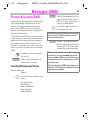
Picture & Sound (EMS)
Pictures and sounds can be inserted
into a message. Playback only occurs if the destination phone supports this EMS function. In input
mode a wildcard is shown instead of
the picture/sound.
15 pictures and 10 tones are stored
in the phone. Your own animations,
pictures and tones can be stored in
the memory and then sent out. In
certain circumstances your own pictures or tones can be sent in an extra
SMS.
J
Compose the message
as usual.
§Options§ Open the text menu at
the end of a word.
Inserting Pictures and Tones
Picture & Sound
Select.
B
Go to the menu item you
want:
Fix animations
Fix sounds
Own animations
Own pictures
Own sounds
29
§Select§ Press. Depending on the
option previously selected a list with pictures or
tones is displayed.
B
Scroll through the list to
the desired entry.
Animations are played as you scroll through
them in the list to allow checking, as are
sounds and melodies.
§Select§ Press. The selected picture or selected sound is
"inserted" in the text and
shown by a placeholder.
Pictures contained in received messages
are shown in the text, sounds are shown
as note symbols. When you scroll through a
message and reach a note symbol you will
hear the sound.
When you display an EMS message prior to
sending it the text placeholders for pictures
and sounds are hidden.
13.1.03
Dinghy-ger.fm
DINGHY, Int English, A31008-H6900-A4-3-7619
Messages (SMS)
30
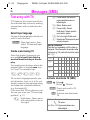
Text entry with T9
*
"T9" deduces the correct word from
the individual key entries by making
comparisons with an extensive dictionary.
1
0
Select Input language
Create a word using T9
Since the display changes as you
proceed it is best if you finish a
word without looking at the display.
You simply press the keys where the
relevant letter is located once only.
For "hotel" for example type
46835
T9 converts language-specific special characters (such as ä, à) for you.
Simply compose the message using
the respective standard character,
e.g. A instead of Ä.
If the word that T9 has chosen is not
the one you want see "T9 word suggestions", p. 31.
*
Hold down. Open menu
with edit options (see on
the right).
Blank. Ends a word.
Press briefly: Period.
Hold down: Select specific
punctuation marks.
C Go to the right. Ends word.
Change to the language in which you
wish to write the text.
§Options§ Open text menu, then
select T9 input and Input
language.
Press before the word for
uppercase/lowercase or
letters/digits.
#
Deactivate T9 temporarily and
activate it again.
Special characters
Press the key repeatedly until the letter is
displayed. To write special characters after
numbers (e.g. 5 £), switch to the letter mode
first: *
1 Blank 1 € £ $ ¥ ¤
0
*
#
.
¡
*
, ? ! 0 + - : ¿
“ ’ ; _
/ ( ) < = > % ~
#
@ \
Ξ
Π Σ Φ ΨΩ
& § Γ ∆ Θ Λ
Activate, deactivate T9 (SMS)
§§Menu§
Setup
Device
T9 input
§Select§ Press and scroll to T9
preferred .
§Edit§ Activate and deactivate
T9.
Display in the uppermost line:
T9 T9 active.
abc /Abc /123 Uppercase/lowercase,
letters/digits.
13.1.03
Dinghy-ger.fm
DINGHY, Int English, A31008-H6900-A4-3-7619
Messages (SMS)
31
T9 word suggestions
Correct a word
If several options are found in the
dictionary for a key sequence (a
word), the most frequent one is displayed first. If the word you want has
not been recognised, the next suggestion from T9 may be correct.
Words that have been created
using T9:
Move word by word to
the left/right until the
required word is highlighted.
Scroll through the T9
word suggestions again.
§Clear§ Deletes the letter on the
left of the cursor and displays a new possible
word.
The word must be §highlighted§ . Then
:
:
press. The displayed
word is replaced with a
different word. If this
word is also incorrect
press again. Repeat until
the correct word is displayed.
If the word you want is not in the dictionary it may be written without T9
or added to the dictionary.
:
hold down the key until
§-------§ is displayed:
GAbc SMS
1 1502
At 8 we are ------
Spell
X
:
Within a "T9 word" , individual letters may
not be edited without cancelling T9 first. In
most cases it is better to rewrite the complete word.
Words that have not been created
using T9:
Move character by character to the left/right.
§Clear§ Deletes the letter to the
left of the cursor.
Symbols are inserted at
the cursor position.
X
J
á
§Spell§ Select.
The word may now be entered without T9 support. Press §Save§ to add it
automatically to the dictionary.
B Scroll line-by-line.
T9®Text Input is licensed under one or more of the
following: U.S. Pat. Nos.5,818,437, 5,953,541,
5,187,480, 5,945,928, and 6,011,554; Canadian
Pat. No. 1,331,057; United Kingdom Pat. No.
2238414B; Hong Kong Standard Pat. No.
HK0940329; Republic of Singapore Pat. No.
51383; Euro.Pat. No. 0 842 463 (96927260.8) DE/
DK, FI, FR, IT, NL, PT, ES, SE, GB; and additional
patents are pending worldwide.
13.1.03
Dinghy-ger.fm
DINGHY, Int English, A31008-H6900-A4-3-7619
Messages (SMS)
32
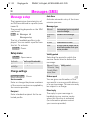
Message setup
The transmission characteristics of
an SMS are defined in a profile (maximum 5).
The presetting depends on the SIM
card used.
§Menu§
Messages
Message setup
The list of available profiles is displayed. You can select a profile from
this list. To activate:
§Activate§ Press.
Setup menu
Activate automatic retry of the transmission process.
Message type
Manual
The message type is requested
for each message.
Standard Standard SMS message.
text
Fax
Transmission via SMS.
E-mail
Transmission via SMS.
New
You may need to obtain the required code number from your
service provider.
Validity period
§Options§ Open menu.
Activate
Change
settings
Auto Save
Use the profile selected.
Change profile.
Change settings
§Change settings§
Press.
Service centre
Selecting the period in which the
service centre tries to deliver the
message:
Manual,1 hour, Validity period
12 hours, 1 day,
1 week, Maximum, New
Status report
~
Enter or change the phone numbers
of the service centres as supplied by
the service provider.
You are given confirmation of the
successful or unsuccessful delivery
of a sent message. This service may
be subject to a charge.
Recipient
Direct reply
Enter standard recipient for the selected profile.
The reply to your message is
handled via your service centre
when this function is activated
(for information please contact
your service provider).
13.1.03
Dinghy-ger.fm
DINGHY, Int English, A31008-H6900-A4-3-7619
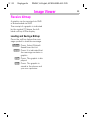
Image Viewer
Receive bitmap
A graphic can be received via SMS
or downloaded via WAP.
The receipt of a graphic is indicated
by the symbol ¶ above the lefthand soft key in the display.
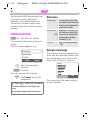
Loading and Saving a Bitmap
Press the soft key below the message symbol to read the message.
§Options§ Press. Select Picture &
Sound from the list.
§Select§ Press. It is indicated that
the message contains a
graphic.
§View§ Press. The graphic is displayed.
§Save§ Press. The graphic is
saved in the phone and
you see a preview.
33
Dinghy-ger.fm
13.1.03
DINGHY, Int English, A31008-H6900-A4-3-7619
WAP
34
Get the latest WAP information from
the Internet that is specifically
adapted to the display options of
your phone. Internet access may
require registration with the service
provider.
Internet access
§Menu§
Surf & fun
Internet
You can select the Internet access
profile.
The start menu appears, e.g.:
Homepage
Bookmarks
Profiles
View
B
Homepage
The connection to the Internet provider's portal is established (may be set/preset by
the service provider).
Bookmarks Display up to 10 URLs (Uniform Resource Locator) for
~ fast access (not supported
by all providers). Editing
bookmarks (p. 37).
Profiles
Set up to 5 access profiles
(p. 35).
Example: Homepage
Select
Select the required
function.
§Select§ Confirm.
You can now surf the Internet ...
П
Start menu
S
Hold down to end the
connection.
Offline
Р Online С
no network
The current display is in the upper right
corner.
Scroll page by page using the side keys.
The soft keys may be assigned functions that are controlled online from
the homepage of your service provider such as "links" or "menus".
News
Sportinfo
Weather
Back
Link
The contents of the option menus
are also variable.
13.1.03
Dinghy-ger.fm
DINGHY, Int English, A31008-H6900-A4-3-7619
WAP
35
Browser Menu
WAP setup
Menu access is only made when a
WAP page is displayed (online or
offline):
Preparation of the phone for Internet
access depends on the service provider currently used:
A
Back
Press to start the browser menu.
Go back to the previous
page.
Home
The first WAP Internet page
that is displayed after connection is established (may
have been set/preset by the
service provider).
Go to URL Enter a URL for direct selection of an Internet address
(URL = Uniform Resource
Locator).
Bookmark Define page currently dispage
played as a bookmark.
Bookmarks Display up to 10 URLs for
fast access.
~ Use §Menu§ to complete,
modify or delete entries or
create new entries.
Inbox
WAP Push messages or
alerts are stored here (depending on provider)
Reload
The current page is restarted.
Info
Information about the WAP
browser used and security
information.
• If the settings have already been
made by the service provider you
can begin immediately.
• If access profiles have already
been assigned by the service provider, select a profile and activate
it (p. 35).
• The access profile must be set
and activated manually (p. 35).
If necessary, check with your service
provider for details.
Profiles
You can set or change up to 5 access
profiles (may be barred by the service provider). The entries and functions may vary depending on your
service provider. You can change a
profile each time before you access
the Internet (p. 35).
Profile settings
To create a new profile proceed as
follows:
§Menu§
V
Surf & fun
Internet
Profiles
Select the profile to be
changed.
§Select§ Press and select Settings.
13.1.03
Dinghy-ger.fm
DINGHY, Int English, A31008-H6900-A4-3-7619
WAP
36
§Select§ The options are displayed.
V
Make your entries field
by field.
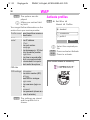
Activate profiles
§Menu§
You can get further information on the
entries from your service provider.
Profile name Name the profile or rename a
default name.
WAP para- IP address
meter
Enter IP address.
IP-Port
Enter port number.
Homepage
Enter homepage, (p. 37) if not
set by the service provider.
Linger time
Enter time in seconds after
which a connection should
be terminated if no input or
data transfer takes place.
CSD data
CSD settings Dial number
Enter dial-in number (ISP).
Call type
Select ISDN or analogue.
Login name
Enter username (login name).
Password
Enter password (shown as a
series of asterisks).
§Select§ The settings are stored
and the profile list is
shown.
Surf & fun
Internet
Profiles
Ї standard
° e-commerce
° profile 3
Select
B
Select the required profile.
§Select§ Press and select Activate.
§Select§ Press to activate.
Your Internet browser is licensed by:
Dinghy-ger.fm
13.1.03
DINGHY, Int English, A31008-H6900-A4-3-7619
WAP
37
Operating instructions
Bookmarks
Changing the homepage
You can store a list of your favorites
with their Internet addresses (URL)
in the phone (offline and online):
The address of the homepage is set
in the (access) profile. You can
change it in standby mode (if permitted by the service provider!):
Surf & fun
Internet
§Menu§
Profiles
Select the profile, e.g. Profile 1.
Store
A
Bookmark page
Select and confirm
with the right soft key.
J
Profile 1 Select.
§Select§ Press and select Settings.
§Select§ Press and select WAP parameter.
§Select§ Press and select Homepage.
§Select§ Press.
J
Enter new address.
§Select§ The homepage address
is changed.
Enter the Internet address (URL)
Menu access is available as soon as
WAP pages are displayed (online or
offline).
A
Open the browser menu.
Go to URL Select and confirm with
the right soft key.
J
Enter URL and confirm
with the right soft key.
§OK§ Press. The connection is
established.
Open the browser
menu.
§Save§
Store name/title and
URL for the WAP page
displayed or adapt it if
necessary.
Press.
Or:
Bookmarks
Select.
<Empty>
Select.
§Menu§
§Edit§
§Save§
Open the menu.
Select, enter name/title
and URL and confirm.
Press.
13.1.03
Dinghy-ger.fm
DINGHY, Int English, A31008-H6900-A4-3-7619
WAP
38
Use
A
Bookmarks
B
Open the browser
menu.
Select and confirm.
Select the desired
bookmark and confirm
with the right soft key.
The connection ist established.
Download
The WAP browser allows you to
download content such as ringtones
and bitmaps. To download simply
select the desired content and confirm your entry with .
Depending on the content selected,
the corresponding management
program is started automatically in
your phone after confirmation (e.g.
Melody Manager for ringtones).
You will find ringtones, operator bitmaps,
screen savers and other services for your
Siemens mobile phone at:
www.my-siemens.com/city
This city portal (p. 79) also includes a list of
countries in which this service is available.
You will find a large selection of contents
that can be downloaded to your phone via
WAP, such as ringtones or bitmaps for your
phone, at wap.my-siemens.com
13.1.03
Dinghy-ger.fm
DINGHY, Int English, A31008-H6900-A4-3-7619
Voice message/Mailbox
Most service providers offer an external answering service. In this
mailbox, a caller may leave a voice
message for you
Forwarding number
• if your phone is switched off or
not ready to retrieve,
§Menu§
• if you do not want to answer,
Dial the number of the mailbox.
Calls are diverted to this phone
number. To set it up:
Message setup
Your service provider supplies you
with two phone numbers:
Mailbox number
Divert
e.g.
Unanswered
Set
§OK§ Registration with the
network. Confirmation is
made after a few seconds.
• if you are making a phone call
(and if Call waiting is not active,
p. 13).
If the voice mail service is not part of
your service provider's user package, you will need to register and
the settings must be made manually. The procedure described below
may vary slightly depending on the
service provider.
For further information on call diversion, p. 44.
Listen to
A new voice mail can be displayed
as follows:
or
h Icon plus beep
¶
Messages
Voice message
Enter a number or change it and confirm with §OK§ .
a text message announces a new voice mail.
or
you receive a call with an
automatic announcement.
You call this phone number to listen
to the voice mails left for you. To set
it up:
§Menu§
39
Call your mailbox and play the message(s) back.
1
Hold down (if necessary dial
the mailbox number of the
service centre).
Outside your home network, a different
mailbox number may need to be dialled and
a password may need to be entered to
access your mailbox.
13.1.03
Dinghy-ger.fm
DINGHY, Int English, A31008-H6900-A4-3-7619
Cell broadcast
40
Cell broadcast
~
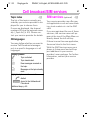
Some service providers offer information services (info channels) such
as area codes, stock markets etc.
The information available depends
on the service provider. If reception
is activated, you receive messages
on the active topics in your „Topic
list“
.
§Menu§
Messages
Cell broadcast
Broadcast
You can activate and deactivate the
CB service. If the CB service is activated, the operating time of the
phone will be reduced.
Topic list
You can add an unrestricted number
of topics to this personal list from
the topic index („Topic index“,p. 41).
You can preset at least 10 entries
with their channel number (ID) and,
if necessary, with their name. Five
topics can be active at one time.
Current
Select.
<Add topic> Select.
• If no topic index is available (see
„Topic index“, p. 41), enter a topic
with its channel number and confirm with §OK§ .
• If the topic index has already been
transmitted, select a topic and
confirm with §OK§ .
Selection from a list
§Options§ Open the list menu.
If a topic is selected in the list, you
can have a look at it, activate it, deactivate it, edit it or delete it.
Auto display
CB messages are displayed in
standby mode, longer messages are
automatically scrolled.
The automatic display can be set for
all messages or only new messages
or deactivated entirely.
Switches to "full page view"
automatically:
#
then press §View CB.
13.1.03
Dinghy-ger.fm
DINGHY, Int English, A31008-H6900-A4-3-7619
Cell broadcast/SIM services
Topic index
~
The list of the topics currently provided by your service provider is displayed for you to choose from.
If none are displayed, the channel
numbers (ID) may be entered manually („Topic list“
, p. 40). Please contact your service provider for details.
CB languages
You may define whether you want to
receive Cell Broadcast messages
only in a specific language or in all
languages.
Display symbols
^
å
©
Є
Topic activated.
Topic deactivated.
New messages received on
the topic.
Messages on the topic already
read.
Highlighted phone numbers can be:
A dialled.
§Options§ stored in the Addressbook/
Phonebook.
Additional beep, p. 60.
41
SIM services (optional) ~
Your service provider can offer special applications such as home banking, stock market etc. via the SIM
card.
If you are registered for one of these
services, the service name will appear at the top of the Main Menu or
directly above the left soft key.
If there is more than one application,
these are listed in the first menu.
With the SIM Services menu your
phone is future-proof and will support additions to your service
provider’s user package. For further
information, contact your service
provider.
Dinghy-ger.fm
13.1.03
DINGHY, Int English, A31008-H6900-A4-3-7619
Records
42
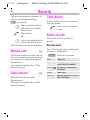
Your phone stores the numbers of
calls for convenient redialling.
§Menu§
B
A
C
Records
Select required call list
and select the number
from this list.
Dial number
Calls dialled
Access to the last phone numbers
that you dialled.
A
Fast access in standby
mode.
Erase records
or
view more detailed information about the entry.
The contents of all call lists is
erased.
The following call lists are available:
Records menu
Missed calls
The call list menu can be called up if
an entry is highlighted.
~
The phone numbers of calls that you
have received but not answered can
be recorded for call-back purposes.
Requirement:
The network supports the "Caller
Identity" feature.
Calls received
~
All accepted calls are listed.
Requirement:
The network supports the "Caller
Identity" feature.
§Options§ Open the list menu.
View
Read entry
Correct no. Load number onto display and
correct there if necessary.
Save to d Store entry in addressbook/
phonebook.
Delete
Delete entry.
Erase all Delete all entries in the call list
after confirmation.
Dinghy-ger.fm
13.1.03
DINGHY, Int English, A31008-H6900-A4-3-7619
Duration/charges
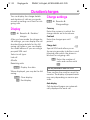
You can display the charge details
and duration of calls as you speak,
as well as setting a unit limit for outgoing calls.
Charge settings
Display
Currency
Records
charges
§Menu§
Duration/
After you have made the charge detail settings, you can display the call
duration/charge details for the following call types or you can display
the credit balance if you are using a
pre-paid SIM card.
Select a call type:
Last call
All calls
Remaining units
§Select§ Display the data.
When displayed, you may do the following:
§Reset§ Clear display.
§OK§ End display.
§Menu§
43
Records
Charge settings
Enter the currency in which the
charge details are to be shown.
Cost/unit
Enter the charges per unit/
period.
~
Charge limit
~
Special SIM cards allow you or
the service provider to define a credit/period after which the phone is
blocked for outgoing calls.
§Edit§ Enter the number of
units and confirm with
§OK§.
You may be asked to enter the PIN2.
Then confirm the credit or reset the
counter. The display of prepaid cards
may vary depending on service provider.
Auto display
Call duration/charges are automatically displayed for each call.
Dinghy-ger.fm
13.1.03
DINGHY, Int English, A31008-H6900-A4-3-7619
Divert
44
You can set the conditions for which
calls are diverted to your mailbox or
other numbers.
Divert
§Menu§
You can set divert as follows:
The most common condition for forwarding is:
Unanswered
§Menu§
B
Divert
Select:
Unanswered.
§Select§ Press.
Set Select.
J
Enter the phone number
to which a call will be diverted (if not already
done).
§OK§ Press. After a short
pause, the setting is confirmed by the network.
Unanswered
This setting covers the most important conditions (see also on the right):
Not reachable, No reply, Busy
All calls
All calls are diverted.
Not reachable
Divert if the phone is switched off or
out of range.
No reply
A call is only diverted after a delay
(depends on the network). The period can be set by the user to a maximum of 30 seconds.
Busy
Divert if a call is in progress.
Exception: If Call waiting is activated
(p. 69), you will hear the call waiting tone
during a call (p. 13).
Receiving fax
Fax calls are diverted to a number
with a fax connection.
Receiving data
Data calls are diverted to a phone
number with a PC connection.
Dinghy-ger.fm
13.1.03
DINGHY, Int English, A31008-H6900-A4-3-7619
Divert
Status check
You can check the current divert status for all conditions.
After a short pause, the current situation is transmitted by the network
and displayed.
^
_
?
Condition set.
Not set.
Displayed, if status is unknown (on a new SIM card for
example).
Clear all
All set diversions are cleared.
To check or delete a certain condition:
First select the condition.
§Select§
Press.
Checking status
or
Delete
Select.
45
Note that the diversion is stored in the network and not in the phone (when the SIM
card is changed for example).
Reactivate divert
The last diversion has been stored.
Proceed as with setting the divert.
The stored phone number is displayed and
is confirmed.
Edit phone number
Proceed as with setting the divert. When the
stored number is displayed:
§Delete§ Delete the phone number.
Enter new number and confirm.
Dinghy-ger.fm
13.1.03
DINGHY, Int English, A31008-H6900-A4-3-7619
Organiser
46
Calendar
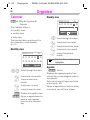
§Menu§
Weekly view
20 02/1 1 /1 5
Office Organiser
Calendar
Fr
10 11 12 13 14 15 16
The Calendar offers a
• monthly view
Month 4 Agenda
• weekly view
• daily view.
The time and date must be set for
the Calendar to work properly
(p. 51).
Monthly view
20 02/1 1 /1 5
Fr
B
*
#
1
3
10 11 12 13 14 15 16
BX
*
#
1
3
Agenda
Scroll through the days.
Jump back one month.
Jump forward one
month.
Jump back on year.
Jump forward on year.
§Week§ Display the weekly view.
§Agenda§ Show an appointment or
enter a new appointment for the selected
day.
Jump back one week.
Jump forward one week.
Jump back one month.
Jump forward one
month.
Schedule. Time overlaps are
highlighted.
17 18 19 20 21 22 23
Week
Scroll through the days.
Agenda
§Agenda§ Select.
Displays the appointments of the
current day in chronological order in
the agenda.
Tasks which are still open are listed
at the top (p. 46).
When an appointment with an alarm
is reached, you will hear a beep.
Dinghy-ger.fm
13.1.03
DINGHY, Int English, A31008-H6900-A4-3-7619
Organiser
Appointments
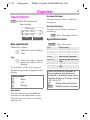
§Menu§
Office Organiser
Appointments
<New entry>
O
& 15/11 18:30
K
ä 06/12 16:00
View
Options
New appointment
<New entry> Select.
B
Type:
X
Make the entries field by
field:
Select the type of the appointment: Memo, Call or
Meeting.
On the basis of this choice one of
the following symbols appears in the
display:
Display symbols
O
U
K
Memo
Call
Meeting
Description:
You can enter a more detailed description of the appointment here.
The text is shown later in the daily
view (p. 46).
47
Start date:/End date:
Change the start date, end date if
necessary.
Start time:/End time:
Change the start time, end time if
necessary.
§Save§ Store the appointment.
Appointments menu
§Options§ Open the menu.
View
Edit
New entry
Delete
Delete all
Capacity
Show the entry.
Open the entry for changes.
Enter a new appointment.
Delete the entry selected.
Delete all entries after confirmation.
Display the maximum of capacity.
A total of 50 entries can be created. An
alarm sounds even when the phone is
switched off. To deactivate it press any key.
Deactivate all alarms p. 55. Ringer setting
p. 60, Clock p. 51.
^
Display when alarm is active.
§Pause§
Delays the alarm by 5 minutes.
Dinghy-ger.fm
13.1.03
DINGHY, Int English, A31008-H6900-A4-3-7619
Organiser
48
Tasks
§Menu§
Current date:
X
Office Organiser
Tasks
§Yes§ You can then enter time
and date of the task.
Tasks are not shown in the calendar or not
marked as an appointment there.
However unlike the appointment it
does not need to have a time and
date. When this is the case the task
appears at the top of the list every
day, until it is marked as done.
<New entry>
O
å 28/11 09:00
K
å 24/12 18:30
View
Options
New task
<New entry> Select.
X
J
Select the task type (see
„New appointment“,
p. 47).
Describe the task briefly.
Status:
X
Choose between Outstanding and Done.
Select from:
§No§ The input fields for date
and time are not available.
§Save§ Save the task.
Tasks menu
§Options§ Open the menu.
View
Done/Outstanding
Edit
New entry
Delete
Delete all
Capacity
Show the entry.
Mark task as done or open.
Open the entry for changes.
Enter a new task.
Delete the entry selected.
Delete all entries after confirmation.
Display the maximum of capacity and availability.
A total of 50 entries can be created. An
alarm sounds even when the phone is
switched off. To deactivate it press any key.
Deactivate all alarms p. 55. Ringer setting
p. 60, Clock p. 51.
^
Display when alarm is active.
§Pause§
Delays the alarm by 5 minutes.
Dinghy-ger.fm
13.1.03
DINGHY, Int English, A31008-H6900-A4-3-7619
Organiser
Forget me not
§Menu§
Office Organiser
Forget me not
Your phone will remind you of special dates like Birthday, Anniversary
and Valentine’ s Day, so you do not forget them.
Enter Forget me not
New entries are added to the "Forget me not" list with Type:, Name :,
Date: and Time:.
<New entry>
M
ä 17/03 Carol
¸
ä 23/12 Daniel
View
Options
<New entry> Select.
B
Type:
X
Make the entries field by
field:
Select the type of the
"Forget me not": Birthday,
Anniversary or Valentine.
On the basis of this choice one of
the following symbols appears in the
display:
Display symbols
M
º
¸
Birthday
Anniversary
Valentine
49
Name :
Enter the name of the person.
Date:
Enter the date.
Time:
Enter the time.
§Save§ Store "Forget me not".
"Forget me not" menu
§Options§ Open the menu.
View
Activate/
Disable
Edit
New entry
Delete
Delete all
Capacity
Send
Display selected entry.
Activate/deactivate alarm.
Open the entry for changes.
Enter a new Forget me not.
Delete the entry selected.
Delete all entries after confirmation.
Display the maximum of entries and available entries.
Send entry as text of an
SMS.
A total of 50 entries can be created. An
alarm sounds even when the phone is
switched off. To deactivate it press any key.
Deactivate all alarms p. 55. Ringer setting
p. 60, Clock p. 51.
^
Display when alarm is active.
§Pause§
Delays the alarm by 5 minutes.
13.1.03
Dinghy-ger.fm
DINGHY, Int English, A31008-H6900-A4-3-7619
Organiser
50
Missed alarms
§Menu§
Office Organiser
Missed alarms
Appointments with alarm which you
have missed are listed and can be
displayed.
Missed alarms Menu
§Options§ Open the menu.
You can send an alarm missed, print
it, delete it or delete all alarms
missed.
Missed appointm.
§Menu§
Office Organiser
Missed appointm.
Appointments with alarm which you
have missed are listed and can be
displayed.
Missed appointm. Menu
§Options§ Open menu.
You can send an appointment
missed, print it, delete it or delete all
appointments missed.
Dinghy-ger.fm
13.1.03
DINGHY, Int English, A31008-H6900-A4-3-7619
Clock
§Menu§
Office
Clock
Alarm clock
Use this function to set a single
time for the alarm call. The alarm
sounds even when the phone is
switched off or all ringers are
switched off.
51
Date format
Select the date format from one of 5
different display formats, e.g. MM/DD/
YYYY or DD.MM.YYYY.
Time format
You may select 12-hour or 24-hour
format.
§Select
Displays the set time and
days for the alarm call.
§Change§
Set the days and time
when you want to be
woken.
Select the city for the 2nd clock.
Switching on and switching off the alarm.
The time display can be switched on
and off.
§On/off§
2nd clock
Display
World clock
Auto phone off
Select city
The phone switches off each day at
the set time.
Select a city in your time zone.
Activate:
Time/date
§Edit§ Press.
Set the local date and time. The
clock must be set correctly once at
start-up.
Time Press.
§Select
Displays the current date
and time.
§Change§
You can change the date
and time.
J
Enter the numbers via
the keypad and save your
entry with §OK§.
J
Enter time
(24-h clock).
§OK§ Confirm.
Deactivate:
§Manual§ Press.
§OK§ Confirm.
If the battery is removed for more than
about 30 seconds, the clock must be reset.
Dinghy-ger.fm
13.1.03
DINGHY, Int English, A31008-H6900-A4-3-7619
Calculator
52
§Menu§
J
B
Office
Calculator
Special functions
Enter number
(up to 7 digits).
Select the calculator
functions. These are displayed and scrolled in the
top right of the display
each time you press a
key ( + - X ÷ ).
24
C
÷
=
Example:
24 : 2 = 12
24
V
2
=
Enter number 24.
Press down arrow
four times (for ÷ ).
Enter number 2.
Press right soft key
to display result.
.
Set decimal point.
(Press #)
=
Result.
(Press right soft key)
+
add
–
subtract
X
multiplicate
÷
divide
±
Toggle between "+" and "-".
(Press *)
C
Cancel all entries.
(Press left soft key)
Dinghy-ger.fm
13.1.03
DINGHY, Int English, A31008-H6900-A4-3-7619
Currency converter
Office
Currency converter
§Menu§
You can calculate the exchange rates
between different currencies.
Rate setting
J
Input the foreign currency to your domestic currency.
§OK§ Confirm.
B
Press to see the reverse
currency conversion rate.
Save§ Save the conversion
rate.
Calc. Rate
J
B
Enter the amount to be
converted.
Toggles between your
own currency and the
foreign currency.
Convert Press to get the result.
53
Dinghy-ger.fm
13.1.03
DINGHY, Int English, A31008-H6900-A4-3-7619
Games
54
§Menu§
Surf & fun
Games
Select game
Key control
Select a game from the list and have
fun!
1 23
4 56
7 89
Game instructions
You will find special instructions for
each game in the options menu.
§Options§ Provides tips on how to
play the game, shows
the saved scores and
allows you to set the
level of difficulty.
§Start§ Start game.
function depends
on the game
or
use the keys
BX
and
Dinghy-ger.fm
13.1.03
DINGHY, Int English, A31008-H6900-A4-3-7619
Profiles
If a profile is used, several settings
are made with one function.
• Four profiles are standard with default settings, however they can
be changed:
Normal environ., Quiet environ.,
Noisy environ., Headset
• You may set two personal profiles
individually (<Empty>).
55
Setup
Edit a default profile or create a new
personal profile:
B
Select profile.
§Options§ Open the menu and
select Change settings.
§Select§ Confirm.
• The special profile Aircraft mode is
fixed and cannot be changed
(p. 56).
Profiles menu
If the phone is used by several people, they can each activate their own
settings by selecting their personal
profile.
Activate
Activate the selected profile.
Change set- The following functions can
tings
each be set individually for a
profile:
§Options§ Open the menu.
Ringer setting p. 60
Activate
§Menu§
B
Profiles
Select default profile or
personal profile.
p. 60
Silent alert
p. 60
Info tones
°
Ї
°
Normal environ.
Quiet environ.
Noisy environ.
Activate
Options
Highlights the active profile.
p. 60
Melodies
Call screening p. 60
§Activate§ Activate the profile.
Ї
Volume
Copy from
With
<Empty>:
Rename
p. 62
Key tones
p. 62
Illumination
p. 63
Big letters
p. 63
When you have finished setting a function you return to
the profile menu where you
can change a further setting.
Copy settings from another
profile.
Rename the profile.
13.1.03
Dinghy-ger.fm
56
DINGHY, Int English, A31008-H6900-A4-3-7619
Profiles
Headset
Aircraft mode
If an original Siemens Headset is
used the profile is activated automatically as soon as the headset is
plugged in (see also page 69).
All alarms are deactivated.
It is not possible to modify this
profile.
• The phone must be switched off
when you select a profile.
• In this status, alarms are not indicated by the ringer or silent alert.
Activate Aircraft mode
§Menu§fProfiles
B
Select Aircraft mode.
§Activate§ Activate profile and confirm with §Yes§.
The phone switches
itself off automatically.
Normal operation
The next time you switch on the
phone and return to normal operation the default profile will be
activated
Dinghy-ger.fm
13.1.03
DINGHY, Int English, A31008-H6900-A4-3-7619
My menu
My menu
§Menu§
Combine your own menu with frequently used functions, phone numbers or WAP pages.
The list of the 10 entries available is
preset. However you can change it
according to your wishes.
For fast access:
C Press then ...
N ... press twice.
Activate
B
Select the required
entry.
§Select§ Press.
the desired entry is a phone
A Ifnumber
the Call key can then
be pressed to start the call immediately.
57
Change settings
You can replace each preset entry
(1-10) with another entry from the
list of your favorites.
B
Select the required
entry.
§Options§ Press.
Change settings
B
Select.
Select the new entry in
the selection list (see
page 55).
§Set§ Press.
If you have selected a phone
number or a WAP favorite as a new
entry, the relevant application opens
for the selection.
Reset all
After confirmation and after entering
the phone code, the default entries
are reset.
13.1.03
58
Dinghy-ger.fm
DINGHY, Int English, A31008-H6900-A4-3-7619
Fast access key
The left soft key and the keys 2 to 9
(speed dialling numbers) can each
be assigned an important phone
number or a function. The phone
number can then be dialled or the
function can be started at the touch
of a button.
Left soft key
The left soft key can be used for fast
access.
Edit
<
A function may already have been programmed on this soft key by your service
provider (e.g. access to "p SIM services"). This key assignment may be unmodifiable.
The soft key may sometimes be replaced
with © /h to access a new message.
Key assignments available:
•
•
•
•
•
•
•
•
•
•
•
•
•
•
•
•
•
•
Internet ................................ p. 34
Bookmarks........................... p. 37
Missed calls......................... p. 42
Calls received ..................... p. 42
New SMS ............................ p. 25
Alarm clock .......................... p. 51
Games ................................. p. 54
Illumination .......................... p. 63
Hide ID (Incognito) ............... p. 69
My menu ............................. p. 57
Divert for call........................ p. 44
Tasks ................................. p. 48
Phone number ..................... p. 20
Profiles................................. p. 55
Agenda ................................ p. 47
Calculator............................. p. 52
Currency converter .............. p. 53
View CB ............................... p. 40
a
Service Provider
15.11.2002
¹
¸
14:51
Menu
Press (if not preset differently).
§Edit§ Assign the new application (e.g. Games) to the
soft key.
Special case Phone number.
Pick out a name from the Phonebook/
Addressbook (e.g."Carol“) to assign to
the soft key.
§Select§ Confirm setting.
The left soft key is now assigned to a
new application and this can be
called by pressing the key.
<
a
Service Provider
15.11.2002
Games
14:51
Menu
13.1.03
Dinghy-ger.fm
DINGHY, Int English, A31008-H6900-A4-3-7619
Fast access key
Speed dialling numbers
Digit keys 2 to 9 can be used as
speed dialling numbers for fast
access. For key assignments available see p. 58.
The following key is reserved:
1 = mailbox number (p. 39)
Edit
In standby mode:
J
Press digit key (2-9).
§Games§ press briefly (if assigned
with e.g. "Games").
§Edit§ Scroll to the application
in the list.
Special case Phone number. scroll to a
name in the Phonebook/Addressbook for assignment to the key.
§Select§ Confirm setting.
Special case Internet. Scroll to an
URL in the bookmark list for assignment to the key.
§Select§ Confirm setting.
59
Apply
Select a stored phone number
or start a stored application (e.g.
Games).
In standby mode:
2
Press.
The assignment of digit key 2 is displayed instead of the left soft key,
e.g.:
§Games§ Press and confirm
2
or simply
hold down.
Dinghy-ger.fm
13.1.03
DINGHY, Int English, A31008-H6900-A4-3-7619
Audio
60
You can set tones to sound in specific situations to suit your particular
tastes.
§Menu§
Audio
then select a function:
Ringer setting
Activate, deactivate the ringer or reduce it to a short beep and confirm
this as the basic setting.
ä
&
Beep is activated.
Ringer is deactivated.
In standby mode: Activate and deactivate
the ringer for the current session:
* Hold down.
Displays rising volume.
If two separate phone numbers are registered for your phone, you can set different
volumes for them (p. 63).
Melodies
You can choose from 20 default melodies and additionally use 3 melodies that you have composed/stored
yourself or a maximum of 10 downloaded melodies.
B
Once the phone has been switched off and
on again and following use with the headset
or car kit, the basic setting is reactivated.
Volume
B
B
Select the range:
B
First select the type:
Any call
d call
Group calls
Alarm
Messages
Cell broadcast
Melody manager
Then select the melody.
Any call
d call
Group calls
Alarm
Messages
Cell broadcast
Melody manager
Set volume.
You can use this function to manage
your melodies.
§OK§ Confirm.
§OK§ Confirm.
§Menu§
Surf & fun
Melody manager
Embedded melody
There are 20 default melodies for
you to choose from.
13.1.03
Dinghy-ger.fm
DINGHY, Int English, A31008-H6900-A4-3-7619
Audio
Download melody
You can download melodies from
the website and save these.
Receive melody
A melody can be sent to your phone
via SMS or WAP.
When a melody has been received
an icon appears above the left soft
key.
Press this key to start the melody.
61
Press 8 to repeat the
note highlighted. Press
9 to add dot into
highlighted note.
Press 0 to add one
rest note.
Press * to modify
note or rest into prefer
beats.
Press # to modify
compass of note.
.
Compose melody
§Menu§
Audio
Compose melody
or
§Menu§
Surf & fun
Melody manager
Compose melody
You can also compose one-voice
melodies yourself.
§Select Press to select from the
three "My Music“locations, then select Melody
Edit. "Main title" or "Secondary title" can be selected and edited individually.
Key in the musical alphabet. The keys 1 to
7 represent the notation of C, D, E, F, G, A, H
in order.
§Options§ Press and then
for example
Tempo set the playback tempo
or
Select Instrument
play the melody with another instrument
and then
§Save select to save the composed melody.
13.1.03
Dinghy-ger.fm
DINGHY, Int English, A31008-H6900-A4-3-7619
Audio
62
Silent alert
Info tones
To avoid being disturbed by the ringer, you can activate the silent alert instead. It can also be active in addition to the ringer (e.g. in noisy
environments). The silent alert is deactivated when the battery is being
recharged.
Activate/deactivate all service tones
and alarm tones or use Extended to
activate/deactivate tones on switching on/off the phone, scrolling in
menus over a wrap-around line or
when doing deletion.
Call screening
~
Only calls from numbers that are in
the Phonebook/Addressbook are
signalled audibly or by the silent
alert. Other calls are merely displayed.
If you do not accept these calls, they
are diverted to your mailbox (if set,
p. 44).
(
Displayed when
activated.
Key tones
Set acoustic key tone:
Click or Tone or Silent
Minute beep
During a call you hear a beep after
each minute as a reminder of the
time elapsed.
Dinghy-ger.fm
13.1.03
DINGHY, Int English, A31008-H6900-A4-3-7619
Setup
Device
Setup
Device
Select a function.
§Menu§
63
V
or
scroll down to the desired wallpaper and select with §Save .
Language
Illumination
Set the language for the display text.
When Automatic is set the language
of your service provider is used. If a
language that you do not understand
happens to be set, the phone can be
reset to the language of your service
provider with the following input:
The display illumination can be
switched on and off (switching it off
increases the standby time).
*#0000# A
Big letters
You can change the size of the letters for the display.
Contrast
Display
Set the contrast of the display with
.
the key
Own greeting
Keys & flap
Select a greeting text that you can
create yourself.
§Select§ Activate and deactivate.
J
Delete old texts and
write new texts.
§OK§ Confirm changes.
Wallpaper
There are 3 default wallpapers to
choose from, one of which can be
customised.
§Select§ Press, then
either
Save select to deactivate the
wallpaper
B
Any key
You can answer incoming calls using
any key (except S).
Key tones
You can set the type of the key tone:
Click or Tone or Silent
Flap answer
You can set to auto answer, where
flipping open the phone replaces
pressing the answer key.
13.1.03
Dinghy-ger.fm
64
DINGHY, Int English, A31008-H6900-A4-3-7619
Setup
Status
T9 input
Fact. settings
Input language
(does not apply to Asia pacific products)
The phone is reset to the default values (does not apply to SIM card or
network settings).
Select the preferred language for the
T9 input.
Phone identity
T9 preferred
The phone identity number (IMEI) is
displayed. This information may be
useful for customer service.
Activate intelligent text entry or deactivate it.
Fast Search
Associated
(for Asia Pacific products only)
Network reconnection is speeded
up when this function is active
(standby time is reduced).
Automatically display choices of
characters typically used in pairs.
13.1.03
Dinghy-ger.fm
DINGHY, Int English, A31008-H6900-A4-3-7619
Setup
65
Security
Codes (Security codes)
The phone and SIM card are protected against misuse by several security codes and should be treated with
the same care as a debit card.
PIN control
For further details see page 65.
The PIN is usually requested each
time the phone is switched on. You
can deactivate this feature but you
risk unauthorised use of the phone.
Keep these confidential numbers in a
safe place where you can access them
again if required.
Some service providers do not permit this function.
PIN
You can change the PIN to any 4-8
digit number (i.e. a number you may
find easier to remember).
PIN 2
PUK
Phone
code
§§Menu§
Protects your SIM card (personal
identification number).
This is needed to set the charge
detail display and to access additional functions on special SIM
cards.
Key code. Used to unlock SIM
cards after the wrong PIN has
been entered.
Protects your phone. Must be entered at the first security setting
(4 - 8 digits).
Setup
Security
then select a function:
Change PIN1
J
Enter old PIN.
§OK§ Press.
J, §OK§
J, §OK§
Enter new PIN.
Repeat new PIN.
Change PIN2
You can change the PIN 2 to any 4-8
digit number (displayed only if PIN 2
is available).
Proceed as with Change PIN1.
Ch. phonecode
You define and enter the phone code
when you call up a phone-code protected function for the first time. It is
then valid for all functions.
You can change it to any 4-8 digit
number.
13.1.03
Dinghy-ger.fm
DINGHY, Int English, A31008-H6900-A4-3-7619
Setup
66
§Menu§
Setup
Security
Select a function:
Block line
The line can be blocked. For security
reasons a new phone code must be
entered.
Only ,
(PIN2 protected)
The dialling options are restricted to
SIM-protected phone numbers. If
only area codes are entered, the relevant phone numbers can be added
to these manually before dialling.
This SIM only
(Phone code protected)
Your phone is prevented from operating with a different SIM card.
Network
§Menu§
Setup
Network
Select a function:
Line
Select the line to be used.
Network info
The list of GSM networks currently
available is shown.
j
Indicates forbidden service providers (depending
on SIM card).
Choose network
The network search is restarted.
This is useful if you are not in your
home network or if you want to register in another network. The network info list is rebuilt.
Auto network
~
This function is only displayed if it is
supported by the service provider.
Two independent phone numbers
must be registered on the phone.
Select line
Configuration
Activate or deactivate, see also
"Choose network" above.
If "Automatic network" is activated,
the next network is dialled in the order of your "preferred service providers". Otherwise a different network
can be selected manually from the
list of available GSM networks.
13.1.03
Dinghy-ger.fm
DINGHY, Int English, A31008-H6900-A4-3-7619
Setup
67
~
Net operator
Barring
A list of available network operators
is displayed from which you can select a specific service provider.
Barring restricts the use of your SIM
card (not supported by all service
providers). You need a 4-digit password that your service provider supplies you with. You may need to be
registered separately for each barring.
Scroll down to an entry in the list of
service providers and confirm with
§Select.
Pref. network
The service providers you prefer after your home service provider are
displayed in this list (e.g. if there are
several service providers that differ
in price).
If the signal strength of your preferred network is not strong enough when you switch
the phone on, the phone may log on to a different network. This will not change until the
phone is switched on next time.
When this function is activated, the
list that your home service provider
proposes is displayed first. You can
edit this as required:
§List§
Display list of preferred
networks.
Scroll to an entry in the list of the
service providers and confirm with
§Select .
Then select Insert, Add to end or Delete
from the menu, to insert the network operator, change the preferences or delete the entry from a list
of preferred operators.
All outgoing
All outgoing calls except emergency
number 112 are barred.
Outg. internat
Only national calls can be made.
Out Int. exHome
International calls are not permitted.
However you can make calls to your
home country when abroad.
All incoming
The phone is barred for all incoming
calls (forwarding all calls to the mailbox has a similar effect).
13.1.03
Dinghy-ger.fm
DINGHY, Int English, A31008-H6900-A4-3-7619
Setup
68
When roaming
Select group
You do not receive calls when you
are outside your home network. This
means that no charges are incurred
for incoming calls.
You may select or add groups other
than the preferred groups (see below). The service provider supplies
you with code numbers for the
groups.
Status check
The following information can be displayed after a status check:
^
å
?
Barring set.
Barring not set.
Status unknown
(e.g. new SIM card).
Outg. access
In addition to network control for a
user group, it is possible to set
whether outgoing calls outside the
group are permitted. If the function
is deactivated, only calls within the
group are permitted.
Clear all
Pref. Group
All barrings are cleared.
If activated, only calls within this
standard user group can be made
(depending on the network configuration).
User group
§Menu§
~
Setup
User group
If offered by the service provider,
this service enables groups to be
formed. These have access for example to internal (company) information or special tariffs apply to them.
Check with your service provider for
details.
User group
Activate or deactivate the function.
User group must be deactivated for
normal phone use (phone code,
p. 65).
13.1.03
Dinghy-ger.fm
DINGHY, Int English, A31008-H6900-A4-3-7619
Setup
During calls
§Menu§
Time/Date
Setup
During calls
Select a function:
Call waiting
Alarm clock
Please refer to page 51.
~
If you are registered for this service,
you can check whether it is set and
you can activate or deactivate it
(p. 13).
Hide ID
69
~
When you make a call, your number
may be displayed on the recipient's
display (depending on the service
providers).
To suppress this display, you may
activate the "Hide ID" mode for the
next call or for all subsequent calls.
You may need to register separately
with your service provider for these
functions.
World clock
Please refer to page 51.
Auto phone off
Please refer to page 51.
Accessories
§Menu§
Setup
Accessories
Select a function:
Headset
If an original Siemens Headset is
used the profile is activated automatically as soon as the headset is
plugged in.
User-definable settings:
Auto answer
(factory default: off)
Calls are automatically accepted
after a few seconds. You should be
wearing the Headset.
Dinghy-ger.fm
13.1.03
DINGHY, Int English, A31008-H6900-A4-3-7619
Display symbols
70
Displays
Soft keys
< Strength of incoming signal.
e Charging completed.
b Battery indicator.
r
&
)
All calls are diverted.
(
Ringer only if caller is stored in
the Addressbook/Phonebook.
$
*!*
Ringer off (except alarm).
Short ring (beep) only.
Alarm is set.
Transmission unencrypted.
Phone numbers/names:
I
[
,
SIM Card.
Phone memory.
Restricted SIM Card.
j No network access.
= Line 1 active (of 2 lines).
^ Function active.
?
Unknown network function.
¹
Addressbook/Phonebook.
abc/
Abc
T9
Indicates whether UPPERCASE
or lowercase letters are active.
Text input with T9.
П
Р
WAP Offline.
R
½
Headset mode.
WAP Online.
Alarm clock active.
¶
h
Message received.
Voice mail received.
Unanswered call.
º
p
:
.
Store in Addressbook/
Phonebook.
SIM services.
T9 word selection.
Store in archive.
13.1.03
Dinghy-fb-ger.fm
DINGHY, INT English A31008-H6900-A4-3-7619
Questions & Answers
71
Should you have any questions on using the phone, we are available 24 hours a day at
www.my-siemens.com/customercare. See below for solutions to some of our frequently
asked questions.
Problem
Possible causes
Phone cannot On/Off key not pressed long
be switched on. enough.
Possible solutions
S
Press On/Off key for at least two seconds.
Flat battery.
Charge battery. Check charging indicator in the display.
Battery contacts dirty.
Clean contacts.
See also below under: “charging
error"
Standby time
too short.
Frequent use of the organiser and Restrict use if necessary.
games.
Speed search active.
Deactivate speed search (p. 64).
Display illumination on.
Switch off display illumination (p. 63).
Charging fault Battery totally discharged.
(charge icon not
displayed).
SIM error.
1) Plug in charger cable.
2) Wait up to 2 hours until the charge icon is displayed.
3) Charge battery as usual.
Temperature out of range:
5 °C to 40 °C.
Make sure the ambient temperature is right, wait a
while, then recharge.
Contact problem.
Check power supply and connection to the phone.
Check battery contacts and device interface, clean
them if necessary, then insert battery again.
No mains voltage.
Plug in to a different socket or check voltage.
Wrong charger.
Only use original Siemens accessories.
Battery fault.
Replace battery.
SIM card not correctly inserted.
Make sure that the SIM card is correctly inserted (p. 6).
SIM card contacts dirty.
Clean the SIM card with a dry cloth.
SIM card with wrong voltage.
Use 3 V SIM cards only.
SIM card damaged (e.g. broken). Inspect the damage. Return the SIM card to service
provider.
13.1.03
Dinghy-fb-ger.fm DINGHY, INT English A31008-H6900-A5-3-7619
72
Questions & Answers
Problem
Possible causes
Possible solutions
No connection to
network.
Signal weak.
Move higher, to a window or open space.
Phone loses
network.
Calls not possible.
Outside GSM range.
Check service provider coverage map.
SIM card not valid.
Reclaim at the service provider.
New network not authorised. Try manual selection or select a different network
(p. 66).
Network barring is set.
Check barrings (p. 67).
Network overloaded.
Try again later.
Signal too weak.
Reconnection to another service provider is automatic
(p. 66). Switching the phone on and off may speed
this up.
2nd line set.
Set line 1 (p. 66).
New SIM card inserted.
Check for new restrictions.
Charge limit reached.
Reset limit with PIN 2 (p. 45).
Credit used up.
Load credit.
Call restrictions are set.
Barrings may have been set by your service provider.
Check barrings (p. 67).
Call divert to the mailbox not Set call divert to the mailbox (p. 44).
set.
SMS memory full.
Delete messages (SMS) to make room (p. 26).
Certain uses of the
phone not possible.
Voice mail does not
work
SMS (text message)
І flashes.
Function cannot be Not supported by your serv- Contact your service provider.
set.
ice provider or registration
required.
Charge counter
Charge pulse not transmitted. Contact your service provider.
does not work.
13.1.03
Dinghy-fb-ger.fm
DINGHY, INT English A31008-H6900-A4-3-7619
Questions & Answers
Problem
Possible causes
Possible solutions
Message cannot be
sent.
Service provider does not support this
service.
Phone number of the service centre is
not set or is wrong.
SIM card contract does not support this
service.
Service centre overloaded.
Addressee does not have a compatible
phone.
Three wrong entries.
Check with your service provider.
PIN error/
PIN 2 error.
Phone code error.
Service provider code
error.
Too few/too many
menu entries.
No fax possible.
Three wrong entries.
No authorisation for this service.
73
Set service centre (p. 32).
Contact your service provider.
Repeat message.
Check.
Enter the MASTER PIN (PUK) provided with
the SIM according to the instructions. If
MASTER PIN or PIN are lost, contact your
service provider.
Contact Siemens Service (p. 74).
Contact your service provider.
Functions may have been added or re- Check with your service provider.
moved by the service provider via the
SIM card.
Incorrect settings in the PC.
Check settings (p. 63).
No authorisation for the service.
Contact your service provider.
Damage
Severe shock.
Phone became wet.
Remove battery and SIM and insert them again. Do not dismantle the phone.
Remove battery and SIM card. Dry immediately with cloth, do not heat. Dry connector contacts thoroughly. Stand unit upright in an air current. Do not dismantle the
phone.
13.1.03
74
Dinghy-ss-ger.fm
DINGHY, INT English A31008-H6900-A4-3-7619
Siemens Service
Simple, straightforward support for technical and operational queries is available from our online support service on the Internet:
www.my-siemens.com/customercare
or in the „Questions & Answers“ section.
If repair work is necessary please contact one of our service centres. In some countries repair
and replace services are impossible where the products are not sold through our authorised
dealers.
Abu Dhabi .......................................... 0 26 42 38 00
Argentina ...................................... 0 80 08 88 98 78
Australia........................................... 13 00 66 53 66
Austria ............................................. 05 17 07 50 04
Bahrain....................................................... 40 42 34
Bangladesh ........................................ 0 17 52 74 47
Belgium .............................................. 0 78 15 22 21
Bosnia Herzegovina ........................... 0 33 27 66 49
Brazil ............................................. 0 80 07 07 12 48
Brunei.................................................... 02 43 08 01
Bulgaria................................................. 02 73 94 88
Cambodia.............................................. 12 80 05 00
Canada.......................................... 1 88 87 77 02 11
China............................................. 0 21 50 31 81 49
Croatia ............................................... 0 16 10 53 81
Czech Republic................................. 02 33 03 27 27
Denmark ............................................... 35 25 86 00
Dubai.................................................. 0 43 96 64 33
Egypt .................................................. 0 23 33 41 11
Estonia .................................................. 06 30 47 97
Finland.............................................. 09 22 94 37 00
France .............................................. 01 56 38 42 00
Germany ....................................... 0 18 05 33 32 26
Greece........................................... 0 80 11 11 11 16
Hong Kong ............................................ 28 61 11 18
Hungary ........................................... 06 14 71 24 44
Iceland .................................................... 5 11 30 00
India ..........................................01 13 73 85 89 - 98
Indonesia ...................................... 0 21 46 82 60 81
Ireland.............................................. 18 50 77 72 77
Italy .................................................. 02 66 76 44 00
Ivory Coast ............................................ 21 35 02 35
Jordan................................................ 0 64 39 86 42
Kenya ...................................................... 2 72 37 17
Kuwait..................................................... 2 45 41 78
Latvia ...................................................... 7 50 11 14
Lebanon................................................ 01 44 30 43
Libya ................................................ 02 13 50 28 82
Lithuania............................................ 8 52 74 20 10
Luxembourg......................................... 43 84 33 99
Macedonia ........................................... 02 13 14 84
Malaysia.......................................... 03 21 63 11 18
Malta ..................................... 00 35 32 14 94 06 32
Mauritius ................................................ 2 11 62 13
Mexico........................................ 01 80 07 11 00 03
Morocco ............................................... 22 66 92 09
Netherlands.................................. 0 90 03 33 31 00
New Zealand ................................... 08 00 27 43 63
Nigeria ............................................... 0 14 50 05 00
Norway ................................................. 22 70 84 00
Oman ......................................................... 79 10 12
Pakistan ........................................... 02 15 66 22 00
Philippines ......................................... 0 27 57 11 18
Poland.............................................. 08 01 30 00 30
Portugal ............................................. 8 08 20 15 21
Qatar..................................................... 04 32 20 10
Romania........................................... 02 12 04 60 00
Russia ........................................... 8 80 02 00 10 10
Saudi Arabia...................................... 0 22 26 00 43
Serbia .............................................. 01 13 22 84 85
Singapore ............................................. 62 27 11 18
Slovak Republic ............................... 02 59 68 22 66
Slovenia ............................................. 0 14 74 63 36
South Africa..................................... 08 60 10 11 57
Spain.................................................. 9 02 11 50 61
Sweden ............................................. 0 87 50 99 11
Switzerland...................................... 08 48 21 20 00
Taiwan............................................. 02 23 96 10 06
Thailand............................................. 0 22 68 11 18
Tunisia .................................................. 71 86 19 02
13.1.03
Dinghy-ss-ger.fm DINGHY, INT English A31008-H6900-A4-3-7619
Siemens Service
Turkey ........................................... 0 21 65 79 71 00
Ukraine.......................................... 8 80 05 01 00 00
United Arab Emirates ........................ 0 43 31 95 78
United Kingdom ............................ 0 87 05 33 44 11
USA............................................... 1 88 87 77 02 11
Vietnam................................................. 45 63 22 44
Zimbabwe ............................................. 04 36 94 24
Note
When calling customer service, please
have ready your receipt and the phone
identity number (IMEI, to display press
*#06#), the software version (to display
press *#06#, then §Info§ ) and if necessary
your Siemens Service customer number.
75
13.1.03
76
Dinghy-dz-ger.fm
DINGHY, INT English, A31008-H6900-A4-3-7619
Specifications/maintenance
Declaration of conformity
Care and maintenance
Siemens Information and Communication mobile hereby declares that
the phone described in this user
guide is in compliance with the essential requirements and other relevant provisions of European Directive 1999/5/EC (R&TTE).
The declaration of conformity (DoC)
concerned has been signed. Please
call the company hotline if you require a copy of the original.
A lot of care has gone into designing
and manufacturing your phone;
please treat it with care. You will enjoy using your phone for a very long
time if you follow the suggestions
below.
• Keep your phone dry and protect
it from moisture. Precipitation,
moisture and liquids contain minerals that will corrode electronic
circuits. If your phone does become wet, you should immediately disconnect it from the power
supply, if there is one, or remove
the batteries.
• Never use your phone in dusty or
dirty conditions, and don't keep it
in such places. The phone's moving parts may be damaged.
• Never keep the phone in places
that are too hot. High temperatures can shorten the life of electronic devices, damage batteries
and deform or melt certain plastics.
• Never keep the phone in places
that are too cold. Moisture that
will damage electronic boards
may form inside the phone when
it warms up again (to its normal
operating temperature).
• Never drop the phone; do not expose it to impacts or shocks and
do not shake it. Rough treatment
like this may break the circuit
boards in the device.
Technical data
GSM class:
Frequency range:
GSM class:
Frequency range:
Weight:
Dimensions:
Operating voltage:
Operating
temperature:
Standby time:
Talk time:
SIM card:
4 (2 Watt)
880 - 960 MHz
1 (1 Watt)
1, 710 - 1, 880 MHz
73 g
73 x 39 x 22 mm
3.8 Volt
-10 °C to 55 °C
up to 220 h
up to 4.5 h
3.0 Volt
13.1.03
Dinghy-dz-ger.fm DINGHY, INT English, A31008-H6900-A4-3-7619
Specifications/maintenance
• Never clean your phone with corrosive chemicals, cleaning solutions or harsh detergents.
All the above notes apply equally to
phones, batteries, chargers and accessories of any kind. If any of these
parts do not work properly please
take them to your specialist dealer.
They will be able to assist you and
repair the device if necessary.
Phone ID
You will need the following details if you
lose your phone or SIM card. Please enter
here the number of the SIM card (on the
card):
..............................................................
15-digit serial number of the phone
(under the battery):
..............................................................
Customer Service number
of the service provider:
..............................................................
Lost phone
If you lose your phone and/or SIM card,
contact your service provider immediately
to prevent misuse.
77
Quality declaration for
battery
The capacity of your mobile phone
battery reduces each time you
charge/ discharge it. Storing the battery at temperatures that are too
high or too low also causes a gradual
loss of capacity. This can cause the
operating times of your mobile
phone to reduce significantly per usage cycle.
The battery is, however, designed to
be charged and fully discharged
within a period of six months from
when the mobile phone was purchased. Following this six months
period, we recommend replacing
your battery if you experience a significant drop in performance. Please
purchase only Siemens original batteries.
13.1.03
Dinghy-dz-ger.fm
DINGHY, INT English, A31008-H6900-A4-3-7619
Accessories
78
Basics
Li-Ion Battery (600mAh)
L36880-N6901-A108
The Li-Ion Battery increases the standby
and talk times and weighs significantly less.
Loop Headset with PTT
L36880-N6901-A103 (Asia Pacific)
L36880-N6901-A106 (rest of the world)
Battery charger
L36880-N6901-A102 (only available in Asia
Pacific)
The charger is a convenient solution for
charging a spare battery. The charge status
is indicated by an LED. The battery is charging when the red LED is lit. At the end of the
charging process the LED goes out.
The spare battery should be inserted in the
charger with the Siemens logo visible on the
top. Make sure that the battery clips fully into
the charger. To take the battery out again,
push it down slightly and pull it out.
s
The loop headset is used for full-duplex
handsfree calling with digital voice quality.
This headset allows you to conveniently
wear your headset around your neck.
Only use the original Siemens battery
charger!
Original Siemens accessories
www.siemens.com/
mobilestore
13.1.03
Dinghy-dz-ger.fm DINGHY, INT English, A31008-H6900-A4-3-7619
Personalisation
The CL50 offers numerous options
for personalisation, i.e. individual
configuration to suit your own specific tastes. For example you can
have operator graphics as bitmaps *
or screensavers sent via SMS to
your mobile phone. SMS can also be
used to send sounds as ring tones
to your CL50.
The Siemens City portal offers numerous ringtones, screensavers and
operator bitmaps.
You will find the City portal on the
Internet under:
www.my-siemens.com/city
The portal also includes a list of
countries where this service is available.
The following pages in the User
Guide describe the relevant download process:
Ringtone melodies ............... p. 60
Operator bitmaps* ............... p. 33
_______________________________
* An operator bitmap is a graphic
which can be loaded into the display
of the mobile phone in place of the
network operator designation and
will appear there permanently. This
graphic is however linked to the network of the operator concerned and
is not usually displayed during roaming (e.g. when you are logged on
abroad to the network of another
provider).
79
13.1.03
80
Dinghy-dz-ger.fm
DINGHY, INT English, A31008-H6900-A4-3-7619
SAR (European Union)
THIS MODEL OF PHONE MEETS
THE EU REQUIREMENTS FOR EXPOSURE TO RADIO WAVES.
Your mobile phone CL50 is a radio
transmitter and receiver. It is designed and manufactured not to exceed the limits for exposure to radio
frequency (RF) energy recommended by The Council of the European
Union. These limits are part of comprehensive guidelines and establish
permitted levels of RF energy for the
general population. The guidelines
were developed by independent scientific organisations through periodic and thorough evaluation of scientific studies. The limits include a
substantial safety margin designed
to assure the safety of all persons,
regardless of age and health.
The exposure standard for mobile
phones employs a unit of measurement known as the Specific Absorption Rate, or SAR. The SAR limit recommended by The Council of the
European Union is 2.0 W/kg.* Tests
for SAR have been conducted using
standard operating positions with
the phone transmitting at its highest
certified power level in all tested frequency bands. Although the SAR is
determined at the highest certified
power level, the actual SAR level of
the phone while operating can be
well below the maximum value. This
is because the phone is designed to
operate at multiple power levels so
as to use only the power required to
reach the network. In general, the
closer you are to a base station antenna, the lower the power output.
Before a phone model is available for
sale to the public, compliance with
the European R&TTE directive must
be shown. This directive includes as
one essential requirement the protection of the health and the safety
for the user and any other person.
The highest SAR value for this model phone CL50 when tested for compliance against the standard was
0.88 W/kg. While there may be differences between the SAR levels of
various phones and at various positions, they all meet the EU requirements for RF exposure.
_______________________________
* The SAR limit for mobile phones used by the
public is 2.0 watts/kilogram (W/kg) averaged
over ten grams of tissue. The limit incorporates
a substantial margin of safety to give additional
protection for the public and to account for any
variations in measurements. SAR values may
vary depending on national reporting requirements and the network band. For SAR information in other regions please look under product
information at www.my-siemens.com
13.1.03
Dinghy-dz-ger.fm DINGHY, INT English, A31008-H6900-A4-3-7619
SAR (International)
THIS CL50 MEETS REQUIREMENTS FOR EXPOSURE TO RADIO
WAVES.
Your mobile phone CL50 is a radio
transmitter and receiver. It is designed and manufactured not to exceed the limits for exposure to radio
frequency (RF) recommended by international guidelines (ICNIPP).
These limits are part of comprehensive guidelines and establish permitted levels of RF energy for the general population. The guidelines were
developed by independent scientific
organisations through periodic and
thorough evaluation of scientific
studies. The guidelines include a
substantial safety margin designed
to assure the safety of all persons,
regardless of age and health.
The exposure standard for mobile
phones employs a unit of measurement known as the Specific Absorbtion Rate, or SAR. The SAR limit stated in the international guidelines is
2.0 W/kg*. Tests for SAR are conducted using standard operating positions with the phone transmitting
at its highest certified power level in
all tested frequency bands. Although the SAR is determined at the
highest certified power level, the actual SAR of the phone while operating can be well below the maximum
value. This is because the phone is
designed to operate at multiple
power levels so as to use only the
power required to reach the network. In general, the closer you are
to a base station the lower the
power output of the phone.
81
The highest SAR value for this
model phone CL50 when tested for
use at the ear is 0.88 W/kg. While
there may be differences between
the SAR levels of various phone and
at various positions, they all meet
the relevant international guidelines
for RF exposure.
_______________________________
* The SAR limit for mobile phones used by the
public is 2.0 watts/kg (W/kg) averaged over ten
grams of tissue. The guideline incorporates a
substantial margin of safety to give additional
protection for the public and to account for any
variations in measurements. SAR values may
vary depending on national reporting requirements and network bands. For SAR information in other regions please look under product
information at www.my-siemens.com
13.1.03
82
Dinghy-garantie- DINGHY, Int English, A31008-H6900-A4-3-7619
Guarantee certificate (UK)
Without prejudice to any claim the
user (customer) may have in relation
to the dealer or retailer, the customer shall be granted a manufacturer's
Guarantee under the conditions set
out below:
• In the case of new devices and
their components exhibiting defects resulting from manufacturing and/or material faults within
24 months of purchase, Siemens
shall, at its own option and free of
charge, either replace the device
with another device reflecting the
current state of the art, or repair
the said device. In respect of parts
subject to wear and tear (including but not limited to, batteries,
keypads, casing), this warranty
shall be valid for six months from
the date of purchase.
• This Guarantee shall be invalid if
the device defect is attributable to
improper treatment and/or failure
to comply with information contained in the user manuals.
• This Guarantee shall not apply to
or extend to services performed
by the authorised dealer or the
customer themselves (e.g. installation, configuration, software
downloads). User manuals and
any software supplied on a separate data medium shall be excluded from the Guarantee.
• The purchase receipt, together
with the date of purchase, shall be
required as evidence for invoking
the Guarantee. Claims under the
Guarantee must be submitted
within two months of the Guaran-
tee default becoming evident.
• Ownership of devices or components replaced by and returned to
Siemens shall vest in Siemens.
• This Guarantee shall apply to new
devices purchased in the European Union. The Guarantee is issued
by Siemens plc, Siemens House,
Oldbury, Bracknell, Berkshire,
RG12 8FZ.
• Any other claims resulting out of
or in connection with the device
shall be excluded from this Guarantee. Nothing in this Guarantee
shall attempt to limit or exclude a
Customers Statutory Rights, nor
the manufacturer's liability for
death or personal injury resulting
from its negligence.
• The duration of the Guarantee
shall not be extended by services
rendered under the terms of the
Guarantee.
• Insofar as no Guarantee default
exists, Siemens reserves the right
to charge the customer for replacement or repair.
• The above provisions does not imply a change in the burden of
proof to the detriment of the customer.
To invoke this Guarantee, please
contact the Siemens phone service.
The relevant number is to be found
in the accompanying user guide.
13.1.03
Dinghy-ENSIX.fm
DINGHY, Int Englisch A31008-H6900-A4-3-7619
Index
A
Accessories ................................
Addressbook
make entry ..............................
read entry/change ....................
Agenda .......................................
Airplane mode
profile .....................................
Alarm clock .................................
Alarms missed ............................
Appointments .............................
missed ....................................
Audio ..........................................
Auto answer (in the car) ...............
Auto redial ..................................
78
16
17
46
56
51
50
47
50
60
69
12
B
Battery charger ...........................
Battery charging station ...............
Beep, ring tone ...........................
Big letters ...................................
Bitmap
load ........................................
Bitmap viewer .............................
Browser (WAP) ...........................
78
78
60
63
33
33
35
C
Calculator .................................... 52
Calendar ..................................... 46
Call
accept/end .............................. 11
charges ................................... 43
divert ...................................... 44
holding .................................... 14
menu ...................................... 15
missed .................................... 42
not possible .............................. 8
several simultaneously ............. 13
transfer ................................... 14
83
Calls
received .................................. 42
Care ............................................ 76
CB services ................................. 40
Change network .......................... 66
Charge display ............................. 43
Charging (battery) .......................... 7
Clock .................................... 51, 54
Conceal ID .................................. 69
Conference ................................. 14
Confidential numbers ............. 10, 65
Connection (2nd phone number) .. 66
Contrast (display) ......................... 63
Control codes (DTMF) ...... 15, 19, 22
Currency conv. ............................ 53
D
Daily view ................................... 46
Date (set) .................................... 51
Dialed numbers (call list) .............. 42
Display
contrast ................................... 63
illumination .............................. 63
settings ................................... 63
symbols .................................. 70
uppercase letters ..................... 63
Displaying charges ....................... 43
Divert .......................................... 44
Download ................................... 79
DTMF tones .................... 15, 19, 22
E
Embedded Melody ...................... 60
EMS (pictures and sounds) .......... 29
F
Fast access .................................
Fast search .................................
Favorites .....................................
Filter (for calls) .............................
58
64
57
62
13.1.03
Dinghy-ENSIX.fm
DINGHY, Int Englisch A31008-H6900-A4-3-7619
84
Index
G
N
Games ........................................ 54
Getting started .............................. 6
Greeting ..................................... 63
Network search ........................... 64
H
Handset volume .......................... 13
Headset (profile) .......................... 56
Holding a call ............................... 14
I
Illumination .................................
IMEI number ...............................
Information services ....................
Information tones ........................
International prefix .......................
63
64
40
62
11
K
Key tone ..................................... 62
L
Language (display) ....................... 63
Loop headset .............................. 78
Loss of phone, SIM card .............. 77
M
Mailbox ....................................... 39
Maintenance of the phone ........... 76
Melody
compose ................................. 61
load ........................................ 60
manager ................................. 60
select ...................................... 60
Menu
control ...................................... 5
Message (SMS) .......................... 25
Microphone
Switch off/on ........................... 15
Minute beep ............................... 62
Missed calls (call list) ................... 42
Monthly view .............................. 46
O
Operator bitmaps ........................
Organiser ....................................
OTA melody ................................
Outgoing (SMS) ...........................
79
49
61
26
P
Phone ID ..................................... 77
Phone identity number (IMEI) ....... 64
Phone number memo .................. 13
Phonebook .................................. 20
group ...................................... 23
Phonecode ............................ 10, 65
PIN
change .............................. 10, 65
enter ......................................... 8
error ........................................ 73
PIN 2 .................................... 10, 65
Prefix .................................... 11, 17
Profiles ....................................... 55
Protect phone (new SIM) ............. 66
PUK ...................................... 10, 65
R
Received calls (call list) ................
Record number ...........................
Redial .........................................
Reminder ....................................
Ringer setting ..............................
Ruflisten .....................................
42
21
12
49
60
42
S
Safety precautions ......................... 3
Security ................................ 10, 65
Service centres ........................... 32
Setup
device ..................................... 63
display .................................... 63
language ................................. 63
13.1.03
Dinghy-ENSIX.fm
DINGHY, Int Englisch A31008-H6900-A4-3-7619
Index
Siemens Hotlines ........................ 74
Silent alert ................................... 62
SIM
protect phone .......................... 66
SIM services ................................. 9
SIM-Services ............................... 41
SMS
insert pictures ......................... 28
message type ......................... 32
setup ...................................... 32
state report ............................. 32
to group .................................. 24
Soft keys
set .......................................... 58
SOS .............................................. 8
Special characters ....................... 30
Speed dialling numbers ............... 59
Standard values
reset ....................................... 64
Standby mode ............................... 8
Standby time ................................ 7
Swap .......................................... 13
Switch on/off phone ...................... 8
T
T9
correcting words .....................
text entry ................................
Technical data .............................
Text entry (adressbook) ...............
Text entry (SMS) .........................
Time zones .................................
Time/charge ................................
Time/date ...................................
set ..........................................
Topic list (CB) ..............................
Troubleshooting ..........................
31
30
76
17
30
51
43
54
51
40
71
85
U
Uppercase and lowercase ...... 17, 30
User group (network) ................... 68
V
Validity (SMS) ..............................
VIP group ....................................
Voice message ............................
Volume
handset ...................................
ringer ......................................
32
16
39
13
60
W
Wallpaper ....................................
WAP
access .....................................
browser ..................................
profiles ....................................
setup ......................................
Weekly view ...............................
World clock .................................
63
34
35
35
35
46
51