1
Chapter 26 – Component Menus and Navigation
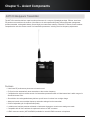
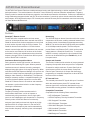
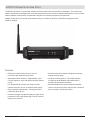
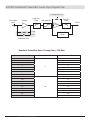
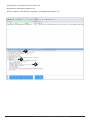
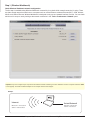
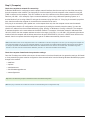
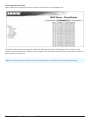
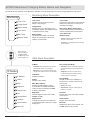
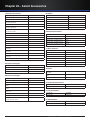
AXT100 Bodypack Transmitter Menus and Navigation
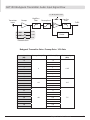
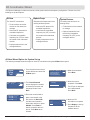
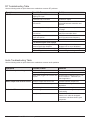
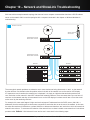
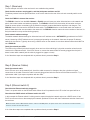
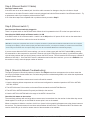
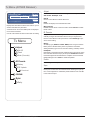
The following menu descriptions reflect a linked AXT100 transmitter, with ShowLink remote control enabled.
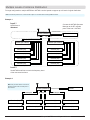
Menu Descriptions
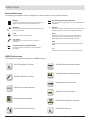
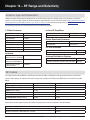
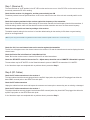
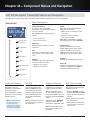
Home Screen
}
<Unlinked>
6
525.725 MHz
Use the SET key to select the group or
channel.
|
7:30
Group and Channel
A group is a set of compatible
frequencies. A single frequency within a
group is a channel.
• G: Change the group
Group and
Channel
Frequency
• Ch: Change the channel
Frequency
Manual frequency selection in 25 kHz
increments.
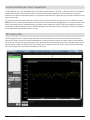
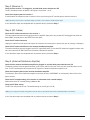
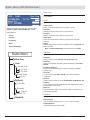
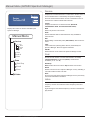
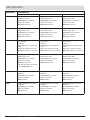
Gain
Sets the input sensitivity level (gain).
Gain range is -10 to +40 dB in 1 dB
steps.
Gain
RF Mute
RF Mute
Disables the RF carrier signal, which
mutes transmission of audio.
Unlink
ShowLink Test
• TX On: RF signal enabled
• TX Off: RF signal disabled
Firmware
Unlink
Ends the Link relationship between
transmitter and receiver.
• YES: Ends the Link between transmitter
and receiver.
• NO: Preserves the Link between
transmitter and receiver.
Note: When a transmitter is unlinked,
the channel name reverts to Unlinked.
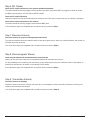
ShowLink Test
Activates the ShowLink test 5-bar
display. Measures the remote control
range of a ShowLink Access Point.
Note: A minimum of one bar must be
displayed to have ShowLink control.
Firmware
Displays the installed firmware version.
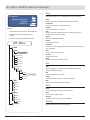
Device ID
Identifies the transmitter on a linked
receiver or in WWB. Use the SET and
arrow keys to edit the Device ID.
Device ID
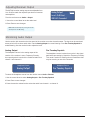
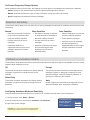
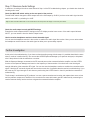
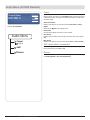
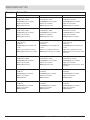
Locking the Buttons
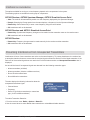
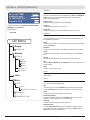
RF PWR
Power-on RF mute
PCB Serial Number
Press and hold the ▼ and ▲
buttons for 2 seconds to lock.
Repeat to unlock.
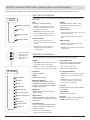
Use lower power settings to
conserve battery life and to
prevent RF overload at the
receiver.
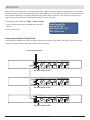
With the transmitter turned
off, press and hold both the ▼
button and the SET button, and
then press and hold the Power
button.
1.Enter the RF PWR menu by
pressing and holding the SET
button, and then pressing the
▼ button.
Note: A password is required
in some regions to change the
RF power level.
After power-on, an RF Muted
message indicates that the
transmitter is in RF Mute mode.
Lock the buttons of the
transmitter to prevent
accidental or unauthorized
parameter changes.
Note: For added security,
the transmitter has a
secondary lock switch
located inside the battery
compartment. If engaged,
all controls will be locked.
Sets RF power level. Access
this menu by pressing and
holding the SET button and
then pressing the ▼ button.
Power-on RF mute prevents
transmission of audio when
powering on the transmitter.
Note: RF Mute mode persists
through power cycles of the
transmitter.
Displays the serial number of
the printed circuit board (PCB)
installed in the unit.
2.Press the ▲ button to access
the serial number.
3.Momentarily press the power
button to return to the home
menu screen.
Chapter 26 – Component Menus and Navigation
153