1
Table of contents
Notices................................................................................................. vi
Safety information...............................................................................vii
About this guide..................................................................................viii
System package contents..................................................................... x
Chapter 1: System Introduction
1.1
Welcome!............................................................................... 1-2
1.2
Front panel ........................................................................... 1-2
1.3
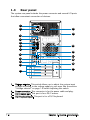
Rear panel.............................................................................. 1-4
1.4
Internal components.............................................................. 1-7
Chapter 2: Basic Installation
2.1
Preparation............................................................................ 2-2
2.2
Before you proceed............................................................... 2-2
2.3
Removing the side cover and front panel assembly.............. 2-3
2.4
Central Processing Unit (CPU)............................................... 2-4
2.5
2.6
2.4.1
Overview.................................................................. 2-4
2.4.2
Installing CPU........................................................... 2-4
2.4.3
Installing the heatsink and fan................................. 2-6
Installing a DIMM.................................................................... 2-8
2.5.1
Memory configurations............................................ 2-8
2.5.2
Installing a DDR2 DIMM.......................................... 2-10
2.5.3
Removing a DDR2 DIMM......................................... 2-10
Expansion slots.................................................................... 2-11
2.6.1
Installing an expansion card................................... 2-11
2.6.2
Configuring an expansion card............................... 2-11
2.6.3
PCI Express x 1 slot............................................... 2-13
2.6.4
PCI slots................................................................. 2-13
2.6.5
PCI Express x 16 slot............................................. 2-13
2.7
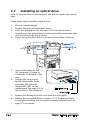
Installing an optical drive..................................................... 2-14
2.8
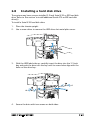
Installing a hard disk drive................................................... 2-15
2.9
Installing a floppy disk drive................................................ 2-18
2.10 Removing the bay covers and reinstalling
the front panel assembly and side cover............................. 2-19
iii