1
46
Barracuda 9LP Installation Guide, Rev. E
W/WD/LW drives
Setting the SCSI W/WD
ID jumpers
drives section
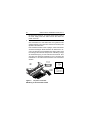
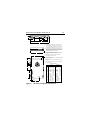
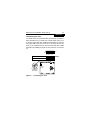
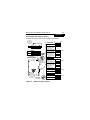
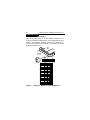
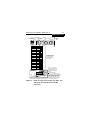
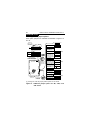
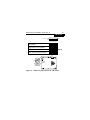
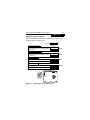
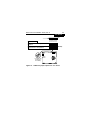
Use the J6 jumper block to set the SCSI ID (Figure 11). To
change the SCSI ID, install jumpers on the appropriate pins as
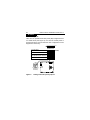
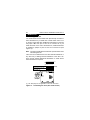
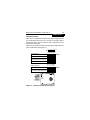
shown in the illustration. Optional connections to switching circuits in host equipment are provided on J1 auxiliary to set the
SCSI ID (see Figure 12).
Drive
Front
Jumper Plug
(enlarged to
show detail)
Pin 1
J6 [1]
L R
Reserved E E A A A A
D S
SCSI ID = 0
3 2 1 0
(default)
SCSI ID = 1
SCSI ID = 2
SCSI ID = 3
SCSI ID = 4
SCSI ID = 5
SCSI ID = 6
SCSI ID = 7
SCSI ID = 8
SCSI ID = 9
SCSI ID = 10
SCSI ID = 11
SCSI ID = 12
SCSI ID = 13
SCSI ID = 14
SCSI ID = 15
Figure 11. Setting the SCSI ID on model W/WD drives