1
O
Onn--SSccrreeeenn D
Diissppllaayy M
Meennuu SSeettttiinnggss
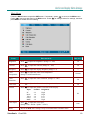
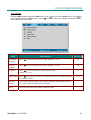
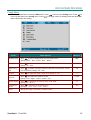
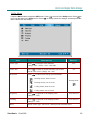
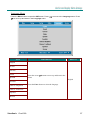
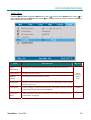
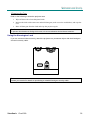
Setup Menu
to move to the Setup menu. Press
to
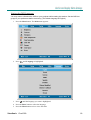
Press the Menu button to open the OSD menu. Press
to change values for settings, and then press Enmove up and down in the Setup menu. Press
ter to confirm the new setting.
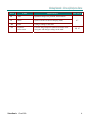
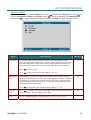
ITEM
DESCRIPTION
DEFAULT
Horizontal
Position
Press
to move the image left or right. (Range: 0—100)
50
Vertical
Position
Press
to move the image up or down. (Range: 0—100)
50
Keystone
Press
to correct distortion of the projected image.
(Range: -50—50)
Aspect Ratio
to toggle between the 4:3 standard format and 16:9 High Definition
Press
TV (HDTV) format.
Advance
Feature
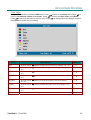
The Advance feature enables you to adjust additional feature settings such as
User Color, White Peaking and Logo Display.
Reset
Resets Keystone and Aspect Ratio to default values
ViewSonic Cine1000
0
16:9
21