1
Gigaset A200 / englisch / A31008-A200-B101-1-7619 / settings_bs_hs.fm / 16.01.2003
Handset settings
Handset settings
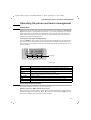
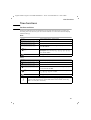
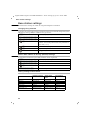
Your handset has default settings. You can change these settings individually.
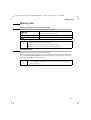
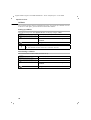
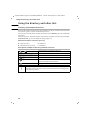
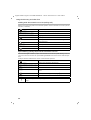
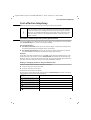
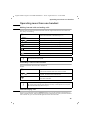
Change display language
You can set the display texts to appear in one of a number of languages.
[_______________]
MENU
Press display key to open menu.
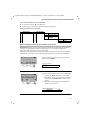
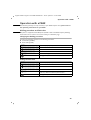
Using the keys O 2 call up the procedure.
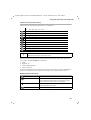
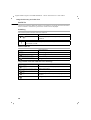
Press keys Q 1 for English (default status).
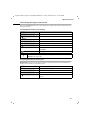
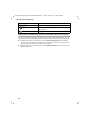
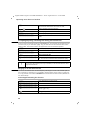
Other languages:
Q 1 for German,
Q 5 for Spanish,
Q N for Danish,
1 1 for Finnish,
1 4 for Turkish,
Q I for French,
Q L for Portuguese,
Q O for Norwegian,
1 2 for Czech,
1 5 for Russian,
Q 4 for Italian,
Q M for Dutch,
1 Q for Swedish,
1 I for Polish,
1 L for Croatian.
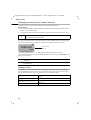
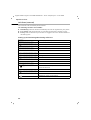
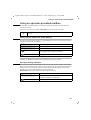
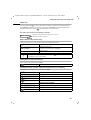
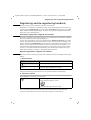
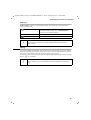
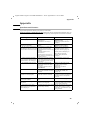
Activate/deactivate automatic call acceptance
For an incoming call simply take the handset out of the base station or charging unit,
without having to press key c (default setting: on).
[_______________]
MENU
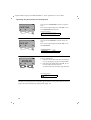
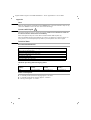
Press display key to open menu.
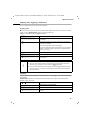
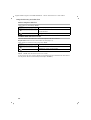
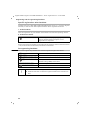
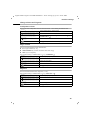
either ...
Deactivate automatic call acceptance:
or ...
Activate automatic call acceptance:
Press keys O 1 Q.
Press keys O 1 1.
38