1
Chapter 3: Working with Windows® 8
Starting for the first time..........................................................................................44
Windows® 8 lock screen............................................................................................44
Windows® UI.................................................................................................................45
Start screen........................................................................................................................ 45
Windows® Apps............................................................................................................... 45
Hotspots.............................................................................................................................. 46
Working with Windows® apps................................................................................49
Launching apps................................................................................................................ 49
Customizing apps............................................................................................................ 49
Accessing the Apps screen........................................................................................... 51
Charms bar......................................................................................................................... 53
Snap feature...................................................................................................................... 55
Other keyboard shortcuts.......................................................................................57
Connecting to wireless networks.........................................................................59
Wi-Fi...................................................................................................................................... 59
Bluetooth . ......................................................................................................................... 61
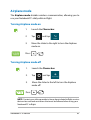
Airplane mode.................................................................................................................. 63
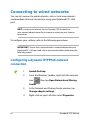
Connecting to wired networks..............................................................................64
Configuring a dynamic IP/PPPoE network connection..................................... 64
Configuring a static IP network connection.......................................................... 66
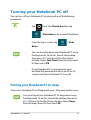
Turning your Notebook PC off...............................................................................67
Putting your Notebook PC to sleep.......................................................................... 67
Chapter 4: ASUS apps
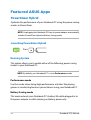
Featured ASUS Apps..................................................................................................70
Power4Gear Hybrid......................................................................................................... 70
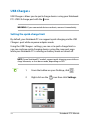
USB Charger+.................................................................................................................... 74
Trusted Platform Module (TPM)*............................................................................... 76
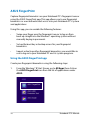
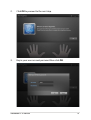
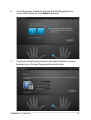
ASUS FingerPrint.............................................................................................................. 78
ASUSPRO Business Center*.......................................................................................... 85
Notebook PC E-Manual