1
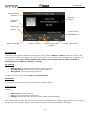
User Manual Book info: To show detailed information on the selected e-books. Settings: To set the font size, type of slip, auto-scroll, the scroll speed, full screen, the type of encoding and alignment. Apply global settings: To activate the Global settings choices. Help: Here are instructions available on shortcut keys for the reader. Use the 0 key to go to ebook settings screen, use the 1 for help, use the 2 button to add a bookmark, use the 3 key to switch to find screen, use the 4 button to switch to Jump to screen, use the 5 button to go to a bookmark, use the 6 button to find the next instance of a word, use the 7 key to enable or disable the automatic scrolling, use the 8 key to remove a bookmark, use the 9 key to toggle full screen. Close: to close the selected e-book. Phonebook The mobile phone is provided with the business card folder type Phonebook. Use Add New Contact to add a new Phonebook entry. The information of every contact saved on the mobile phone includes name and phone number. The mobile phone supports 1000 numbers and the memory card other 1000. Each SIM card can contain max 250 contacts. Available options for the contacts (press OK): View: To view the selected contact. Send message: To send the selected contact a message. Edit: You can edit the details of the selected contact. Delete: You can delete the selected contact from the list. Copy: You can copy the selected contact from the phone to one SIM card (or vice versa), or from one SIM card to another. Move: You can move the selected contact from the phone to one SIM card (or vice versa), or from one SIM card to another. Add to Blacklist: To add the selected contact to the Blacklist. Add to Whitelist: To add the selected contact to the Whitelist. Mark several: To mark more than one contacts for a future action. Send Business Card: You can send a vCard of the selected contact via SMS, MMS e-Mail or Bluetooth. My Number: you can edit and send your personal vCard. Settings: o Name Filter: to choose which phonebook to show (SIM1, SIM2, phone, memory card and various combinations). o Caller groups: You can freely create up to 20 caller groups by choosing Add new group and assign personalized pictures and ringtones. You can only add contacts saved in the phone to the caller groups. o Speed dial: on/off and set numbers: You can set up to 8 speed dial numbers and associate them to the 2-9 number keys. In the stand-by screen it will be sufficient to press a few seconds on the selected number key to call the phone number set here. o Import contacts: to import into the phonebook contacts saved in either the phone or the memory card. o Extra numbers: SIM Owner and SIM fixed dials: To set the phone numbers of the SIM cards and to set a fixed dial for a specific SIM card; you will need the PIN2 code of the SIM card. When the fixed dial mode is on, the phone will allow calls only to the numbers in the FDN list. o Memory Status: you can view the current memory usage of the Phonebook, including SIM1, SIM2 and Phone memory. The display format is “Used/Total”. 20