1
PREPARATION
SETTING-UP PROJECTOR
CONNECTING AC POWER CORD
This projector uses nominal input voltages of 100-120 V or 200-240
V AC. This projector automatically selects the correct input
voltage. It is designed to work with single-phase power systems
having a grounded neutral conductor. To reduce risk of electrical
shock, do not plug into any other type of power system.
Consult your authorized dealer or service station if you are not sure
of the type of power being supplied.
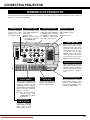
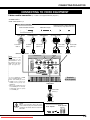
Connect the projector with all peripheral equipment before turning
the projector on. (Refer to pages 11 ~ 13 for connection.)
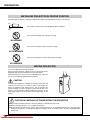
CAUTION
For safety, unplug AC Power Cord when the projector is not in
use.
When this projector is connected to an outlet with AC Power
Cord, it is in Stand-by mode and consumes a little electric
power.
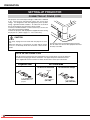
Connect AC Power Cord (supplied) to the projector.
The AC outlet must be near this equipment and must
be easily accessible.
NOTE ON THE POWER CORD
The AC Power Cord must meet the requirements of the country where you use the projector.
Confirm the AC plug type with the chart below. The proper AC power cord must be used.
If the supplied AC Power Cord does not match the AC outlet, contact your sales dealer.
Projector side
AC Outlet side
For the U.S.A. and Canada
For Continental Europe
Ground
To the POWER CORD
CONNECTOR on the
projector.
8
Downloaded From projector-manual.com Boxlight Manuals
To the AC Outlet.
(120 V AC)
To the AC Outlet.
(200 - 240 V AC)