1
PART NAMES AND FUNCTIONS
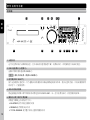
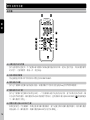
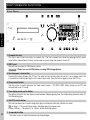
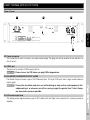
55. SGL/CTN switch button
This function allows you to switch single track play or continuous track play (all tracks in order).
SGL = Single → The current title is played once and the player goes into pause mode.
CTN = Continue → The entire CD or folders will be played continually track by track.
ENGLISH
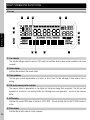
56. MUTE button
Press this button to reduce volume to 0.
57. Volume control button
These buttons can control output volume. Press “+” to increase volume and press “-“ to decrease volume.
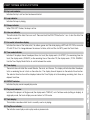
58. Folder search buttons
If a CD/MP3 or USB device is divided into folders, change directly into these folders use the Folder Search
buttons. Press the buttons to search the desired folder.
59. Track search buttons
These buttons are used to select a track.
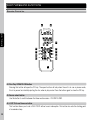
60. Search buttons
This search button allows you to quickly scan backwards through a track.
to quickly scan forwards through a track.
40
This search button allows you