1
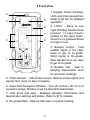
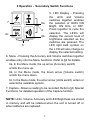
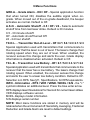
6 Operation - Secondary Switch Functions
7
6a
6
6c
6b
5
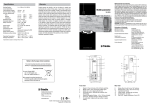
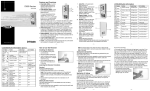
5. LED Display - Pressing
the Units and Volume
switches together enables
the selection of LED's ON
Bright, ON Dim, or OFF.
Press together to cycle the
selection. The LED's will
display the current level of
brightness selected as the
switches are pressed. The
LED light bulb symbol on
the LCD will also change to
display the selected setting.
6. Menu - Pressing the Accuracy and Volume switches together
enables entry into the Menu functions. Refer to §9 for details.
6a. In the Menu mode, the up arrow (Accuracy switch) scrolls the menu up.
6b. In the Menu mode, the down arrow (Volume switch)
scrolls the menu down.
6c. In the Menu mode, the enter arrow (Units switch) enters or
selects the available options.
7. Capture - Allows a reading to be recorded. Refer to §8, Special
Functions, for detailed operation of the Capture function.
NOTE: Units, Volume, Accuracy and LED Brightness are stored
in memory and will be retained when the unit is turned off or
when batteries are replaced.
7