1
Introduction
Thank you for purchasing the Sentry micro processor, our most advanced generation of digital temperature controllers. As you read the manual, have your controller in front of you so
that you can try out the keys.
The controller display messages are limited to four characters. For this reason, the messages
appear cryptic: IdLE instead of “Ready to begin,” CPLT instead of “Fired successfully to
completion,” RA1 instead of “Enter rate for first segment.” If at any time you are confused by
these messages, turn to Appendix A: Display Messages on pages 22 - 23.
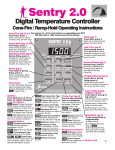
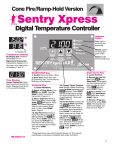
The front cover is a quick guided tour of the controller. The back cover is a quick guide to
programming, to be used after you have learned the programming instructions on page 8.
Do not worry if
you hear a clickDo not worry if you hear a clicking noise during operation. Mechanical
ing noise during
relays click as they turn the heating elements on and off. This is normal.
operation. Mechanical relays
The warranty on your Sentry controller does not cover damage from
click as they turn
overfiring, regardless of the circumstances. It is the operator’s responsithe heating elebility to make sure the kiln turns off at the end of the firing.
ments on and off.
If you purchased the TnF 2 portable controller, you should find a TnF 2
installation instruction sheet in addition to these instructions.
Instructions for multiple-zone kilns are included in this manual on pages 13 - 14. If you are
not sure whether your kiln is multiple-zone, look into the firing chamber. If you see two or
three thermocouple tips, your kiln is multiple-zone. If you see only one thermocouple, skip
multiple-zone instructions.
New features introduced with Sentry software version 18D: The Rate option (page 16), rate
shown in Present Status (page 12), firing cost calculation (page 16),
TCL alarm (page 21), PF1 alarm (page 20), and 2 segments added to
Do not leave the
the User 1 program for a total of 20 (page 7). To check the software verkiln unattended,
sion
of your Sentry, press the OPTIONS key repeatedly until SOFT apespecially near
pears.
Press ENTER. Your controller’s software version will appear.
the expected
18D and later versions include the new features.
shut-off time. Be
there to make
Once you learn the basic features of the Sentry, you will be able to
sure the kiln
control every stage of firing. This offers learning opportunities and
turns off.
convenience difficult to imagine with a manual-controlled kiln.
©2001, by Paragon Industries, Inc. IM-218/3-10
2 Ramp-Hold