1
Installation and Programming Manual V1
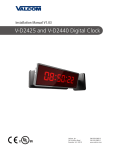
V-D2425B / V-D2440B Digital Clock
Valcom, Inc.
5614 Hollins Road
Roanoke, VA 24019
USA
+1 540-563-2000 P.
+1 540-362-9800 F.
www.valcom.com
Valcom, Inc.
5614 Hollins Road
Roanoke, VA 24019
USA
+1 540-563-2000 P.
+1 540-362-9800 F.
www.valcom.com
V-D2425B / V-D2440B Wired Digital Clock
Table of Contents
Table of Contents—2
Installation
Included in the Kit—3
Surface (Wall) Mount Installation —4
Surface (Wall) Mount Installation (continued)—5
Double Mount Installation—6
Double Mount Installation (continued)—7
Double Mount Installation (continued)—8
Wiring Information
Wiring and Jumper Settings—9
2-Wire Digital Communication—10
Support
Frequently Asked Questions—11
Troubleshooting—12
*Manuals may change without prior notice
2
Valcom, Inc.
5614 Hollins Road
Roanoke, VA 24019
USA
+1 540-563-2000 P.
+1 540-362-9800 F.
www.valcom.com
Included in the Kit
Installation
Below is a list of all the items included in the installation kit.
Surface Mount – 24VDC Kit
Kit will be labeled: D-PK-3-24-S
•
24VDC Power Harness (18 AWG), Orange, Green, Yellow
Kit will be labeled: D-MK-WLL-PLTC-1
•
4 - 6-32 x 1” Machine Flat Screws
•
4 - 6-19 x 1/2” Flat Head Screws
•
4 - 8-32 x 7/19” Screws
•
2 - 8-32 x 7/16” Screws
3
Valcom, Inc.
5614 Hollins Road
Roanoke, VA 24019
USA
+1 540-563-2000 P.
+1 540-362-9800 F.
www.valcom.com
Surface (Wall) Mount Installation
Installation
q
r
w
t
e
y
4
Valcom, Inc.
5614 Hollins Road
Roanoke, VA 24019
USA
+1 540-563-2000 P.
+1 540-362-9800 F.
www.valcom.com
Installation
Surface (Wall) Mount Installation (continued)
1. Mount Housing to Wall and/or Gang Box - To mount the housing to the wall, install two (2) wall anchors into the wall (not supplied
in kit) and take two pan head screws no larger than #8 (also not supplied in kit) and drive them into the anchors leaving an 1/8th inch
gap between the head of the screw and the wall. Mount the housing to the wall by lining up the two keyholes in the back of the housing
with the two screws with the 1/8 inch gap and slide the housing onto the heads of the screws. Next, mark the 2 mounting holes at the
bottom of the housing on the wall. Remove the housing and install wall anchors at this location. Hang the housing on the keyholes and
install the bottom screws. To mount the housing to the gang box, take the four (4) 6-32 x 1” screws (supplied in kit) and screw them
through the four holes in the center of the inside of the housing and the four holes in the gang box.
Note: If using a metal gang box, a ground must be provided to the gang box.
2.
Feed Wiring Into the Housing - Take the wire coming from the inside of the gang box and feed it through the hole in the middle of the housing.
3. Plug and Secure Wiring - Loosen the provided wire clamp (comes attached to the inside of the housing) and slip excess wiring
through and tighten the clamp. After securing excess wiring, connect the wiring into the appropriate connector on the back of the
display board. (See the Wiring and Jumper Settings on page 9).
4. Mount Display Board to Housing - Using the four (4) self tapping, 6-19 x 1/2” flat head screws (supplied in the assembly kit), take
the display board and screw it to the front side of the clock housing (4 screws per clock).
5. Snap on Filter - Take the red filter bezel and snap it on to the front side of the housing.
6. Snap on Frame - Take the gray frame and snap it on to the front side of the housing.
5
Valcom, Inc.
5614 Hollins Road
Roanoke, VA 24019
USA
+1 540-563-2000 P.
+1 540-362-9800 F.
www.valcom.com
Double Mount Installation
Installation
q
a
o
t
i
e
u
y
w w
r
6
Valcom, Inc.
5614 Hollins Road
Roanoke, VA 24019
USA
+1 540-563-2000 P.
+1 540-362-9800 F.
www.valcom.com
Installation
Installation
Double Mount Installation (continued)
*For metal mounting bracket: Use a wall anchor that can support 50 lbs or more with a maximum
screw size of #8
1. Install metal mounting bracket - First, remove the metal mounting bracket from the inside of the double mount base by unscrewing
the two (2) 6-32 x 1/2” screws located on the underside of the base (save these screws for step #5). Next, screw the metal mounting
bracket to the wall or ceiling in which the clocks are being installed. To mount to the double gang switch box, screw the four (4) 6-32 x
1” screws (supplied in the assembly kit) through the inner four holes of the metal mounting bracket. Use the outer four holes to mount to
the anchors in the wall (both anchors and screws are not supplied in kit).
Note: If using a plastic switch box, a ground wire must be routed through the switch box and into one (1) of the four (4) metal mounting bracket screws in order to provide ground to the metal mounting bracket. The metal mounting bracket MUST be secured by both the screws going to the switch box AND the anchors going into the wall.
2.
Mount clock housings to pole - Align the hole in the center each housing with one of the three holes on the mounting pole where the wiring will be routed (the installer will choose which hole at the end of the pole to use based on how far they want the clock to sit
from the wall). Screw from the inside of the housing into the four holes surrounding the hole in the center of the housing using the four (4) 8-32 x 7/16” screws (supplied in the assembly kit - 4 screws per clock), securing both housings to the mounting pole.
3.
Note: End caps from one side of each clock must be removed to mount both clocks to the mounting pole. Remove one end cap from each clock from the side in which the mounting pole enters the clock.
Screw both housings together - Using the two (2) self tapping, 6-19 x 7/16” screws (supplied in the assembly kit), screw both back
sides of the clock housings together (2 screws per clock).
*Instructions continued on next page
7
Valcom, Inc.
5614 Hollins Road
Roanoke, VA 24019
USA
+1 540-563-2000 P.
+1 540-362-9800 F.
www.valcom.com
Double Mount Installation (continued)
Installation
4.
Feed wiring through base and pole - Take the wiring coming from the switch box and begin to feed it through the center of the
base of the mounting assembly until it emerges from the hole in the center of the clock housing. Make sure there is roughly 1.5’ of
wiring coming from the switch box. Perform this task for both clocks.
5.
Snap and screw base to metal mounting bracket - Snap the base to the metal mounting bracket by first making contact with
the lip in the upper side of the base and the metal mounting bracket. When the base has been snapped onto the bracket, take the two (2) 6-32 x 1/2” pan head screws that originally came installed on the base and screw them back into the two holes on the underside of the base to secure the base to the metal mounting bracket.
6.
Connect switch box wires to clock harness - Take the wiring harness supplied with the clock and make all necessary
connections between the wiring harness and the switch box wires using wire nuts. Perform this task for both clocks.
7.
Plug and secure wiring - Loosen and slip excess wiring through provided wire clamp (comes attached to each housing) and tighten the clamp. After securing excess wiring, connect the wiring harness into the appropriate connector on the back of the
display board. Perform this task for both clocks. (See the Wiring and Jumper Settings on page 9).
8.
Mount display board to housing - Using the four (4) self tapping, 6-19 x 1/2" flat head screws supplied in the assembly kit, take the display board and screw it to the front side of the clock housing (4 screws per clock).
9. Snap on filter - Take the red filter bezel and snap it on to the front side of each clock housing.
10. Snap on frame - Take the gray frame and snap it on to the front side of each clock housing.
8
J1 - Sync Inputs
*Refer to pages 19-21 for
further installation instructions.
J2 - User Inputs
12VDC@40ma
User Input 1
User Input 2
User Input 3
User Input 4
Each User Input is
a Contact Closure
Power Settings
1 24VDC @ 0.35A (ORG)
2 (BLK)
3 No Connection
4 (WHT)
5 24VDC @ 0.35A (YEL)
Bright
12 Hour Time
Alternating Date/Time Display
Low
*Relay 2 N.O.
*Relay 1 N.O.
J3 - Relay Output
4
3
2
1
J7 - RS485
**Note: Be sure to have a jumper present on Pin 1 & Pin 2 OR Pin 2 & Pin 3. Below
are the Jumper Positions and their corresponding functions.
JP 1
Time Display Only
1 2 3 4
JP 2
note below
*See Note
Below
Pin 2 & Pin 3
JP 3
note below
*See Note
Below
Output A
Output B
JP 4
note below
*See Note
Below
*Jumpers 4, 5 and 6 must be in the Pin 1 & Pin 2 position.
24 Hour Time
*Contact Rating
JP 5
Pin 1 & Pin 2
0.3A @ 120VAC
JP 6
Jumper Position
0.5A @ 24 VAC
Input A
Input B
Pin
123
Common
Common
3.3VDC@20ma
Dry Contact
Dukane Pulse
Dukane Reset
24VAC Sync
120VAC or 240VAC Sync
AC / DC Com
**Jumper Position
JP 1
JP 2
JP 3
JP 4
JP 5
JP 6
Wiring Information
+1 540-563-2000 P.
+1 540-362-9800 F.
www.valcom.com
Valcom, Inc.
5614 Hollins Road
Roanoke, VA 24019
USA
Wiring and Jumper Settings
9
Valcom, Inc.
5614 Hollins Road
Roanoke, VA 24019
USA
+1 540-563-2000 P.
+1 540-362-9800 F.
www.valcom.com
2-Wire Digital Communication
RS485 Output
Brown
Purple
Wiring Information
V-VCU
120VAC or 240VAC
24VDC Wired Analog Clock
Wired Digital Clock
V-VCU
120VAC or 240VAC
24VDC Wired Analog Clock
10
Valcom, Inc.
5614 Hollins Road
Roanoke, VA 24019
USA
+1 540-563-2000 P.
+1 540-362-9800 F.
www.valcom.com
Frequently Asked Questions
Can the digital clock be used as an independent clock?
No, the V-D2425B and V-D2440B digital clocks require Valcom 2-wire digital correction.
Some clocks require a 9 volt battery backup for timekeeping. What happens to the V-D2524B or V-D2440B if a power failure occurs?
Upon restoration of power, the clock immediately receives a correction signal from the master clock and resets itself to display the correct time.
This occurs within seconds of “power-up”, so no battery backup is required for a timekeeping base within the individual clocks. Since the clock
does not require a battery backup, the clock never needs to be opened.
What is the minimum operating voltage for the digital clock?
The minimum operating voltage is 18VDC.
Support
How can I display “BELL” text on the clock?
The word “BELL” may be sent to the clocks via contact closure on the V-DCPI Digital Protocol Interface
11
Valcom, Inc.
5614 Hollins Road
Roanoke, VA 24019
USA
+1 540-563-2000 P.
+1 540-362-9800 F.
www.valcom.com
Troubleshooting
The clock is not running. What do I do?
Measure the input voltage to the clock. The voltage should measure 10-28 volts in the 2.5”/24VDC model and 16-28 volt in the 4.0”/24VDC model.
Make sure the ground wire is not touching other wires.
NOTE: If you fail to follow the above instructions, the fuses can be blown.
The clock is not receiving an input signal. What do I do?
If interfacing with other systems, make sure that the input voltage is zero when not applying a correction signal. When taking this measurement,
you must be sure that the clock is disconnected from the master clock. Also, measure both AC & DC voltage. (The current consumption needed is
very low, about 3mA, and a leakage current from the master clock can be interpreted as a continuous reset signal. If you are experiencing such a
problem, please install a bypass mechanical relay). There is data noise bleeding into the intercom line. What do I do?
Clock correction data wiring should be isolated from one way audio pairs.
Support
12