1
Checking Available Memory
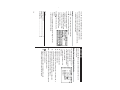
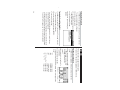
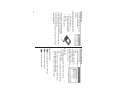
1. Tap ! once, twice, or three times to display the third page of
the Main menu, then tap : .
2. In the list of Setup items, tap to select “7. Check Memory”.
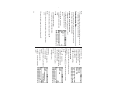
The memory check display will appear indicating the remaining
memory space.
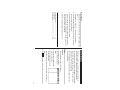
The following will be displayed:
Memory Free: available memory space
Reusable:
amount of reusable memory space after running
Memory Management (see page 27).
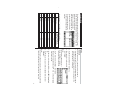
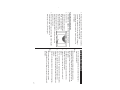
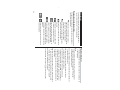
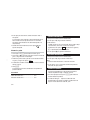
Display Symbols
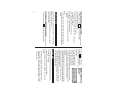
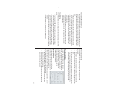
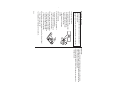
Alarm icon: The Alarm is ON and will ring at the specified
time.
Schedule icon: Appears when the Home clock time reaches
the Reminder time or Start time of a schedule entry.
Disappears when the time reaches the End time of the entry.
Anniversary sign: Appears prior to a special day programmed
in the Anniversary Reminder.
C Capitalized (uppercase) letters will be entered.
Beep sound: Key touch sound (beep) is ON.
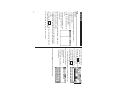
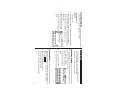
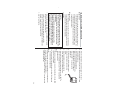
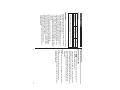
3. On the menubar, tap “, then enter your name, address, e-mail,
and mobile phone information with the touch keyboard. Refer to
page 5 "Entering Characters" for more information.
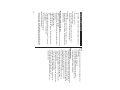
Secret sign: Secret function is in effect.
(The password will be required to view/edit entries.)
B Low Battery sign: Indicates that the battery level is extremely
low. (Replace the operating battery with a new one
immediately.)
b
4. At the completion of each field entry, tap Enter . To save entries,
tap Enter at the Mobile entry field, or tap æ on the menubar.
• The display examples in this manual show only the symbols required
for each explanation.
Daily Alarm: The Daily Alarm is ON and is set to ring at the
specified time every day.
To edit the information, tap “, then select "Edit Entry". To delete
the whole entry, select "Delete Entry" in the menu.
2. In the list of Setup items, tap to select "2. User Information".
1. Tap ! once, twice, or three times, then tap to select :.
Entering User Information
4