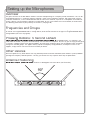
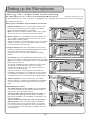
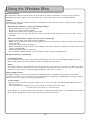
1
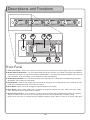
Descriptions and Functions
Microphones
1. IR (infrared) Sensor - This sensor receives the infrared signal that is
used to set the frequency that the wireless mic will use. This sensor
is only used to set the microphone frequency, it does not send or
receive audio signal.
2. Power LED - This LED indicator will turn green when the microphone
is turned on. It will turn red when the batteries need to be replaced.
3. ON/OFF Switch - This switch turns the microphone on or off.
Installing the Batteries
To install the wireless mic batteries:
1. Remove the battery cover.
2. Insert two fresh AA batteries. Make sure they are facing the correct direction.
3. Replace the battery cover.
12