1
Fast Track Troubleshooting
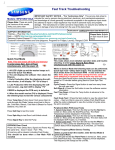
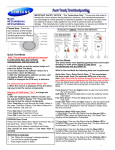
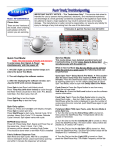
Correct
Quick Test Mode:
To enter: press & hold “Start/Puase” and press
“Power” until unit powers up, then quickly release
“Start/Pause”. The test screen displays and the
washer beeps as it enters the Quick Test Mode.
***Note 1: If these buttons are held down too long, the
wrong screen will display and the quick test modes
WILL NOT operate. See “Correct” and “Incorrect”
Screen” pictures.
***Note 2: Configure Wi-Fi AP before entering quick
test mode.
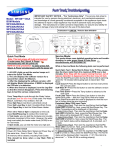
Washer displays the software version in top four segments
(Ex. “Y333” in “Correct” picture).
When the S/W version is displayed, press the following
keys to test the various components:
Press “1” repeatedly to cycle through the Water Valves in
this order (door must be locked): Pre-Wash, Bleach, Cold,
Bubble Shot & Hot.
Press “2” repeatedly to cycle Door Lock/Unlock circuit.
Press “3” repeatedly to cycle the Drain Pump, Bubble
Pump, and Direct Valve (Door must be locked).
Press “4” repeatedly test the Water Heater.
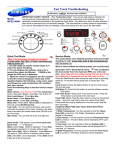
Press “Spin” and “Start/Pause” to test the motor (Lock
Door First). “Spin” and “1200” flash alternately in
the display (See pics.). RPM is displayed in LCD
once 1200 rpm is reached, unit will hold speed for
10 min. To exit, press “Start/Pause” again.
Press “Test” and “Start/Pause” to begin a test the wash
cycle (Lock Door First). Press “Start/Pause” to
exit.
EEPROM Clear Check:
Enter Service Mode, go to S/W Version check mode
and press “Reset” 3 times.
All memory will be cleared, including Fault Codes
This should be done when a new Main PCB is installed
XX
Incorrect
XX