1
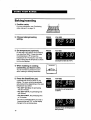
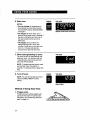
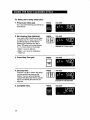
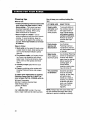
5. Set start time.
YOU SEE
Press the "up" (A) or "down" (V) pad(s)
until the correct time shows on the
display.
Example at right shows a desired
start time of 2:00.
(example shows 2 o'clock
start time)
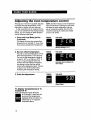
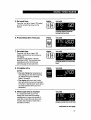
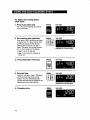
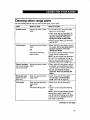
6. Press Stop Time pad.
PRESS
YOU SEE
YOU SEE
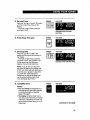
7. Set stop time.
Press the "up" (A) or "down" (V)
pad(s) until the correct time shows on
the display.
Example at right shows a desired
stop time of 2:30. This provides a 30minute cook time (the difference
between the start and stop times).
(example
shows 2:30 stop time)
NOTE: If you do not set a stop time,
the colon will flash on the display and
STOP and COOK will flash alternately
to remind you to program a stop time
or a cook time. (See page 26 for
instructions on how to set delay start
and stop automatically using Cook
Time and Delay Start Time.)
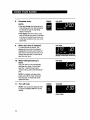
8. Complete
entry.
PRESS
YOU SEE
NOTES:
• You can change the temperature or
time settings any time after pressing
the Start/Enter pad by repeating
Steps 2 through 8.
• The display will show "door" and a
tone will sound once every 5 seconds
if the door is latched (Lock Lever set
at the clean position) when you try to
bake/roast.
continued on next page
29